Firebase-tools: Functions shell/emulator unable to load default credentials
[REQUIRED] Environment info
firebase-tools: 7.12.1
Platform: Debian on WSL on Windows 10
[REQUIRED] Test case
import * as functions from 'firebase-functions';
const admin = require('firebase-admin').initializeApp(functions.config().firebase);

exports.action1 = functions.https.onCall(() => {
  return admin.database().ref('action').push({ 'a': 1 })
});
[REQUIRED] Steps to reproduce
npm run shell with the above code, execute function action({})
[REQUIRED] Expected behavior
The shell environment should be able to locally simulate the function and access the database, according to the documentation: Cloud Firestore and Realtime Database triggers already have sufficient credentials, and do not require additional setup.
[REQUIRED] Actual behavior
I receive the following message:
@firebase/database: FIREBASE WARNING: {"code":"app/invalid-credential","message":"Credential implementation provided to initializeApp() via the \"credential\" property failed to fetch a valid Google OAuth2 access token with the following error: \"Error fetching access token: Error while making request: getaddrinfo ENOTFOUND metadata.google.internal. Error code: ENOTFOUND\"."}
Some digging through the documentation provided me with various different answers, none of which solved my issue. Please note that I would like to locally develop with the same code as the one that I deploy. Some things I found:
- I tried with and without
functions.config().firebasebut it's not clear when and if this is required
- Setup Admin Credentials using the export command. I changed the default command to:
"shell": "export GOOGLE_APPLICATION_CREDENTIALS=\"my-owner-key.json\" && tsc --watch --preserveWatchOutput & firebase functions:shell",
According to the (closed) issue #595 for some reason a protect_env flag sets this environment variable to an empty string. I don't see the reasoning for this 'protection' as the documentation explicitly explains you need to set this variable if you wish to use the shell in an authenticated fashion. PR #1252 added the functionality to disable protect_env but I couldn't get the --disable-features flag working or even find any documentation on it anywhere.
serviceAccount = require('./serviceAccount.json');

const adminConfig = JSON.parse(process.env.FIREBASE_CONFIG);
adminConfig.credential = admin.credential.cert(serviceAccount);
admin.initializeApp(adminConfig);
Somehow injecting the json is supposed to work according to the documentation however this code fails to compile with the following error:
error TS2345: Argument of type 'string | undefined' is not assignable to parameter of type 'string'.
  Type 'undefined' is not assignable to type 'string'.

const adminConfig = JSON.parse(process.env.FIREBASE_CONFIG);
It also feels hacky and would not be transferrable to the server as-is as it explicitly depends on a .json credential file being deployed.
Edit: I found a 4 month old issue on this topic that is still regularly receiving reports of users encountering the same problem: #1708
 Karasuni
All 20 comments
@Karasuni thanks for your very detailed report. I was able to reproduce the behavior as you described it and I agree this is not what we want to happen.
 samtstern
on 27 Jan 2020
samtstern
on 27 Jan 2020
Hmm ok so after some more digging I found out:
- This is not limited to
functions:shellbut actually anything that uses the emulator (includingemulators:start) - I was able to fix this by running
gcloud auth application-default loginbut I don't see why that was necessary ...
samtstern
on 27 Jan 2020
Leaving a note for myself so I can pick this back up. Basically right now all of the emulator default credentials happen "by luck". Most people have a default credential on their machine or they have GOOGLE_APPLICATION_CREDENTIALS set.
What we need to do is get firebase login to create a credential that we can pass down into the emulators which they can use instead of having to rely on one of the implicit methods. This will require a change in auth/credential.ts in firebase-admin-node to look in a new location before falling back to gcloud credentials.
samtstern
on 7 Feb 2020
Hmm ok so after some more digging I found out:
- This is not limited to
functions:shellbut actually anything that uses the emulator (includingemulators:start)- I was able to fix this by running
gcloud auth application-default loginbut I don't see why that was necessary ...
I was having the same problem, thanks for post you workaround, it work for me.
gcloud auth application-default login
 romelgomez
on 15 Feb 2020
romelgomez
on 15 Feb 2020
@samtstern for me the emulator randomly stopped working, so I actually had to install gcloud and login as a workaround.
firebase-debug.log
[debug] [2020-03-15T20:10:50.209Z] ----------------------------------------------------------------------
[debug] [2020-03-15T20:10:50.211Z] Command:       /usr/local/bin/node /usr/local/bin/firebase setup:emulators:firestore
[debug] [2020-03-15T20:10:50.211Z] CLI Version:   7.10.0
[debug] [2020-03-15T20:10:50.211Z] Platform:      darwin
[debug] [2020-03-15T20:10:50.211Z] Node Version:  v12.8.1
[debug] [2020-03-15T20:10:50.212Z] Time:          Sun Mar 15 2020 21:10:50 GMT+0100 (GMT+01:00)
[debug] [2020-03-15T20:10:50.212Z] ----------------------------------------------------------------------
[debug] [2020-03-15T20:10:50.212Z]
[info] i  firestore: downloading cloud-firestore-emulator-v1.10.2.jar...
firebase emulators:start
 External network resource requested!
   - URL: "http://169.254.169.254/computeMetadata/v1/instance"
 - Be careful, this may be a production service.
⚠  External network resource requested!
   - URL: "http://metadata.google.internal./computeMetadata/v1/instance"
 - Be careful, this may be a production service.
> Error: Could not load the default credentials. Browse to https://cloud.google.com/docs/authentication/getting-started for more information.
>      at GoogleAuth.getApplicationDefaultAsync (/Users/maximilian/Projekte/ofe/dev/ofe-backend/firebase/functions/node_modules/google-auth-library/build/src/auth/googleauth.js:160:19)
>      at processTicksAndRejections (internal/process/task_queues.js:85:5)
>      at async GoogleAuth.getClient (/Users/maximilian/Projekte/ofe/dev/ofe-backend/firebase/functions/node_modules/google-auth-library/build/src/auth/googleauth.js:502:17)
>      at async GrpcClient._getCredentials (/Users/maximilian/Projekte/ofe/dev/ofe-backend/firebase/functions/node_modules/google-gax/build/src/grpc.js:92:24)
>      at async GrpcClient.createStub (/Users/maximilian/Projekte/ofe/dev/ofe-backend/firebase/functions/node_modules/google-gax/build/src/grpc.js:213:23)
The error is caused by accessing const db = admin.app().firestore(); db.doc(...).get()
UPDATE
Actually the "fix" removed the error message but now the emulated function modifies the data in the online firestore database.
I call the functions like this:
admin.initializeApp()
const db = admin.app().firestore()
 glumb
on 27 Mar 2020
glumb
on 27 Mar 2020
Also ran into what I believe to be this issue when trying to use databaseAuthVariableOverride, and it only manifested itself when I deployed the functions live, causing a bunch of overnight errors.
I started with a default app initialization:
var admin = require("firebase-admin");
var admin-app = admin.initializeApp();
This worked well in local testing, CI testing, and live.
Then I added databaseAuthVariableOverride:
var admin = require("firebase-admin");
var admin-app = admin.initializeApp({databaseAuthVariableOverride: "my-worker-uid"});
This worked in local testing and CI testing. We deployed it live and only noticed 6h later that it was erroring out:
Error: Can't determine Firebase Database URL.
    at FirebaseDatabaseError.FirebaseError [as constructor] (/srv/node_modules/firebase-admin/lib/utils/error.js:42:28)
    at new FirebaseDatabaseError (/srv/node_modules/firebase-admin/lib/utils/error.js:203:23)
    at DatabaseService.ensureUrl (/srv/node_modules/firebase-admin/lib/database/database.js:88:15)
    at DatabaseService.getDatabase (/srv/node_modules/firebase-admin/lib/database/database.js:55:26)
    at FirebaseApp.database (/srv/node_modules/firebase-admin/lib/firebase-app.js:231:24)
    at /srv/index.js:283:54
    at /srv/index.js:146:297
    at /srv/index.js:146:310
    at ad (/srv/index.js:106:54)
    at $c.f.G (/srv/index.js:108:222)
I tried adding the rest of the options:
{
  credential: admin.credential.applicationDefault(),
  databaseURL: 'https://<DATABASE_NAME>.firebaseio.com',
  databaseAuthVariableOverride: "my-worker-uid",
}
This did not work for local or CI testing, showing errors of this sort:
> [2020-04-14T10:37:45.223Z] @firebase/database: FIREBASE WARNING: {"code":"app/invalid-credential","message":"Credential implementation provided to initializeApp() via the \"credential\" property failed to fetch a valid Google OAuth2 access token with the following error: \"Error fetching access token: Error while making request: getaddrinfo ENOTFOUND metadata.google.internal. Error code: ENOTFOUND\"."}
@samtstern I think this is a particularly nasty bug because it makes it hard to test locally with confidence. Some option setups work for both emulator and live, others don't.
I haven't set up gcloud auth application-default login on my machine on purpose because I want to approximate my local environment to my CI environment, and I don't want to have to login or provide credentials in my CI environment.
Ideally for me, option setups that fail on live would also fail on the emulator, and if they succeed on the emulator they should also succeed on live.
Meanwhile I've added a conditional to try and identify when I'm using the emulator and use different options:
var options = process.env.FUNCTIONS_EMULATOR ?
  { databaseAuthVariableOverride: "my-worker-uid" } :
  {
    credential: admin.credential.applicationDefault(),
    databaseURL: 'https://<DATABASE_NAME>.firebaseio.com',
    databaseAuthVariableOverride: "my-worker-uid",
  };
 filipesilva
on 14 Apr 2020
filipesilva
on 14 Apr 2020
Got same problem, solved by installing gcloud sdk then running
gcloud auth application-default login
I think firebase cli login should be enough to allow local testing using serve & shell.
 nascode
on 6 May 2020
nascode
on 6 May 2020
@nascode @filipesilva thanks for your inputs. This is one of the things I really want to fix in the emulators but as you can see here it's very hard to get right and I don't want to make any breaking changes. But I want to let you know I am thinking about it.
samtstern
on 6 May 2020
So this morning i managed to add this to my shell
export GOOGLE_APPLICATION_CREDENTIALS="~/svelte-fullstack-starter-9a3b3faddda9.json"
and my functions ran relatively well.
However now when I run the emulation I am getting
⚠ Error: Failed to read credentials from file ~/svelte-fullstack-starter-9a3b3faddda9.json: Error: ENOENT: no such file or directory, open '~/svelte-fullstack-starter-9a3b3faddda9.json'
I haven't changed anything in my home dir

 quantuminformation
on 13 May 2020
quantuminformation
on 13 May 2020
want me to open a new issue for this ^?
the file is defo there

quantuminformation
on 16 May 2020
@quantuminformation try using $HOME instead of ~. If that doesn't work then open a new issue, yeah,
samtstern
on 18 May 2020
Hmm that seems to work thanks
quantuminformation
on 20 May 2020
Heya @samtstern did you come up with an interesting approach to not needing gcloud auth application-default login?
Today I was trying to updated to [email protected] to get your https://github.com/firebase/firebase-tools/pull/2213 fix (thanks by the way!) but kept running into credentials error as described in the original issue description.
I my case I had to stay at [email protected] to be able to test without gcloud auth application-default login.
filipesilva
on 26 May 2020
@filipesilva I finally found the solution I wanted, working on it in #2214
If you're seeing new issues on 8.4.0 with credentials maybe file a separate issue? This one is getting pretty crowded.
samtstern
on 26 May 2020
@samtstern I think it's the same as this issue really, not a new one.
Going over #2214 it looks like the approach is to ensure credentials are loaded correctly rather than to allow the emulator to run without them. In that case the CI journey will always need to include service account credentials somewhere, is that right?
That seems a bit problematic for open source projects... If I add a service account credentials to my CI so that contributor PRs can run the emulator tests, then they'll be able to add PRs that access the saved credentials in the CI jobs too.
filipesilva
on 26 May 2020
@filipesilva no we will not be requiring or encouraging the use of service account auth (also btw most CI platforms don't allow PRs from forks to access secrets for that reason):
A few things to understand:
- The Functions emulator actually doesn't care about credentials at all. We don't need them for anything. The checks we have in place are just warnings.
- The reason credentials are important is because various SDKs (
firebase-admin, any of the@google-cloud/foolibs) look for them to initialize. They have a whole decision tree of places they look for credentials which is basically:
- Explicitly passed via code
- Passed via
GOOGLE_APPLICATION_CREDENTIALS - Available at a well-known filesystem path due to
gcloud - Available from the Compute Engine metadata API when running on GCP
When you run firebase login or gcloud auth application-default login you get a user credential (type: authorized_user) which allows you to act as yourself, not a service account.
The trick we are doing in #2214 is to make firebase login write a file, just like gcloud, so that we can make Google Cloud SDKs re-use the Firebase CLI user credential.
samtstern
on 26 May 2020
@samtstern I'm sorry to keep on drilling the CI case, but are you saying that instead of a service account, the idea is to run firebase login or gcloud auth application-default login on a CI server instead? That seems a variant of the same problem, where some kind of login is still necessary on CI.
I do think now this is probably a separate issue though, so I opened https://github.com/firebase/firebase-tools/issues/2294 instead.
filipesilva
on 26 May 2020
@filipesilva if you need to access non-local Google resources you will need to have some sort of credential on your CI, yes. Specifically after #2214 you could run firebase login:ci and keep a token instead of a service account.
I'll look at the other issue.
samtstern
on 26 May 2020
To everyone watching this thread: today we released version 8.5.0 of the CLI which contains big changes for how authentication works in the Functions Emulator.
Namely: if you're logged into the CLI with firebase login we will pass those credentials into the emulator as temporary GOOGLE_APPLICATION_CREDENTIALS (unless you're providing your own). This should mean you don't need to rely on gcloud for basic authentication anymore.
If this causes any problems please file a new issue!
samtstern
on 8 Jul 2020
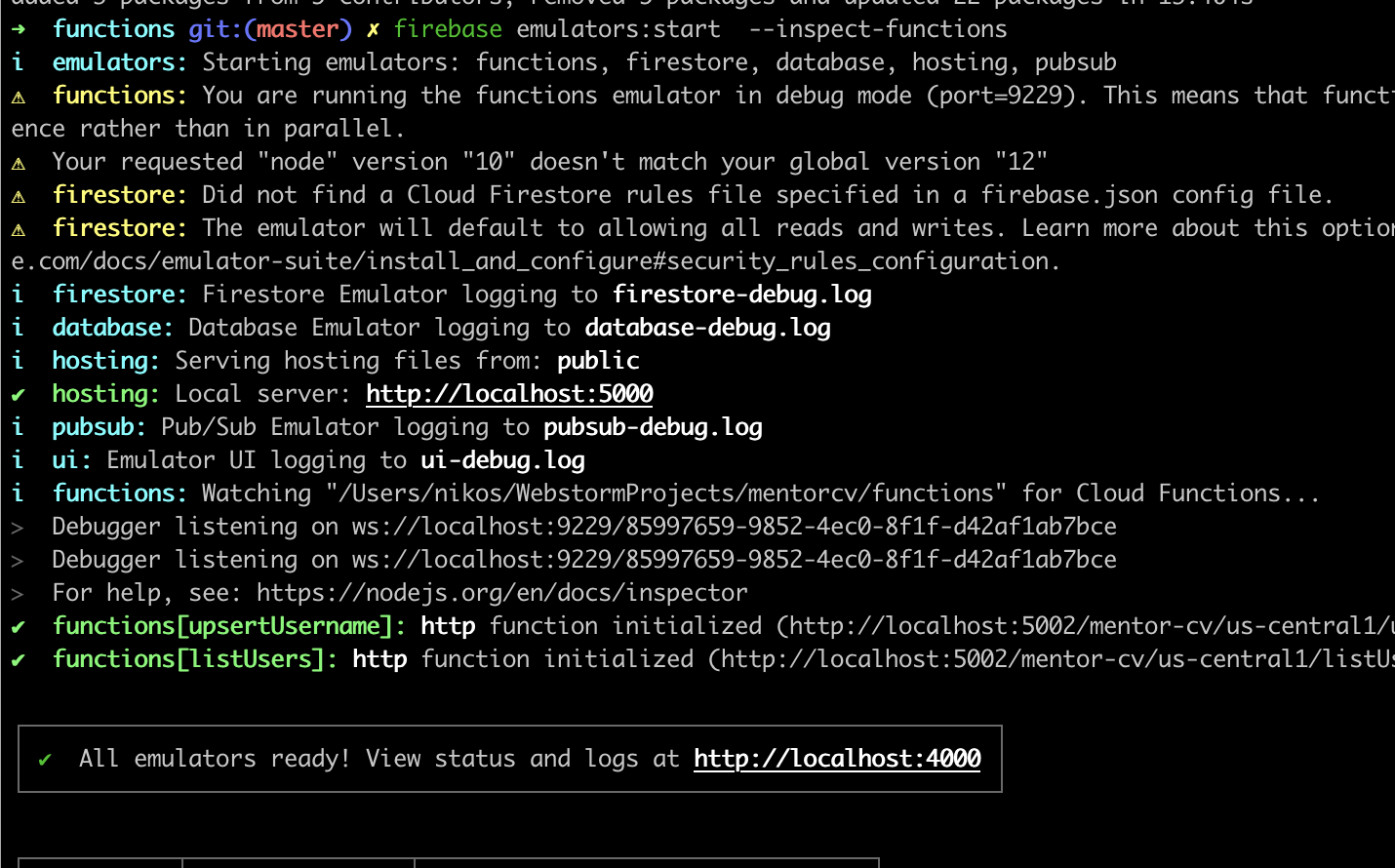
nice one, no error anymore with --inspect
quantuminformation
on 10 Jul 2020
Related issues
 Symbolk
·
3Comments
Symbolk
·
3Comments
 satishverma143
·
4Comments
satishverma143
·
4Comments
 laurenzlong
·
4Comments
laurenzlong
·
4Comments
 repentsinner
·
3Comments
repentsinner
·
3Comments
 chen86860
·
3Comments
chen86860
·
3Comments
Most helpful comment
Hmm ok so after some more digging I found out:
functions:shellbut actually anything that uses the emulator (includingemulators:start)gcloud auth application-default loginbut I don't see why that was necessary ...