Firebase-tools: Trying to Deploy first hosting
Problem with Deployiing hosting I had succesfully initialized and logged in but when I try to deploy the error shows
Error: Cannot understand what targets to deploy. Check that you specified valid targets if you used the --only or --except flag. Otherwise, check your firebase.json to ensure that your project is initialized for the desired features.
I tried
firebase deploy
firebase deploy --only default
firebase deploy --only hosting
And every time I get the same error, I post everything below
Your environment has been set up for using Node.js 6.11.4 (x64) and npm.
C:\Users\Lenovo>npm install -g firebase-tools
npm WARN deprecated [email protected]: Use uuid module instead
C:\Users\Lenovo\AppData\Roamingnpm\firebase -> C:\Users\Lenovo\AppData\Roamingnpmnode_modules\firebase-tools\bin\firebase
C:\Users\Lenovo\AppData\Roamingnpm
`-- [email protected]
C:\Users\Lenovo>firebase login
Already logged in as jakub.[email protected]
C:\Users\Lenovo>firebase init
 ######## #### ########  ######## ########     ###     ######  ########
 ##        ##  ##     ## ##       ##     ##  ##   ##  ##       ##
 ######    ##  ########  ######   ########  #########  ######  ######
 ##        ##  ##    ##  ##       ##     ## ##     ##       ## ##
 ##       #### ##     ## ######## ########  ##     ##  ######  ########
You're about to initialize a Firebase project in this directory:
C:\Users\Lenovo
Before we get started, keep in mind:
- You are initializing your home directory as a Firebase project
- You are initializing in an existing Firebase project directory
? Are you ready to proceed? Yes
? Which Firebase CLI features do you want to setup for this folder? Press Space
to select features, then Enter to confirm your choices.
! You have have not selected any features. Continuing will simply associate this folder with a Firebase project. Press Ctrl + C if you want to start over.
=== Project Setup
First, let's associate this project directory with a Firebase project.
You can create multiple project aliases by running firebase use --add,
but for now we'll just set up a default project.
i .firebaserc already has a default project, skipping
i Writing configuration info to firebase.json...
i Writing project information to .firebaserc...
- Firebase initialization complete!
C:\Users\Lenovo>firebase deploy
Error: Cannot understand what targets to deploy. Check that you specified valid targets if you used the --only or --except flag. Otherwise, check your firebase.json to ensure that your project is initialized for the desired features.
C:\Users\Lenovo>firebase deploy --only hosting
Error: Cannot understand what targets to deploy. Check that you specified valid targets if you used the --only or --except flag. Otherwise, check your firebase.json to ensure that your project is initialized for the desired features.
Having trouble? Try firebase deploy --help
C:\Users\Lenovo>firebase deploy --only default
Error: Cannot understand what targets to deploy. Check that you specified valid targets if you used the --only or --except flag. Otherwise, check your firebase.json to ensure that your project is initialized for the desired features.
Having trouble? Try firebase deploy --help
C:\Users\Lenovo>
 jagiellonczyk14
All 7 comments
you are trying deploy without init successful. try to re init again or
firebase use --add
 hiepxanh
on 13 Oct 2017
hiepxanh
on 13 Oct 2017
If it's still needed
It might be looking for your public folder.
Create your project folder. Example: C:\MyProject.
Create another folder called "public" and place all the files into that folder. Example: C:\MyProject\public.
cd into MySite and run "firebase init" from there.
 lenelldavis
on 26 Nov 2017
lenelldavis
on 26 Nov 2017
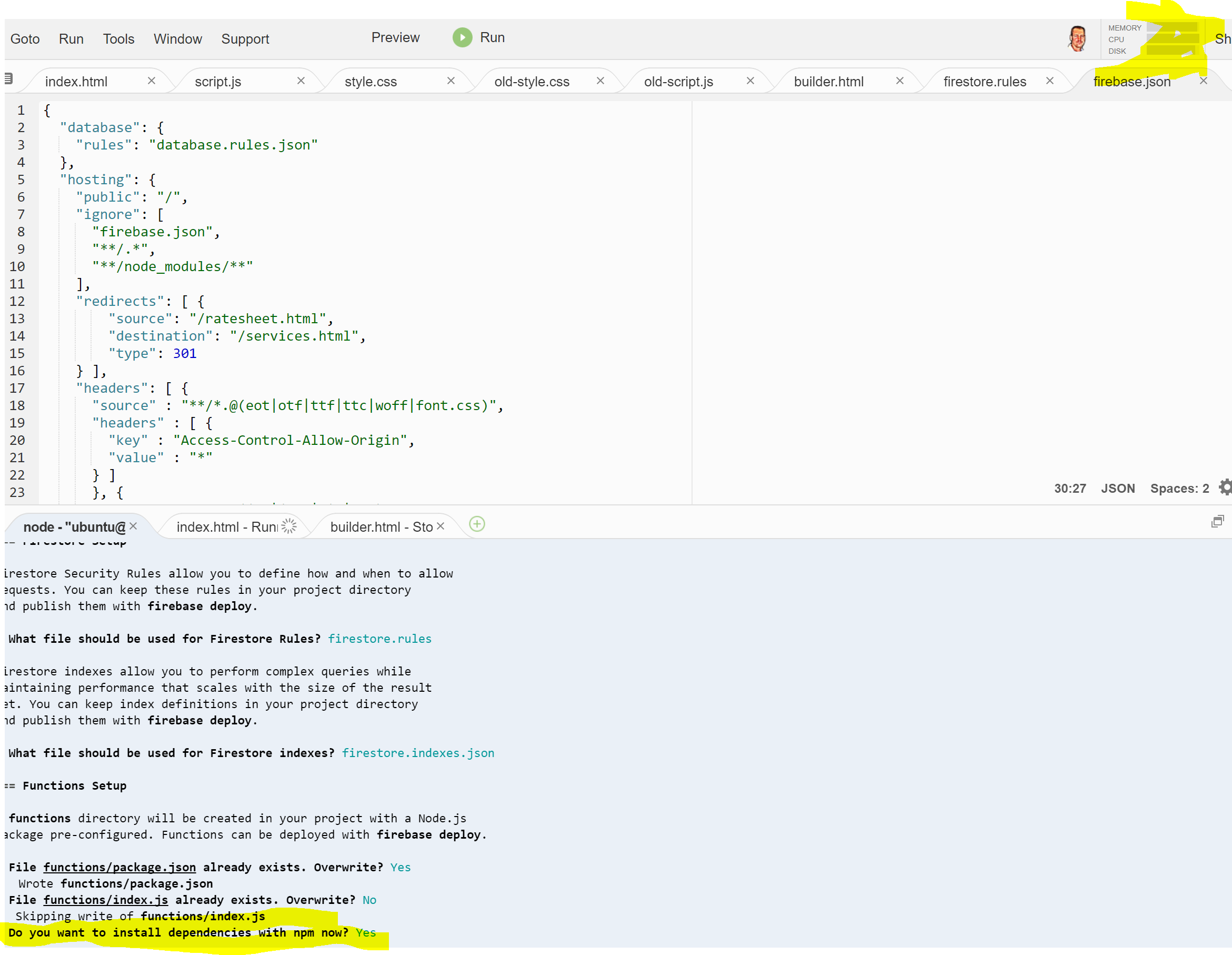
I think I just melted down AWS initializing firebase with all the fixins.
 ronnieroyston
on 11 Dec 2017
ronnieroyston
on 11 Dec 2017
As shown in the log, OP didn't select any features (functions, hosting, etc.) when prompted. The issue should be closed.
(Anyone reading this with the same problem: use arrow keys to move, space-bar to select, then hit enter)
 asifm
on 28 Dec 2017
asifm
on 28 Dec 2017
--only default is not a valid flag for firebase deploy. Please read https://firebase.google.com/docs/cli/#partial_deploys to understand how to use --only.
 laurenzlong
on 28 Dec 2017
laurenzlong
on 28 Dec 2017
Still It is showing Error
C:\Users\Rohit Kumar Kashyap>cd
C:\Users\Rohit Kumar Kashyap
C:\Users\Rohit Kumar Kashyap>cd\
C:>cd "My Projects"
C:\My Projects>cd P
The system cannot find the path specified.
C:\My Projects>cd public
C:\My Projects\public>firebase login
Already logged in as rohitkumar.[email protected]
C:\My Projects\public>firebase init
 ######## #### ########  ######## ########     ###     ######  ########
 ##        ##  ##     ## ##       ##     ##  ##   ##  ##       ##
 ######    ##  ########  ######   ########  #########  ######  ######
 ##        ##  ##    ##  ##       ##     ## ##     ##       ## ##
 ##       #### ##     ## ######## ########  ##     ##  ######  ########
You're about to initialize a Firebase project in this directory:
C:\My Projects\public
Before we get started, keep in mind:
- You are currently outside your home directory
? Are you ready to proceed? Yes
? Which Firebase CLI features do you want to setup for this folder? Press Space to select features, then Enter to confi
rm your choices.
! You have not selected any features. Continuing will simply associate this folder with a Firebase project. Press Ctrl + C if you want to start over.
=== Project Setup
First, let's associate this project directory with a Firebase project.
You can create multiple project aliases by running firebase use --add,
but for now we'll just set up a default project.
? Select a default Firebase project for this directory: my shop website (my-shop-website)
i Writing configuration info to firebase.json...
i Writing project information to .firebaserc...
- Firebase initialization complete!
C:\My Projects\public>firebase deploy
Error: Cannot understand what targets to deploy. Check that you specified valid targets if you used the --only or --except flag. Otherwise, check your firebase.json to ensure that your project is initialized for the desired features.
 rohit-kumar-kashyap
on 23 Jan 2018
rohit-kumar-kashyap
on 23 Jan 2018
I found a solution for me!
Steps to reproduce:
- View Hidden Files in the folder
- Delete .firebaserc file
- Run firebase init again
 teddyphotos
on 24 Dec 2019
teddyphotos
on 24 Dec 2019
Related issues
 Ridermansb
·
3Comments
Ridermansb
·
3Comments
 francisrod01
·
3Comments
francisrod01
·
3Comments
 chwzr
·
4Comments
chwzr
·
4Comments
 jefrydco
·
3Comments
jefrydco
·
3Comments
 roosi
·
3Comments
roosi
·
3Comments
Most helpful comment
you are trying deploy without init successful. try to re init again or