Firebase-js-sdk: FR: Firestore Web SDK React-Native/Expo support for Android devices
Describe your environment
- Operating System version: Android 4.4.2
- Firebase SDK version: "^4.6.0"
- Firebase Product: Firestore Web SDK
- Expo: "^22.0.0"
Describe the problem
I am using Expo and trying to do basic CRUD with Firestore on an Android device and not getting any results. The same code works perfectly on an iOS device, but it doesn't work with Android. Can you take a look into that?
Steps to reproduce:
Basically create a react-native project, and Try any CRUD with Firestore. In my case fetching data from restaurants collection. Note, I am implementing Redux so you have to install 'react-redux' with your Expo project. As I said this code works perfectly with iOS but not with ANDROID. Let me know if you need more information.
Just tried this on react-native init project and got this error on my emulator. I just realized that this issue is related to https://github.com/firebase/firebase-js-sdk/issues/97.
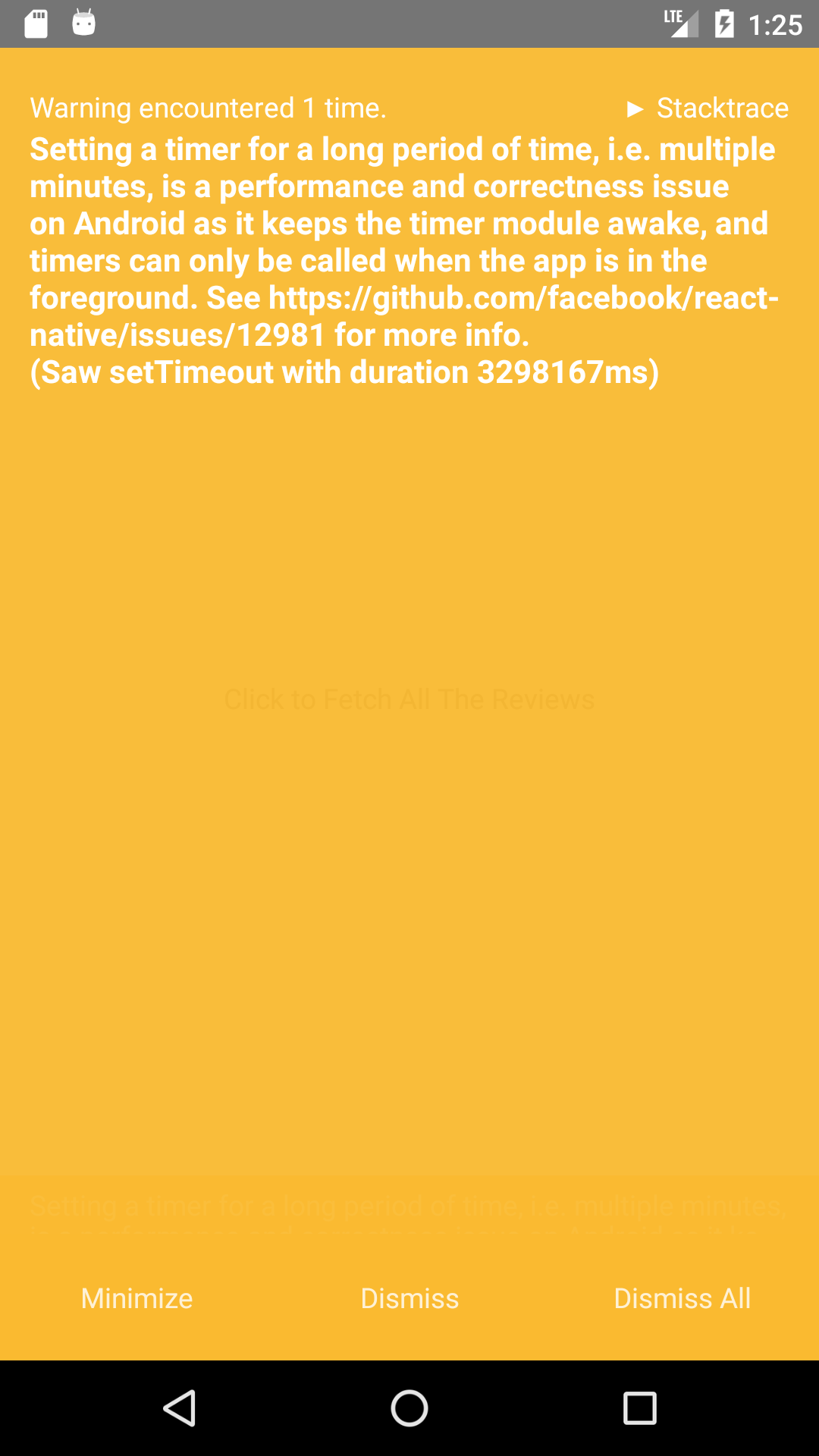
Relevant Code:
import firebase from 'firebase';
import 'firebase/firestore';
import { Alert } from 'react-native';
import {
    RESTAURANTS_FETCH_SUCCESS,
} from './types';

export const restaurantsFetch = () => async dispatch => {
    try {
        const response = await firebase.firestore().collection('restaurants').get();
        response.forEach(doc => {
            dispatch({ type: RESTAURANTS_FETCH_SUCCESS, payload: { ...doc.data(), id: doc.id } });
        });
    } catch (err) {
        Alert.alert(err.message);
    }
};
 samsafay
All 46 comments
Hmmm this issue does not seem to follow the issue template. Make sure you provide all the required information.
 google-oss-bot
on 31 Oct 2017
google-oss-bot
on 31 Oct 2017
hmmm this answer is not very welcoming to people trying to use your new product(firestore) and helping you identify errors.
It does not follow the issue template, but it's perfectly understandable.
Motivation for or Use Case - It is an error for everyone trying to use expo+firestore on ANDROID
Related Issues - Nope!
Environment Configuration -
It is a problem with android only,on your COMPETITOR's, ios, works fine, shouldn't android work flawlessly with google firestore?
Reproduce the Error -
create an app with create-react-native-app, following the guides from the documentation,
try and query any collection using ios and console.log the output. IT WORKS
same result is expected using android, but no error is thrown, and neither any result shown.
Why is it important?
Several new developers are using CRNA, following the documentation leads to Expo, and people enjoy it, people are going to start developing for ios only, or not using your brand new product at all.
Thanks for the welcoming answers on people trying to help you make better products!
Cheers!
 fweffort
on 1 Nov 2017
fweffort
on 1 Nov 2017
+1
 czubocha
on 6 Nov 2017
czubocha
on 6 Nov 2017
+1 same issue
 mitchhankins01
on 8 Nov 2017
mitchhankins01
on 8 Nov 2017
FYI- If anybody can help isolate what's going wrong under react native on Android, that would potentially expedite the resolution of this bug. A good first step might be to capture logging with firebase.firestore.setLogLevel('debug'), though debugging through the code may also be necessary.
 mikelehen
on 9 Nov 2017
mikelehen
on 9 Nov 2017
If you're happy to move away from Expo, then https://github.com/invertase/react-native-firebase has full support for Firestore on both Android and iOS already.
 chrisbianca
on 10 Nov 2017
chrisbianca
on 10 Nov 2017
@chrisbianca I have moved on to https://github.com/invertase/react-native-firebase, but some projects require the ease and features of expo and where performance is not a problem.
 harisvsulaiman
on 10 Nov 2017
harisvsulaiman
on 10 Nov 2017
If you are interested in Firestore vote here. https://expo.canny.io/feature-requests/p/adding-react-native-firebase-to-expo
 clarktank
on 13 Nov 2017
clarktank
on 13 Nov 2017
+1 Same issue.
 david1820
on 16 Nov 2017
david1820
on 16 Nov 2017
I think i've found the cause of this bug. The problem is not in Firestore library itself, but in the underlying WebChannel client. When it tries to make a GET request, it calls XMLHttpRequest.prototype.send with an empty string, which makes it fail on Android for some reason. Here's a workaround:
const originalSend = XMLHttpRequest.prototype.send;
XMLHttpRequest.prototype.send = function(body) {
  if (body === '') {
    originalSend.call(this);
  } else {
    originalSend.call(this, body);
  }
};
Apply this hack before making any calls to Firestore.
 dmitriy-bizyaev
on 17 Nov 2017
dmitriy-bizyaev
on 17 Nov 2017
@dmitriy-bizyaev Wow! Thanks for tracking this down and providing the workaround. This is super helpful.
@wenbozhu Do you think it makes sense to make this change in WebChannel itself? Or perhaps we should file a bug against the React Native XMLHttpRequest implementation for Android...
mikelehen
on 17 Nov 2017
@mikelehen we could file an issue and see what they have to say, if its a breaking change ( i doubt it ),we can patch it here.
harisvsulaiman
on 17 Nov 2017
if xhr.send("") works on iOS, then we should file a bug for Andriod React Native.
===
I would also like to see a patch in closure to avoid calling xhr.send("") for GET.
@tyoshino does the xhr2 api spec say anything about passing "" vs "undefined" body-content for a GET?
 wenbozhu
on 17 Nov 2017
wenbozhu
on 17 Nov 2017
If anybody's willing, I'd appreciate it if somebody could test a patched version of the Firestore SDK that should (hopefully) now work with React Native on Android.
Probably only one of these is necessary, but to be safe:
- Copy https://gist.githubusercontent.com/mikelehen/2d36ed9ce5a93c879670f1eaa398ad48/raw/23576d4a5e0cad6c101d29278bc801481992e015/firebase-firestore.js over your node_modules/firebase/firebase-firestore.js
- Copy https://gist.githubusercontent.com/mikelehen/444950a35019208f3aaf18d37ab4937c/raw/c66d06fa0dcd03f353353deedcac7b5b9090d153/index.js over your node_modules/@firebase/webchannel-wrapper/dist/index.js
This will let us confirm that the change to WebChannel to avoid calling xhr.send('') does indeed resolve the issue. Thanks!
mikelehen
on 17 Nov 2017
@mikelehen I have replaced the two files but I am still getting the same error.
I tried to go through the code, but couldn't find @dmitriy-bizyaev's change. Can you show us on github what part of the file you have changed?
clarktank
on 17 Nov 2017
[exp] Firestore (4.6.1) 2017-11-17T17:31:28.977Z [MemoryPersistence]: Starting transaction: Start LocalStore
[exp] Firestore (4.6.1) 2017-11-17T17:31:28.979Z [MemoryPersistence]: Starting transaction: Get last stream token
[exp] Firestore (4.6.1) 2017-11-17T17:31:28.980Z [MemoryPersistence]: Starting transaction: Get next mutation batch
[exp] Firestore (4.6.1) 2017-11-17T17:31:28.985Z [MemoryPersistence]: Starting transaction: Allocate query
[exp] Firestore (4.6.1) 2017-11-17T17:31:28.987Z [MemoryPersistence]: Starting transaction: Execute query
[exp] Firestore (4.6.1) 2017-11-17T17:31:28.989Z [MemoryPersistence]: Starting transaction: Remote document keys
[exp] Firestore (4.6.1) 2017-11-17T17:31:28.995Z [Connection]: Creating WebChannel: https://firestore.googleapis.com/google.firestore.v1beta1.Firestore/Listen/channel [object Object]
[exp] Firestore (4.6.1) 2017-11-17T17:31:29.006Z [Connection]: Opening WebChannel transport.
[exp] Firestore (4.6.1) 2017-11-17T17:31:29.008Z [Connection]: WebChannel sending: {"database":"projects/expo-sample/databases/(default)","addTarget":{"query":{"structuredQuery":{"from":[{"collectionId":"reviews"}],"orderBy":[{"field":{"fieldPath":"__name__"},"direction":"ASCENDING"}]},"parent":"projects/expo-sample/databases/(default)"},"targetId":2}}
[exp] Firestore (4.6.1) 2017-11-17T17:31:29.153Z [Connection]: WebChannel transport opened.
Thanks for checking @clarktank. The actual code change is in the closure-library code included via our dependency on closure-builder and ends up minified here, so it's a bit hard to highlight the change, but basically, this:
F(this.b,U(this,"Sending request")),this.o=!0,this.a.send(t),this.o=!1
changed to:
F(this.b,U(this,"Sending request")),this.o=!0,void 0!==n||"GET"!==e?this.a.send(t):this.a.send(),this.o=!1
in the files I posted (depending which file you look at the exact variable names might be different, but you can search for 'Sending request' to find the section).
If you can verify that the updated code is getting hit but still not working, that would be very useful to know. Else, we'll have to get a local repro set up and debug through it, but I'm not sure when that will happen.
mikelehen
on 17 Nov 2017
The closure change makes sure that for a GET, send() will be called instead of send(''). Isn't send('') the root cause of this issue?
===
Closure calls send('') when body is unspecified mostly to force the C-L header for formdata.
wenbozhu
on 17 Nov 2017
Here is how to setup Expo/React-native. It took me about 7 min.
I have created a file that fetches from firestore database.
Create a virtual machine like Ubuntu:
sudo npm install -g exp- go to your workspace directory and put
sudo exp init test-project - cd in to the
test-projectfolder and enternpm install --save firebase - replace the App.js file in the test-project directory with this code https://github.com/clarktank/firestore-for-expo-team/blob/master/App.js
- then in the test-project directory enter
sudo exp start --tunnel - scan the QR code from your phone.
- you can see the console log in the terminal that you entered
sudo exp start --tunnel
clarktank
on 17 Nov 2017
I solved the problem.
Change this, on line 2339:
void 0 !== c || "GET" !== b ? this.a.send(a) : this.a.send(),
with
void 0 != c || "GET" !== b ? this.a.send(a) : this.a.send(),
in the file node_modules\@firebase\webchannel-wrapper\dist\index.js
How to see that file correctly? Get prettier package on VS Code and press alt+shif+f.
To get rid of the runtime error, change:
const MAX_TIMER_DURATION_MS = 60 * 1000;
to
const MAX_TIMER_DURATION_MS = 6000 * 1000;
in your node_modules\react-native\Libraries\Core\Timers\JSTimers.js
samsafay
on 17 Nov 2017
@samsafay Thanks! That is very helpful. I'll sync up with folks internally to try to get the original fix reworked.
mikelehen
on 18 Nov 2017
Hey @samsafay I tried to do the changes, but I get the same error, Maybe I did anything wrong...can you help me to get this file fixed? how can I download it? will this allow me to use firestore in React Native with EXPO?
 josealfonsoweb
on 19 Nov 2017
josealfonsoweb
on 19 Nov 2017
Hey mikelehen @mikelehen I think you already found the solution... When will This issue be resolved? I want to use firestore in React Native with EXPO
josealfonsoweb
on 19 Nov 2017
https://gist.github.com/samsafay/810037a1df791f3d0fab1d92a70aabd2
Replace this file with your node_modules/@firebase/webchannel-wrapper/dist/index.js
Make sure you copy paste from the raw.
Don't confuse this with the original fix that mikelehen sent. The original fix didn't work and needed to be modified a little. The new fix is highlighted here: https://gist.github.com/samsafay/810037a1df791f3d0fab1d92a70aabd2#file-index-js-L2339
Now, with this fix, you can use Firestore with Expo or wait for Google to internally patch it and release it in their next version of Firebase.
If you are getting a runTime error you can fix that by changing
const MAX_TIMER_DURATION_MS = 60 * 1000;
to
const MAX_TIMER_DURATION_MS = 6000 * 1000;
in your node_modulesreact-nativeLibrariesCoreTimersJSTimers.js
samsafay
on 19 Nov 2017
Thanks @samsafay I did everything that you said...but I am getting this new warning... I'm starting with firestore too...Could you give me an piece of code to save a simple data in firestore?...a simple example, When I tried do it, I am getting this warning and I did not achieve to save my data
# My code is:
`var db = await firebase.firestore();
var docRef = await db.collection('users').doc('maria');
await docRef.set({
first: 'Ada',
last: 'Lovelace',
born: 1815
});
I get this warning and nothing is saved:
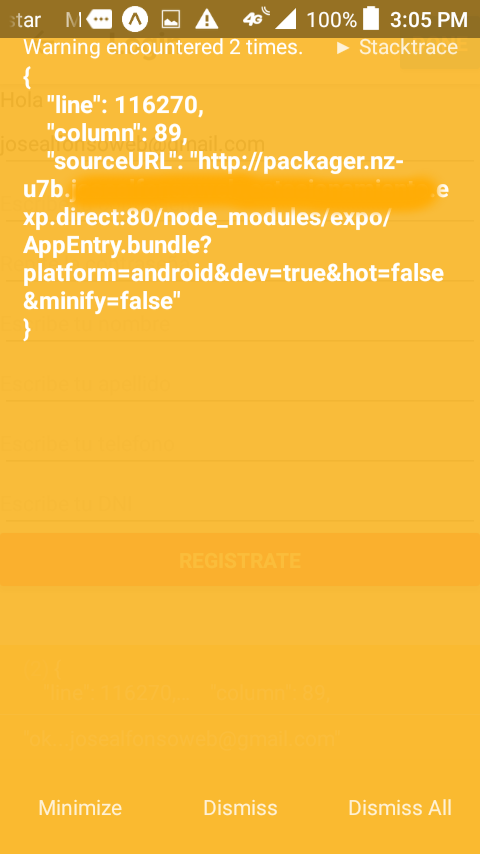
My package.json
{
"name": "xxx",
"version": "0.0.0",
"description": "Hello Expo!",
"author": null,
"private": true,
"main": "node_modules/expo/AppEntry.js",
"dependencies": {
"expo": "^21.0.0",
"firebase": "^4.5.2",
"react": "16.0.0-alpha.12",
"react-native": "https://github.com/expo/react-native/archive/sdk-21.0.2.tar.gz",
"react-native-vector-icons": "^4.4.2",
"react-navigation": "^1.0.0-beta.13"
},
"devDependencies": {}
}
`
josealfonsoweb
on 19 Nov 2017
Update your firebase to "firebase": "^4.6.2".
To be safe, delete your node_module folder( make sure you exit from your ide or VS Code so that the files are completely deleted). Then execute the following in your project directory:
yarn install
After installation was done, copy paste the file I mentioned in previous message.
samsafay
on 19 Nov 2017
Thanks for helping out @samsafay!
I've updated my previous fix if anybody would like to try again. This is what we'll hopefully patch into the Firestore client (though unfortunately it'll likely take a bit of time for the bits to propagate from closure). To test:
Copy https://gist.githubusercontent.com/mikelehen/444950a35019208f3aaf18d37ab4937c/raw/85ac4cb3108d92163cb8f04fbdddcc88d4081aab/index.js over your node_modules/@firebase/webchannel-wrapper/dist/index.js
If somebody can confirm this works for them, that would be great. Thanks!
mikelehen
on 20 Nov 2017
I have tested and It works for me.
@mikelehen thanks for the collaboration and follow up!
samsafay
on 20 Nov 2017
Great. Thanks for confirming! The fix has been made to closure-library internally, and will get replicated to https://github.com/google/closure-library in the coming days. Then we'll need a new release of https://github.com/google/closure-builder at which point we'll pick up the fix in the next Firebase SDK release. This may take some time, so in the meantime the easiest solution is probably to use @dmitriy-bizyaev's suggested workaround above:
const originalSend = XMLHttpRequest.prototype.send;
XMLHttpRequest.prototype.send = function(body) {
  if (body === '') {
    originalSend.call(this);
  } else {
    originalSend.call(this, body);
  }
};
I'll update here when the official fix makes it in.
mikelehen
on 21 Nov 2017
As an unfortunate update, the fix to closure-library is likely going to be reverted as it had undesirable downstream consequences (closure-library is used by lots of projects within Google).
So we will likely need to pursue a fix to React Native instead (so Android is tolerant of xhr.send('')). If anybody wants to drive that (open a pull request or log an issue), it would be appreciated. Else, I'll carve out some time for it.
mikelehen
on 2 Dec 2017
Per my previous comment about the fix on our end having to be rolled back, I think we need to try to get React Native fixed. I looked a bit through the code and I suspect the problem is here: https://github.com/facebook/react-native/blob/cb49877a25bac9e72de85f6703eba7f07a308061/ReactAndroid/src/main/java/com/facebook/react/modules/network/NetworkingModule.java#L238
If it falls into the else block then I think contentType will be null and it'll hit an error. I think the fix is probably to change the if (data == null) { line to
// The spec (https://xhr.spec.whatwg.org/#dom-xmlhttprequest-send) defines GET and HEAD to be treated as if the body was null.
if (data == null || method.toLowerCase() === 'get' || method.toLowerCase() === 'head') {
If anybody wants to try to verify this and get a PR submitted to React Native, it would be much appreciated. Else, I'll just log a bug against React Native in the next few days.
mikelehen
on 19 Dec 2017
Anybody willing to create a react-native PR based on my comment above? :-)
mikelehen
on 2 Jan 2018
I also have a suggested fix for the timer warning (https://github.com/facebook/react-native/issues/17083) which somebody could submit a PR for. :-)
mikelehen
on 2 Jan 2018
@mikelehen I have a great news, the solution works like a charm! Lets hope Facebook accepts it...
samsafay
on 4 Jan 2018
Thanks! I see though that my fix had syntax errors (because I forgot it's java). Agh. Sorry!
mikelehen
on 4 Jan 2018
Has there been any official closure on this? Are the fixes in the various SDKs or is it still best to edit the files manually? I am having these same issues.
 NickDelfino
on 11 Feb 2018
NickDelfino
on 11 Feb 2018
This is not a SDK problem, the problem is on React-Native Android implementaion of XMLHttpRequest.
Off topic, based on personal experience, you are better off using react-native-firebase since it doesn't engage the Javascript thread; therefore a better performance.
samsafay
on 11 Feb 2018
Yeah I am looking at that currently. Trying to keep everything in pure Expo but may not be possible right now. Some of the suggested spot fixes work but I am worried about downstream consequences. Are the PRs just in limbo right now? I hope they can get in soon.
Thanks for all your work in regards to this issue.
NickDelfino
on 11 Feb 2018
Your welcome. Pure Expo, it might be possible in 2019 but not now!
samsafay
on 11 Feb 2018
Just to keep this updated, it looks like @samsafay's PR (https://github.com/facebook/react-native/pull/17940) was committed on mar 6th (https://github.com/facebook/react-native/commit/d52569c4a1b6bd19792e4bda23e3a8c3ac4ad8df), and it should be included in the next react-native release... though I don't know when that'll be.
mikelehen
on 15 Mar 2018
@mikelehen is there any action left from our perspective or should we close this and point people over to react-native to watch the progress?
 samtstern
on 15 Mar 2018
samtstern
on 15 Mar 2018
@samtstern No action for us... Folks can likely watch https://github.com/facebook/react-native/releases and wait for a release newer than the "February 2018" one. At that point, I believe the issue with Android not working should be fixed.
mikelehen
on 15 Mar 2018
@mikelehen thanks!!
 i2chris
on 21 Mar 2018
i2chris
on 21 Mar 2018
@dmitriy-bizyaev Where exactly in the project should I put that lines of the code which you wrote?
 Luckygirlllll
on 4 Apr 2018
Luckygirlllll
on 4 Apr 2018
@Luckygirlllll Put it before your firebase.initializeApp() call.
dmitriy-bizyaev
on 4 Apr 2018
FYI- The original issue with xhr.send() on Android that this bug was tracking has been resolved in the March React Native release (0.55.0).
mikelehen
on 24 Apr 2018
Related issues
 merlinnot
·
56Comments
merlinnot
·
56Comments
 lamplightdev
·
57Comments
lamplightdev
·
57Comments
 JosefJezek
·
100Comments
JosefJezek
·
100Comments
 ben-kn-app
·
43Comments
ben-kn-app
·
43Comments
 EpicButterz
·
153Comments
EpicButterz
·
153Comments
Most helpful comment
I think i've found the cause of this bug. The problem is not in Firestore library itself, but in the underlying WebChannel client. When it tries to make a GET request, it calls XMLHttpRequest.prototype.send with an empty string, which makes it fail on Android for some reason. Here's a workaround:
Apply this hack before making any calls to Firestore.