Firebase-ios-sdk: Failed to download settings Error Domain=FIRCLSNetworkError Code=-5 on catalyst
[REQUIRED] Step 1: Describe your environment
Xcode version: 11.4.1
Firebase SDK version:6.24.0
Firebase Component: Crashlytics
Component version: 4.1.0
Installation method: CocoaPods
[REQUIRED] Step 2: Describe the problem
Steps to reproduce:
I have three different plists for iOS, macCatalyst staging and macCatalyst production. It works on iOS and staging. But for production it does not work and I run in to FIRCLSNetworkError Code=-5.
I checked if the bundle id's match, I added a run script and also tried the solutions from a similar problem: https://github.com/firebase/firebase-ios-sdk/issues/4690
Researching I found a lot of related problems to the fabric implementation, but fabric is not connected to the project.
Do you have any other ideas?
Relevant Code:
2020-05-19 10:55:39.525825+0200 App[15152:114684] [Firebase/Crashlytics] Version 4.1.0
2020-05-19 10:55:39.560326+0200 App[15152:115166] [Firebase/Crashlytics] Packaged report with id 'censored' for submission
2020-05-19 10:55:39.630612+0200 App[15152:115166] 6.24.0 - [Firebase/Crashlytics][I-CLS000000] Failed to download settings Error Domain=FIRCLSNetworkError Code=-5 "(null)" UserInfo={status_code=404, type=2, request_id=, content_type=text/html; charset=utf-8}
 Patrick3131
All 26 comments
Thanks. Can you let me know if you created this app in Fabric or if it was an app created in Firebase. Usually when we see issues like this, it's either that: 1 - the app is not fully activated on the backend. 2 - something is wrong with your integration of the Firebase SDKs. Usually it falls into the first category, in which case you'd need to clean your simulator and do a build and run event for the production version.
 TKBurner
on 20 May 2020
TKBurner
on 20 May 2020
Hey @Patrick3131. We need more information to resolve this issue but there hasn't been an update in 5 weekdays. I'm marking the issue as stale and if there are no new updates in the next 5 days I will close it automatically.
If you have more information that will help us get to the bottom of this, just add a comment!
 google-oss-bot
on 29 May 2020
google-oss-bot
on 29 May 2020
Hello there!
I have the same issue. (Failed to download settings Error Domain=FIRCLSNetworkError Code=-5 with 404 error code)
Can you let me know if you created this app in Fabric or if it was an app created in Firebase?
It was created in the Fabric and now we migrated to the Firebase
you'd need to clean your simulator and do a build and run event for the production version.
I've done it also, no results.
A little bit more information in my case:
We are developing a brand new application under bundle id with existing app in store (wanna ship our new app as an update for the existing app). So is it possible that we are facing 404 connection error because there is somewhere in the Firebase exist the same app with the same bundle id? Unfortunately, I can't tell for sure is it true, because we haven't an access to the previous app code :(
(Also we pointed out App Store ID in the Firebase app creation, maybe it also may imply an issue, because there is another app in the App Store now)
P.S. One more thing: we have successfully configured iOS app in the same account for this project under another bundle id and it works. Issue had appeared when I tried to migrate to the new bundle id and create new app for it in Firebase
 thehavre
on 1 Jun 2020
thehavre
on 1 Jun 2020
I've got the same problem, after reading Upgrade to the Firebase Crashlytics SDK:
Step 3: Update your code
- In Xcode, rebuild your app, then re-open your .xcworkspace file again.
my application finally got connected to the Firebase Console.
 roskoff
on 3 Jun 2020
roskoff
on 3 Jun 2020
@roskoff thanks
But I have migrated to the Firebase Crashlytics SDK successfully. Problem appeared when I changed bundle ID and created new iOS app in the Firebase dashboard
thehavre
on 3 Jun 2020
I am seeing this also, and did not migrate from Fabric. This is a new project following the latest documentation.
 biomiker
on 4 Jun 2020
biomiker
on 4 Jun 2020
@TKBurner could you please assist on this issue?
thehavre
on 8 Jun 2020
I have resolved this issue:
As I assumed, my issue (Failed to download settings Error Domain=FIRCLSNetworkError Code=-5 with 404 error code) was related to the existing app in Firebase with the same bundle id. So I've requested from previous developers to remove theirs Firebase app and now I can recreate Firebase app without this settings issue, everything is fine :)
thehavre
on 12 Jun 2020
Is it possible you can't register bundle identifiers with a "-"?
Because I'm getting this error because my bundle identifier contains a -.
 Macjon
on 18 Jun 2020
Macjon
on 18 Jun 2020
After i use
pod 'Firebase/Crashlytics'
pod 'Firebase/Analytics'
This error disappear
 yeuem141289
on 20 Jun 2020
yeuem141289
on 20 Jun 2020
Hey @Patrick3131. We need more information to resolve this issue but there hasn't been an update in 5 weekdays. I'm marking the issue as stale and if there are no new updates in the next 5 days I will close it automatically.
If you have more information that will help us get to the bottom of this, just add a comment!
google-oss-bot
on 25 Jun 2020
I can reliably reproduce this by setting up a new project and adding just pod Firebase/Crashlytics to the project. However, as with @yeuem141289 above, it goes away if I add pod 'Firebase/Analytics' as well
 michaeleisel
on 30 Jun 2020
michaeleisel
on 30 Jun 2020
Is it possible you can't register bundle identifiers with a "-"?
Because I'm getting this error because my bundle identifier contains a -.
I have confirmed that this is a problem. By changing my bundle ID to remove any dashes, this resolved the Crashlytics problem.
 ehlersd
on 27 Jul 2020
ehlersd
on 27 Jul 2020
I have this problem as well.
Brand new "app" in firebase.
v 4.3.1
No dashes in my bundle Id.
I am including both pod 'Firebase/Analytics' and pod 'Firebase/Crashlytics'
I am able to get our debug builds to work as other apps, but not release builds.
My error message is:
Failed to download settings Error Domain=FIRCLSNetworkError Code=-5 "(null)" UserInfo={status_code=404, type=2, request_id=, content_type=text/html; charset=utf-8}
 Herbal7ea
on 4 Aug 2020
Herbal7ea
on 4 Aug 2020
Hi, @TKBurner @ryanwilson @morganchen12
I got same issue
[73445:1635700] 6.23.0 - [Firebase/Crashlytics][I-CLS000000] Failed to download settings Error Domain=FIRCLSNetworkError Code=-5 "(null)" UserInfo={status_code=404, type=2, request_id=, content_type=text/html; charset=utf-8}
[73445:1635518] [Firebase/Crashlytics] Version 4.0.0
And what i see at firebase console, it last 3 days
 ClayPwr
on 10 Aug 2020
ClayPwr
on 10 Aug 2020
Hey @ClayPwr, if you're seeing console errors you should file an issue at Firebase Support.
This is definitely a client-side bug, but it should not be causing console errors.
 morganchen12
on 10 Aug 2020
morganchen12
on 10 Aug 2020
I had the same issue.
Solved it with by reading this: https://github.com/firebase/firebase-ios-sdk/issues/4690#issuecomment-583514820
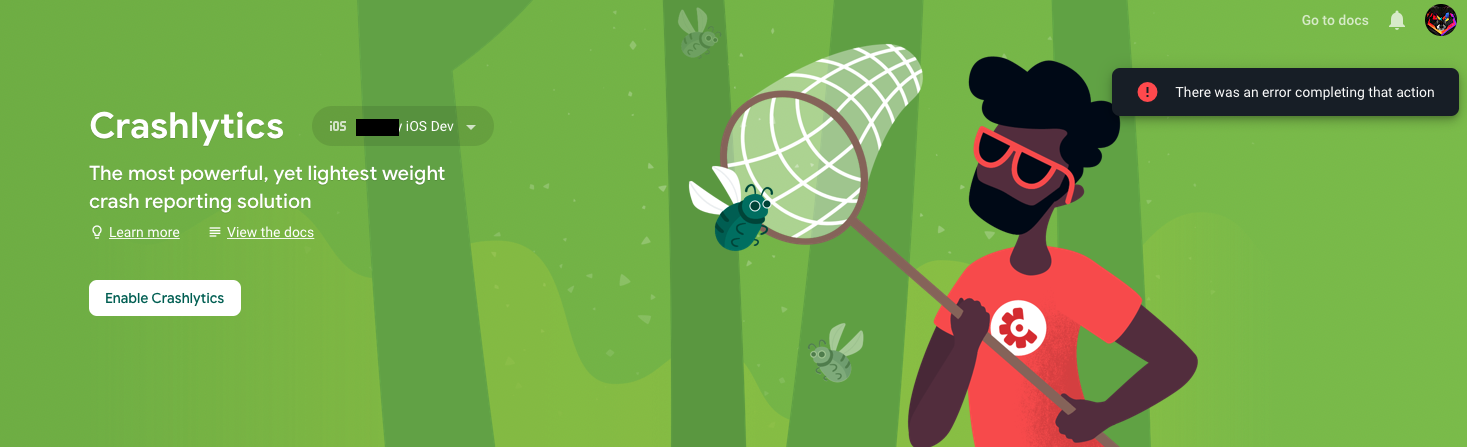
I forgot to active Crashlytics for iOS.
 jakob-fiegerl
on 14 Aug 2020
jakob-fiegerl
on 14 Aug 2020
I'm having the same issue. I'm migrating from fabric and first it ran in to a case sensitivity issue. The bundle name in firebase has a single capitolized letter which made it not match. So i created a second new app, and now it give the FIRCLSNetworkError Code=-5 error. The bundleId DOES have a dash in it. But, i can't remove it since apple doesn't allow bundleId's to change and this is an existing app in the store.
 jriskin
on 11 Sep 2020
jriskin
on 11 Sep 2020
@jriskin you should file a ticket at Firebase Support, they may be able to help you on the Firebase project side of things.
morganchen12
on 11 Sep 2020
Hi, I'm having the same issue as @jriskin. New app with "-" in the BUNDLE_ID.
 Clem23
on 24 Sep 2020
Clem23
on 24 Sep 2020
I'm experiencing this error too, i can't get Crashlytics to report crashes from my debug build. No dashes in the bundle id, and this is a new app, not imported from Fabric.
 grago
on 2 Oct 2020
grago
on 2 Oct 2020
I've got the same problem, after reading Upgrade to the Firebase Crashlytics SDK:
Step 3: Update your code
- In Xcode, rebuild your app, then re-open your .xcworkspace file again.
my application finally got connected to the Firebase Console.
Magically this solved my issue.
 brascene
on 9 Oct 2020
brascene
on 9 Oct 2020
com.moneygram.ro
App Id: 1:453676358633:ios:3b491035019f8480b88978
@TKBurner Can you please have a look?
I am having the same error. I have some apps migrated from Fabric whereas rest of the apps are new in single project.
The new apps are not sending any crash reports.
6.15.0 - [Firebase/Crashlytics][I-CLS000000] Failed to download settings Error Domain=FIRCLSNetworkError Code=-5 "(null)" UserInfo={status_code=403, type=2, request_id=, content_type=application/json; charset=utf-8}
6.15.0 - [Firebase/Crashlytics][I-CLS000000] Skipping report with id 'c1b8aa111be04a078872ee0b7da42a68' this run of the app because Organization ID was nil. Report will upload once settings are download successfully
6.15.0 - [Firebase/Crashlytics][I-CLS000000] Skipping report with id 'd78d5bb2d0b0440ead37c3b6e6c031c4' this run of the app because Organization ID was nil. Report will upload once settings are download successfully
 aditur2112
on 16 Oct 2020
aditur2112
on 16 Oct 2020
@aditur2112 TKBurner no longer works on Firebase. Please file a support ticket via the link above.
morganchen12
on 16 Oct 2020
@aditur2112 TKBurner no longer works on Firebase. Please file a support ticket via the link above.
@morganchen12
Already done twice but with no response.
[EXTERNAL] Case 00091521: [Firebase/Crashlytics][I-CLS000000] Failed to download settings
com.moneygram.ro
App Id: 1:453676358633:ios:3b491035019f8480b88978
I am having the same error. I have some apps migrated from Fabric whereas rest of the apps are new in single project.
The new apps are not sending any crash reports.
6.15.0 - [Firebase/Crashlytics][I-CLS000000] Failed to download settings Error Domain=FIRCLSNetworkError Code=-5 "(null)" UserInfo={status_code=403, type=2, request_id=, content_type=application/json; charset=utf-8}
6.15.0 - [Firebase/Crashlytics][I-CLS000000] Skipping report with id 'c1b8aa111be04a078872ee0b7da42a68' this run of the app because Organization ID was nil. Report will upload once settings are download successfully
6.15.0 - [Firebase/Crashlytics][I-CLS000000] Skipping report with id 'd78d5bb2d0b0440ead37c3b6e6c031c4' this run of the app because Organization ID was nil. Report will upload once settings are download successfully
aditur2112
on 16 Oct 2020
After added implementations of Firebase Crashlytics at iOS, app are not sending any crash reports. The error is:
Skipping report with id '7d0cf07ac7624f31838f32fcb8e8b11d' this run of the app because Organization ID was nil. Report will upload once settings are download successfully`
Steps:
- Add pod lib
pod 'Firebase/Crashlytics' - Add call init
FirebaseApp.configure()to Appdelegate method application:didFinishLaunchingWithOptions - Add run script to Build Phases
${PODS_ROOT}/FirebaseCrashlytics/run
Next log:
2020-11-02 19:33:03.591891+0100 Develop[3109:3821141] 6.18.0 - [Firebase/Crashlytics][I-CLS000000] [Crashlytics] Running on iPhone8,1, 13.7.0 (17H35)
2020-11-02 19:33:03.592892+0100 Develop[3109:3821141] 6.18.0 - [Firebase/Crashlytics][I-CLS000000] [Crashlytics:Settings] No settings were cached
2020-11-02 19:33:03.593111+0100 Develop[3109:3821141] 6.18.0 - [Firebase/Crashlytics][I-CLS000000] Root: /var/mobile/Containers/Data/Application/7A038883-7017-4513-99B9-FFC89509F830/Library/Caches/com.crashlytics.data/es.xxxx.dev.xxxx
2020-11-02 19:33:03.593756+0100 Develop[3109:3821141] 6.18.0 - [Firebase/Crashlytics][I-CLS000000] [Crashlytics:Crash:Reports:Event] Registered Firebase Analytics event listener
2020-11-02 19:33:03.594150+0100 Develop[3109:3821141] 6.18.0 - [Firebase/Crashlytics][I-CLS000000] Automatic data collection is enabled.
2020-11-02 19:33:03.615947+0100 Develop[3109:3821141] 6.18.0 - [Firebase/Crashlytics][I-CLS000000] Unsent reports will be uploaded at startup
2020-11-02 19:33:03.616233+0100 Develop[3109:3821141] 6.18.0 - [Firebase/Crashlytics][I-CLS000000] Skipping report with id '7d0cf07ac7624f31838f32fcb8e8b11d' this run of the app because Organization ID was nil. Report will upload once settings are download successfully
_Does anyone know what is causing this problem with the Organization ID?_
After open ticket with Firebase support they send me next reply:
The second thing I noticed from the logs is that the Firebase SDK version being used is a bit old "6.18.0", the latest version is "7.0.0" If running "pod install" gives you the same version, you could try running the command "pod update" or "pod install --repo-update" to get the latest version.
This recent update Version 7.0.0 - October 26, 2020 works for me.
https://firebase.google.com/support/release-notes/ios#version_700_-_october_26_2020
 javieramp
on 3 Nov 2020
javieramp
on 3 Nov 2020
Related issues
 lorenzofiamingo
·
3Comments
lorenzofiamingo
·
3Comments
 pot8os
·
4Comments
pot8os
·
4Comments
 WillLewis
·
4Comments
WillLewis
·
4Comments
 kamechan8
·
3Comments
kamechan8
·
3Comments
 paulharter
·
3Comments
paulharter
·
3Comments
Most helpful comment
After i use
pod 'Firebase/Crashlytics'
pod 'Firebase/Analytics'
This error disappear