Firebase-ios-sdk: Not found run script in FirebaseCrashlytics via Carthage
- Xcode version: 11.3.1
- Firebase SDK version: 6.19.0
- Firebase Component: Crashlytics
- Component version: v4.0.0-beta 5
- Installation method:
Carthage
As described in your document, we need to run Build Script but we cannot find FirebaseCrashlytics/run and FirebaseCrashlytics/upload-symbols under FirebaseCrashlytics.framework via Carthage
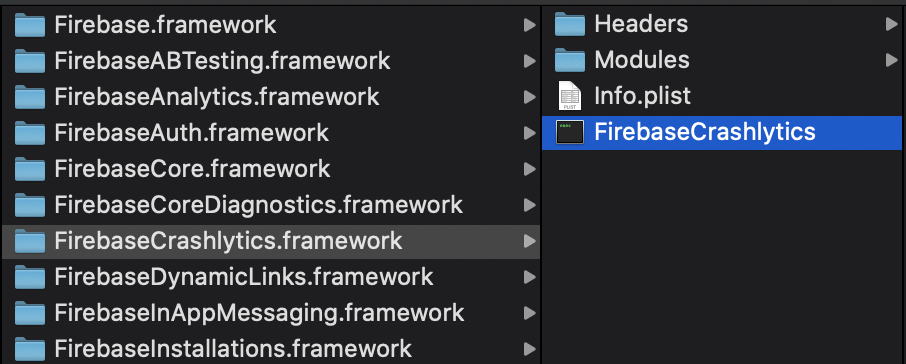
Steps to reproduce:
- Add
binary "https://dl.google.com/dl/firebase/ios/carthage/FirebaseCrashlyticsBinary.json"in yourCartfile - Run
carthage update
 d-date
All 6 comments
Hi @d-date - thanks for the report.
Check out the Carthage instructions and at the very bottom there's a section for Crashlytics specific instructions. Copied here:
- To automatically upload your app's symbols so your app's crashes are symbolicated, download
upload-symbols
and run.
Then follow the Crashlytics documentation
to add a new run script phase in your Xcode project.
There are packaging limitations we face with Carthage and Crashlytics so you'll have go grab the tools separately when using Carthage.
Let us know if this solves things for you!
 ryanwilson
on 11 Mar 2020
ryanwilson
on 11 Mar 2020
I missed to read this document and get solved this issue.
Thank you for your help.
d-date
on 11 Mar 2020
I missed to read this document and get solved this issue.
Thank you for your help.
could you please tell me where to put the upload-symbols as i'm stuck here
 ahmedelmoughazy
on 18 Mar 2020
ahmedelmoughazy
on 18 Mar 2020
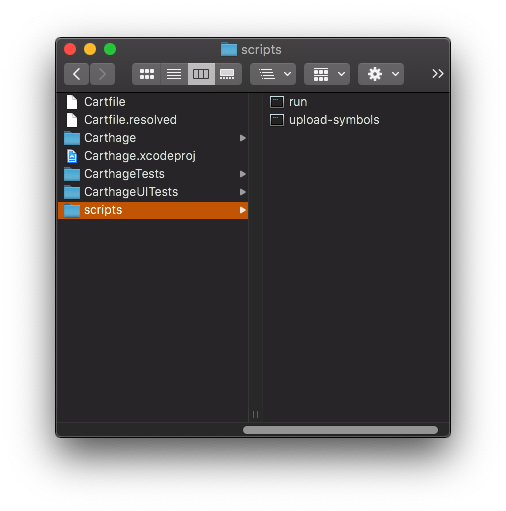
@ahmedelmoughazy you may put run and upload-symbols anywhere under your Xcode project directory, as long as the Run Script Build Phase points to it. It will help to use the ${PROJECT_DIR} macro in the Run Script Build Phase. Eg, for a project I'm using, I'm putting the tools in a scripts folder in my project directory:
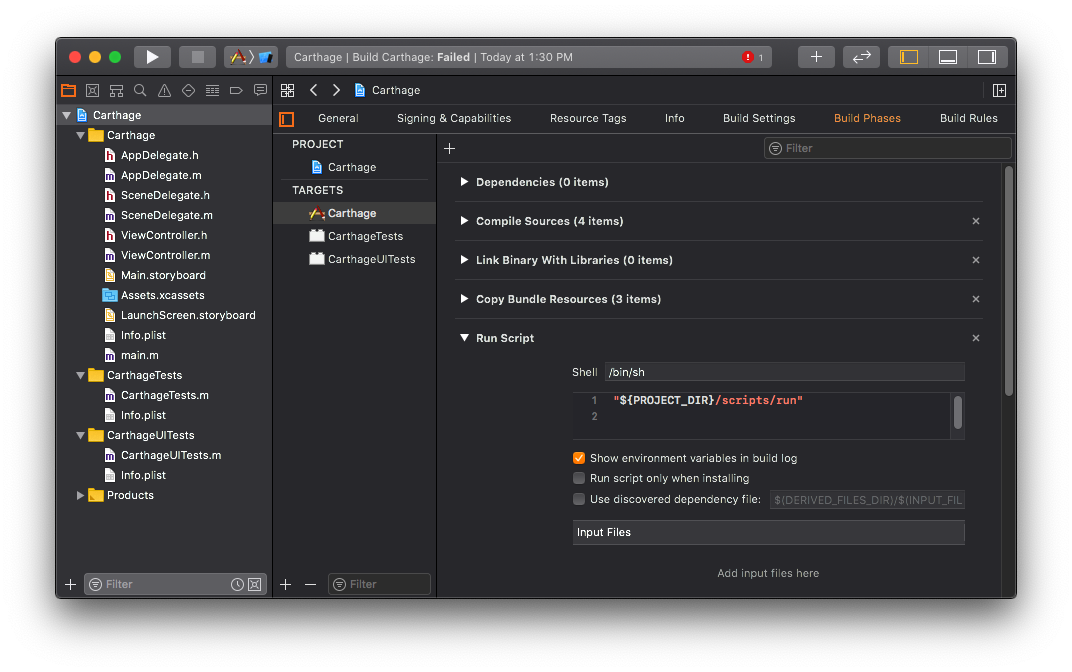
So my Run Script Build Phase that I set up is "${PROJECT_DIR}/scripts/run":
 samedson
on 19 Mar 2020
samedson
on 19 Mar 2020
@ahmedelmoughazy Don't forget to add appropriate input files on top of what @samedson provided you.
(I am talking about this one basically)
${DWARF_DSYM_FOLDER_PATH}/${DWARF_DSYM_FILE_NAME}
 nugmanoff
on 19 Mar 2020
nugmanoff
on 19 Mar 2020
Thank you very much, it worked ! ...
ahmedelmoughazy
on 20 Mar 2020
Related issues
 jlaws
·
4Comments
jlaws
·
4Comments
 josemssilva
·
4Comments
josemssilva
·
4Comments
 WillLewis
·
4Comments
WillLewis
·
4Comments
 kamechan8
·
3Comments
kamechan8
·
3Comments
 skuske
·
3Comments
skuske
·
3Comments
Most helpful comment
Thank you very much, it worked ! ...