Firebase-ios-sdk: host name couldn't be found in iOS13.3: https://firebasedynamiclinks-ipv6.googleapis.com/v1/
Xcode version: Version 11.3
Firebase SDK version: Firebase/DynamicLinks : (6.14.0), Firebase/Analytics (6.14.0), Firebase/Core (6.14.0)
Installed via cocoa pod
After setting dynamic links in XCode and Firebase Console following official docs, my link still alerts "invalid dynamic link". I found, in XCode logs, that my app failed to find the host name above.
I guess this is a DNS issue..., but it's not solved for a half day already. Any tips to solve the situation?
Error message:
"A server with the specified hostname could not be found." UserInfo={NSUnderlyingError=0x2819eb7b0 {Error Domain=kCFErrorDomainCFNetwork Code=-1003 "(null)" UserInfo={_kCFStreamErrorCodeKey=8, _kCFStreamErrorDomainKey=12}}, NSErrorFailingURLStringKey=https://firebasedynamiclinks-ipv6.googleapis.com/v1/installAttribution?key=XXXX, NSErrorFailingURLKey=https://firebasedynamiclinks-ipv6.googleapis.com/v1/installAttribution?key=XXXX, _kCFStreamErrorDomainKey=12, _kCFStreamErrorCodeKey=8, NSLocalizedDescription=A server with the specified hostname could not be found.}
 giraffwombat
All 11 comments
I found a few problems with this issue:
- I couldn't figure out how to label this issue, so I've labeled it for a human to triage. Hang tight.
- This issue does not seem to follow the issue template. Make sure you provide all the required information.
 google-oss-bot
on 14 Jan 2020
google-oss-bot
on 14 Jan 2020
Thanks for reporting, @giraffwombat. Could you provide the following info to check what's causing the issue:
- Detailed steps to reproduce the issue
- Dynamic link you're using
- Minimal repro or sample code
Also, here's the preview page flowchart of debugging Dynamic Links.
 rizafran
on 14 Jan 2020
rizafran
on 14 Jan 2020
Thanks for your reply, Riza.
I found the the dynamic link works well in iOS12.3.1 but not in iOS 13.3.
I also see "[Process] kill() returned unexpected error 1" in my XCode error log, which people report happens in iOS13.2 or later with WebKit most often but also with Firebase/DynamicLinks.
https://stackoverflow.com/questions/58321114/why-i-get-the-console-warning-process-kill-returned-unexpected-error-1-when
DynamicLinks.performDiagnostics() shows no error even in iOS 13.3 as below.
---- Firebase Dynamic Links diagnostic output start ----
Firebase Dynamic Links framework version 4.0.6
System information: OS iOS, OS version 13.3, model iPhone
Current date 2020-01-15 00:10:36 +0000
Device locale en-JP (raw en_JP), timezone Asia/Tokyo
Specified custom URL scheme is xxxx.xxxx and Info.plist contains such scheme in CFBundleURLTypes key.
AppID Prefix: 000000, Team ID: 000000, AppId Prefix equal to Team ID: YES
performDiagnostic completed successfully! No errors found.
---- Firebase Dynamic Links diagnostic output end ----
Detail steps to reproduce the issue:
Firebase Console
・set bundle ID, App Store ID, Team ID.
・create a new dynamiclink: xxxx.page.link
・conform https://xxx.page.link/apple-app-site-association returns {"applinks":~}
Apple Developer
・make sure Associated Domains is enabled in the profile
XCode
・Capabilities > Associated Domain > add applinks:xxxx.page.link
・Info > URL Types > set URL Schemes: com.xxx.yyy
・Info.plist > FirebaseDynamicLinksCustomDomain > https://com.xxx.yyy
・codes are below
・click dynamiclink: https://xxx.page.link/ in iPhone with iOS 13.3 that installed the app
FirebaseApp.configure()
func application(_ application: UIApplication,
                     continue userActivity: NSUserActivity,
                     restorationHandler: @escaping ([UIUserActivityRestoring]?) -> Void) -> Bool {
      let handled = DynamicLinks.dynamicLinks().handleUniversalLink(userActivity.webpageURL!) {
           (dynamiclink, error) in
      }
      return handled
  }
func application(_ app: UIApplication,
                              open url: URL,
                              options: [UIApplication.OpenURLOptionsKey : Any]) -> Bool {
      return true
  }
giraffwombat
on 15 Jan 2020
Thanks for sharing your findings and additional info. Looks like the issue is on WebKit, but I'll still try to replicate it on my end, and will let you know of my findings.
rizafran
on 15 Jan 2020
Thank you, Riza. Please let me know when you have further findings and any solutions.
FirebaseDynamicLinks.podspec shows "s.weak_framework = 'WebKit'", so I guess DynamicLinks use WebKit. But I still don't get why error message is "hostname could not be found". No hostname usually implies a DNS server issue (or url typo)..., no?
giraffwombat
on 15 Jan 2020
Hi @giraffwombat. I tried to replicate this but I was able to redirect to my sample app when I clicked the FDL.
In your case, what happened when you click the link? Can you provide a screenshot of the page? Also, are you using the Google-provided domain and not a custom domain? You may also share the Dynamic Link domain you're using.
rizafran
on 15 Jan 2020
Hmm..., it's so weird. I also made a very simple project and reproduced the issue... Your project on iOS13 do not show error messages? Or it works even with error messages?
I tried both Google-provided xxx.page.link domain and my custom domain. Results are the same.
In iOS 12, when I click "https://xxx.page.link/", the app opens.
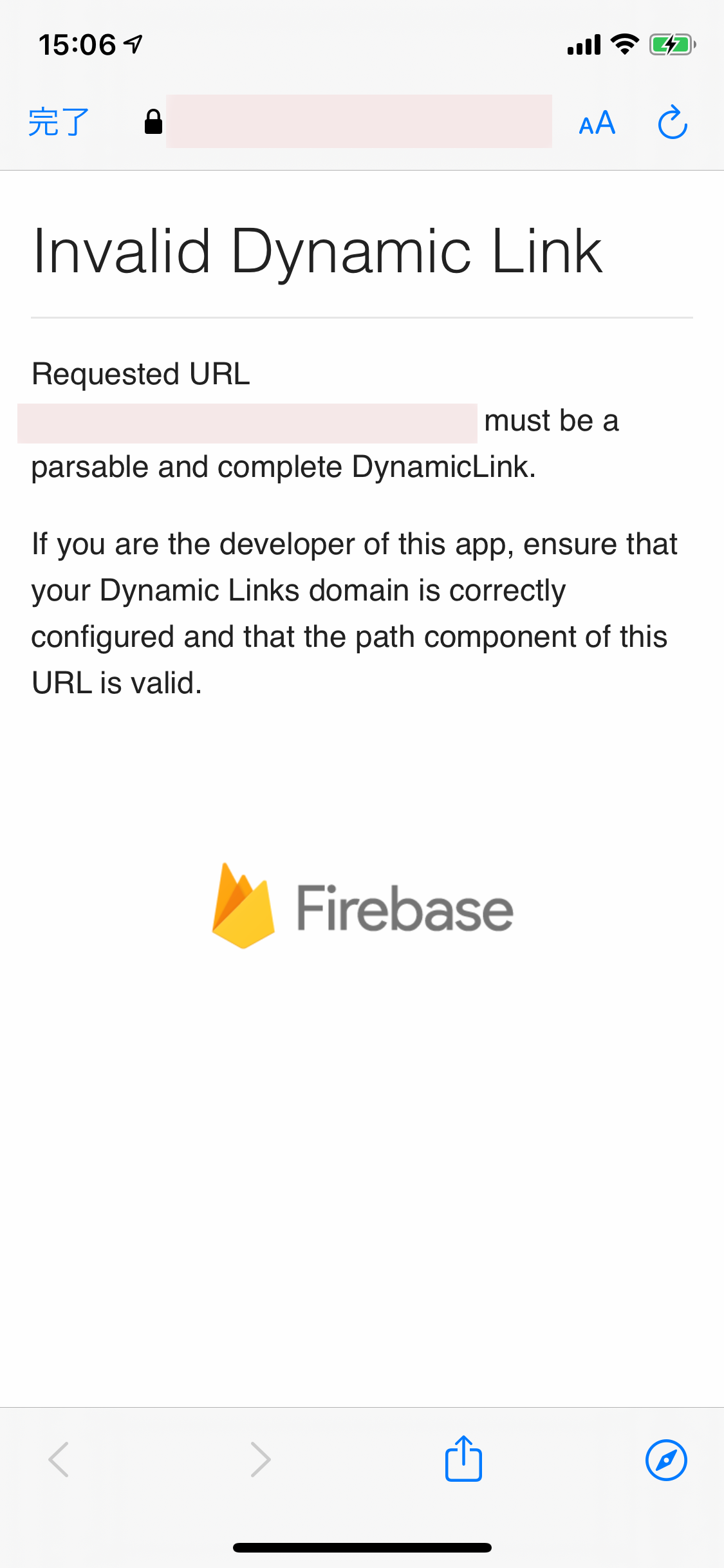
In iOS 13, when I click "https://xxx.page.link/", it shows invalid dynamic link page of which screenshot I attached.
Next, I made a specific dynamic link that opens app store page if the app is yet installed.
In iOS 12, when I click "https://xxx.page.link/test1", the app opens and can receive the dynamic link.
In iOS 13, when I click "https://xxx.page.link/test1", it opens app store page, ignoring installed app on device. The app do not receive the dynamic link.
Sorry, but I do not want to provide my dynamic domain public. But as the link opens app store page ignoring the app installed, I think the issue is in client side, rather than link itself.
Btw, I also migrated to SceneDelegate for iOS13 from AppDelegate, which was suggested in the previous post, but this didn't solve the situation.
Also, I confirmed errors in iPhonX and iPhone7Plus (both iOS13.3)
Thanks much for your support.
giraffwombat
on 16 Jan 2020
Hi @giraffwombat. Thanks a lot for the information you provided. Could you file directly to Firebase Support? This way, you can share the details needed like the Dynamic Link you're using, which could help to troubleshoot the issue. You may also include the link of this issue when you file so they can see the other useful info here.
rizafran
on 16 Jan 2020
OK, will do so. Thanks!
giraffwombat
on 17 Jan 2020
FYI for anybody who had the same issue.
Once I updated to Firebase 6.15.0 (which was released a week ago), dynamic links work well even on iOS13.3! I still see "hostname couldn't be found" error messages and my custom domain dynamic links (that work well on iOS12) don't work..., but anyway, I can use dynamic links so I won't go further here.
To resolve all the issues, I guess Apple has to fix the bug in WebKit.
giraffwombat
on 28 Jan 2020
Thanks for sharing your findings, @giraffwombat. I'm glad to hear that your Dynamic Links is now working well on iOS 13.3. As for the "hostname couldn't be found" error, this might be an issue with Apple. If in case I have any information regarding this hostname error, I'll be glad to share it to you.
I'll be closing this issue for now, but feel free to leave a comment here or through Firebase Support if you'll still encounter this issue, and we're happy to reopen it.
rizafran
on 28 Jan 2020
Related issues
 kamechan8
·
3Comments
kamechan8
·
3Comments
 terryworona
·
4Comments
terryworona
·
4Comments
 ManuelRiegler
·
3Comments
ManuelRiegler
·
3Comments
 henrymoulton
·
3Comments
henrymoulton
·
3Comments
 skuske
·
3Comments
skuske
·
3Comments
Most helpful comment
FYI for anybody who had the same issue.
Once I updated to Firebase 6.15.0 (which was released a week ago), dynamic links work well even on iOS13.3! I still see "hostname couldn't be found" error messages and my custom domain dynamic links (that work well on iOS12) don't work..., but anyway, I can use dynamic links so I won't go further here.
To resolve all the issues, I guess Apple has to fix the bug in WebKit.