Firebase-android-sdk: Firebase Apple login for Android- "https://yourprojectID.firebaseapp.com/__/auth/handler" Where i can find correct redirecting URL for enabling apple signin In apple Developer console
Hi team
thanks for advance
[REQUIRED] Step 2: Describe your environment
- Android Studio version: 4.0.1
- Firebase Component: Firebase hosting (Database, Firestore, Storage, Functions, etc)
- Component version: 18.1.0(play service-auth)
[REQUIRED] Step 3: Describe the problem
error message: The requested action is invalid
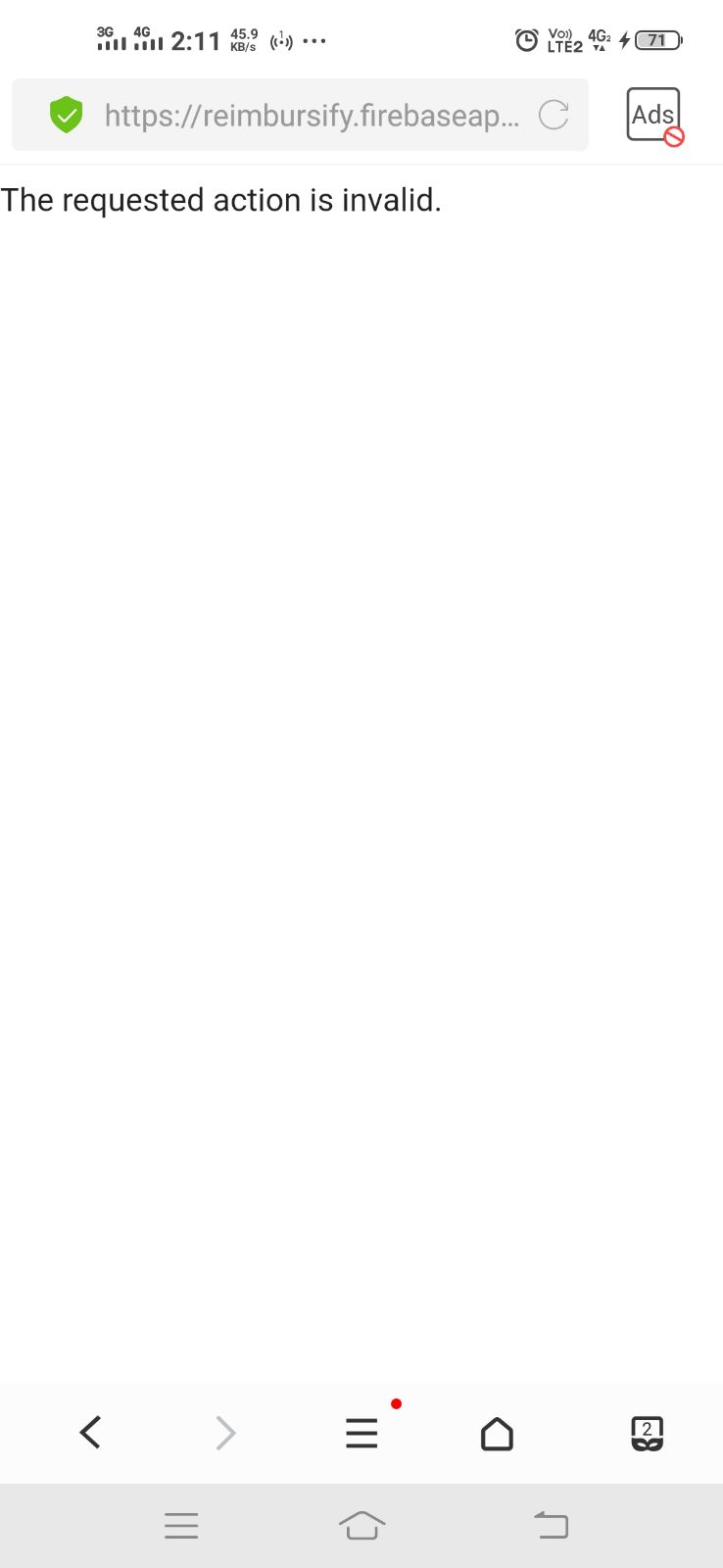
I am trying to implement the apple signIn for android. but I was facing some issue in configuration. Once apple redirection was done then I have received error like below I mentioned.
As per the firebase apple signIn Documentation I have configured all things in firebase console. like (team ID,Key ID,Private Key and service Id).
_https://yourprojectID.firebaseapp.com/__/auth/handler please tell me I need to mentioned as like this in apple developer console. or I need to change the URL_
The requested action is invalid
Steps to reproduce:
What happened? How can we make the problem occur?
This could be a description, log/console output, etc.
Relevant Code:
// TODO(you): code here to reproduce
mAuth.startActivityForSignInWithProvider(this, provider.build())
                    .addOnSuccessListener(
                            new OnSuccessListener<AuthResult>() {
                                @Override
                                public void onSuccess(AuthResult authResult) {
                                    // Sign-in successful!
                                    hideProgress();
                                    Log.d(TAG, "activitySignIn:onSuccess:" + authResult.getUser());
                                    FirebaseUser user = authResult.getUser();
                                    // ...
                                }
                            })
                    .addOnFailureListener(new OnFailureListener() {
                                @Override
                                public void onFailure(@NonNull Exception e) {
                                    hideProgress();
                                    Log.w(TAG, "activitySignIn:onFailure", e);
                                }
                            });
            Log.d(TAG, "pending: null");
        }
 the problem
 kumareshsaran
All 37 comments
I couldn't figure out how to label this issue, so I've labeled it for a human to triage. Hang tight.
 google-oss-bot
on 7 Sep 2020
google-oss-bot
on 7 Sep 2020
I have observed the same issue with another firebase App. iOS works well.
 chenna-reddy
on 9 Sep 2020
chenna-reddy
on 9 Sep 2020
Exact same issue here with Flutter.
 elvisun
on 18 Sep 2020
elvisun
on 18 Sep 2020
Up. Same issue in Flutter.
 xfyre
on 19 Sep 2020
xfyre
on 19 Sep 2020
Hey there, Malcolm from Firebase here!
This looks troubling - I've filed b/169074453 to track this internally. Having spent a few minutes, I can't find any obvious configuration issue that would result in that error message. There are a few things that result in that error message, but I can't figure out which of them seems possible after the redirect back from Apple. I'll try to get back to you once I know more, but I don't know when exactly that will be.
Thanks,
~Malcolm
 malcolmdeck
on 21 Sep 2020
malcolmdeck
on 21 Sep 2020
This seems to be a wider issue. Our team has the same problem intermittently with the Microsoft provider in a React web application. The Microsoft provider calls the /__/auth/handler URL and passes data in the query string, but the web page shows "the requested action is invalid". For what it's worth, this happens most with Microsoft Edge and IE11.
 nheldman
on 24 Sep 2020
nheldman
on 24 Sep 2020
I have the same issue here.
I'm on a cordova app, and I received the message "The requested action is invalid" when I arrive on the page xxxxxx/__/auth
Note that in my case, xxxxxxx is a personalized domain, not a firebase default one (but xxxxxxx, xxx.web.app and xxx.firebaseapp.com are all three registered on Apple side)
The flow works well with Google Auth on iOS, and it works well with both Google Auth and Apple Auth on Android.
EDIT: oups, I just saw that we are on the Android SDK repository!
I do not delete my comment, since the issue could be linked...
 Pitouli
on 30 Sep 2020
Pitouli
on 30 Sep 2020
Same issue with Flutter and Firebase.
 houdayec
on 30 Sep 2020
houdayec
on 30 Sep 2020
I have also received reports from one of our early access users (1 out of 20 total) that receives this message when using the Microsoft provider, via a Vue web app on an iPhone. All other users had no issues.
Edit: worth noting is that the user account never appears in the Firebase Authentication Console page
(I understand this is the android sdk tracker, but it seems to be a wider issue with firebase auth in general)
 mattnathan
on 30 Sep 2020
mattnathan
on 30 Sep 2020
same issue with Flutter
does anyone successfully implement Apple Sign In as FlutterFire says?
can't believe this doc does not work...waste so much time...😞
 Peng-Qian
on 2 Oct 2020
Peng-Qian
on 2 Oct 2020
Apple Sign-In works on iOS just fine. Only Android (WebView based) flow is affected.
xfyre
on 2 Oct 2020
...sure...
I think most Flutter people are just waiting for the firebase fix/implement auth handler to adapt sign_in_with_apple plugin since this plugin is already worked for IOS and Android. And it already has very detailed documentation...
so when FlutterFire updates the Apple Sign in doc, especially use the return Url with "https://yourprojectID.firebaseapp.com/__/auth/handler", I was so excited.
Peng-Qian
on 2 Oct 2020
Is there any current fix for this?
 tmthecoder
on 5 Oct 2020
tmthecoder
on 5 Oct 2020
Hi folks! Have you been able to verify that the authorized domain matches here? (There's additional configuration needed under the signin providers/sign-in method tab in the console to allow domains here)
 MeghaB
on 5 Oct 2020
MeghaB
on 5 Oct 2020
Hi folks! Have you been able to verify that the authorized domain matches here? (There's additional configuration needed under the signin providers/sign-in method tab in the console to allow domains here)
In our case we enabled the Microsoft Sign-In Provider, added the Application Id and Application Secret, then sent the default Firebase redirect URL to the Microsoft team (e.g., https://yourappnamehere.firebaseapp.com/__/auth/handler). We don't use a custom domain.
It works probably 99% of the time, but when it doesn't, we sure do hear about it... :)
nheldman
on 5 Oct 2020
Same issue with Flutter/Firebase & sign_in_with_apple plugin.
The plugin suggests setting up a server on their platform for android authentication - but this really seems like overkill. Isn't that what https://yourappnamehere.firebaseapp.com/__/auth/handler is for? Source: Firebase instructions for Android
Even after creating a private key for Apple Sign In, and adding it to the firebase auth section under Apple Sign-in provider (OAuth code flow configuration (optional) subsection), it still shows "The requested action is invalid" after attempting to sign in on Android.
 AlexHartford
on 7 Oct 2020
AlexHartford
on 7 Oct 2020
Facing a similar issue with Flutter on Android
 JigneshPatel23
on 15 Oct 2020
JigneshPatel23
on 15 Oct 2020
The main problem for me here is that from the Firebase UI for Apple auth it provides all the fields required that _should_ allow it to work, but it doesn't. This is pretty confusing behavior as all the info that would be required to set up a custom server to do the auth is requested by Firebase UI it just doesn't work.

AlexHartford
on 16 Oct 2020
Same issue with flutter on android, filled in the OAuth code flow in the console as well
 barbecu
on 20 Oct 2020
barbecu
on 20 Oct 2020
Same issue. Ran through the full documentation including changing apple sign in flutter library to the suggested one. Sign in working on ios, but on Android it seems to work until the redirect url and then get 'The requested action is invalid.'.
Any ideas, workarounds or updates on when this bug would be looked at would be great.
 geekydiamond
on 29 Oct 2020
geekydiamond
on 29 Oct 2020
Some of our users are getting the same error message after completing the login process with Facebook on our web app.
 nikkothari22
on 30 Oct 2020
nikkothari22
on 30 Oct 2020
@nikkothari22 same here on web with facebook login, does anyone have a workaround?
 eladams
on 1 Nov 2020
eladams
on 1 Nov 2020
@eladams I was using the linkWithPopup method to add the Facebook provider. Apparently, on some mobile devices, the popup wasn't working as expected and hence the final page would be a blank screen (the redirect link was https://your-project.firebaseapp.com/__/auth/handler - without any additional parameters).
I changed it to linkWithRedirect and it works fine on most devices except for a few where it redirects to the Facebook app and then the redirect URL opens inside the Facebook app itself (instead of a browser) with the same message: "The requested action is invalid". Does anyone have a solution for this problem?
nikkothari22
on 2 Nov 2020
@nikkothari22 Thanks! Maybe I'll try this out for now :)
eladams
on 3 Nov 2020
I am also having the same issue with Flutter on Android devices.
 BMonsalvatge
on 7 Nov 2020
BMonsalvatge
on 7 Nov 2020
I have it working on web with Firebase Auth but I'm facing the same issue on Flutter+Android when using the same redirect URI and clientId (a service ID, not the bundle name as the FlutterFire docs suggest because that fails even earlier) that I'm using for the web auth flow (where everything works fine)
 ivoberger
on 10 Nov 2020
ivoberger
on 10 Nov 2020
There won't be many users using Apple Id on Android devices. Disabling Apple Id on Android is an option until this bug is fixed. Not suggesting to disable it permanently.
chenna-reddy
on 10 Nov 2020
So just a heads up on my comment: im developing on React Native and not using any official library but also seeing the same error.
Im using a pretty much bog standard Oauth session to make the requests to apple and it works perfectly fine in terms of process, what seems to be happening is that the direct post back to firebase from apple seems to not be handled at all, however if you can intercept the post from apples servers -> firebase URL (the redirectURI), get the content, and finally use the nonce method to sign in, it will work
(I have absolutely no idea how this intercept actually works because theoretically it doesn't make sense to me but this definitely does work from this package:
https://github.com/willowtreeapps/sign-in-with-apple-button-android
 Trashpants
on 15 Nov 2020
Trashpants
on 15 Nov 2020
@Trashpants
Is that library from willotreeapps working? I am still getting the same error saying the invalid requested action thing.
 vanjang
on 18 Nov 2020
vanjang
on 18 Nov 2020
@vanjang It basically hijacks the entire process, and then you use the credentials to just flat out sign in: as per this article
https://medium.com/@dansinger_68758/adding-sign-in-with-apple-to-a-managed-expo-app-using-firebase-authentication-ca331b4de05
The actual package I was testing, was https://github.com/invertase/react-native-apple-authentication
which looks like it implements the process in the same way - it injects some Javascript to hijack the POST from apple to your redirect_URI, then you use a combination of state, nonce, and credential to log in afterwards.
Trashpants
on 18 Nov 2020
@Trashpants Thanks your references were helpful but I gave up as I am an Android beginner and not so familiar with Javascript writing. Your notion is well represented in code here https://github.com/willowtreeapps/sign-in-with-apple-button-android/issues/50 (suggested by pedrodanielcsantos) as well I tried to bring that code into mine but failed. I ended up using Firebase SDK for Apple signin. Anyway thank you again for your reply and help!
vanjang
on 19 Nov 2020
Hi all, just a friendly reminder that you can also reach out to Firebase Support, where you can share your project configuration details and get more personalized help.
 yuchenshi
on 25 Nov 2020
yuchenshi
on 25 Nov 2020
I am also having the same issue
 15563988825
on 28 Nov 2020
15563988825
on 28 Nov 2020
I am also having the same issue
 sonyongil
on 1 Dec 2020
sonyongil
on 1 Dec 2020
Also facing a similar issue with Microsoft sign-in, affecting both iOS & Android.
 muhammad-curate
on 4 Dec 2020
muhammad-curate
on 4 Dec 2020
Same problem for me on iOS/Swift but it does not always happen:
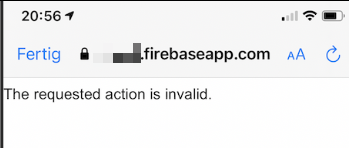
What did work for me as a workaround:
In my completion handler of provider.getCredentialWith(_: nil) I call the same function with a delay of 1second directly again if an error was thrown. On the second run it always succeeds and gives me the credentials back (even without that the user has to reenter username and password a second time).
Since 11. December the error message changed to "Unable to process request due to missing initial state. This may happen if browser sessionStorage is inaccessible or accidentally cleared.".
This is at least a more speaking error message, but does not help me much either.
 SKuhlemann
on 8 Dec 2020
SKuhlemann
on 8 Dec 2020
I'm also getting "Unable to process request due to missing initial state. This may happen if browser sessionStorage is inaccessible or accidentally cleared." now
barbecu
on 13 Dec 2020
Related issues
 gwoodhouse
·
4Comments
gwoodhouse
·
4Comments
 gitton
·
6Comments
gitton
·
6Comments
 SteveBurkert
·
3Comments
SteveBurkert
·
3Comments
 calvarez-ov
·
6Comments
calvarez-ov
·
6Comments
 Belka1000867
·
3Comments
Belka1000867
·
3Comments
Most helpful comment
Exact same issue here with Flutter.