Firacode: Make Microsoft Office have ligatures support
I set ligatures to all and it still have no ligatures.
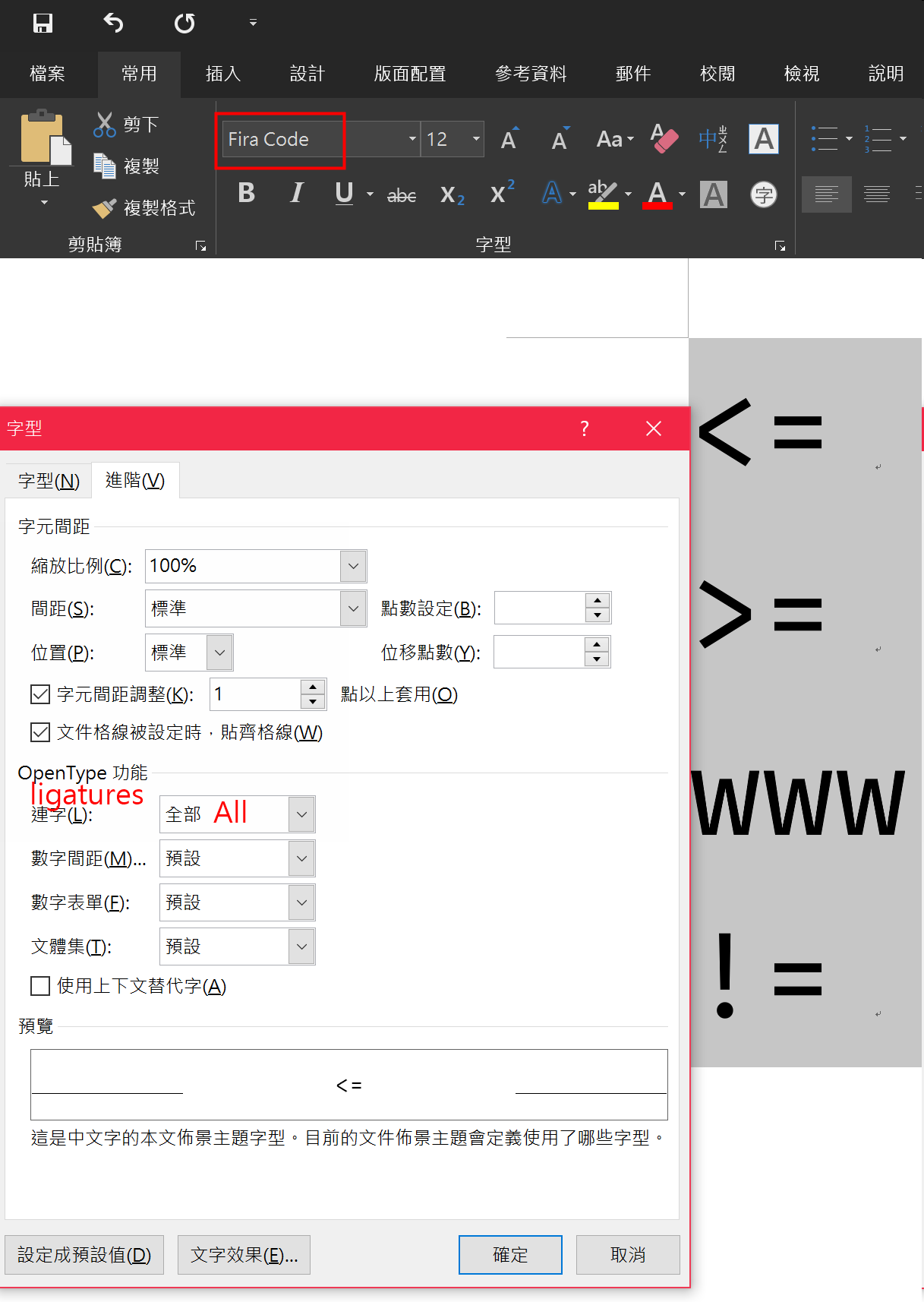
 abc1236762
All 5 comments
I’m not sure Word supports ligatures at all. The feature I’m using in Fira Code is called calt (contextual alternates), see if you can find it in settings?
 tonsky
on 9 Jul 2018
tonsky
on 9 Jul 2018
I found this article and try to do
Setting this property has the same effect as selecting the check box next to Use Contextual Alternates (in the OpenType Features group, Advanced tab, on the Font dialog in Word).
but it still not working.
abc1236762
on 9 Jul 2018
You need to check the Use Contextual Alternatives checkbox:

Enabled | Disabled
-------- | ---------
 |
| 
 wopian
on 9 Jul 2018
wopian
on 9 Jul 2018
你要勾「使用上下文替代字(contextual ligatures)」,Fira Code的連字是看前後文的,比如說連續出現好幾個=,就會換成其他連字等等。
 atheistray
on 10 Jul 2018
atheistray
on 10 Jul 2018
@atheistray 我在上則留言就講說我這邊這樣做沒有效果,應該就是我的office有問題
@wopian I think that is my Office's problem.
I tried on Office 2019 preview at the beginning and not worked, but I tried again on Office 2016 and worked, it seems it's a bug on Office 2019 preview not FiraCode's problem.
abc1236762
on 10 Jul 2018
Related issues
 ulope
·
4Comments
ulope
·
4Comments
 tomByrer
·
4Comments
tomByrer
·
4Comments
 aolko
·
3Comments
aolko
·
3Comments
 Igorgro
·
3Comments
Igorgro
·
3Comments
 magnus-madsen
·
3Comments
magnus-madsen
·
3Comments
Most helpful comment
You need to check the
Use Contextual Alternativescheckbox:Enabled | Disabled
 |
| 
-------- | ---------