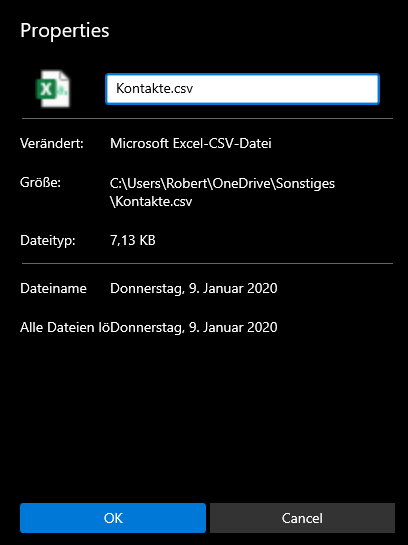
- Cancel button doesn't have rounded corners (Seems to be a style issue, all cancel buttons miss those)
- Icon is blurred
- Item Name property is missing the colon, but it's also incorrectly used.
- Last changed property uses an incorrect string (RecentItemClearAll.Text)
- Size and path properties are interchanged
*Seems like all the localisations are interchanged.
PropertiesModified.Text is used instead of PropertiesItemType.Text
PropertiesItemSize.Text is used instead of PropertiesItemPath.Text
and so on and so forth
 R3voA3
All 9 comments
- This is an issue with the WinUI library and will be fixed whenever it is fixed on the WinUI end.
- This should be easy enough to fix.
I think the other issues are all caused by localization issues, the strange thing is that we haven't done any work with localization in the properties dialog. I am wondering if that is automatically done by Windows...
 yaichenbaum
on 15 Mar 2020
yaichenbaum
on 15 Mar 2020
I see, that's why I couldn't find the cause of this in the properties dialog's xaml.
R3voA3
on 15 Mar 2020
@R3voA3 I am keeping this issue open until we fix the blurry icon. Even though the localization issue seems to be a Windows problem, we should still find a workaround so that's another reason to keep this issue open.
yaichenbaum
on 15 Mar 2020
This seems to be fixed except for the blurry icon and missing radii.
R3voA3
on 21 Mar 2020
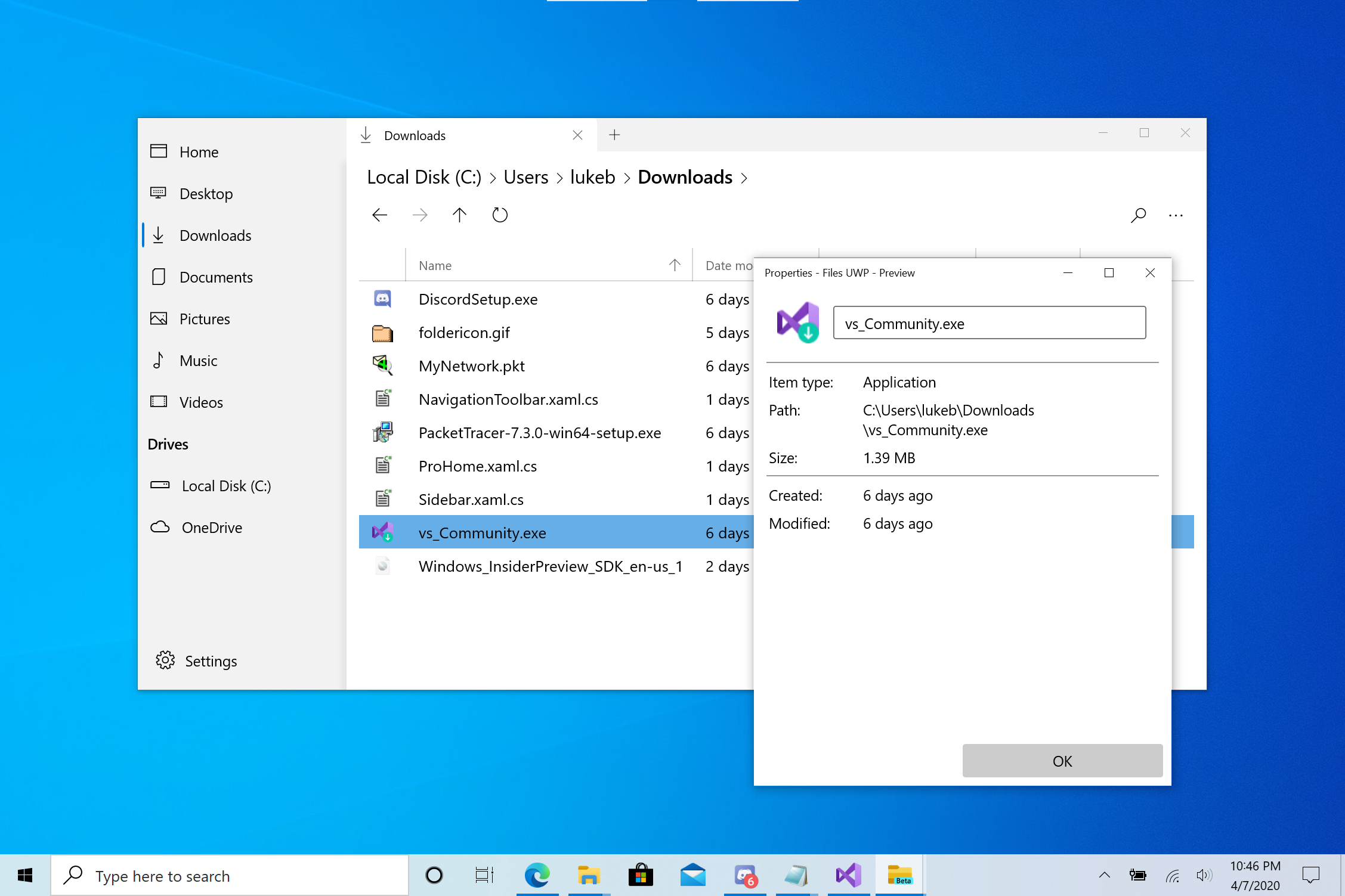
Some work was done on this in v0.7.4 (coming soon), and the two issues you described may be fixed.
 duke7553
on 6 Apr 2020
duke7553
on 6 Apr 2020
duke7553
on 8 Apr 2020
Perfect
R3voA3
on 8 Apr 2020
@R3voA3 v0.7.4 has been released to the store, can you let us know if any of the issues you mentioned are still around?
yaichenbaum
on 12 Apr 2020
Issues have been fixed. Good work!
R3voA3
on 12 Apr 2020
Related issues
 szaimen
·
3Comments
szaimen
·
3Comments
 xmha97
·
3Comments
xmha97
·
3Comments
 generalguy41
·
3Comments
generalguy41
·
3Comments
 DeDaMrAzR
·
3Comments
yaichenbaum
·
3Comments
DeDaMrAzR
·
3Comments
yaichenbaum
·
3Comments