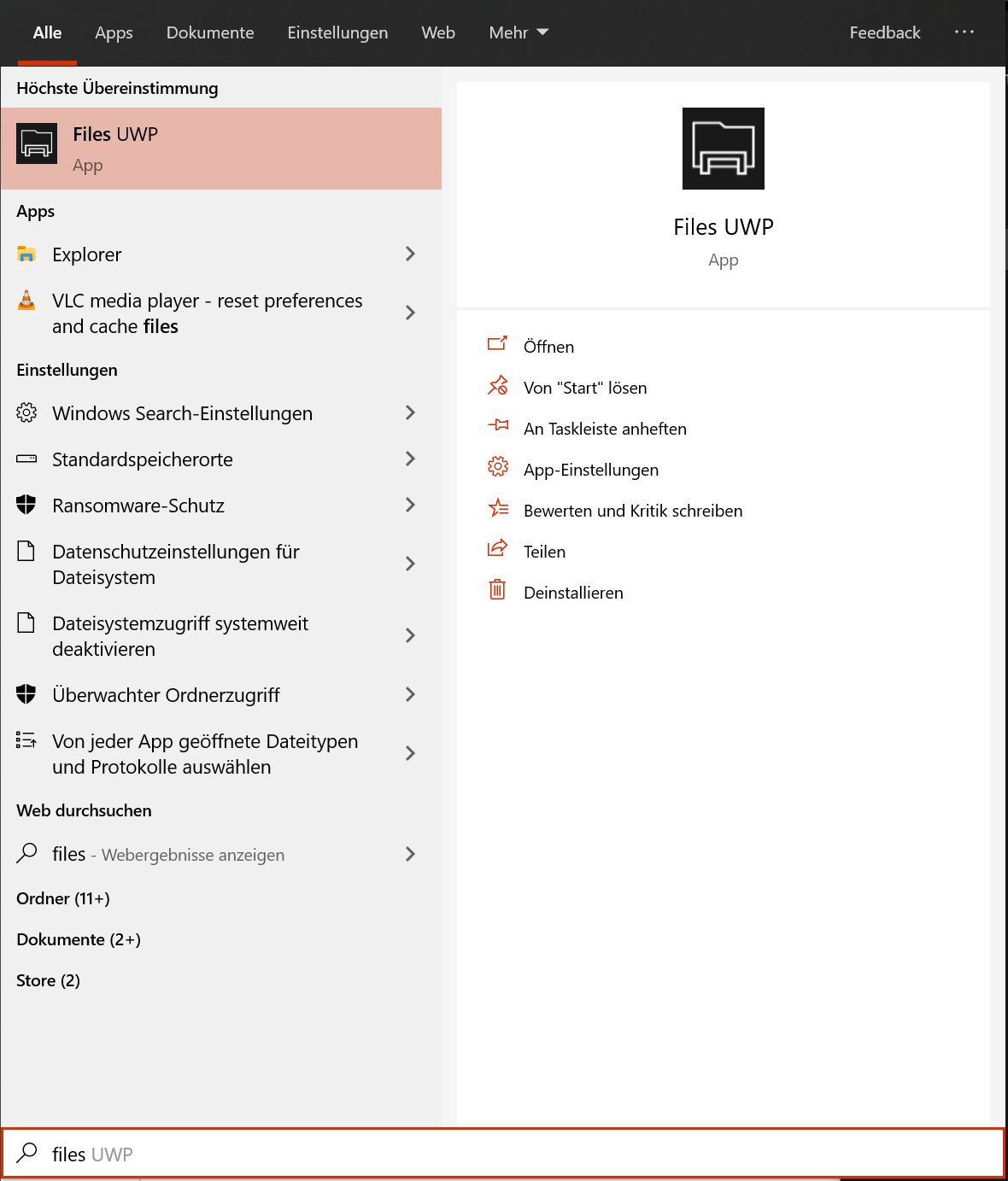
Files: When searching for Files UWP the old icon is shown
Describe the bug
When searching for Files UWP the old icon is shown
To Reproduce
Steps to reproduce the behavior:
- press the windows key
- search for "files uwp"
- See the screenshot
Expected behavior
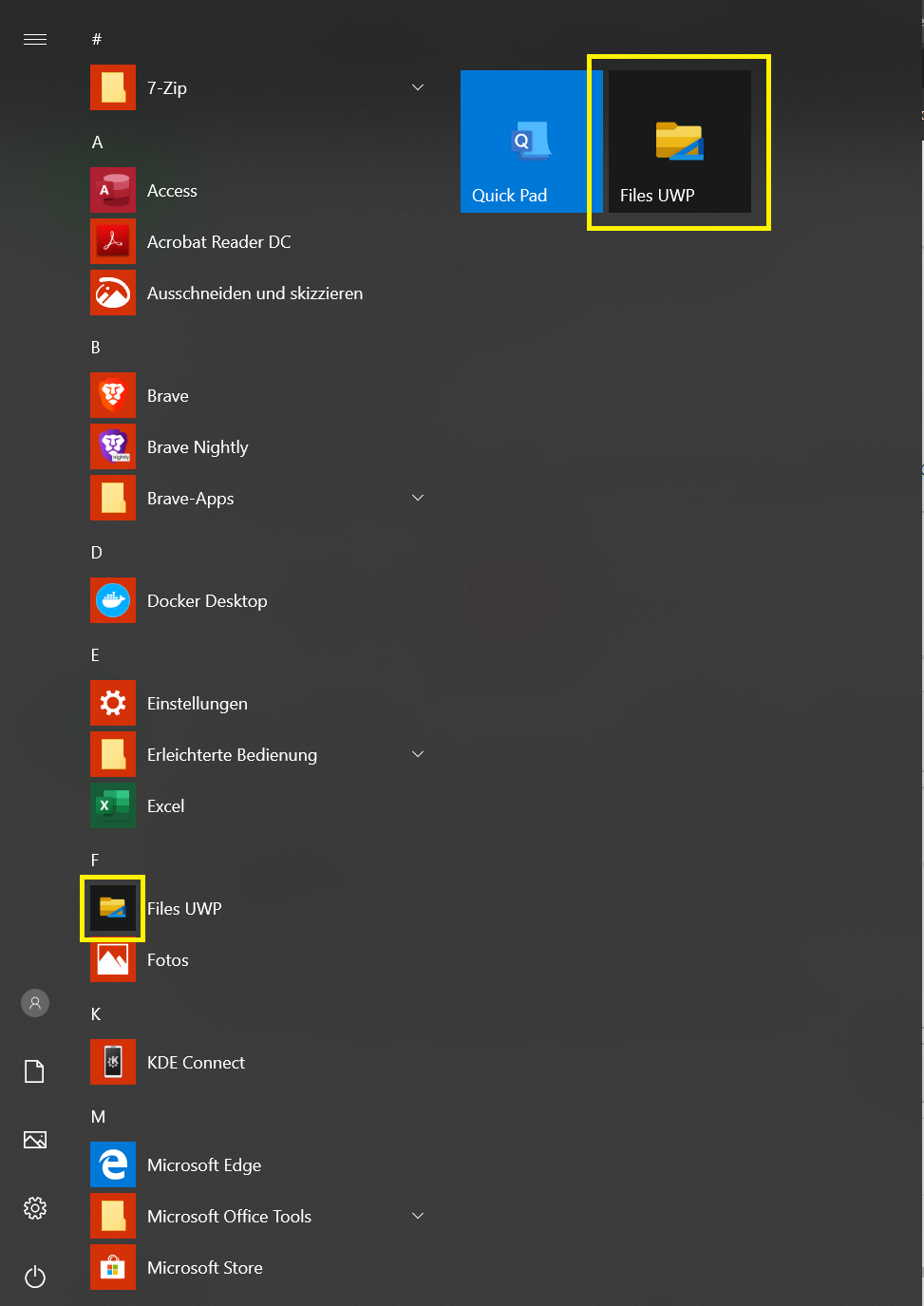
The new icon should be shown like in the task bar and start menu
Screenshots
Desktop (please complete the following information):
- OS Version: Windows 10 1903
- App version: v0.6.5
Additional context
I deinstalled and reinstalled the app from the store but the same happens again.
 szaimen
All 4 comments
Also is the black/dark-grey background in the program list and startmenu intended or shoulnd't it be also the default colour?
szaimen
on 14 Nov 2019
This is because the store can take a while to update all the assets, the dark background is intended so that the blue holder stands out.
 yaichenbaum
on 14 Nov 2019
yaichenbaum
on 14 Nov 2019
This is because the store can take a while to update all the assets
So will I just have to wait or will I have to reinstall the app later on?
Otherwise, you can close this issue.
szaimen
on 14 Nov 2019
You will just have to wait, reinstalling the app wont help for that asset. Sorry about this inconvenience.
yaichenbaum
on 14 Nov 2019
Related issues
 alialix2
·
3Comments
alialix2
·
3Comments
 generalguy41
·
3Comments
generalguy41
·
3Comments
 jbvc97
·
3Comments
jbvc97
·
3Comments
 SinGuLaRiTy2001
·
3Comments
SinGuLaRiTy2001
·
3Comments
 XPoppyX
·
4Comments
XPoppyX
·
4Comments
Most helpful comment
This is because the store can take a while to update all the assets, the dark background is intended so that the blue holder stands out.