Files: Incorporate the Windows Subsystem for Linux
Problem:
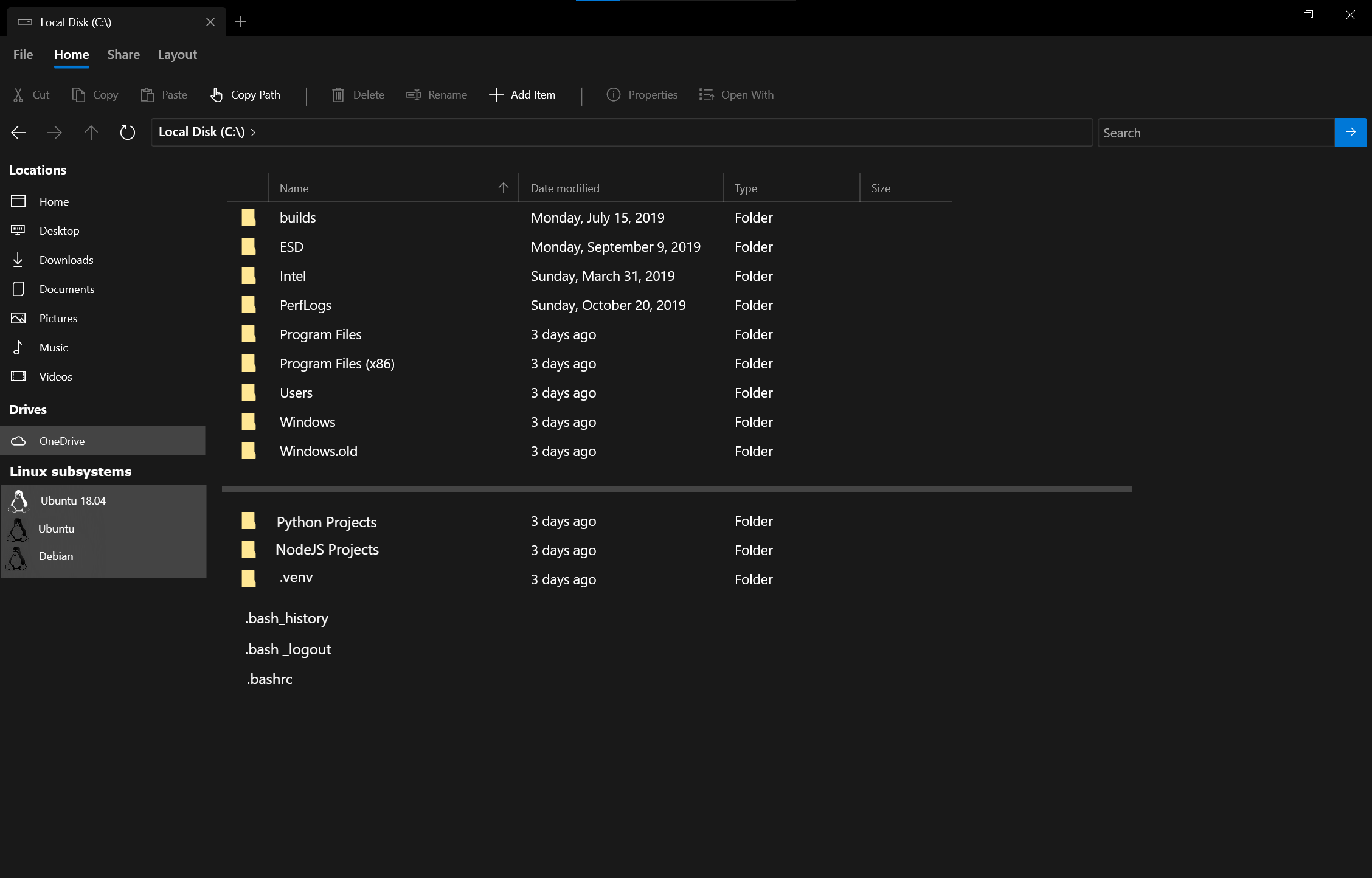
The Windows Subsystem for Linux is extremely popular among developers, but for many, especially newer devs, the concept of switching between the Windows file system and Linux file system is very confusing. Currently, the Linux file system can be opened (after installing WSL and a distro) using Windows File Explorer using 'explorer.exe .' ...but it would be VERY helpful to have a separation in the File Explorer, similar to how you've separated OneDrive, that visually indicates to the user whether they are currently in the Windows or Linux File System... and which Linux distros file system they are in (Ubuntu? Debian? SUSE?) This would be HUGE!
Describe the solution you'd like
 mattwojo
All 9 comments
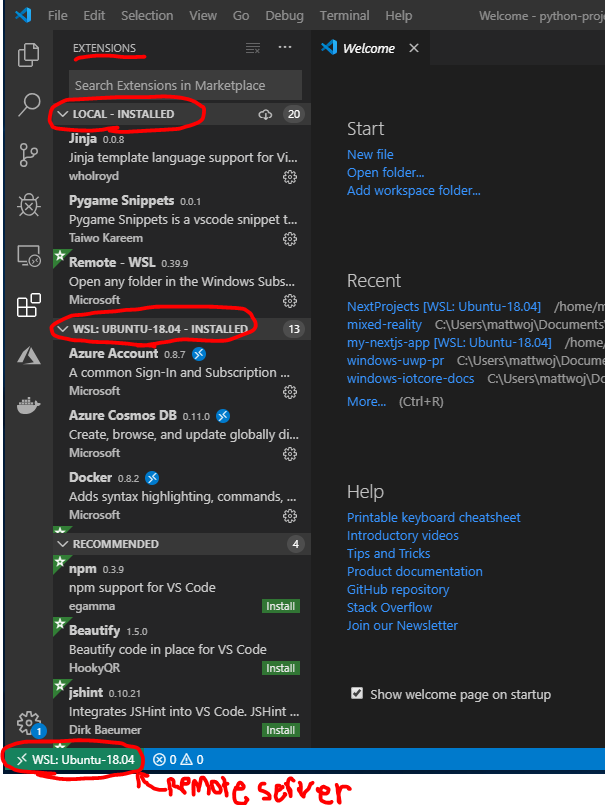
Visual Studio Code has implemented a similar sort of thing with their Extensions installation windows...
mattwojo
on 13 Nov 2019
This is a clear visual indicator letting users know whether they've installed an extension on the local (Windows) drive, or on the Windows Subsystem for Linux (Ubuntu-18.04 in this case) drive... as well as an indicator in the lower-left corner of VS Code letting the user know what system their current project is running on.
The community has LOVED this new remote support... definitely something that should be in File Explorer IMO and would be super cool to see it envisioned in a project like this.
mattwojo
on 13 Nov 2019
This is a great idea! One of the things we are looking to do with this project is to add value and I definitely think this fits under that.
 yaichenbaum
on 17 Nov 2019
yaichenbaum
on 17 Nov 2019
I plan to investigate this feature during the v0.7 cycle.
 duke7553
on 21 Nov 2019
duke7553
on 21 Nov 2019
The v0.7 cycle has seen lots of work go into this, but it hasn't been fully tested/finalized yet, so I'm bumping the target for WSL support to v0.8
duke7553
on 19 Feb 2020
Actually you can already access your WSL-files in files with \\wsl$. This only works for now, if the distro is running (see under Known Issues).
So we only need a way to detect which distros are installed, then we can display them on the sidebar. The files in a distro can be accessed with \\wsl$\{distro_name}.
I think we can even go a step further and start the distro for the user. We only have to remember to close it at app termination.
 lampenlampen
on 9 Apr 2020
lampenlampen
on 9 Apr 2020
@lampenlampen Yes! I actually started work on this last year. If you want to improve upon it, and hook it up, take a look at this: https://github.com/duke7553/files-uwp/blob/bf942034ef2b7e11a6f6ccf4183b64a6e17716eb/Files/View%20Models/SettingsViewModel.cs#L174
However, I do plan on working on this myself very soon.
duke7553
on 9 Apr 2020
I think we can even go a step further and start the distro for the user. We only have to remember to close it at app termination.
I wouldn't close out the distro when Files closes.
I'd instead add a button to the listing so something like
Ubuntu 20.04    ⏹️
openSUSE Leap
Kali
A standby-style icon would best denote it but that isn't an emoji.
You could go one step further and allow something like
Ubuntu 20.04    ⏹️
openSUSE Leap   ▶️
Kali            ▶️
to allow WSl distros to be started via Files as well as terminated. That may be beyond the scope of the project but could be added under a "EnableDeveloperFriendlyFeatures"
 SketchNI
on 28 Aug 2020
SketchNI
on 28 Aug 2020
Hey I want to report something else, and I think you mean you only want to start the WSL kernel.
Example:
See I dont have any sessions of WSL running, while I started Pengwin distro earlier, for example I didn't touch Void Linux at all Today.
Here is an Example, i dont have any WSL sessions open:

However I can access them just fine
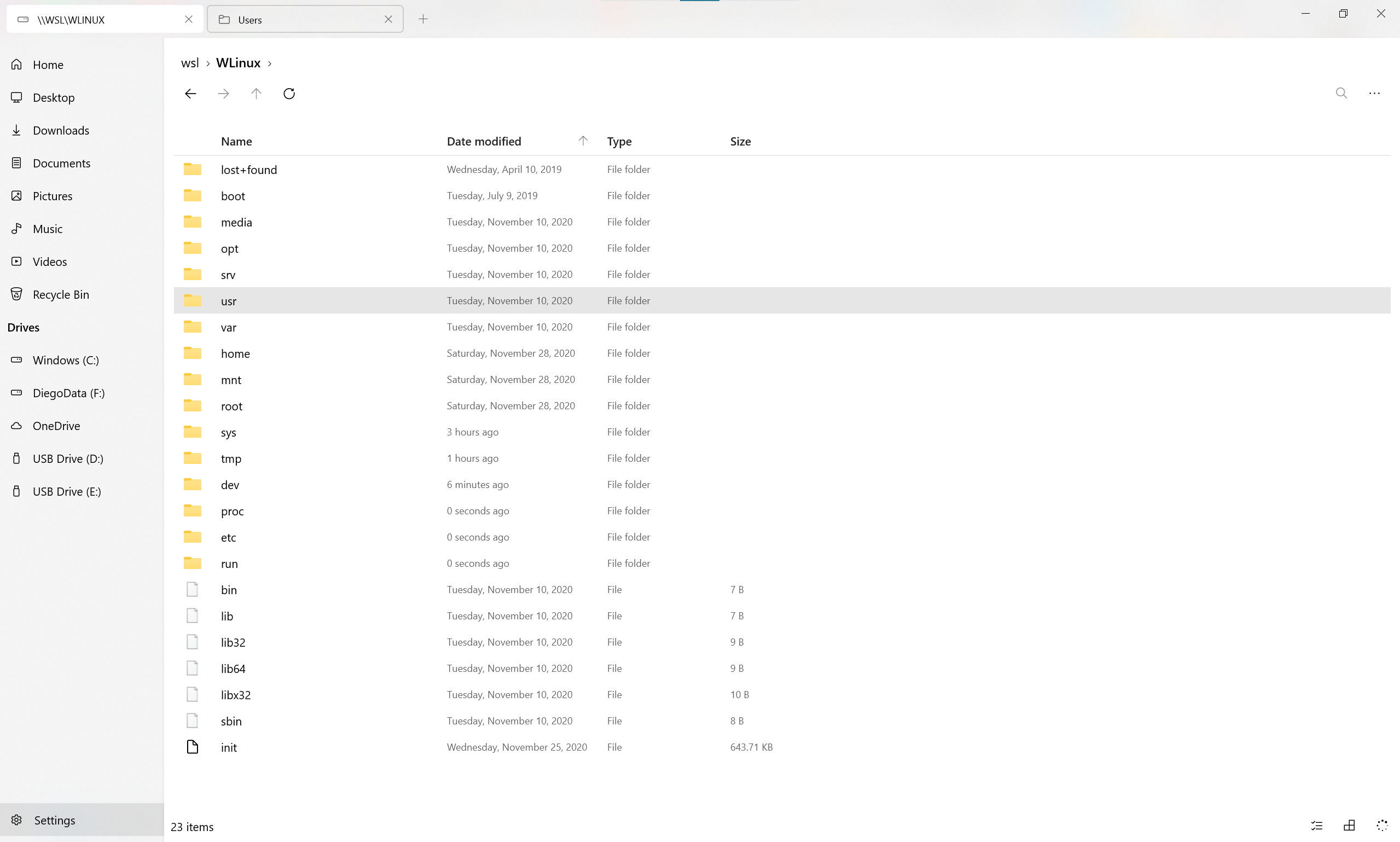
I don't think Files should start the WSL distros, as they all start once the kernel is started.
I dont know if maybe is because I am on WSL2
 DiegoMagdaleno
on 11 Dec 2020
DiegoMagdaleno
on 11 Dec 2020
Related issues
 crashmit
·
3Comments
crashmit
·
3Comments
 Cyberdroid1
·
3Comments
Cyberdroid1
·
3Comments
 jbvc97
·
3Comments
jbvc97
·
3Comments
 generalguy41
·
3Comments
yaichenbaum
·
3Comments
generalguy41
·
3Comments
yaichenbaum
·
3Comments
Most helpful comment
The v0.7 cycle has seen lots of work go into this, but it hasn't been fully tested/finalized yet, so I'm bumping the target for WSL support to v0.8