Files: Can't open "properties" for any file
Right Click on any file > Properties
( no action assigned )
 bingeitall
All 18 comments
I'm marking this as a discussion because I would potentially like to get some mockups from the community for a Properties experience.
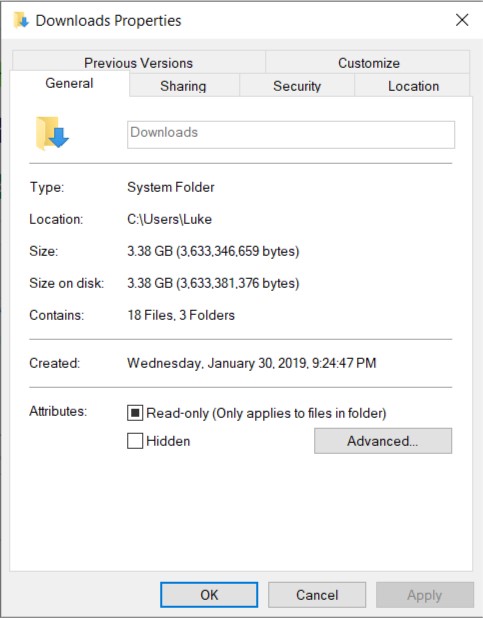
The current (in explorer) one looks like this, but I wanted to modernize it by reducing or potentially removing the many, dense tabs on top.
 duke7553
on 27 Feb 2019
duke7553
on 27 Feb 2019

To take some inspiration, Here's how Microsoft styled it, with the UWP Mobile file explorer. Still pretty simple, space taking (Doesn't open a separate window), and not Fluent design styled.
 PoorPocketsMcNewHold
on 28 Feb 2019
PoorPocketsMcNewHold
on 28 Feb 2019
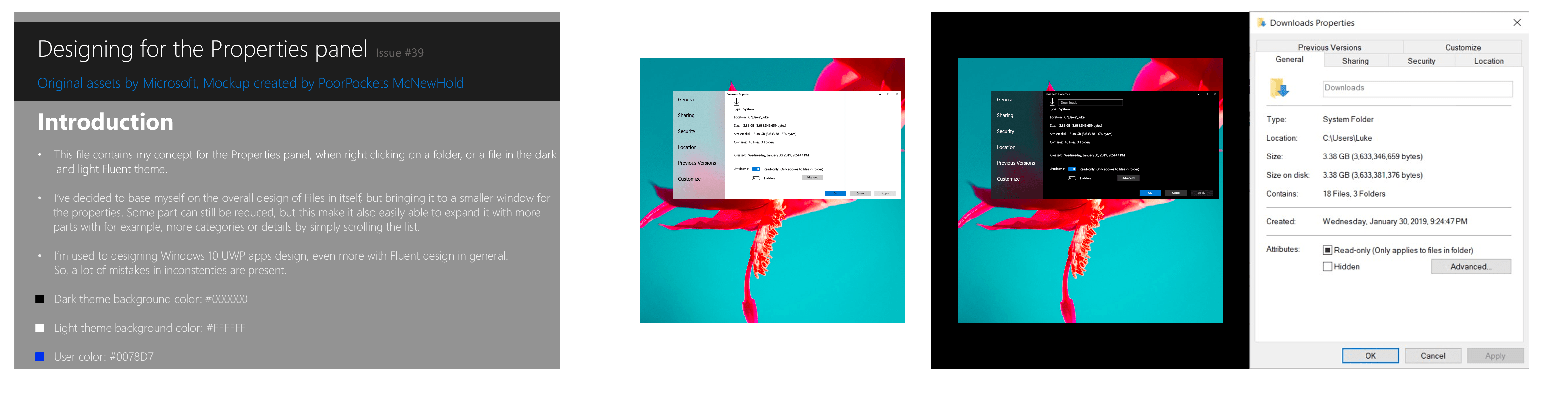
.PSD file download.
_*not used_
PoorPocketsMcNewHold
on 28 Feb 2019
@PoorPocketsMcNewHold This looks pretty good. I'm going to work on one that incorporates some of these design elements.
duke7553
on 28 Feb 2019
I would use a pivot control rather then a side menu.
 yaichenbaum
on 23 May 2019
yaichenbaum
on 23 May 2019
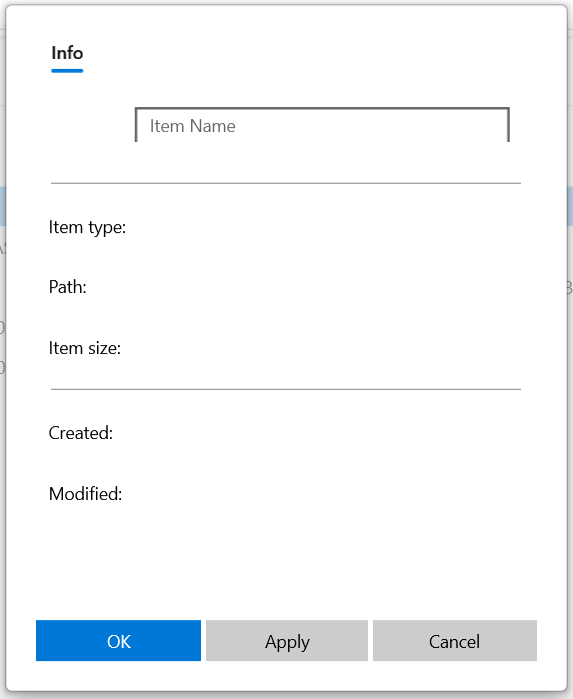
This is the design I'm going for so far, still a work in progress so things will definitely change.
duke7553
on 28 May 2019
Also, some things are broken in this screenshot.
duke7553
on 28 May 2019
I think this is a great design as it is similar to the existing version and will be familiar to users. About using rounded corners how far should they be users? Should they be on buttons and text boxes too?
yaichenbaum
on 28 May 2019
@yaichenbaum Short answer: Yes, but very subtle applications are key.
I'm currently updating Files to use the in-progress specification documented here
and elaborated upon here
duke7553
on 4 Jun 2019
Got it, so for buttons and text boxes it's mainly 2px?
yaichenbaum
on 4 Jun 2019
Yes that’s correct. However, flyouts will use 4px, while some controls like TabView don’t support CornerRadius property yet.
duke7553
on 4 Jun 2019
I think I will work on some buttons and text boxes then, is flyouts content dialogs?
yaichenbaum
on 4 Jun 2019
To my knowledge flyouts are technically context menus or small notification banners, but context dialogs also fall under this 4px category.
duke7553
on 4 Jun 2019
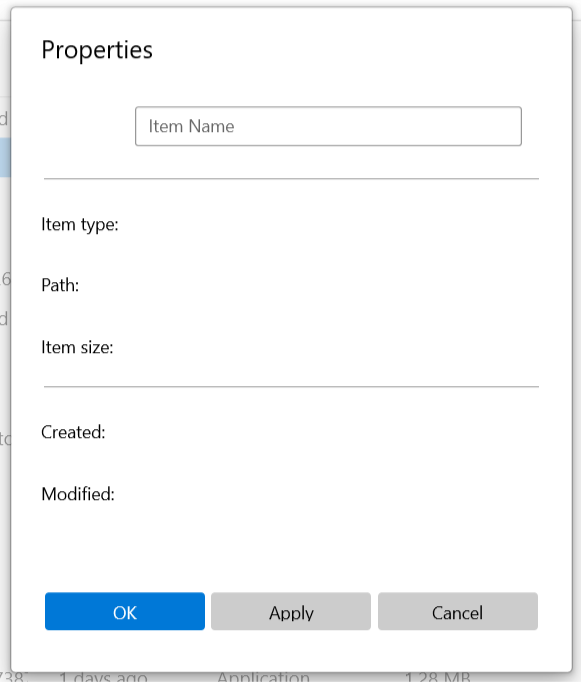
I decided to remove the pivot control for the initial implementation. It will likely return when more properties are supported. I'll have this hooked up to the code behind very soon. Sorry for the delay.
duke7553
on 14 Jun 2019
@yaichenbaum
duke7553
on 14 Jun 2019
Good idea for now, once the initial release is ready it should be simple to scale up this page.
yaichenbaum
on 14 Jun 2019
@duke7553 I don't think so much space between each property item is necessary. You can decrease the top and bottom margins by atleast 6px and fit more properties in the same window. Just a suggestion.
 avknaidu
on 21 Jun 2019
avknaidu
on 21 Jun 2019
This has been addressed in 722f9ef640716b744cd3989a25ff2cb85a7e75f6
yaichenbaum
on 7 Jul 2019
Related issues
 xmha97
·
3Comments
xmha97
·
3Comments
 SinGuLaRiTy2001
·
3Comments
SinGuLaRiTy2001
·
3Comments
 ChenShihuan
·
3Comments
ChenShihuan
·
3Comments
 SOI7
·
3Comments
SOI7
·
3Comments
 xpirad
·
3Comments
xpirad
·
3Comments