Filepond: How do i refresh/update filepond instances when page component is mounted?
So i am using filepond component in multiple places in my Vue application. For 1st instance instance i am using as single file upload (circular layout). For 2nd i am using for multiple file uploads(rectangular layout),
when i change the routes back and forth, i notice that circular layout persists even for 2nd instance of filepond
This is my first component

This is my second component (What happened)

(Expected)

However, when i refresh the application page, it works normal !!
I am not sure. Do you think its a conflict ?
So how do i update filepond instance on page mounted?
TIA
 power-cut
All 8 comments
I think you might be setting the options for both components (using setOptions) instead of each separately (by passing the options to the component element).
 rikschennink
on 14 Jan 2019
rikschennink
on 14 Jan 2019
Here's how i am doing
1st component
<template>
  <div>

    <file-pond
        name="profile-image"
        ref="profileImage"
        class="user-profile-picture"
        label-idle='Drag & Drop your files or <span class="filepond--label-action"> Browse </span>'
        accepted-file-types="image/jpeg, image/png"
        dropValidation="true"
        instantUpload="false"
        stylePanelLayout= 'compact circle'
        styleLoadIndicatorPosition =  'right bottom'
        styleProgressIndicatorPosition = 'center bottom'
        styleButtonRemoveItemPosition = 'left bottom'
        styleButtonProcessItemPosition = 'center bottom'
        @processfile="updateFiles"
        :server="server"
        :files="myFiles"
        />

  </div>
</template>
2nd component
<template>
  <div>
    <file-pond
    name="product-files"
    ref="productFiles"
    label-idle= 'Drag & Drop your files or <span class="filepond--label-action">Browse</span>   <br>    <b>Maximum 5 files upload</b>'
    labelFileWaitingForSize = "Loading"
    allow-multiple="true"
    imagePreviewMaxFileSize="1MB"
    imagePreviewHeight="100"
    instantUpload="true"
    max-files="5"
    dropOnElement="false"
    allowFileTypeValidation="true"
    dropOnPage="false"
    :server="server"
    :files="myFiles"
    accepted-file-types="image/jpeg, image/png"
    dropValidation="true"
    v-on:init="handleFilePondInit"
    @processfile="updateFiles"
    @removefile="fileRemove"
    :allowImageTransform="false"

    />
  </div>
</template>
Alright, that should work, I'll look into this.
rikschennink
on 14 Jan 2019
I just published version 4.0.3 of the Vue FilePond Adapter, it fixes an issue where global options accidentally got merged with local options. Should fix the issue. Please confirm.
rikschennink
on 15 Jan 2019
@rikschennink
I only updated the npm packages, I think you are almost there...not solved completely.
Here what i have
Expected - working

when i change the route to another component
It's rectangular, but its trying to impersonate the circular filepond.
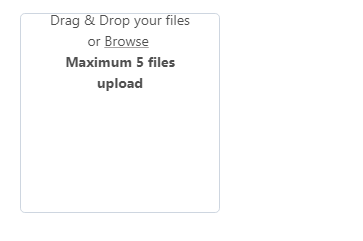
My package,json

power-cut
on 16 Jan 2019
I think it is becuase of the CSS
In circular instance i am using style as - width:200px; height:200px; (without vue - scoped css )
and that is actually conflicting with other rectangular instance for filepond
Any work around ideas?
power-cut
on 16 Jan 2019
Can you add a unique class or id to each FilePond instance and then use that to apply styles?
rikschennink
on 16 Jan 2019
@rikschennink
I fixed it by adding CSS using a class to individual instances.
It worked !!.
Thank you
power-cut
on 16 Jan 2019
Related issues
 vanko0309
·
4Comments
vanko0309
·
4Comments
 juongithub
·
7Comments
juongithub
·
7Comments
 WifiDubt
·
6Comments
WifiDubt
·
6Comments
 mirlol
·
4Comments
mirlol
·
4Comments
 oldrich-s
·
5Comments
oldrich-s
·
5Comments
Most helpful comment
@rikschennink
I fixed it by adding CSS using a class to individual instances.
It worked !!.
Thank you