Fiber: 🤔 I'm having issues with go get / git on Windows
Description
I am trying to install fiber using go get -u github.com/gofiber/fiber but its throwing me error I have attached below:

Here is what go env commands prints
C:\Users\KIIT_Intern\go\src\github.com\pranjal.agni\rest-api-playground>go env
set GO111MODULE=
set GOARCH=amd64
set GOBIN=
set GOCACHE=C:\Users\KIIT_Intern\AppData\Local\go-build
set GOENV=C:\Users\KIIT_Intern\AppData\Roaming\go\env
set GOEXE=.exe
set GOFLAGS=
set GOHOSTARCH=amd64
set GOHOSTOS=windows
set GOINSECURE=
set GONOPROXY=
set GONOSUMDB=
set GOOS=windows
set GOPATH=C:\Users\KIIT_Intern\go
set GOPRIVATE=
set GOPROXY=https://proxy.golang.org,direct
set GOROOT=c:\go
set GOSUMDB=sum.golang.org
set GOTMPDIR=
set GOTOOLDIR=c:\go\pkg\tool\windows_amd64
set GCCGO=gccgo
set AR=ar
set CC=gcc
set CXX=g++
set CGO_ENABLED=1
set GOMOD=
set CGO_CFLAGS=-g -O2
set CGO_CPPFLAGS=
set CGO_CXXFLAGS=-g -O2
set CGO_FFLAGS=-g -O2
set CGO_LDFLAGS=-g -O2
set PKG_CONFIG=pkg-config
set GOGCCFLAGS=-m64 -mthreads -fmessage-length=0 -fdebug-prefix-map=C:\Users\KIIT_I~1\AppData\Local\Temp\go-build932757670=/tmp/go-build -gno-record-gcc-switches
I wanted to play and learn fiber but unable to fix this issue for quite some time.
Version
Golang 1.14.2 windows/amd64
Windows 10
Git version 2.26.0
 PranjalAgni
All 20 comments
Thanks for opening your first issue here! 🎉 Be sure to follow the issue template! If you want to chat with us or need help, join us on our Discord server: https://gofiber.io/discord
![welcome[bot] picture](https://avatars0.githubusercontent.com/in/4141?v=4&s=40) welcome[bot]
on 23 Apr 2020
welcome[bot]
on 23 Apr 2020
Do you get the same error when trying to get other Go packages?
 Fenny
on 23 Apr 2020
Fenny
on 23 Apr 2020
Yes got same error.
PranjalAgni
on 23 Apr 2020
Hi @PranjalAgni
Thanks for creating this issue. However, your issue is probably regarding a problem with your Git and/or Go environment or installation. If possible, please try to re-install Git and Go on your Windows machine after resetting your environment variables as well.
https://git-scm.com/download/win
https://golang.org/doc/install
Let us know if that helped you out!
 thomasvvugt
on 24 Apr 2020
thomasvvugt
on 24 Apr 2020
@PranjalAgni your Go env looks oke, you could try to re-install git and go like @thomasvvugt suggested.
Can you try to type git --version and share the output? If it says Git command not found try to add C:\Program Files\Git\cmd or C:\Program Files\Git\mingw64\bin to your PATH environment.
Fenny
on 24 Apr 2020
@thomasvvugt @Fenny I reinstalled Git and Go again but it's still throwing me the same error. I have tried to run this in admin terminal but its same.
Attaching screenshot for my git version:
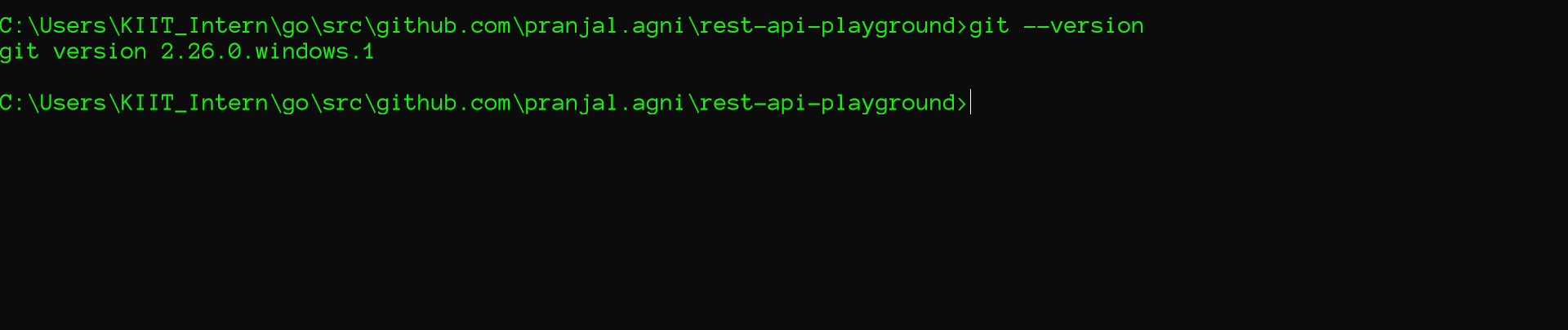
Having hard time, I want to play around with fiber but this is blocking me.
PranjalAgni
on 24 Apr 2020
Do you use terminal windows or bash from git?
 renanbastos93
on 24 Apr 2020
renanbastos93
on 24 Apr 2020
I am using windows new terminal to use git. Its present as Windows Terminal(Preview) in Microsoft store. Though I also tried once in Windows command prompt (cmd) it was showing the same error

PranjalAgni
on 24 Apr 2020
I am using windows new terminal to use git. Its present as Windows Terminal(Preview) in Microsoft store. Though I also tried once in Windows command prompt (cmd) it was showing the same error
I will try in my windows later I comment here
renanbastos93
on 24 Apr 2020
Wow, in my windows not so good. When I use or bash git it works, but in the native windows terminal, it doesn't.
```
C:\Users\Unknow>go get -u github.com/gofiber/fiber
cd C:\Users\Unknow\go\src\github.com\valyala\bytebufferpool; git pull --ff-only
fatal: not a git repository (or any of the parent directories): .git
package github.com/valyala/bytebufferpool: exit status 128
renanbastos93
on 24 Apr 2020
I tried to reproduce this issue in powershell, cmd, vscode, sublime terminal and the new windows terminal. But everything worked fine, here is my output.
@PranjalAgni, do you use the vscode IDE?


Fenny
on 24 Apr 2020
@Fenny Yes I use vscode IDE. Attaching a screenshot below

Did you choose some custom options(other than default) while installing Git?
PranjalAgni
on 24 Apr 2020
@PranjalAgni it seems you have issue's with your git installation, are your environment variables correct?
C:\Program Files\Git\mingw64\bin\

Fenny
on 24 Apr 2020
@Fenny Yes my environment variables are pointed correctly.


PranjalAgni
on 25 Apr 2020
While this seems like a git issue, I'd recommend that you set your GOROOT to the folder where your Go installation is located, and GOPATH to the same drive (not E:\). Try updating it to %USERPROFILE%\go. Also make sure that neither Go, nor git is installed on a network drive. Git does not work on network drives.
Also, remember to restart your terminal and/or vscode every time you update your environment variables, as they don't update automatically like in UNIX environments.
I'd personally recommend using something like MSYS2 or WSL for development on Windows, as these can provide a much leaner developer experience (WSL is also fully compatible with vscode).
 jozsefsallai
on 25 Apr 2020
jozsefsallai
on 25 Apr 2020
While this seems like a
gitissue, I'd recommend that you set yourGOROOTto the folder where your Go installation is located, andGOPATHto the same drive (notE:\). Try updating it to%USERPROFILE%\go.
I wanted to keep my go workspace at E:\Golang that's why I kept there, also I have tried the path suggested by you previously but it was the same error.
I'd personally recommend using something like MSYS2 or WSL for development on Windows, as these can provide a much leaner developer experience (WSL is also fully compatible with vscode).
Yes I am using new Windows Terminal it has WSL support, also I have enabled WSL support in my Windows machine through management window.
Also make sure that neither Go, nor git is installed on a network drive. Git does not work on network drives.
Yup I am not using network drives.
PranjalAgni
on 25 Apr 2020
@PranjalAgni could you join us on Telegram? https://t.me/gofiber maybe I could help you out remotely.
Fenny
on 26 Apr 2020
@Fenny Sure I will join on Telegram.
PranjalAgni
on 26 Apr 2020
So I installed Ubuntu Terminal for Windows, and it solved all my problem. Now I just type bash when I want to open Ubuntu terminal from cmd and directly install any packages I need.
PranjalAgni
on 30 Apr 2020
Try removing the old golang and installing the latest version. That worked for me.
 shoanchikato
on 4 Aug 2020
shoanchikato
on 4 Aug 2020
Related issues
 Ivan-Feofanov
·
3Comments
Ivan-Feofanov
·
3Comments
 mayowa
·
3Comments
mayowa
·
3Comments
 ahan
·
3Comments
ahan
·
3Comments
 Badrouu17
·
4Comments
Badrouu17
·
4Comments
 MohamedGouaouri
·
3Comments
MohamedGouaouri
·
3Comments