Ffimageloading: Linear Gradients not working? [SVG]
Hi,
I am attempting linear gradients, but they do not work. Here is how it is done in the code:
<?xml version="1.0" encoding="UTF-8"?>
<svg version="1.1" baseProfile="tiny" xmlns="http://www.w3.org/2000/svg" xmlns:xlink="http://www.w3.org/1999/xlink" height="512" width="512">

    <defs>
        <linearGradient id="LinearGradient" x1="0" x2="0" y1="0" y2="1">
            <stop offset="0%" stop-color="#ff0000"/>
            <stop offset="50%" stop-color="#ffffff"/>
            <stop offset="100%" stop-color="#0000ff"/>
        </linearGradient>
                <linearGradient id="LinearGradient2" x1="0" x2="0" y1="0" y2="1">
            <stop offset="0%" stop-color="#ff0000"/>
            <stop offset="100%" stop-color="#ffffff"/>
        </linearGradient>
                <linearGradient id="LinearGradient3">
            <stop offset="0%" stop-color="#ff0000"/>
            <stop offset="100%" stop-color="#0000ff"/>
                    </linearGradient>
    </defs>
    <filter id="blurMe">
        <feGaussianBlur in="SourceGraphic" stdDeviation="5" />
    </filter>

    <circle id="templateCircle" cx="128" cy="128" r="128" fill="url(#LinearGradient)" visibility="visible" />
    <circle id="templateCircle2" cx="128" cy="384" r="128" fill="url(#LinearGradient2)" visibility="visible" />
    <circle id="templateCircle3" cx="384" cy="128" r="128" fill="url(#LinearGradient3)" visibility="visible" />
    <circle id="templateCircle4" cx="384" cy="384" r="64" fill="#ff0000" filter="url(#blurMe)" visibility="visible" />
</svg>
And here is a link to the SVG online:
http://quakeulf.suxos.org/bilder/bearbeidet/variabelen/SVG/test7.svg
But when running this on an Android phone all we get are single-coloured shapes and no gradients.
What are we doing wrong? Please help.
 quakeulf
All 10 comments
I finally got linear gradients to "work" but their scale is really off in the mobile app.
The web-version is here:
http://quakeulf.suxos.org/bilder/bearbeidet/variabelen/SVG/test777.svg
But in the app "pad" does not seem to work for spreadMethod. Here is the code:
<?xml version="1.0" encoding="UTF-8"?>
<svg version="1.1" baseProfile="tiny" xmlns="http://www.w3.org/2000/svg" xmlns:xlink="http://www.w3.org/1999/xlink" height="512" width="512">

    <defs>
        <animate
            xlink:href="#templateCircle2"
            attributeName="visibility"
            keyTimes="0; 0.2; 0.5; 1"
            values="visible; hidden; visible; visible"
            begin="0s"
            dur="1s"
            repeatCount="indefinite"/>
        <animateTransform
            xlink:href="#templateCircle4"
            attributeName="transform"
            type="translate"
            keyTimes="0; 0.2; .6; .9; 1"
            values="0 0; 0 20; 0 -20; 0 -25; 0 0"
            calcMode="spline"
            keySplines=".5,1,.5,1;
                .5,1,.5,1;
                1,1,1,1;
                .5,1,.5,1"
            begin="0s"
            dur="2s"
            repeatCount="indefinite"/>
        <linearGradient id="LinearGradient" x1="0" y1="0" x2="1" y2="1" spreadMethod="reflect">
            <stop offset="0%" stop-color="#ff0000"/>
            <stop offset="50%" stop-color="#ffffff"/>
            <stop offset="100%" stop-color="#0000ff"/>
        </linearGradient>
        <linearGradient id="LinearGradient2" x1="0" y1="0" x2="0" y2="1" spreadMethod="reflect">
            <stop offset="0%" stop-color="#ffff00"/>
            <stop offset="100%" stop-color="#00ffff"/>
        </linearGradient>
        <linearGradient id="LinearGradient3" x1="0" y1="0" x2="1" y2="0" spreadMethod="repeat">
            <stop offset="0%" stop-color="#ff0000"/>
            <stop offset="100%" stop-color="#0000ff"/>
        </linearGradient>
    </defs>
    <filter id="blurMe">
        <feGaussianBlur in="SourceGraphic" stdDeviation="5" />
    </filter>

    <circle id="templateCircle" cx="128" cy="128" r="128" fill="url(#LinearGradient)" visibility="visible" />
    <circle id="templateCircle2" cx="128" cy="384" r="128" fill="url(#LinearGradient2)" visibility="visible" />
    <circle id="templateCircle3" cx="384" cy="128" r="128" fill="url(#LinearGradient3)" visibility="visible" />
    <circle id="templateCircle4" cx="384" cy="384" r="64" fill="#ff0000" filter="url(#blurMe)" visibility="visible" />
</svg>
I strongly advice you to use this: https://jakearchibald.github.io/svgomg/ (it can really solve a lot of svg files loading issues).
It's even mentioned on our SVG Wiki page.
 daniel-luberda
on 30 Jul 2017
daniel-luberda
on 30 Jul 2017
Hi, i'm also facing similar issue with lineargradient which render icon in only one color instead of two color. I tried open the file using the website you suggested (https://jakearchibald.github.io/svgomg/ ) but the image perfectly rendered as expected, or maybe i'm missing something?
Currently i'm using version 2.2.25, here's my SVG file in code:
```
 lucky-c
on 21 Nov 2017
lucky-c
on 21 Nov 2017
I've been trying to slightly modify the SVG code and it is rendered nicely using FFImageLoading, i had notice that <lineargradient> must be set as decimal value rather as percentage value compared to my previous code. But weird thing happen when i open the SVG using SVGOMG, the file only rendered in one color.
(FYI my SVG file exported from Zeplin)
I hope my findings provide insight into this issue.
Here's the screenshot and the modified SVG file:
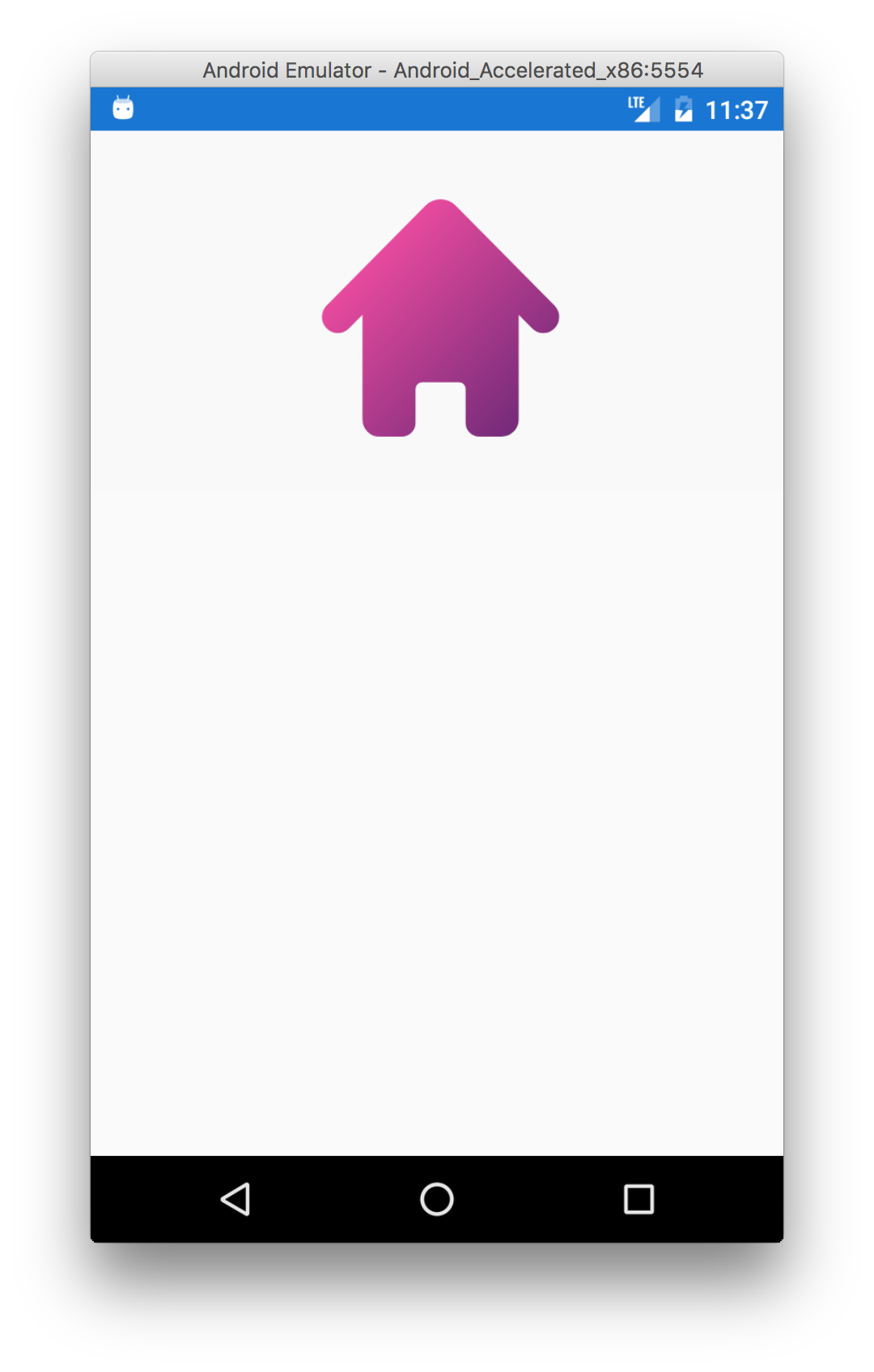
<svg xmlns="http://www.w3.org/2000/svg" xmlns:xlink="http://www.w3.org/1999/xlink" viewBox="0 0 62 53">
    <defs>
        <path id="a" d="M34.922.07H.005v34.84h34.917V.07z" />
        <linearGradient id="b" x1="5.29" x2="36.27" y1="5.29" y2="36.27">
            <stop offset="0%" stop-color="#F54EA2" />
            <stop offset="100%" stop-color="#5B2472" />
        </linearGradient>
    </defs>
    <g fill="none" fill-rule="evenodd">
        <path d="M0 0h62v53H0z" />
        <g transform="translate(14 10)">
            <mask id="c" fill="#fff">
                <use xlink:href="#a" />
            </mask>
            <path fill="url(#b)" d="M34.237 15.68L19.647.977a3.084 3.084 0 0 0-4.374 0L.683 15.68a2.367 2.367 0 0 0 0 3.33c.914.92 2.392.92 3.305 0l1.977-1.994v15.387a2.5 2.5 0 0 0 2.49 2.51h3.317a2 2 0 0 0 2-2V27.92a.98.98 0 0 1 .977-.984h5.424c.54 0 .976.44.976.984v4.99a2 2 0 0 0 2 2h3.318a2.5 2.5 0 0 0 2.49-2.508V17.017l1.976 1.99a2.32 2.32 0 0 0 3.303 0 2.366 2.366 0 0 0 0-3.328z" mask="url(#c)" />
        </g>
    </g>
</svg>
@lucky-c It's something with your file. Every modern browser renders your original SVG without gradient too. I'll close this one then.
daniel-luberda
on 7 Dec 2017
Im also struggling with gradients. The last thing I tried before giving up was using the mozilla dev sample:
https://developer.mozilla.org/en-US/docs/Web/SVG/Tutorial/Gradients
And then running it through svgo, getting this:
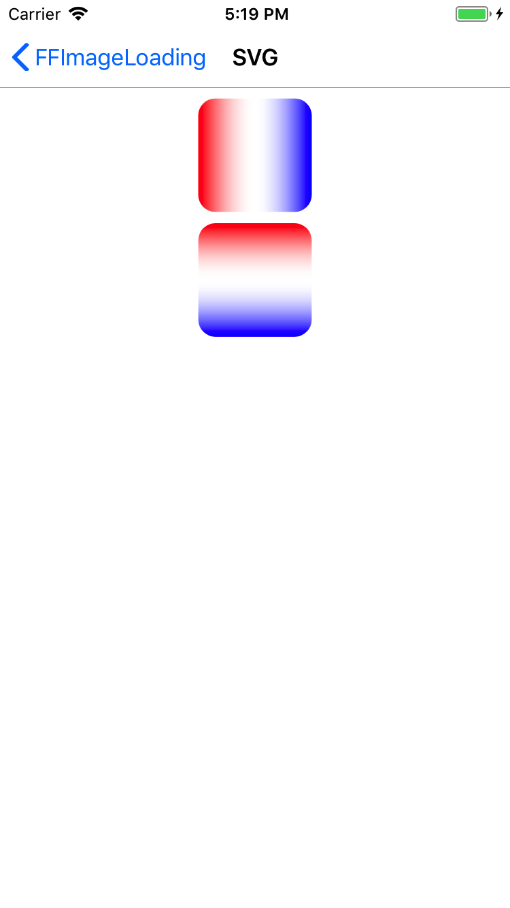
<svg width="120" height="240" xmlns="http://www.w3.org/2000/svg"><defs><linearGradient id="a"><stop offset="0%" stop-color="red"/><stop offset="50%" stop-opacity="0"/><stop offset="100%" stop-color="#00f"/></linearGradient><linearGradient id="b" x2="0" y2="1"><stop offset="0%" stop-color="red"/><stop offset="50%" stop-opacity="0"/><stop offset="100%" stop-color="#00f"/></linearGradient></defs><rect x="10" y="10" rx="15" ry="15" width="100" height="100" fill="url(#a)"/><rect x="10" y="120" rx="15" ry="15" width="100" height="100" fill="url(#b)"/></svg>
Renders just as one red and one blue square on ios....
(havent really tried android, ios is my target p.t)
Hope there is a workaround or something I am missing!
 tompi
on 27 Dec 2017
tompi
on 27 Dec 2017
@tompi Should be fixed with: https://github.com/luberda-molinet/FFImageLoading/commit/a95987563236a1edb93b1d2a4730d46970910a36
daniel-luberda
on 30 Dec 2017
Great, thank you! Looking forward to be able to use the designers svg's
directly instead of exporting them to png and scaling them!
On 30 December 2017 at 17:39, Daniel Luberda notifications@github.com
wrote:
@tompi https://github.com/tompi Should be fixed with: a959875
https://github.com/luberda-molinet/FFImageLoading/commit/a95987563236a1edb93b1d2a4730d46970910a36[image: simulator screen shot - iphone 8 - 2017-12-30 at 17 19 00]
https://user-images.githubusercontent.com/13569983/34455857-5ccd7a38-ed88-11e7-989b-e3be3b53a01c.png—
You are receiving this because you were mentioned.
Reply to this email directly, view it on GitHub
https://github.com/luberda-molinet/FFImageLoading/issues/658#issuecomment-354555346,
or mute the thread
https://github.com/notifications/unsubscribe-auth/AAOJJXH5QJzhvkFyJs9rgFrOi0W-KJkqks5tFmdCgaJpZM4OOUT2
.
--
Thomas.[email protected], 90786985
tompi
on 3 Jan 2018
You can test it with 2.3.3 stable
daniel-luberda
on 3 Jan 2018
Thank you very much. Tested and verified it works on 2.3.4.
tompi
on 8 Jan 2018
Related issues
 JTOne123
·
22Comments
JTOne123
·
22Comments
 astralmaster
·
28Comments
astralmaster
·
28Comments
 renzska
·
15Comments
renzska
·
15Comments
 jorgenstorlie
·
28Comments
jorgenstorlie
·
28Comments
 softsan
·
32Comments
softsan
·
32Comments
Most helpful comment
I strongly advice you to use this: https://jakearchibald.github.io/svgomg/ (it can really solve a lot of svg files loading issues).
It's even mentioned on our SVG Wiki page.