Ferdi: WhatsApp does not work with 5.6 beta 2
Bug description:
WhatsApp keeps showing the message that it only works with Google Chrome 60+
Steps to reproduce:
Update to 5.6 beta 2 and add a WhatsApp service on macOS.
Expected behavior
WhatsApp works as it did in 5.5 😉
Screenshots
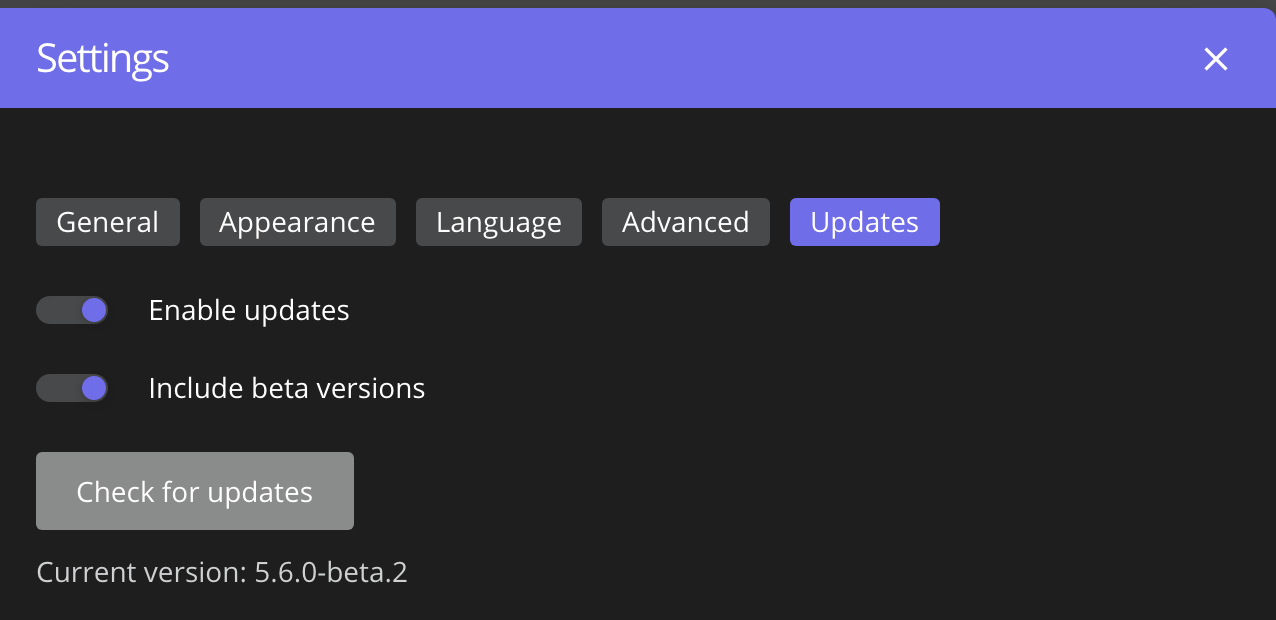

Environment:
- Operating System: macOS 10.15.7
- Ferdi Version: 5.6-beta.2
- Server: Ferdi
 alopix
All 5 comments
Issue-Label Bot is automatically applying the label bug to this issue, with a confidence of 0.99. Please mark this comment with :thumbsup: or :thumbsdown: to give our bot feedback!
Links: app homepage, dashboard and code for this bot.
![issue-label-bot[bot] picture](https://avatars2.githubusercontent.com/in/27079?v=4&s=40) issue-label-bot[bot]
on 8 Nov 2020
issue-label-bot[bot]
on 8 Nov 2020
It works for me, if you update the browser agent to the new chrome. Just go to the recipe folder and create an index.js file with following content:
"use strict";

module.exports = Franz => class Messenger extends Franz {
  overrideUserAgent() {
    return "Mozilla/5.0 (Macintosh; Intel Mac OS X 11_0_1) AppleWebKit/537.36 (KHTML, like Gecko) Chrome/87.0.4280.66 Safari/537.36"
  }
};
 qrft
on 20 Nov 2020
qrft
on 20 Nov 2020
@qrft this works for me
 bikasv
on 20 Nov 2020
bikasv
on 20 Nov 2020
How do I go to the "recipe" folder? where is it located? :)
 Shankar1598
on 21 Nov 2020
Shankar1598
on 21 Nov 2020
How do I go to the "recipe" folder? where is it located? :)
Under Linux it should be in ${XDG_CONFIG_HOME}/Ferdi/recipes/whatsapp
But you can check and open the folder if you open your Whatsapp Service in the Ferdi Settings and Select "Open user.js" to open the containing folder.
qrft
on 22 Nov 2020
Related issues
 PeSader
·
3Comments
PeSader
·
3Comments
 pktiuk
·
3Comments
pktiuk
·
3Comments
 alegiglio
·
3Comments
alegiglio
·
3Comments
 dzg
·
3Comments
dzg
·
3Comments
 YourWishes
·
3Comments
YourWishes
·
3Comments