" are comments from us and won't be
visible in your bug report, so please don't put any text in them.
-->
Describe the bug
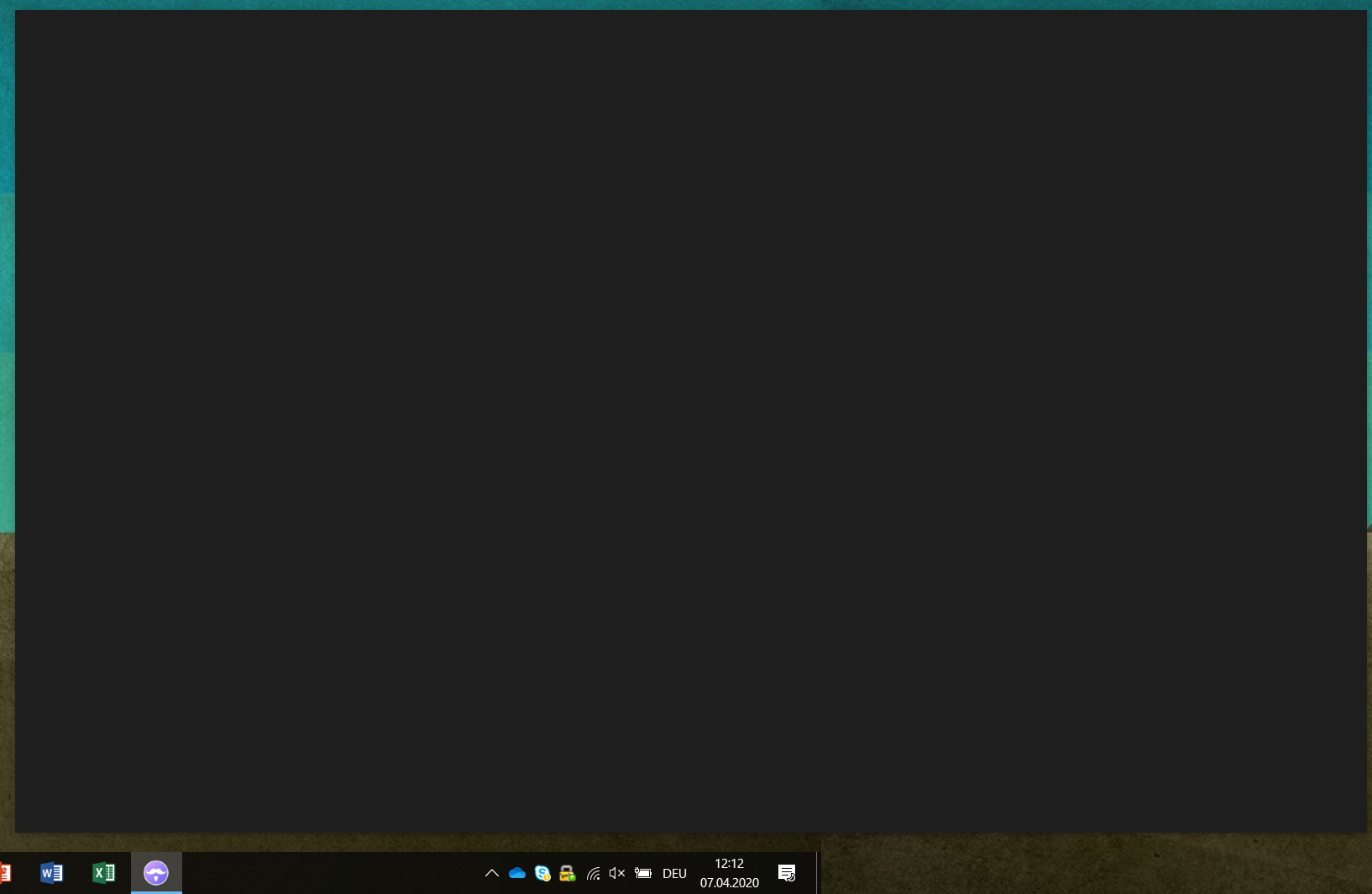
I installed Ferdi on my Work Machine, to replace Franz. Franz is still installed in parallel. Unfortunately Ferdi is not starting. It says grey. I already played around with the proxy settings of the Internet Explorer but this doesn't help.
To Reproduce
Steps to reproduce the behavior:
- Install Ferdi
- Start Ferdi
Expected behavior
Application should come up, at least the login screen or similar.
Screenshots
Not starting screenprint:
Versions:
- OS: Windows 10
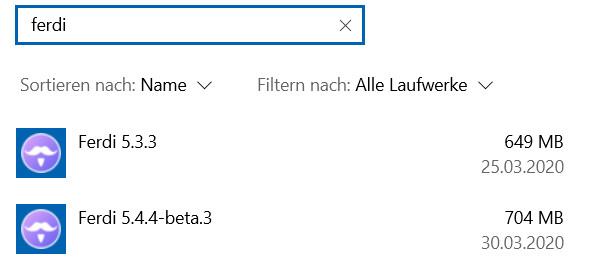
- Ferdi Version: As I cannot open Ferdi, I only can show the installed versions under Systempreferences -> Programms:
 klouisbrother
All 26 comments
Maybe unrelated, but I had similar a problem today and I found this in my logs:
Apr 7 08:24:06 computer ferdi.desktop[2193]: SyntaxError: /home/human/.config/Ferdi/config/proxy.json: Unexpected end of JSON input
When I looked, that file was an empty file. I filled it in with {} and saved, and now Ferdi loads.
 webworker01
on 7 Apr 2020
webworker01
on 7 Apr 2020
@webworker01 no it was related 😄 I had in the proxy.json file two proxy configs... I removed it so that I had only {} in the file. Ferdi is now starting. Thank you very much!
Do you know, if the proxy.json file will be sometimes again overwritten or were is the config coming from? Thanks!
klouisbrother
on 7 Apr 2020
Probably should keep this one open, maybe there was something from the servers that was sent out to our clients that caused it. Today is the first time I've had this issue.
webworker01
on 7 Apr 2020
@webworker01 I agree with you... I also just added the proxy config for two services and restarted, now the application stays "grey" again
klouisbrother
on 7 Apr 2020
Also with 5.5.0 I have this issue, BUT: I installed 5.5.0 on the same machine, started and everything worked. Configured a proxy for one server, restarted ferdi -> Doesn't start again (Stays grey)
klouisbrother
on 27 Apr 2020
Maybe related to https://github.com/getferdi/ferdi/issues/596?
 kytwb
on 27 Apr 2020
kytwb
on 27 Apr 2020
@kytwb any idea what I can do? #596 didn't really helped me. 😢
klouisbrother
on 27 Apr 2020
I cross-linked so people seeing #596 can maybe benefit from @webworker01's workaround in https://github.com/getferdi/ferdi/issues/543#issuecomment-610358545. I don't use the proxy feature myself, I think the other active contributors didn't experience this issue as well so it slipped through. We don't have a test suite so every release is a bit risky; we will get there as we iterate. I hope the workaround can unlock your situation, otherwise I would suggest to downgrade to your latest working version.
kytwb
on 27 Apr 2020
@kytwb I will try - but I can say that I didn't changed anything regarding the locking of ferdi... just started one V 5.5.0, tried to configure a proxy for Trello and wanted to restart the application. After that the screen stays "grey"... also removing the proxy settings as well as re-aranging the setting of IE11 / windows didn't help. Further I tried to uninstall and re-install Ferdi V5.5.0. - Didn't help as well 😞
klouisbrother
on 27 Apr 2020
What did the trick for me, was going to C:UsersUsernameAppDataRoamingFerdiconfig, then opening settings.json & setting "lockingFeatureEnabled" to false. I then reopend Ferdi & everything was working again :)
 ckkoen
on 28 Apr 2020
ckkoen
on 28 Apr 2020
I tried that. "lockingFeatureEnabled" to false - but this was already set to that. Set it to true, restart and set it to false again, didn't help. I deinstalled ferdi again, installed V5.5.0 again. Still the same:

This are my settings.json and proxy.json entries:
proxy.json:
{}
settings.json:
{
"autoLaunchInBackground": false,
"runInBackground": false,
"reloadAfterResume": true,
"enableSystemTray": true,
"startMinimized": true,
"minimizeToSystemTray": false,
"privateNotifications": false,
"showDisabledServices": true,
"showMessageBadgeWhenMuted": true,
"showDragArea": false,
"enableSpellchecking": true,
"spellcheckerLanguage": "de-de",
"darkMode": false,
"locale": "de",
"fallbackLocale": "en-US",
"beta": false,
"isAppMuted": true,
"enableGPUAcceleration": true,
"serviceLimit": 5,
"server": "https://api.getferdi.com",
"predefinedTodoServer": "https://app.franztodos.com",
"autohideMenuBar": false,
"lockingFeatureEnabled": false,
"locked": false,
"lockedPassword": "",
"useTouchIdToUnlock": false,
"scheduledDNDEnabled": false,
"scheduledDNDStart": "17:00",
"scheduledDNDEnd": "09:00",
"hibernate": false,
"hibernateOnStartup": false,
"hibernationStrategy": 300,
"inactivityLock": 0,
"automaticUpdates": false,
"showServiceNavigationBar": false,
"universalDarkMode": false,
"adaptableDarkMode": false,
"accentColor": "#004785",
"serviceRibbonWidth": 68,
"iconSize": 20,
"sentry": false,
"navigationBarBehaviour": "never",
"todoServer": "isUsingCustomTodoService",
"noUpdates": false,
"customTodoServer": ""
}
Which directories I have to delete, to do a complete re-install and ferdi is not re-using the settings? This one? C:UsersUsernameAppDataRoamingFerdi
Thank you! 😄
klouisbrother
on 28 Apr 2020
C:UsersUsernameAppDataRoamingFerdi
Yes, delete that folder to remove all of Ferdi's options
 vantezzen
on 28 Apr 2020
vantezzen
on 28 Apr 2020
@vantezzen Did so, re-installed again V5.5.0 still the same result.

I reviewed also my proxy settings, connection works.
"lockingFeatureEnabled": false is still maintained.
What else can I try?
klouisbrother
on 28 Apr 2020
@vantezzen Did so, re-installed again V5.5.0 still the same result.
I reviewed also my proxy settings, connection works.
"lockingFeatureEnabled": false is still maintained.
What else can I try?
If I were you, I'd try by first uninstalling EVERY VERSION OF Ferdi via 'Programs and Featueres' in Windows, it is possible to have multiple Ferdi installations present there if you've updated Ferdi. Then delete these 3 folders:
- C:UsersUsernameAppDataRoamingFerdi
- C:UsersUsernameAppDataLocalProgramsferdi
- C:UsersUsernameAppDataLocalTempFerdi Crashes
- C:UsersUsernameAppDataLocalFerdiUpdater
Not sure about the name of the last one, but just check for a folder with Ferdi in its name.
Then reinstall the newest version of Ferdi & check :) I'm curious to know if this will be able to resolve it for you!
ckkoen
on 28 Apr 2020
So what I did:
- Deinstalled every version of Ferdi (Only 5.5.0 was installed) via Programs and Features
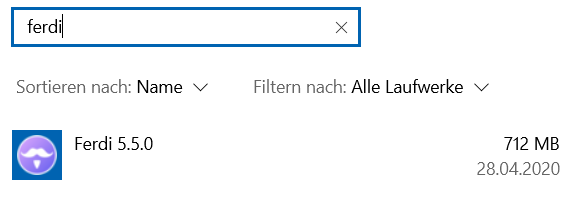
- Than I deleted the following directories:
C:UsersUsernameAppDataRoamingFerdi => Deleted
C:UsersUsernameAppDataLocalProgramsferdi => Not there, not deleted
C:UsersUsernameAppDataLocalTempFerdi Crashes => Not there, not deleted
C:UsersUsernameAppDataLocalFerdiUpdater => Deleted
(Franz is still installed in parallel)
Downloaded Ferdi-Setup-5.5.0.exe from https://github.com/getferdi/ferdi/releases/download/v5.5.0/Ferdi-Setup-5.5.0.exe
Installed it again and it started automatically again.
Result: Still stuck: 😞

klouisbrother
on 29 Apr 2020
Hmm :/ Then it must not be settings-related for you, because you've now got a complete clean Ferdi install, as far as I know.
ckkoen
on 29 Apr 2020
@ckkoen Don't laugh... but a restart helped - it's working now :) I will let you know, if it is not working anymore...
klouisbrother
on 30 Apr 2020
Haha, perfect :D The simplest solutions are the best! My biggest suspicion is that you needed a reboot after removing those proxies from the proxy.json-file. Or maybe it was an issue with the settings or cache which you resolved by deleting all those folders. Let's hope it keeps on working now!
ckkoen
on 30 Apr 2020
@kytwb to reply to your earlier question in #701:
Can you confirm you were using Ferdi without an account?
Yes, I'm using Ferdi without account (local server)
 keunes
on 7 May 2020
keunes
on 7 May 2020
What did the trick for me, was going to C:UsersUsernameAppDataRoamingFerdiconfig, then opening settings.json & setting "lockingFeatureEnabled" to false. I then reopend Ferdi & everything was working again :)
Setting the locking to false worked for me also (Ubuntu, no Ferdi account but local server).
keunes
on 7 May 2020
@ckkoen Since some days back, its not working for me anymore... have to check again.
klouisbrother
on 7 May 2020
I'm wondering if @klouisbrother's issue isn't another one than the issue I and some others are/were experiencing: simply changing the password setting 'fixed' it for me, which doesn't seem true for the OP.
keunes
on 7 May 2020
I can reproduce this. will take this up.
 mahadevans87
on 11 May 2020
mahadevans87
on 11 May 2020
Thank you everyone! 💖
kytwb
on 13 May 2020
I have triggered a new nightly build that should include the fix for this via v5.5.1-nightly.13.
kytwb
on 13 May 2020
I have triggered a new nightly build that should include the fix for this via v5.5.1-nightly.13.
I was able to successfully test the new nightly. I first reproduced the grey screen by setting the following values in C:UsersUsernameAppDataRoamingFerdiconfigsettings.json :
"lockingFeatureEnabled": true,
"locked": true,
"lockedPassword": "a random password",
"useTouchIdToUnlock": true,
So even with "useTouchIdToUnlock" set to true, Ferdi now works and asks for a password when opened instead of the grey screen. I do have 2 remarks however:
- This probably has to do with the upgrade, but all users with an already-set password might be impacted. In the settings.json, my password was still set to "a random password". At startup Ferdi asked for this, but didn't recognize my password. I suspect this is because it wasn't encrypted yet. Even changing that value to an empty password didn't work, as that wasn't encrypted either. To remedy the situation, I had to set "lockingFeatureEnabled" & "locked" to false and then restart Ferdi. Ferdi now opened without a password. I was then able to enable the feature again via the GUI & set up a password. This was immediately encrypted in the settings.json & after a restart Ferdi recognized the password. So once you've set up your password via the new version, the Password Lock works as expected. But if you've migrated from a previous version with an already-set password, you might run into trouble.
- For my 2nd remark I tested the GUI. If the Password Lock was already enabled when opening the Settings, you'll see an empty password field. If you click this empty field by accident & then close the Settings, your password remains unchanged. So far, so good :) But if you click the 'Enable Password Lock' by accident, and thus disabling it, and then re-enable it immediately without inputting a password (because you think the old password is still active) Ferdi will change your encrypted password to an empy one. So next time you log in, your old password won't work.
Thanks everyone for the big fix on the TouchID unlock!
ckkoen
on 13 May 2020
Related issues
kytwb
·
3Comments
 maciesse
·
3Comments
webworker01
·
3Comments
maciesse
·
3Comments
webworker01
·
3Comments
 AP-Hunt
·
3Comments
AP-Hunt
·
3Comments
 idonthaveanametoday
·
3Comments
idonthaveanametoday
·
3Comments
Most helpful comment
What did the trick for me, was going to C:UsersUsernameAppDataRoamingFerdiconfig, then opening settings.json & setting "lockingFeatureEnabled" to false. I then reopend Ferdi & everything was working again :)