Ferdi: App crash on macOS since 5.4.1-beta.1
Describe the bug
Many things are broken on the 5.4.1-beta.1 on MacOS. When upgrading, all services are wiped. Logging out and logging back in does not fix this. Unable to create a new account, nothing happens. Using an existing account yields the message "Could not load services and user information". Adding services to the account is impossible, nothing happens. I've tested this both with an in-app update to 5.4.1-beta.1, and a fresh install of 5.4.1-beta.1. Going back to a 5.4.0 install fixes this and the services load up normally as expected.
To Reproduce
Steps to reproduce the behavior:
- Install 5.4.1-beta.1
- Nothing works...
Expected behavior
A working application.
Desktop (please complete the following information):
- OS: MacOS
 incace
All 27 comments
@vantezzen Did you experience something similar with 5.4.1-beta.1? This is the only report of that kind, not sure if it is a problem with 5.4.1-beta.1 or with an API? Got some feedback of 5.4.1-beta.1 fixes working from other so I suppose it worked for them.
 kytwb
on 29 Nov 2019
kytwb
on 29 Nov 2019
@incace do you have any (network) error log in the developer tools console?
kytwb
on 29 Nov 2019
I am currently only using the development version so I haven't used the beta. I suspect that it could have something to do with the update to Electron 7?
 vantezzen
on 29 Nov 2019
vantezzen
on 29 Nov 2019
@incace which version did you update from?
kytwb
on 29 Nov 2019
I upgraded from 5.4.1-beta.1 to 5.4.1-beta.2 - and I had a master password set on the installation. After the upgrade, the next time I restarted my laptop, ferdi wouldn't start. I tried wiping all data from my laptop - all ferdi preferences, etc - still unable to start ferdi.
 vraravam
on 29 Nov 2019
vraravam
on 29 Nov 2019
@vraravam The application doesn't start at all? Any crash reports/error message?
kytwb
on 29 Nov 2019
@kytwb - as I said, it seemed to be working even after upgrade to beta2 - but, once i rebooted my machine, it stopped working. Just the main window would come up for a split-second - and then the process would completely quit.
I have since then, cleaned up ALL the cache folders, installation folders, etc - and gone back to ferdi 5.4.0 (non-beta) version - and am resetting up my services.
vraravam
on 29 Nov 2019
I'm experiencing the same issue. The main window comes up for a split-second - and then the process quits completely.
MacOS 10.14.6
Ferdi 5.4.1-beta.2
Error log:
error 13:24:16.732697 +0100 Ferdi AEGetDescData of non-desc type 'reco' not a good idea
error 13:24:17.101195 +0100 Ferdi nw_path_close_fd Failed to close guarded necp fd 32 [9: Bad file descriptor]
error 13:24:17.104911 +0100 tccd Prompting policy for hardened runtime; service: kTCCServiceAppleEvents requires entitlement com.apple.security.automation.apple-events but it is missing for ACC:{ID: com.kytwb.ferdi, PID[53253], auid: 501, euid: 501, binary path: '/Applications/Ferdi.app/Contents/MacOS/Ferdi'}, REQ:{ID: com.apple.appleeventsd, PID[60], auid: 55, euid: 55, binary path: '/System/Library/CoreServices/appleeventsd'}
error 13:24:48.372414 +0100 Ferdi AEGetDescData of non-desc type 'reco' not a good idea
error 13:24:48.483874 +0100 tccd Prompting policy for hardened runtime; service: kTCCServiceAppleEvents requires entitlement com.apple.security.automation.apple-events but it is missing for ACC:{ID: com.kytwb.ferdi, PID[53262], auid: 501, euid: 501, binary path: '/Applications/Ferdi.app/Contents/MacOS/Ferdi'}, REQ:{ID: com.apple.appleeventsd, PID[60], auid: 55, euid: 55, binary path: '/System/Library/CoreServices/appleeventsd'}
error 13:24:48.747409 +0100 Ferdi nw_path_close_fd Failed to close guarded necp fd 32 [9: Bad file descriptor]
 bkosse
on 30 Nov 2019
bkosse
on 30 Nov 2019
@incace which version did you update from?
I updated from 5.4.0 stable initially. I also did a fresh install of the beta (no update) with the same results. I don't quite understand the first message, I am referring to beta.1. I haven't had a chance to dig into this since and had reverted back to 5.4.0. After an auto-update (forgot to disable that) it seems to be working ok now. The current version with all services back is 5.4.1-beta.1.887. I have no clue what went wrong initially and I don't understand why it's working again. Server issue?
incace
on 2 Dec 2019
quick update on this: After installing 5.4.0 (non beta), and resetting up all my services, and a few application-restarts, and at least 1 machine (OS) reboot, I felt brave enough to upgrade to the latest beta (5.4.1-beta.2) from within the application's preferences page - and everything seems working as of now (fingers crossed)
vraravam
on 2 Dec 2019
Was running 5.4.0 and then after updating to 5.4.1-beta.2 the app will not start whatsoever.
After backing down to 5.4.0 everything worked again and sanity was restored - briefly. I then experienced a crash and now 5.4.0 will not even start properly (comes up for a split second and then disappears).
I then thought I'd go back to 5.4.1-beta.2, but I assume I should reset everything entirely...
What folders should I move out of place? The following didn't work (still crashes on startup):
$ mv ~/Library/Preferences/com.kytwb.ferdi.plist ~/tmp/
$ mv ~/Library/Application\ Support/Ferdi/ ~/tmp/
$ mv ~/Library/Saved\ Application\ State/com.kytwb.ferdi.savedState ~/tmp/
$ mv ~/private/var/folders/cb/MORE_PATH/C/com.kytwb.ferdi* ~/tmp
$ mv ~/private/var/folders/cb/MORE_PATH/T/com.kytwb.ferdi* ~/tmp
 ylluminate
on 7 Dec 2019
ylluminate
on 7 Dec 2019
Was running 5.4.0 and then after updating to 5.4.1-beta.2 the app will not start whatsoever.
After backing down to 5.4.0 everything worked again and sanity was restored - briefly. I then experienced a crash and now 5.4.0 will not even start properly (comes up for a split second and then disappears).
I then thought I'd go back to 5.4.1-beta.2, but I assume I should reset everything entirely...
What folders should I move out of place? The following didn't work (still crashes on startup):
$ mv ~/Library/Preferences/com.kytwb.ferdi.plist ~/tmp/ $ mv ~/Library/Application\ Support/Ferdi/ ~/tmp/ $ mv ~/Library/Saved\ Application\ State/com.kytwb.ferdi.savedState ~/tmp/ $ mv ~/private/var/folders/cb/MORE_PATH/C/com.kytwb.ferdi* ~/tmp $ mv ~/private/var/folders/cb/MORE_PATH/T/com.kytwb.ferdi* ~/tmp
Currently experiencing this I think. App starts to load and quits with the following log error: Service exited due to signal: Segmentation fault: 11 sent by exc handler[0]
incace
on 8 Dec 2019
Updated from 5.4.0 to 5.4.1-beta.2 and after the unlock, Ferid keeps showing the error:
"Could not load services and user information [Try again]"
See:
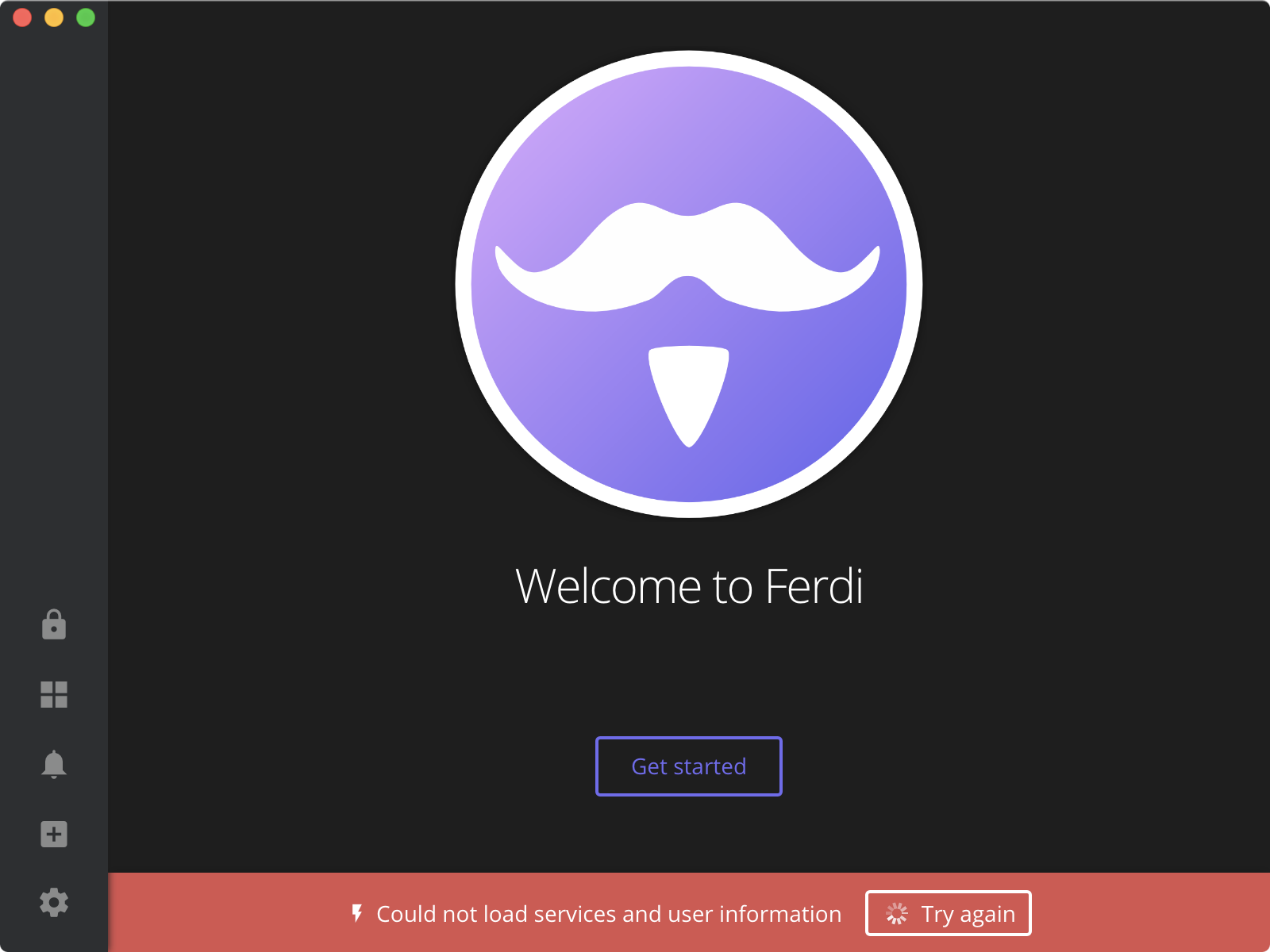
I have a custom workspace with around 20 services of which 7 are enabled, but the don't show at all in the prefs window.
See:
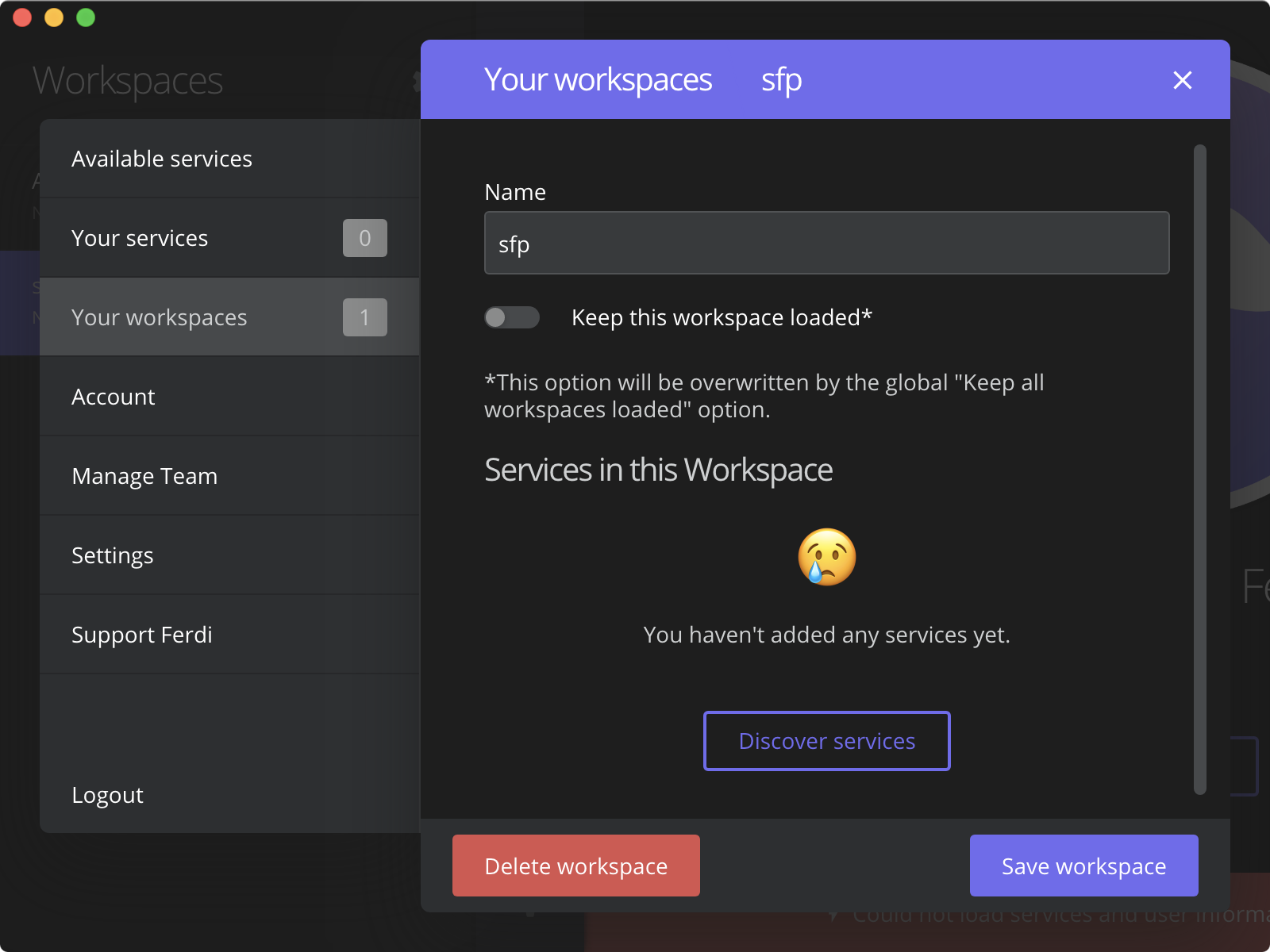
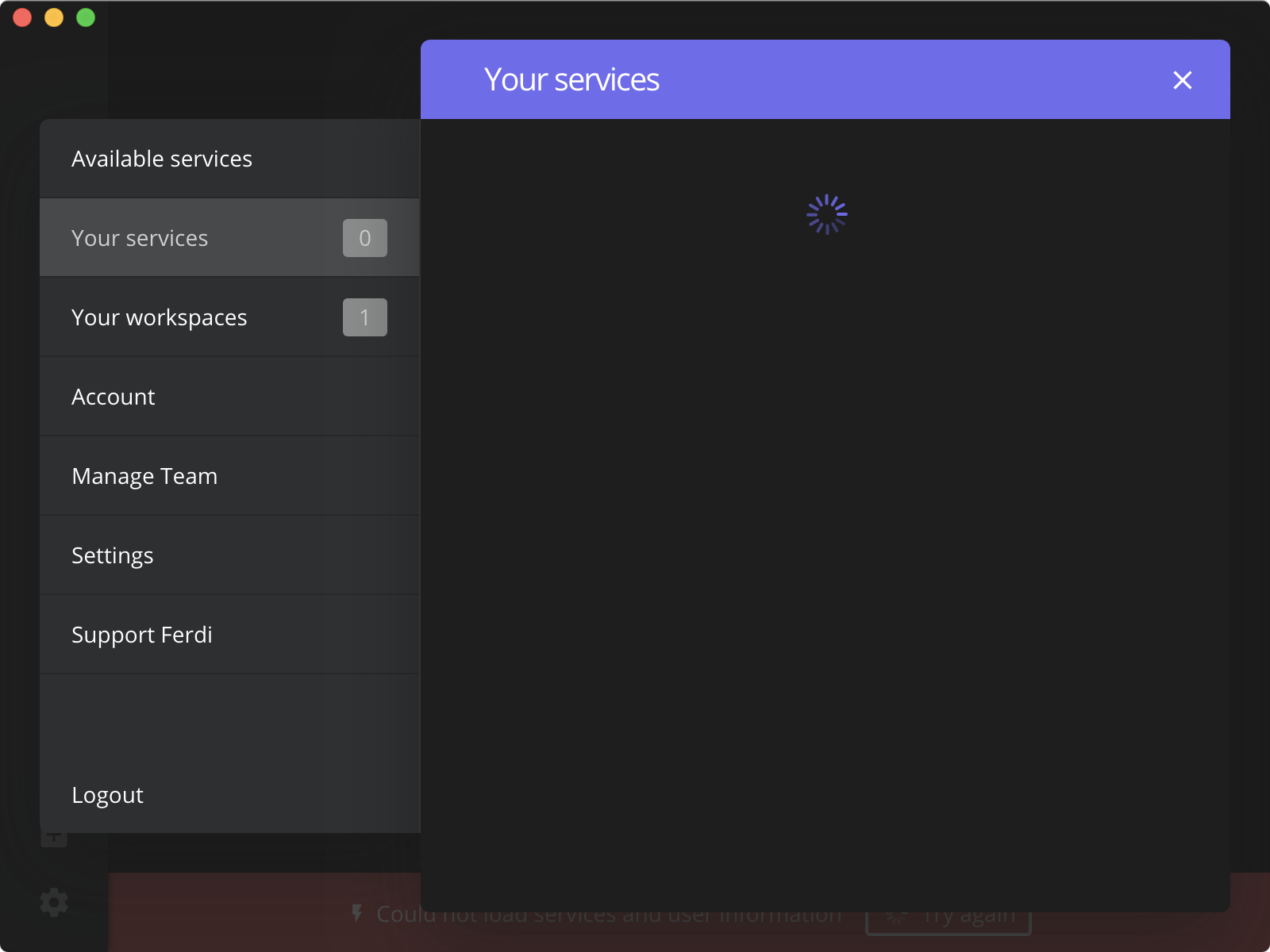
 grmon
on 18 Dec 2019
grmon
on 18 Dec 2019
Yeah @incace, sounds like it. I wonder if there's anything we can do at this point. Since now the old version won't work after the update I'm obviously missing something in the "nuclear reset" realm. It would be nice if @vantezzen or @kytwb might be able to chime in as to exactly what files we can obliterate that would set Ferdi back to its starting point to try again since it seems as though I must be missing something in that list I've pulled together up there...
ylluminate
on 18 Dec 2019
Sorry guys, I have been mostly offline for the past weeks and haven't been able to work on Ferdi at all. I will be back at it and address the open issues as soon as possible; in the meantime I hope the community can find workarounds and/or contribute 🙏 Thank you all for your patience and your contributions in investigating the issues.
kytwb
on 18 Dec 2019
Thanks @kytwb - we understand. One thing, if you have a few minutes to isolate these since we're obviously missing the details somewhere: could you enumerate all of the files that are generated and used by Ferdi at startup and during usage? I think it would be useful for troubleshooting if we could just "nuke" the app's configuration entirely and get back to a "vanilla" starting point to see if that resolves the upgrade issue that appears to exist in this ticket...
ylluminate
on 18 Dec 2019
If you are on a Mac, one of the above comments (https://github.com/getferdi/ferdi/issues/242#issuecomment-562798812) tells you exactly which files/folders to nuke.
vraravam
on 18 Dec 2019
@ylluminate
Could you enumerate all of the files that are generated and used by Ferdi at startup and during usage
I can't answer this from the top of my head, sorry. Unfortunately, I think a couple of nasty bugs came in with the latest releases and are becoming mixed up in threads.
From what I have quickly investigated, the segmentation faults experienced (app doesn't open at all and crash) were due to an issue with Electron 7 and Sentry for Electron (see this thread) introduced via 5.4.1-beta.1 (when we upgraded to Electron 7).
This should be fixed via https://github.com/getferdi/ferdi/commit/06b26716fc90297b4227668c2d6a48e771e02ba7 and ship in the next release.
kytwb
on 18 Dec 2019
@vraravam this is me who asked that question because what I enumerated there did not, apparently, reset the app entirely... which is why I asked for further insight.
@kytwb that's great to hear and thank you very much! Having just discovered Ferdi and then hitting these problems has been supremely disheartening... 😅
ylluminate
on 18 Dec 2019
@ylluminate apologies for that and thanks for bearing with us 😅 I managed to settle in a cafe with a functional WiFi and I'm proceeding to ship a new build to avoid, at least, the segmentation faults. Trying to investigate the rest.
kytwb
on 18 Dec 2019
Hey no problem @kytwb!!!! You're awesome and thank you for this! I'm really grateful you were able to sort this out and find the time. I've been growing in frustration with Rambox (Pro) with the way multiple devices are handled (and no Dark Mode, etc.) and of course (as everyone here knows) the issues with Franz. Ferdi's openness is really fantastic and moving in the right direction on multiple levels. Lock-in, especially in communications, has been a scary thing up to now!
ylluminate
on 18 Dec 2019
@kytwb how long does it usually take for the release assets to generate for Ferdi?
ylluminate
on 18 Dec 2019
Uploading the assets to the GitHub release is done as the last steps of the builds. The release is created as a draft first, then need to be published by a maintainer (@vantezzen or I). It looks like this currently:
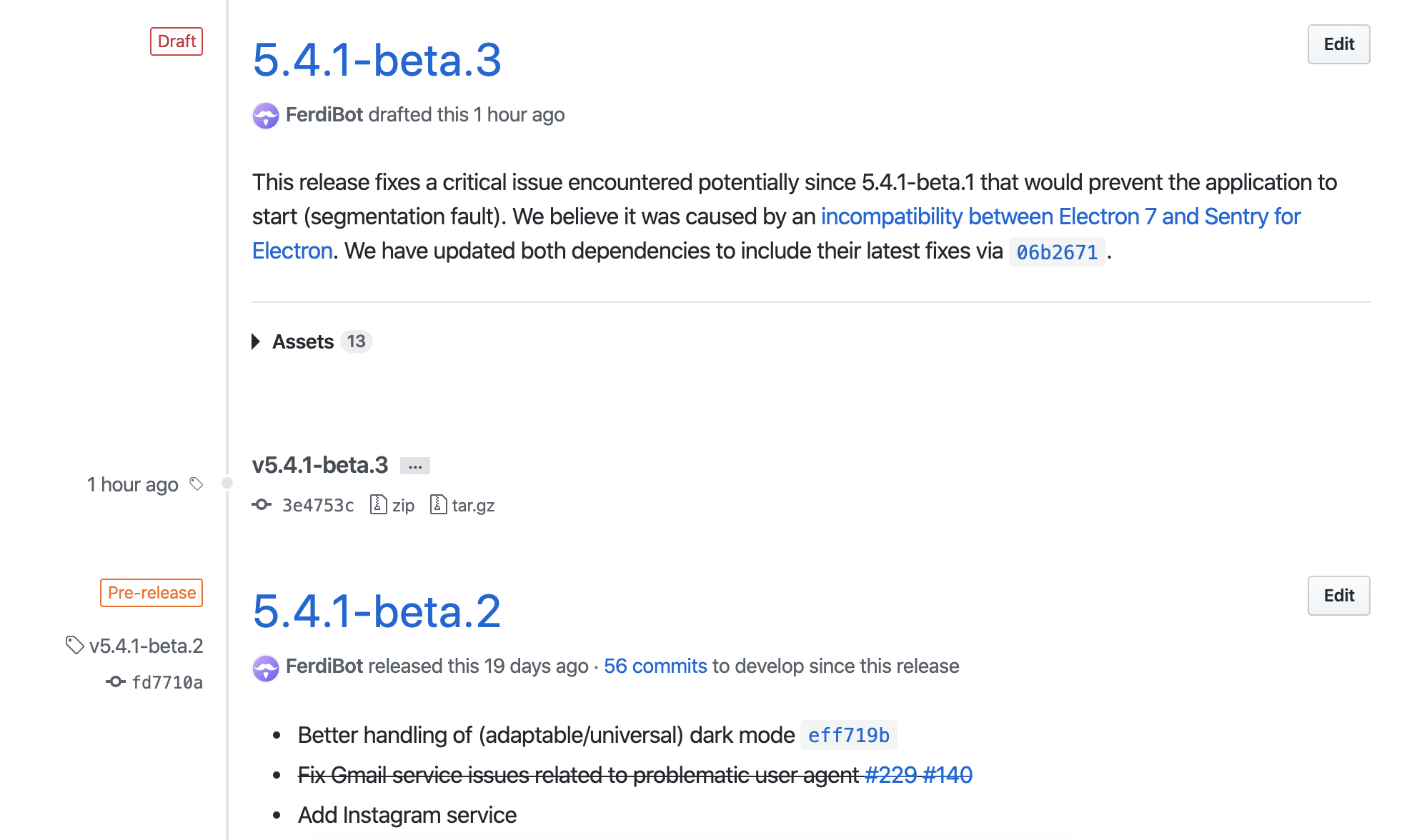
I will be releasing it once I'm done for the day. I can confirm it fixes the segmentation fault as I was also subject to it on my machine (macOS).
_Edit:_ Given the importance of the fix, I have published the release so affected users can (manually) update, and to prevent further users to be affected 🙏
kytwb
on 18 Dec 2019
@incace @bkosse @vraravam can you confirm you don't experience the segmentation fault anymore with v5.4.1-beta.3?
kytwb
on 18 Dec 2019
Confirmed I'm back in business with Ferdi - no more crash and it appears the files I listed above did indeed reset it ("nuclear" reset).
And, even more good news, this get's my config back and Ferdi is still running strong after startup and the fix!:
$ rm -fr ~/Library/Preferences/com.kytwb.ferdi.plist
$ rm -fr ~/Library/Application\ Support/Ferdi/
$ mv ~/com.kytwb.ferdi.plist ~/Library/Preferences/
$ mv ~/tmp/Ferdi ~/Library/Application\ Support/
@grmon Are you on Windows? What you described looks more like what is being discussed in https://github.com/getferdi/ferdi/issues/253.
kytwb
on 18 Dec 2019
Closing for now.
kytwb
on 19 Dec 2019
Related issues
 ammarmalhas
·
3Comments
kytwb
·
3Comments
ammarmalhas
·
3Comments
kytwb
·
3Comments
 Jendker
·
3Comments
Jendker
·
3Comments
 PeSader
·
3Comments
PeSader
·
3Comments
 adithshenoy
·
3Comments
adithshenoy
·
3Comments
Most helpful comment
Confirmed I'm back in business with Ferdi - no more crash and it appears the files I listed above did indeed reset it ("nuclear" reset).
And, even more good news, this get's my config back and Ferdi is still running strong after startup and the fix!: