Fenix: Password autofill Screen does not show
This issue was reported by our contact at Google Play.
Steps to reproduce
Open Firefox and attempt to login to Google
Expected behavior
Password autofill screen should be shown.
Actual behavior
This happened when hitting the password button in gboard on a firefox login page. On first attempt, no screen is shown, but the screen is "grayed out" as if to indicate that some screen will be shown to select a username/password. On second or 3rd attempt eventually, the screen shows correctly.
Device information
- Android device: Pixel 4a Sunfish
- Fenix version: 81.1.4
 lwa-moz
All 10 comments
Need some clarification here:
- Is this the System autofill from Login provider (e.g. Lastpass, or Google)?
- We don't see a logins button on the Gboard even though we have logins
- Firefox does not act as a login provider, so clicking the text field shouldn't fill this in
Our steps for password autofill require the user to already have Firefox login autofill enabled in Settings.
Next steps to continue investigating:
- Make sure you have a Google login saved
- Go to accounts.google.com
- try to log in
Verify that this flow is working correctly on a) google accounts page, b) other logins pages.
Ping loren to pass this information on once we have it, and ask for clarification if needed.
 liuche
on 5 Nov 2020
liuche
on 5 Nov 2020
I did a bit of testing here but things got weird.
First of all, our password autofill in Firefox works fine with _System Autofill_. As an example, I have a mixcloud.com account in my Google passwords (passwords.google.com) and that works just fine in Firefox on m.mixcloud.com. The integration is really 💯 Our password filling is in really good shape.
Where things get weird is your Google Account and accounts.google.com:
First, it seems _you cannot actually store your Google credentials in passwords.google.com_. I tried to sign in both on mobile and desktop but it simply never asks me to save the login. There also does not seem to be an option to manually add a password. I assume that this is by design.
The simple answer to this reported issue is: Firefox (or actually _System Autofill_) can not autofill a login that does not exist on passwords.google.com.
But here is the interesting part - THis works in Chrome, but only because Chrome seems to have special powers - because when I go to accounts.google.com - well it just _knows_ who I am - I don't even have the option to sign out and do a manual login that would trigger autofill on a web form.
I think this issue is not fixable, because Google, by design, does not let you autofill your Google account in third party browsers.
It would be interesting to know if this works in _1Password_ though. I bet it does - because for _1Password_ your Google account is just like any other. It is not a special account.
 st3fan
on 5 Nov 2020
st3fan
on 5 Nov 2020
Asking QA to do some testing here. I think it would be interesting to see how other browsers (not Chrome) handle this.
I'm not sure actually if it is testable at all if you cannot get your Google password in
passwords.google.com.
st3fan
on 5 Nov 2020
The Google team provided some more detail - pasted here verbatim:
""The passwords were from Google’s login provider. i.e. passwords synced via chrome. I can often (not always though…) use those to login to services in firefox.
Notable other circumstances: I’m using a custom passphrase and have 100s if not 1000s of passwords saved, so it’s quite conceivable that something is slow there that caused the issue on first use or so.
After the first or 2nd attempt it’s often working, but I can consistently reproduce after a reboot.
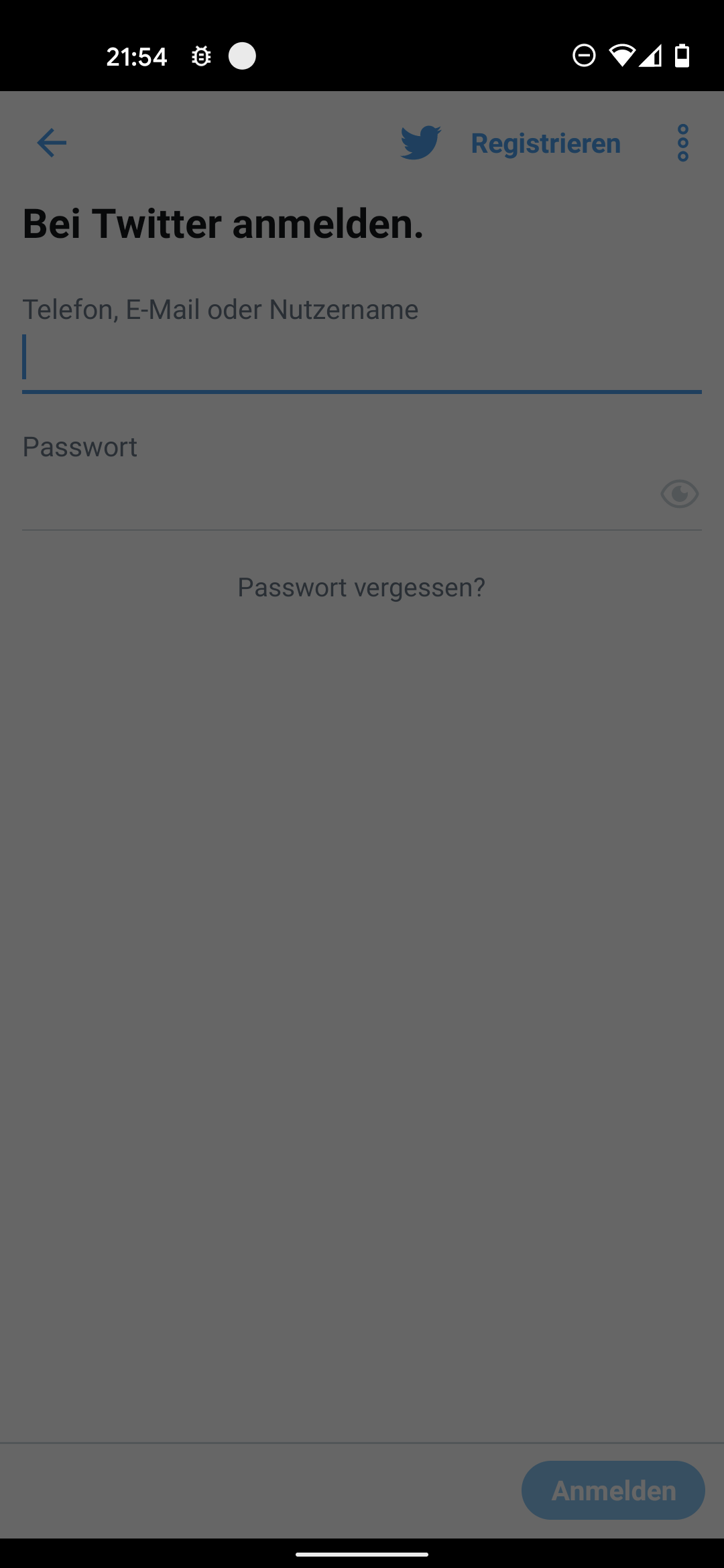
I can also repro in other apps, e.g. twitter btw.""
lwa-moz
on 10 Nov 2020
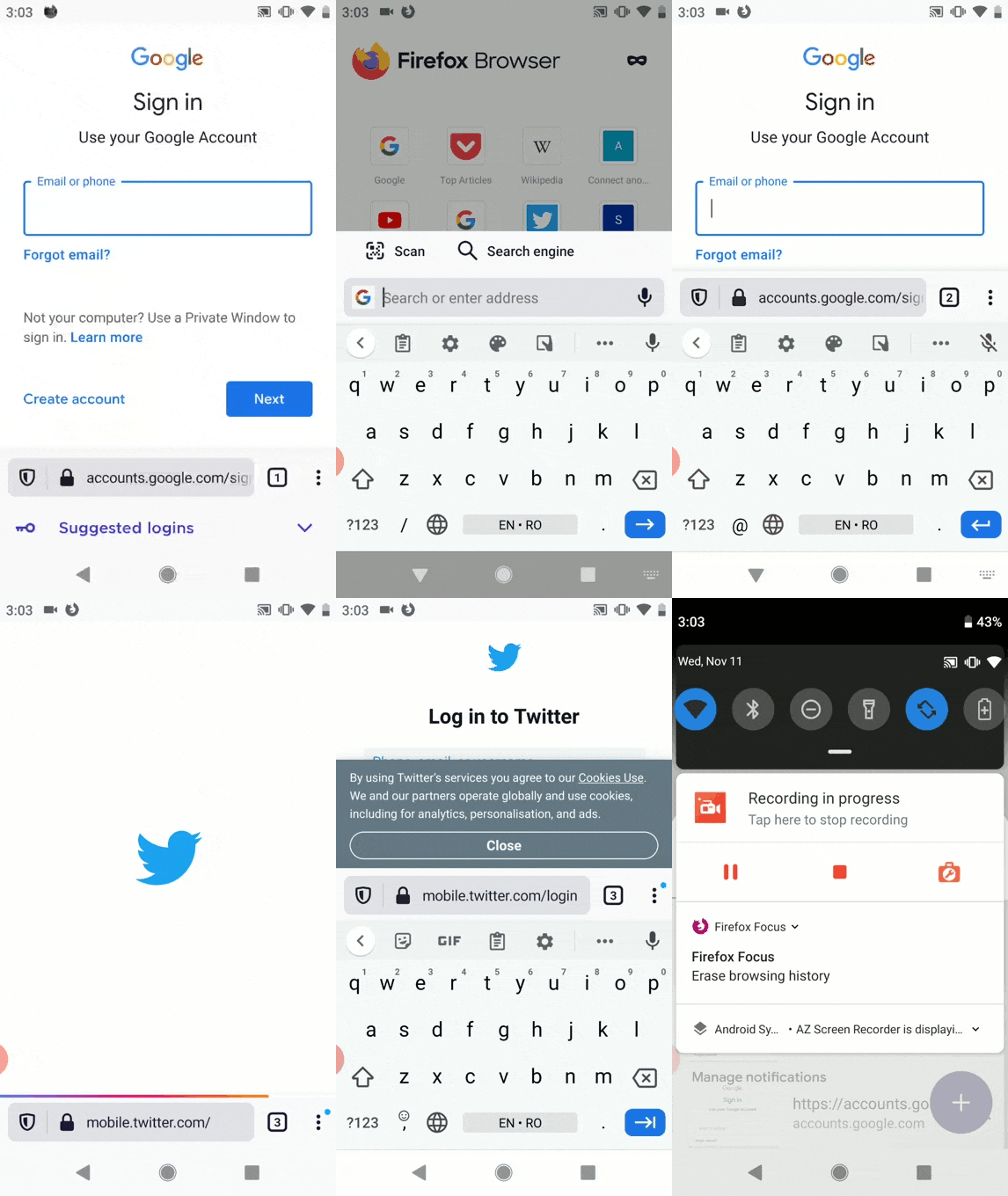
This issue is reproducible on the following builds:
- Release 81.1.4 from 10/8;
- Release 82.1.3 from 11/9;
- Beta 83.0.0-beta.4 from 11/9;
- Nightly 201111 from 11/11;
with the following devices:
- Google Pixel 2 (Android 9);
- Google Pixel 4 (Android 11);
- Google Pixel 4 XL (Android 11);
with the following steps to reproduce:
- Launch Fenix and visit accounts.google.com;
- Observe the Suggested logins displayed at the bottom of the screen;
- Open a new tab with accounts.google.com or mobile.twitter.com;
- Tap the Email field or the Password field;
- Observe the presence of the Suggested logins.
Expected result:
The Suggested logins is displayed.
Actual result:
The Suggested logins is not displayed on the second or third opened tab.
Video:
Also, with the Autofill service set to Google, we are not able to reproduce this issue.
I will remove the qa:needed label for now.
 ebalazs-sv
on 11 Nov 2020
ebalazs-sv
on 11 Nov 2020
@ebalazs-sv Following Stefan's recommendations - https://github.com/mozilla-mobile/fenix/issues/16182#issuecomment-722606454 can you please help with a bit more testing of this situation on browsers other than Chrome?
If others are behaving the same as Fenix maybe there is nothing for us to do..
 Mugurell
on 19 Nov 2020
Mugurell
on 19 Nov 2020
I had tested this on other browsers: UC Browser, Opera, DuckDuckGo, Brave Private Browser and the behavior is the same as for Fenix when the Autofill service is set to Google:
- The System Autofill asks to save the password when logging in accounts.google.com.
- After the password is saved, the previously saved credentials are available to autofill.
On Kiwi Browser, the System Autofill does not ask to save the password when logging in accounts.google.com.
ebalazs-sv
on 24 Nov 2020
I tested this and I'm also seeing https://github.com/mozilla-mobile/fenix/issues/16182#issuecomment-725425839.
With:
- having a login for
accounts.google.comalready saved - and accessing
accounts.google.com
If opening a single tab for that page the "Suggested logins" options is present
If opening another tab for it (so we have now at least 2 tabs for the same site) the "Suggested logins" options doesn't appear.
And then https://github.com/mozilla-mobile/fenix/issues/16182#issuecomment-724726046 seems like another bug - querying a list of thousands of logins might be too slow/fail.
This would be another bug. Have not tested.
Mugurell
on 11 Dec 2020
I tested this and I'm also seeing #16182 (comment).
With:* having a login for `accounts.google.com` already saved * and accessing `accounts.google.com`If opening a single tab for that page the "Suggested logins" options is present
If opening another tab for it (so we have now at least 2 tabs for the same site) the "Suggested logins" options doesn't appear.If a tab is already showing the logins prompt:
- The logins prompt will not be shown for any other new tabs (for the same address or even more)
- If opening a new tab for the same logins page
- If closing the first tab which shows the logins prompt
- Then closing all the others
-> Accessing any logins page will have GV not instructing us to show the logins prompt.
I think there are high chances that the original reporter was in one of these scenarios.
And they all would reproduce because GV knows we are showing a logins prompt. Until that is completed/dismissed GV doesn't instruct us to show another one.
So one easy solution that we could have (not involving GV) is just dismissing the logins prompt when the user navigates to a new tab.
Mugurell
on 14 Dec 2020
Verified as fixed on the latest Nightly 21/12 with Google Pixel 4 XL (11), Samsung Galaxy S10+ (10), Samsung Galaxy S7 (7).
Note that the suggested logins was displayed when I opened the second and the third tab with the same webpage (accounts.google.com).
 abodea
on 21 Dec 2020
abodea
on 21 Dec 2020
Related issues
 robsmith11
·
3Comments
robsmith11
·
3Comments
 andreicristianpetcu
·
3Comments
andreicristianpetcu
·
3Comments
 phileastv
·
3Comments
phileastv
·
3Comments
 lindongbin
·
3Comments
andreicristianpetcu
·
3Comments
lindongbin
·
3Comments
andreicristianpetcu
·
3Comments