Fenix: [Bug] sync stopped working
Steps to reproduce
Log in with fxa. Try to see synced tabs on other devices.
Expected behavior
tabs from other devices are visible.
Actual behavior
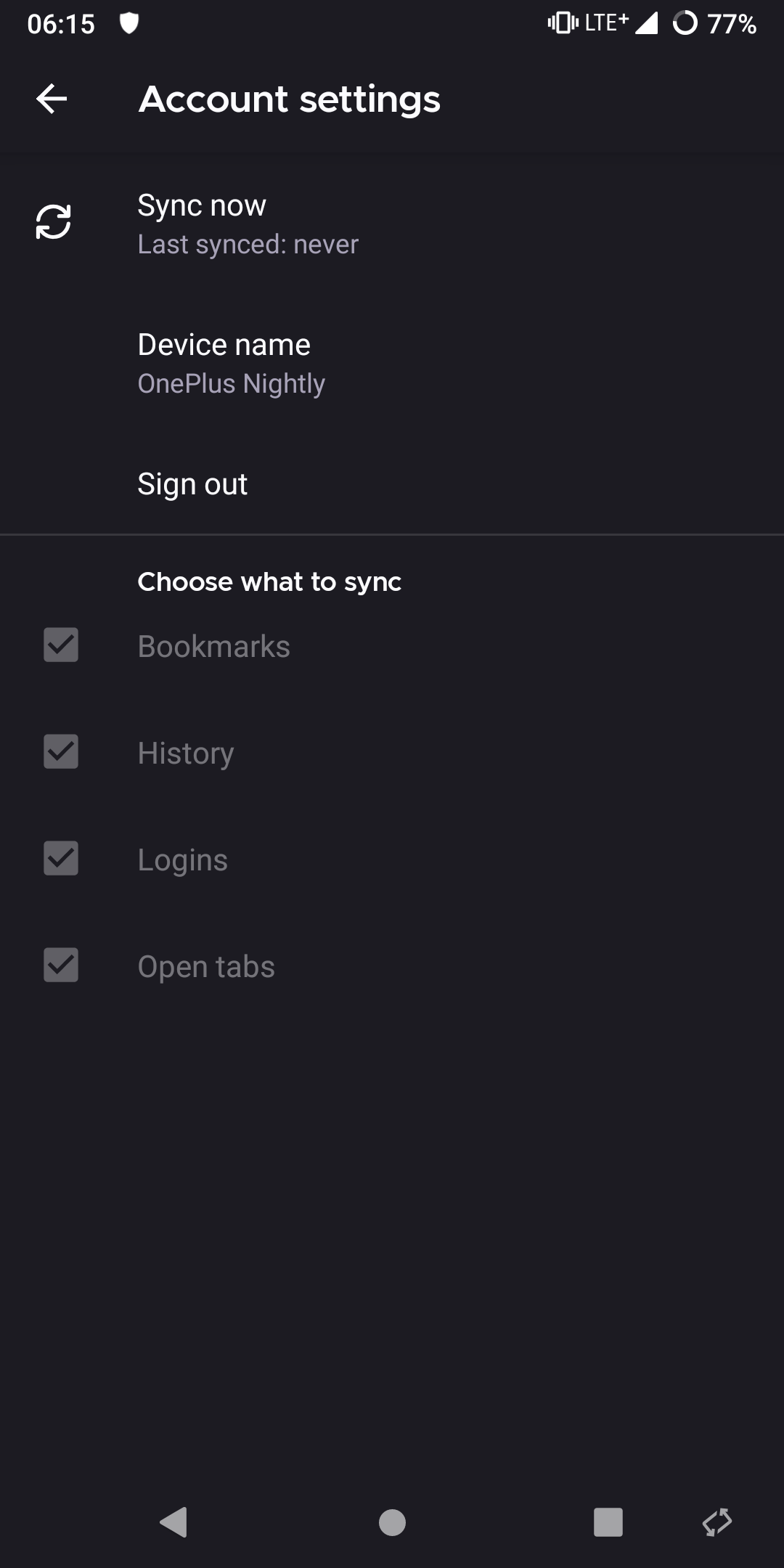
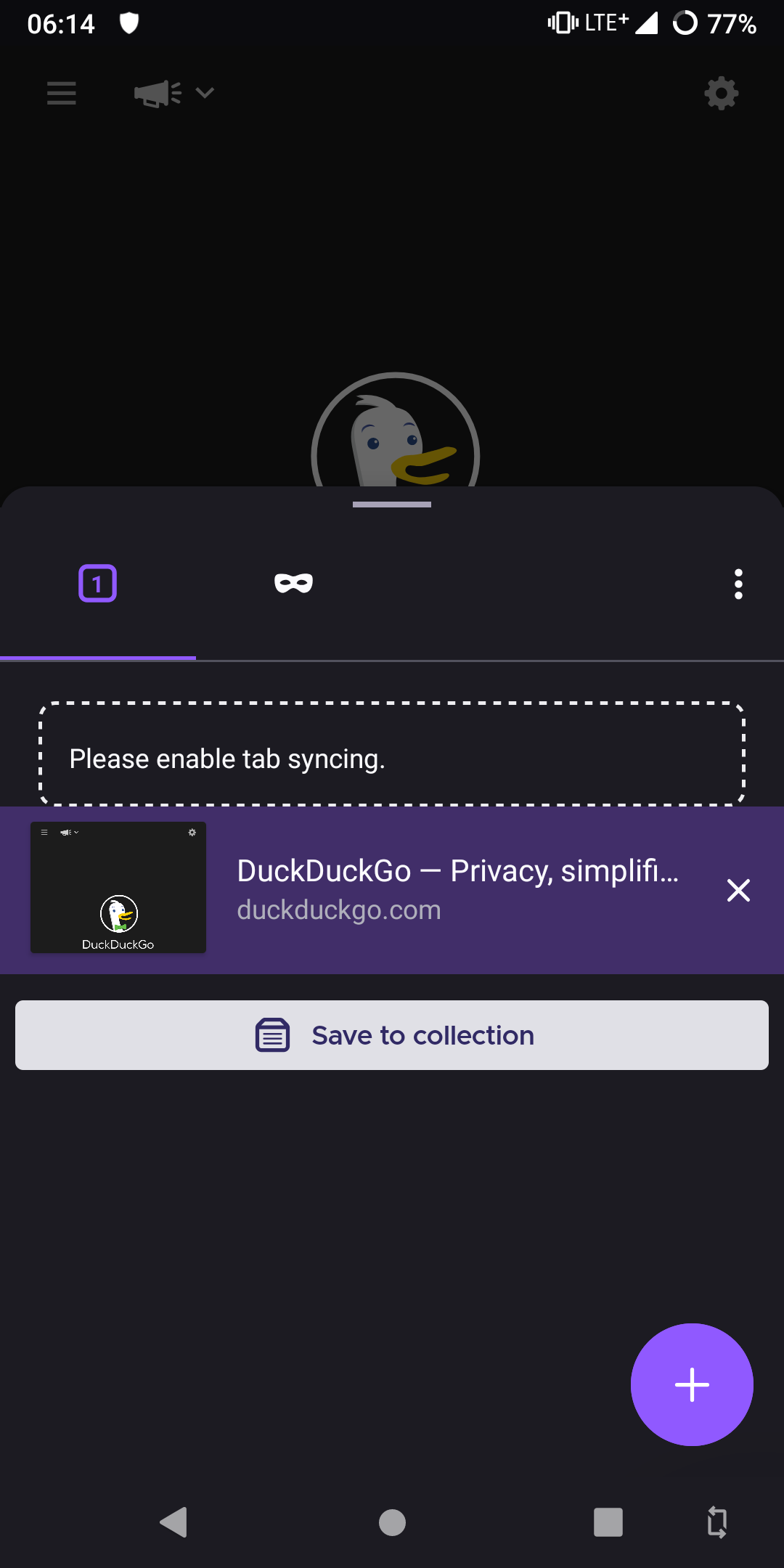
Device information
- Android device: one plus 5t
- Fenix version: nightly
 andreicristianpetcu
All 21 comments
It initially sayd last sync 6 days ago. I logged out and logged back in again and that is why it says last sync never.
Works fine in beta and stable.
andreicristianpetcu
on 10 Oct 2020
Thanks for the report. A couple of observations from poking around in the code related to this:
- The "please enable tab syncing" message correspionds to the
SYNC_ENGINE_UNAVAILABLEerror from the synced-tabs view component. - However, your choose-what-to-sync view here clearly shows that synced tabs are enabled! So are we somehow firing the wrong error code here?
- I do see a place where we fire
SYNC_ENGINE_UNAVAILABLEin response to any error, could this be masking a different underlying error? - Could the recent refactor to the FxA state-machine have subtly broken the logic we use for checking which engines are enabled? /cc @grigoryk
@andreicristianpetcu one thing to try, if you haven't already done so - do an explicit "synchronize now" on both your mobile device and your other device, and see if that makes the tabs appear correctly.
 rfk
on 12 Oct 2020
rfk
on 12 Oct 2020
2 things:
- I kept forcing the sync since I reported this bug. Nightly was completely dead, beta/stable on the phone worked fine
- today there was some progress: I can send tabs from beta to nightly an from nightly to beta by using the sync now. This is the first time I saw it work since reporting the bug. Nightly still shows last sync 'never' and no synced tabs.
andreicristianpetcu
on 13 Oct 2020
Not sure if related https://twitter.com/tublitzed/status/1315845146555166721
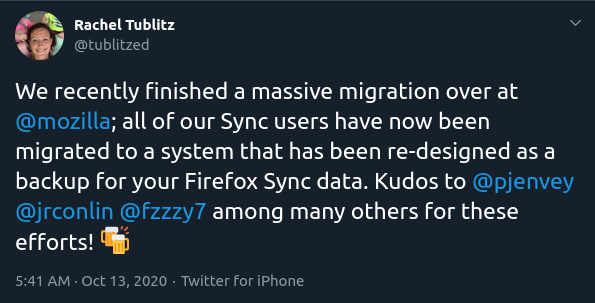
Since it's Nightly-only it might not be related but it is worth mentioning
andreicristianpetcu
on 13 Oct 2020
However, your choose-what-to-sync view here clearly shows that synced tabs are enabled! So are we somehow firing the wrong error code here?
In the screenshot, the engine selections are greyed out and are disabled, which means that we don't actually know engine state yet (because we haven't synced yet). The UI picks "checked, disabled" as the default unknown state representation. This matches up with "Last synced: never".
@andreicristianpetcu
"I can send tabs from beta to nightly an from nightly to beta by using the sync now. This is the first time I saw it work since reporting the bug. Nightly still shows last sync 'never' and no synced tabs."
When you say "i can send tabs from beta to nighty", do you mean Fenix Nightly? So the tabs arrive, but synced tabs aren't displayed?
What about other synced data - history, bookmarks?
The most helpful thing at this point would be seeing the logs. Can you do a full logcat capture (adb logcat) as you're starting up Nightly, and then going into Settings->Accounts and trying to sync?
 grigoryk
on 13 Oct 2020
grigoryk
on 13 Oct 2020
I do see a place where we fire SYNC_ENGINE_UNAVAILABLE in response to any error, could this be masking a different underlying error?
Could the recent refactor to the FxA state-machine have subtly broken the logic we use for checking which engines are enabled? /cc @grigoryk
@rfk both are possible, the masking of errors in the UI is certain. Refactor should not have affected the engine selection, and this is the first time I'm seeing a complaint. But it's possible something broke.
In this case, it does look like we're straight up failing to perform a sync, for some reason. Logs should help clarify what's happening.
grigoryk
on 13 Oct 2020
Here is the logcat result https://my.owndrive.com/index.php/s/XQkj8XaEdXAHq8s
andreicristianpetcu
on 17 Oct 2020
@andreicristianpetcu thank you, very helpful!
In your logs it all appears to be fine, except that sync isn't actually performed.
It appears that WorkManager tasks aren't running on your device for Nightly (strange!!). There are also 1300 or so persisted Glean pings which never got sent (by a WorkManager task that was supposed to send them, I think).
grigoryk
on 21 Oct 2020
It appears that WorkManager tasks aren't running specifically on Nightly, since @andreicristianpetcu reports that beta/release both are able to sync, which means WM tasks are able to run (or we wouldn't sync otherwise!).
grigoryk
on 21 Oct 2020
Automatically sync data is enabled in the os.
I uninstalled blokata (dns ad blocker).
andreicristianpetcu
on 21 Oct 2020
@andreicristianpetcu did uninstalling blokata help in your case? Or sync is still not working for you?
grigoryk
on 21 Oct 2020
@grigoryk it did not help
andreicristianpetcu
on 21 Oct 2020
Same problem with nightlies on my devices. Huawei P Smart (2018) with Android 9.1.0 and Samsung GalaxyTab A SM-T580 with Android 8.1.0, no Security Apps. The only thing is I have a custom addon list activated in my nightlies.
 LittleAngelwings
on 21 Oct 2020
LittleAngelwings
on 21 Oct 2020
Same on a Redmi Note 8, MiUI 11.0.9, Android 9.
 DiegoARL38
on 21 Oct 2020
DiegoARL38
on 21 Oct 2020
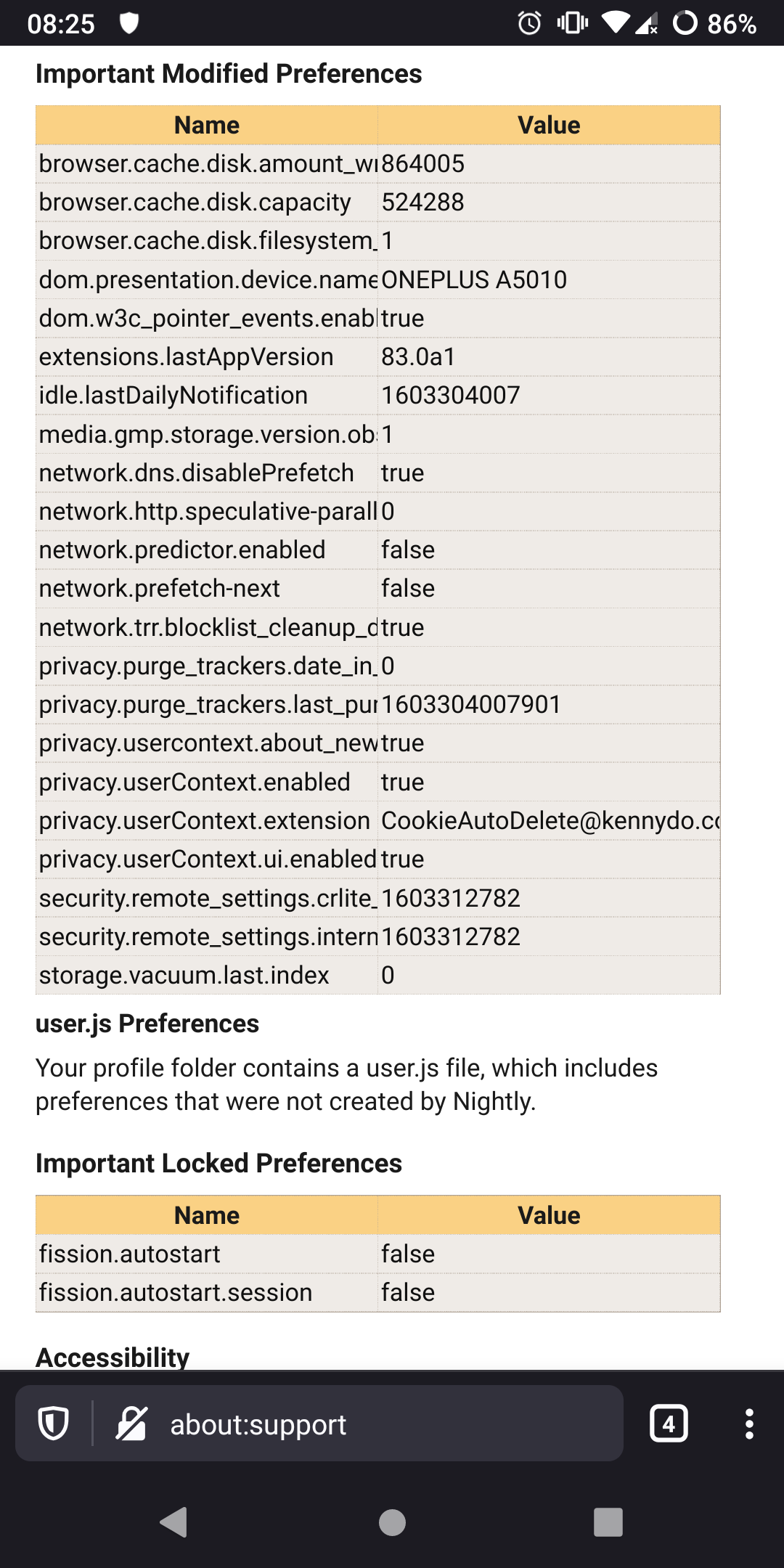
Debug builds work fine. Today's beta works fine which was a nightly when I reported the issue. Here are my about:config changes. I don't remember changing any of them.
andreicristianpetcu
on 22 Oct 2020
should I uninstall/reinstall nightly?
andreicristianpetcu
on 22 Oct 2020
Doesn't work here too. Tried reinstalling, logging in and out. (But the "Sync now" button does not even work in stable/beta, it only syncs every 10 minutes, when i open the app)
 limuc
on 22 Oct 2020
limuc
on 22 Oct 2020
@limuc you might have a different issue. I only have this in nightly.
andreicristianpetcu
on 25 Oct 2020
@andreicristianpetcu Yes seems like it. After reseting everything yesterday once again it seems to work. It's also working in nightly now. I will observe it and open a new bug report if it stops working again.
limuc
on 25 Oct 2020
I uninstalled/installed nightly. It works now. Closing.
andreicristianpetcu
on 2 Nov 2020
Can it be a dupe of this? https://github.com/mozilla-mobile/fenix/issues/16357
andreicristianpetcu
on 4 Nov 2020
Related issues
 abodea
·
3Comments
abodea
·
3Comments
 phileastv
·
3Comments
abodea
·
3Comments
phileastv
·
3Comments
abodea
·
3Comments
 ekager
·
3Comments
ekager
·
3Comments
 robsmith11
·
3Comments
robsmith11
·
3Comments