Fenix: [Bug] Three dot menu for desktop bookmarks is hidden but still functions
Steps to reproduce
This is with sync turned off
go to bookmarks/desktop bookmarks
click on where the 3 dot menu should be
Expected behavior
nothing?
or maybe you want the 3 dot menu to be visble
Actual behavior
its not visible but it works!
Device information
- Android device: Asus Zenfone
- Fenix version: Nightly
 s-ankur
All 10 comments
I can trigger crashes by renaming the folders and also this happens with sync on as well
s-ankur
on 28 Sep 2020

s-ankur
on 28 Sep 2020
Let's make sure we're using removeAndDisable() for the menu button here https://github.com/mozilla-mobile/fenix/blob/master/app/src/main/java/org/mozilla/fenix/library/bookmarks/viewholders/BookmarkNodeViewHolder.kt#L67
 ekager
on 29 Sep 2020
ekager
on 29 Sep 2020
@s-ankur I would like to work on this issue
 mrwhoknows55
on 29 Sep 2020
mrwhoknows55
on 29 Sep 2020
Anyone can work on this!
ekager
on 29 Sep 2020
I'll submit PR after hacktoberfest kicks off!
mrwhoknows55
on 29 Sep 2020
We can't keep issues reserved, so it's just the first PR that we get in that will be reviewed.
ekager
on 29 Sep 2020
It says "Can't edit default folders" for me.
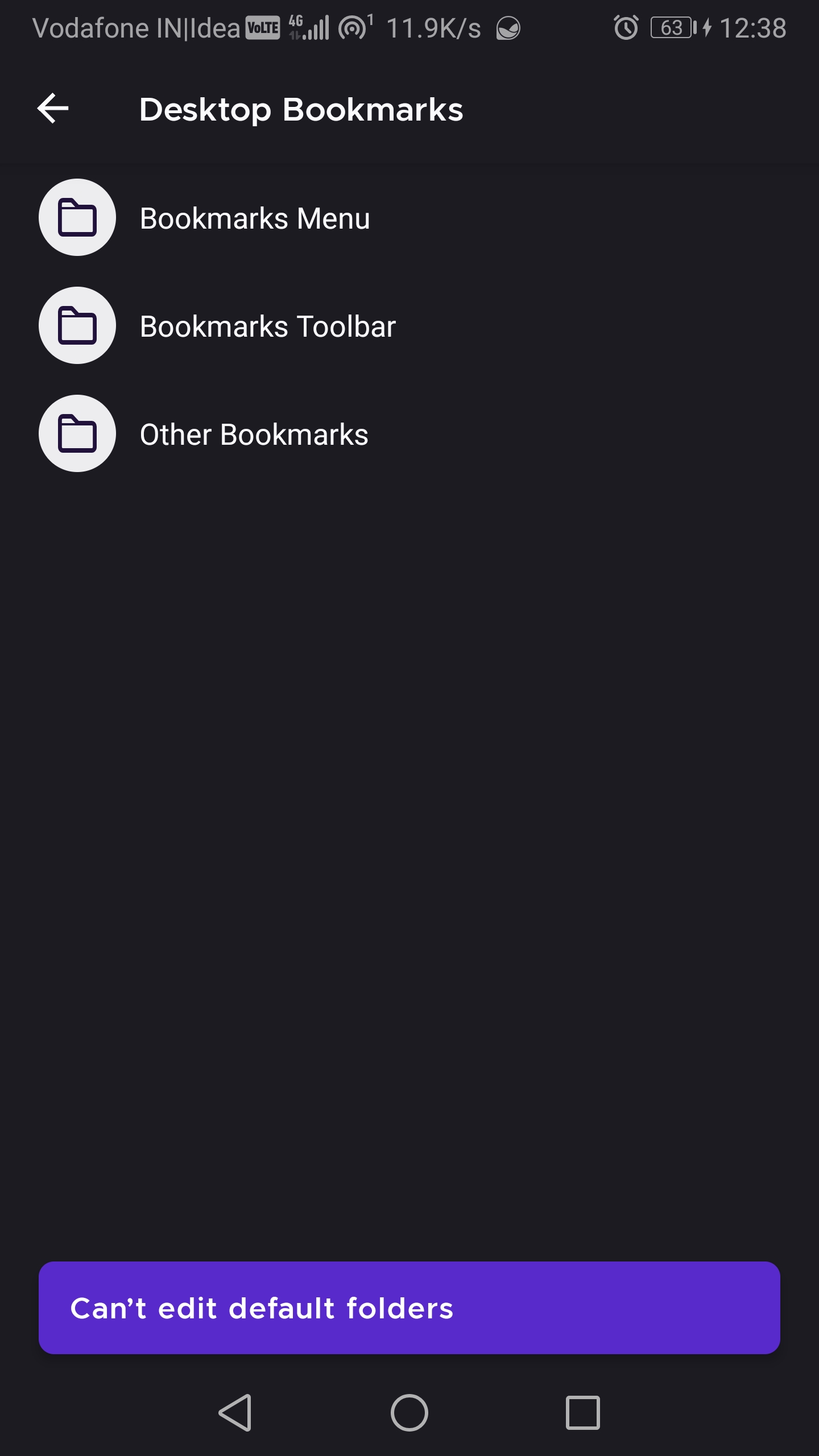
Is this expected?
 Anutrix
on 1 Oct 2020
Anutrix
on 1 Oct 2020
@sijanr also raised an important detail: the bookmarks folders' titles can occupy the entire row while the individual bookmarks are always clipped by the size of the menu button, even when that is not showing.
For this I filed #15776
 Mugurell
on 8 Oct 2020
Mugurell
on 8 Oct 2020
Hi, verified as fixed on the latest Nightly Build 201012 using the following devices:
• Google Pixel 3a (Android 10)
• Huawei Mate 20 Lite (Android 9)
• OnePlus A3 (Android 6.0.1)
 AndiAJ
on 12 Oct 2020
AndiAJ
on 12 Oct 2020
Related issues
AndiAJ
·
3Comments
 robsmith11
·
3Comments
robsmith11
·
3Comments
 vesta0
·
3Comments
vesta0
·
3Comments
 lindongbin
·
3Comments
ekager
·
3Comments
lindongbin
·
3Comments
ekager
·
3Comments