Fenix: [Bug] Desktop mode toggle stuck at enabled. Includes reliable steps to reproduce it.
This bug has been reported several times (https://github.com/mozilla-mobile/fenix/issues/14737, https://github.com/mozilla-mobile/fenix/issues/13202, https://github.com/mozilla-mobile/fenix/issues/11552 and other closed issues) however none of them had a reliable way to trigger the bug, and it was practically irreproducible on an emulator. Here I present steps to reproduce it reliably on an emulator, so to avoid having this comment lost on one of the previous issues (as it has been with others) I decided to open a new issue.
Steps to reproduce
0) REQUIRED: make sure the background process limit from the android developer options is set as 'no background processes'.
1) Open this github (doesn't work with all pages, does work with this github repository)
2) Enable desktop mode for the tab
3) Press the recent apps button
4) Open Firefox again

Expected behavior
The page should still be in desktop mode (or alternatively but not desired, go back to mobile mode with the desktop mode switch disabled)
Actual behavior
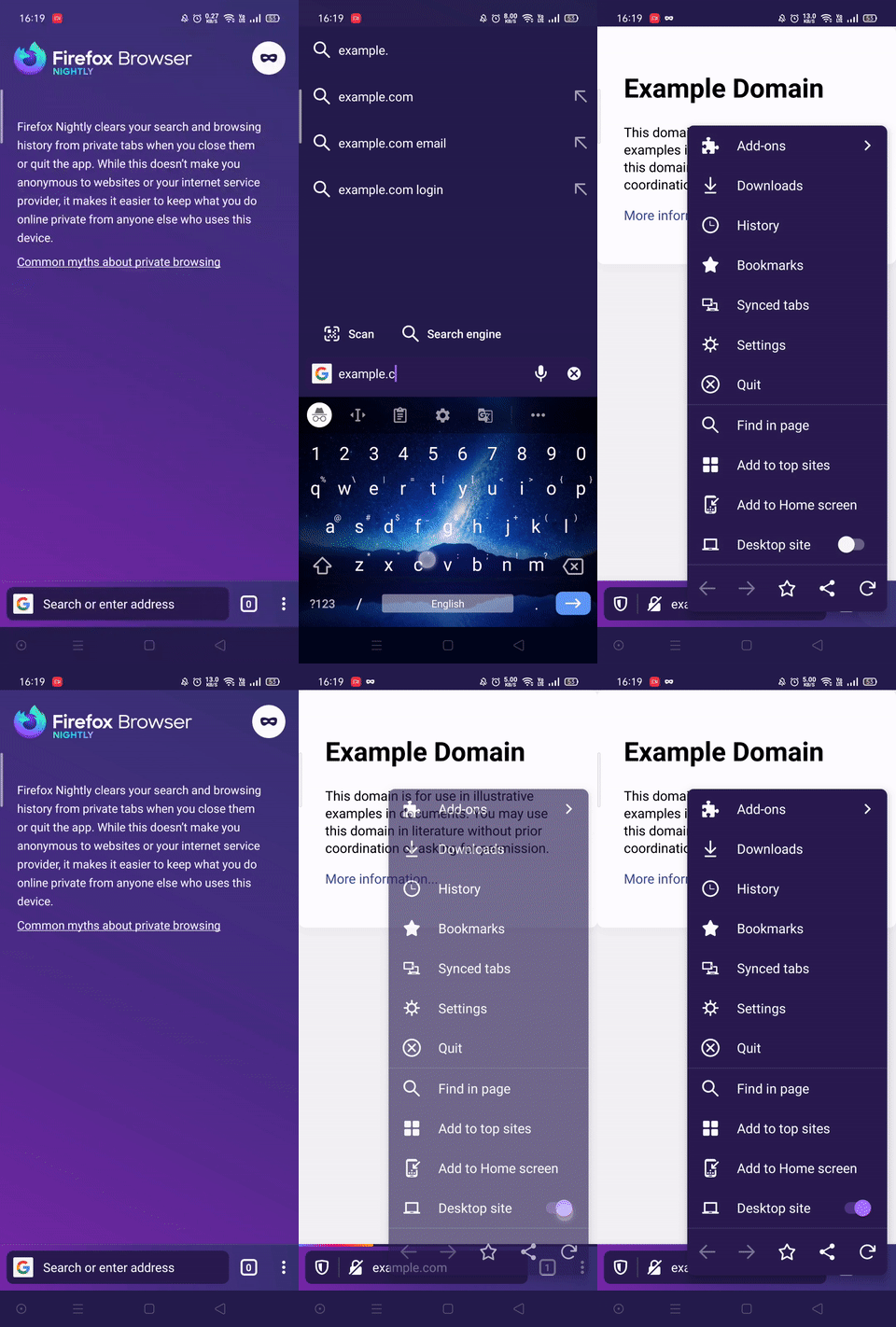
The page goes back to mobile mode but the desktop mode switch is kept enabled. Pressing it does nothing.
Device information
- Android device: Emulator 30.0.26-6755297 --- 8.1 (Oreo) - API 27
- Fenix version: debug 1.0.2039 (TrianguoY fork, master branch, no modifications) but can be reproduced in nightly since a few months ago at least.
 TrianguloY
All 5 comments
I found another set of steps to reproduce this issue:
- Open any website in a new tab.
- Open the main menu and request the desktop version of that website.
- Close the tab, and immediately tap on "Undo" in the "Tab closed" snackbar.
- The tab should restore itself, and opens the mobile version of the site.
- Open the main menu, and observe the desktop site toggle: it is in the enabled state, even when the website is not the desktop version. Tapping on it does not change the state.
 SL-Lee
on 27 Sep 2020
SL-Lee
on 27 Sep 2020
This is reproducible on sample browser also. Although the session reports it is in desktop mode, on session add the loaded version of the website is the mobile one. We can force a reload, but we lack the API to condition the reload. The true desktop/ mobile version check seems to depend on: https://bugzilla.mozilla.org/show_bug.cgi?id=1653296.
 mcarare
on 29 Sep 2020
mcarare
on 29 Sep 2020
With the second STR (https://github.com/mozilla-mobile/fenix/issues/15352#issuecomment-699603805) this is not reproducible anymore. On page restore the page loads the mobile version, and the switch is set accordingly. However, limiting background processes still reproduces the issue.
mcarare
on 19 Nov 2020
At the moment we do not have any access to an API to check if the desktop version is loaded in a session.
Also, considering the only reproducible STR involves limiting background processes (acts somewhat different than the system closing a process due to memory restrictions) this should not be a priority, and it is likely to be solved along with the implementation of other suggestions for desktop mode, like https://github.com/mozilla-mobile/fenix/issues/11552.
mcarare
on 24 Nov 2020
@mcarare I was able to just reproduce it by opening the tab in desktop mode, opening a second heavy tab and navigating a minute or so there, and then switching back to the first tab. The tab was in mobile mode and the desktop switch was stuck on enabled. Version Nightly 201122 17:03 (Build #2015777163)
I may be wrong, please correct me otherwise by sharing an official documentation where it is explained, but the limit background processes toggle is exactly what android does, but instead of waiting to have low memory it just does it right away. On high end devices or emulators having low memory usually never happens, and that toggle serves to 'emulate' it.
Note that switching to another app and then reopening firefox doesn't seem to work. I haven't tested, but my theory is that only the tab process should be killed, not the whole app, for this bug to occur.
TrianguloY
on 24 Nov 2020
Related issues
 andreicristianpetcu
·
3Comments
andreicristianpetcu
·
3Comments
andreicristianpetcu
·
3Comments
andreicristianpetcu
·
3Comments
 ekager
·
3Comments
ekager
·
3Comments
 bbinto
·
3Comments
bbinto
·
3Comments
 abodea
·
3Comments
abodea
·
3Comments