Fenix: [Bug] "Bookmark saved!" popup does not show when "Scroll to hide toolbar" is disabled.
Steps to reproduce
- Go to Settings > Customize
- Ensure that "Scroll to hide toolbar" option is disabled.
- Open any web page that is not yet bookmarked and bookmark it.
Expected behavior
After bookmarking a web page, a purple popup with title "Bookmark saved!" and a button to edit the bookmark should appear at the bottom of the screen.
Screenshot with "Scroll to hide toolbar" option enabled

Actual behavior
When "Scroll to hide toolbar" option is disabled the "Bookmark saved!" popup does not appear at all. See the animated gif below. The bookmark button is tapped and the page is successfully bookmarked, the popup does not appear though.
Screenshot with "Scroll to hide toolbar" option disabled

Note
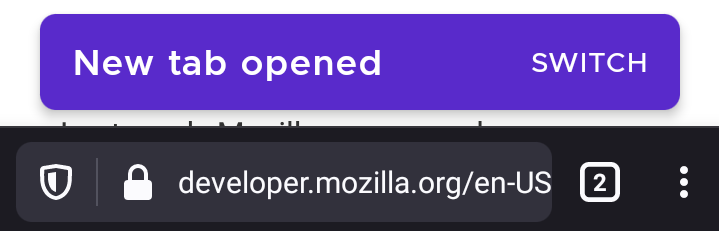
The same behavior was also observed while opening a link in a new tab. The purple popup with title "New tab opened" and a button to switch to it does not appear as well.
Device information
- Android device: Motorola One (XT1941-4)
- Fenix version: Nightly 200920 06:02 (Build #2015764979)
 georapbox
All 2 comments
Duplicate of #14982
 hwinnemoe
on 21 Sep 2020
hwinnemoe
on 21 Sep 2020
The issue no longer occurs on Firefox Preview Nightly 200922 (Build #2015765363).
Devices used:
- OnePlus 6T (Android 9)
- Huawei MediaPad M3 (Android 7.0)
 LaurentiuApahideanSV
on 22 Sep 2020
LaurentiuApahideanSV
on 22 Sep 2020
Related issues
 vesta0
·
3Comments
vesta0
·
3Comments
 Chris01277
·
3Comments
Chris01277
·
3Comments
 lindongbin
·
3Comments
lindongbin
·
3Comments
 clitetailor
·
3Comments
clitetailor
·
3Comments
 abodea
·
3Comments
abodea
·
3Comments