Fenix: [Bug] Add search engine does not allow port number in url
Steps to reproduce
Settings>search>add search engine
Name: mysearch
Search string to use: http://MYSERVER:81/?q=%s
Expected behavior
Search string should be accepted including ports as it did before firefox version 79.
Actual behavior
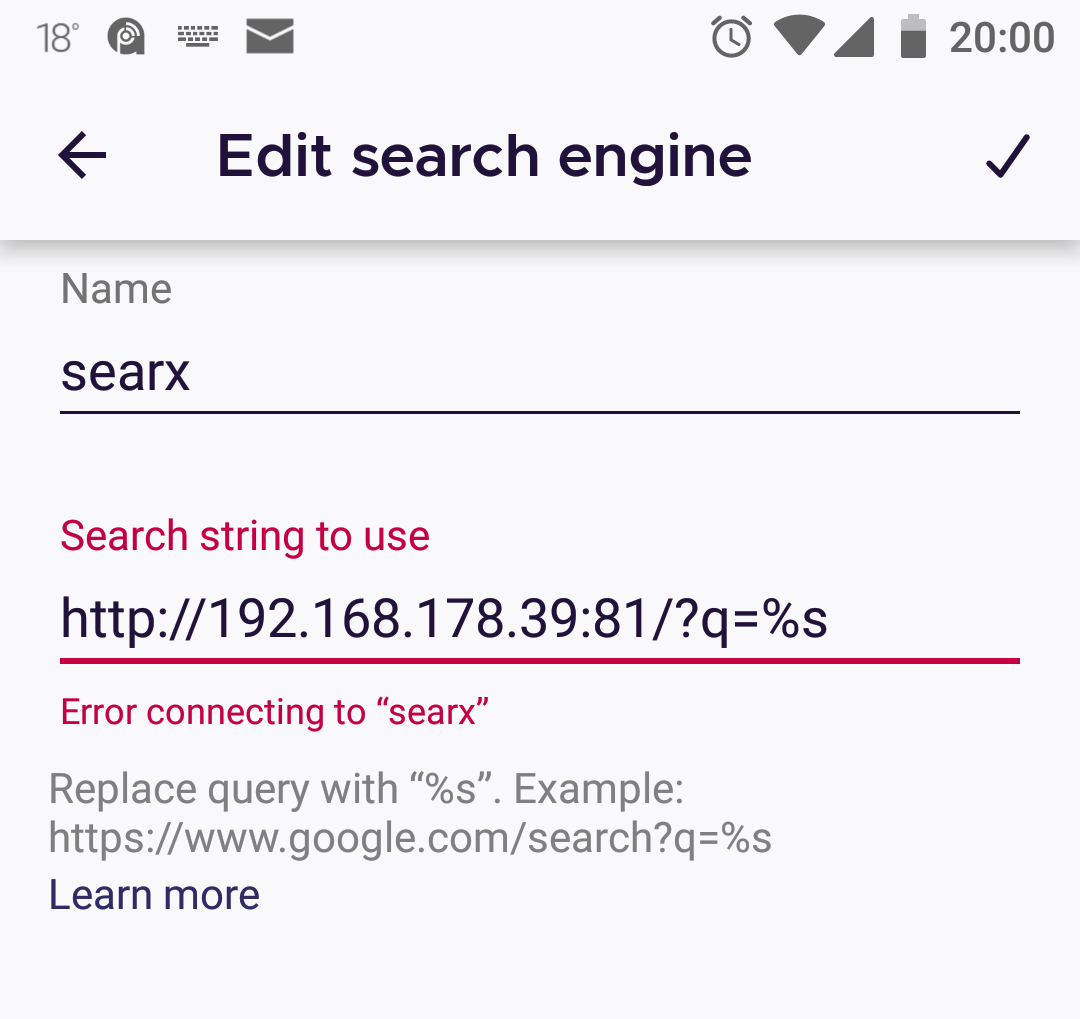
Press ok gives 'Error connecting to mysearch'.
MYSERVER is a searx instance on my server in my local network listening to port 81.
To be sure that the search string is correct I've put the search string into the url field
which returns the search site with search field filled with '%s' -> correct behavior
Device information
- Android device: BQ, Android 8.1
- Fenix version: 79.0.5 (also tested on 80)
Remark: Firefox (80, Windows) allows search urls including ports.
 derwerbebriefkasten
All 5 comments
Add search engine also does not allow file:// URLs, such as file:///storage/emulated/0/keywords.html#q=%s. Bizarrely, it does appear to allow data:text/html, URLs, even though Firefox currently refuses to open them (#1681).
 nandhp
on 29 Aug 2020
nandhp
on 29 Aug 2020
@derwerbebriefkasten - I cannot reproduce your port number issue. I am able to specify ports on both http: and https: URLs, as long as the host:port combination is valid (i.e. the host has a server listening on that port).
Firefox 79.0.5, Nokia 6.1, Android 10
nandhp
on 29 Aug 2020
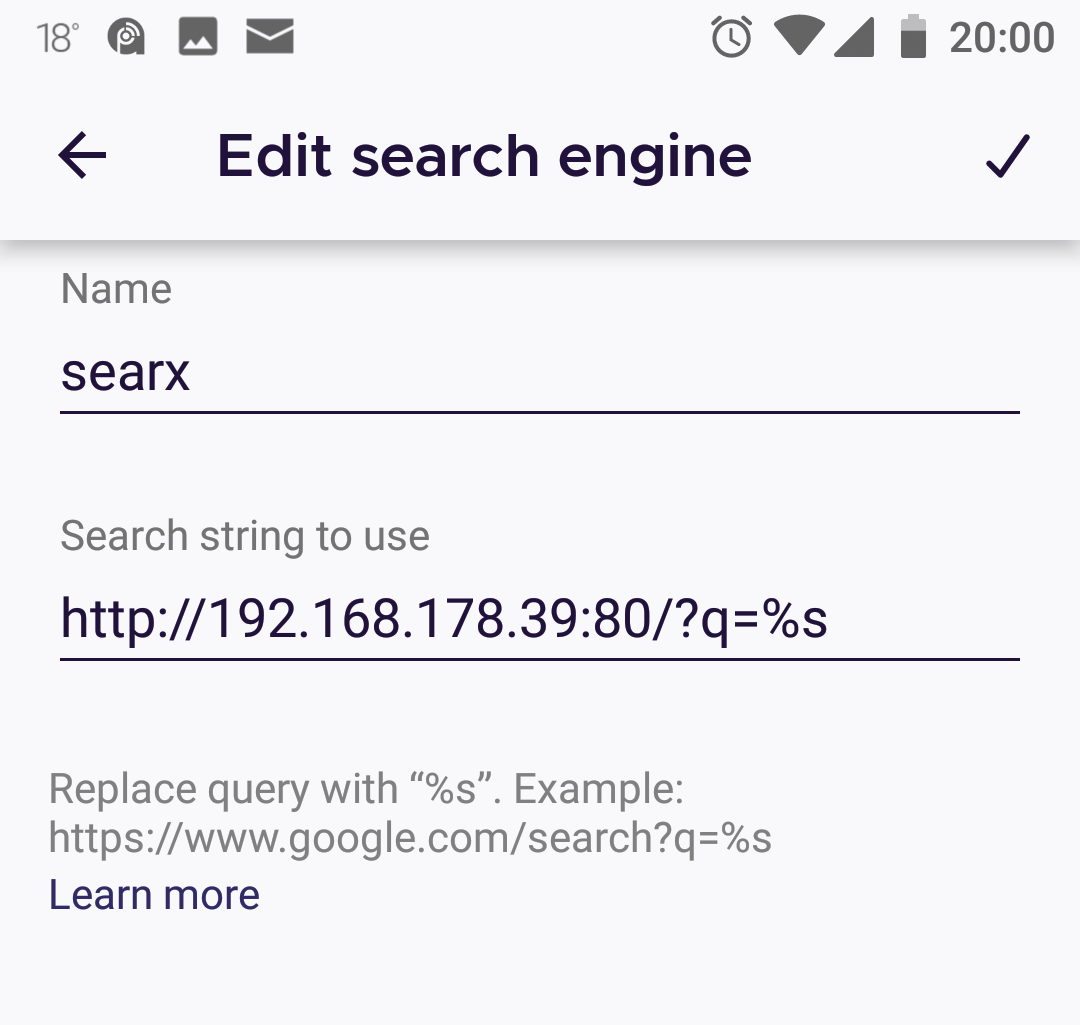
@nandhp - thx for testing. It seems that only port 80 and 443 (as standard ports for http and https) are accepted since version 79.
http://www.google.com:80/search?q=%s and https://www.google.com:443/search?q=%s are accepted while my non-standard port 81 is rejected. When using http://MYSERVER:80/?q=%s port 80 is accepted, unfortunately I have another server running there that requires port 80.
If this is the case, then I don't understand why the ports were restricted now.
derwerbebriefkasten
on 29 Aug 2020
For me it works with searx, ssh-tunneled to the server from http://localhost:1066/?q=%s.
Are arbitrary ports only allowed for localhost?
 jorsn
on 1 Sep 2020
jorsn
on 1 Sep 2020
82.1.1 (Build #2015770923):
It seems, that it works now again with this version, I am able to save an search url with port 81 as shown in screenshot above.
derwerbebriefkasten
on 1 Nov 2020
Related issues
 Chris01277
·
3Comments
Chris01277
·
3Comments
 robsmith11
·
3Comments
robsmith11
·
3Comments
 abodea
·
3Comments
abodea
·
3Comments
 AndiAJ
·
3Comments
AndiAJ
·
3Comments
 andreicristianpetcu
·
3Comments
andreicristianpetcu
·
3Comments