User Story
As a user, I want to be protected against first-party redirect (“bounce”) trackers by having my browser periodically clearing their site data.
With ETP Cookie Purging enabled, any site that is on our list of known trackers and did not receive user interaction (including scrolling) in the last 30 days will have all its cookies and other storage cleared on a daily basis. See blogpost for more context.
Dependencies
- [x] Related AC issue: mozilla-mobile/android-components#7808
- [x] Geckoview bug: https://bugzilla.mozilla.org/show_bug.cgi?id=1654361
- [x] Cookie purging in Fenix Nightly #12796
Acceptance Criteria
- I have ETP cookie purging enabled by default.
- I know that my browser purge my cookies that did not receive user interaction after 30 days to keep me safe.
 vesta0
All 13 comments
I think we need @betsymi to give us some strings for where this setting is and what it says. Toggling it will control whether ETP cookie purging is turned on.
 liuche
on 18 Aug 2020
liuche
on 18 Aug 2020
I think we need @betsymi to give us some strings for where this setting is and what it says. Toggling it will control whether ETP cookie purging is turned on.
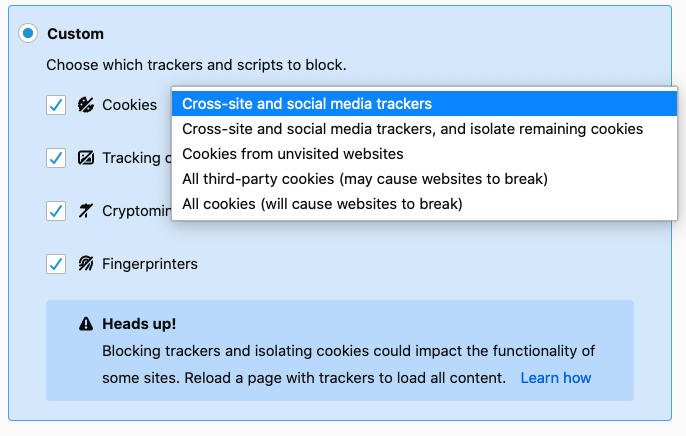
Will our implementation be the same as desktop's? ETP cookie purging included in Standard, included in Strict, and customizable in Custom. There is no toggle that exists specifically for turning off/on cookie purging though.
 betsymi
on 31 Aug 2020
betsymi
on 31 Aug 2020
@betsymi there is no toggle specifically for turning off/on cookie purging in desktop if that is what you are asking.
The mobile product ask (see acceptance criteria in comment 0) is to make this feature discoverable in Fenix.
vesta0
on 1 Sep 2020
@betsymi there is no toggle specifically for turning off/on cookie purging in desktop if that is what you are asking.
The mobile product ask (see acceptance criteria in comment 0) is to make this feature discoverable in Fenix.
Would the ETP UI need to be redesigned to accommodate this? In that case I don't think this is a strings-only request and would require UX as well.
betsymi
on 1 Sep 2020
Is ETP cookie purging configurable completely independently of whether you're in strict, standard ETP? cc @Amejia481 to answer this.
If yes, then we probably could just add a single setting, with betsy.
Otherwise, if it's tied to other ETP settings (e.g. can't turn off cookie purging if you have strict set) then we'll need @violasong to provide some UX feedback here.
liuche
on 2 Sep 2020
Is ETP cookie purging configurable completely independently of whether you're in strict, standard ETP? cc @Amejia481 to answer this.
If yes, then we probably could just add a single setting, with betsy.
Otherwise, if it's tied to other ETP settings (e.g. can't turn off cookie purging if you have strict set) then we'll need @violasong to provide some UX feedback here.
Yes, cookie purging is an independent setting is just a boolean value to turn it on/off. You can find an example where we are enabling it.
 Amejia481
on 3 Sep 2020
Amejia481
on 3 Sep 2020
@liuche Betsy and I discussed this on Thursday and she will propose a solution aligning with the implementation.
vesta0
on 8 Sep 2020
Waiting on @betsymi to give a follow-up on when this is ready to work on.
liuche
on 14 Sep 2020
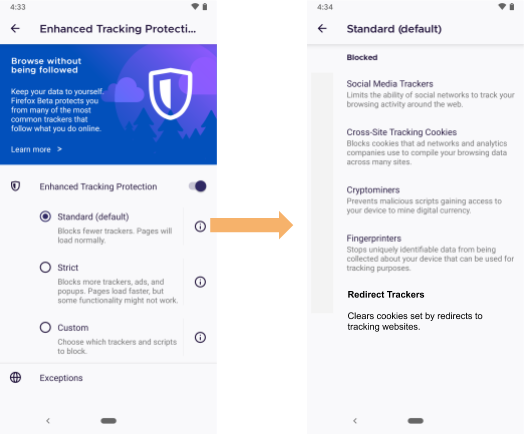
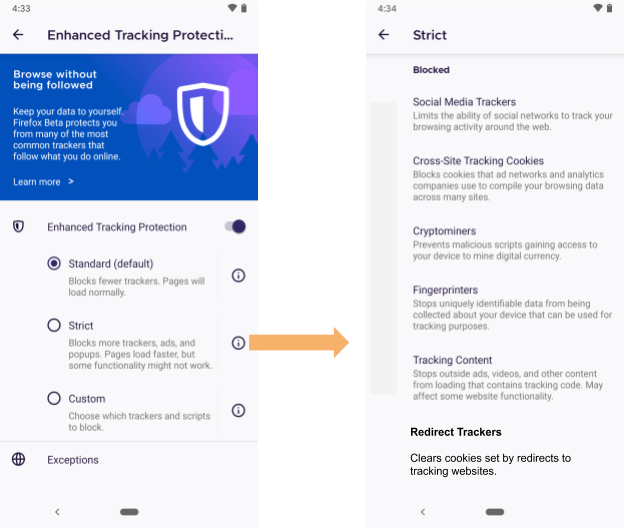
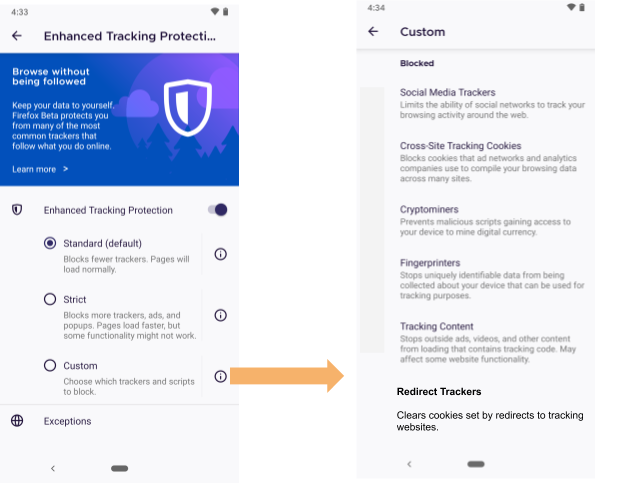
Have consulted with privacy engineering team and received legal approval on the following strings. I am attaching visuals that are not true mock-ups as they're not pixel-perfect (or even pixel-close), but are meant as a visual aid to show where these strings go.
We will be making two changes in the ETP information panels on Standard, Strict, and Custom.
Add the following string to the information panels for each option of ETP
Redirect Trackers
Clears cookies set by redirects to known tracking websitesRemove all icons on these screens
Settings > Enhanced Tracking Protection > Standard ℹ️
Settings > Enhanced Tracking Protection > Strict ℹ️
Settings > Enhanced Tracking Protection > Custom ℹ️
betsymi
on 15 Sep 2020
For QA: see PR for screenshots :)
 eliserichards
on 18 Sep 2020
eliserichards
on 18 Sep 2020
We are going to test both #15139 (icons and description) and https://github.com/mozilla-mobile/fenix/issues/12796 (cookie purge implementation) for QA approval on this issue
eliserichards
on 23 Sep 2020
Verified as fixed on the latest Nightly build 9/29 with Google Pixel 4 XL (Android 11).
Note that this verification has 2 parts:
- The functionality that was mentioned by @vesta0 in the description
- The Add the following string to the information panels for each option of ETP Redirect Trackers
Clears cookies set by redirects to known tracking websitesand removingall the icons from the ETP screens.
In about:debugging and scroll to the bottom, from the Processes tab click on Inspect and then select console. Here needs to be added a few preferences:
Services.prefs.setIntPref("network.cookie.cookieBehavior", 0);
Services.prefs.setBoolPref("privacy.purge_trackers.enabled", true);
Services.prefs.setCharPref("privacy.purge_trackers.logging.level", "Debug");
Services.prefs.setIntPref("privacy.userIntercation.expiration", 10); --> the number 10 represents the seconds
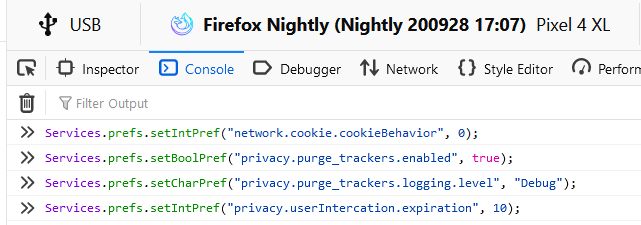
Note that I tested the functionality for the ETP Cookies purging but instead of 30 days I switched the counter for 10 seconds for faster testing, in order to test it please follow these steps:
- Connect the device to your PC
- On FF for desktop access
about:debugging - Connect the device from the list
- On Fenix disable ETP
- Access any website to create cookies
- Turn the ETP On again on Standard
After everything is set, go to Console and run this command - > Services.obs.notifyObservers(null, "idle-daily");
While being in the Storage tab where the cookies are displayed you should see a bunch of messages about cookies that are not deleted as well as some that are deleted.
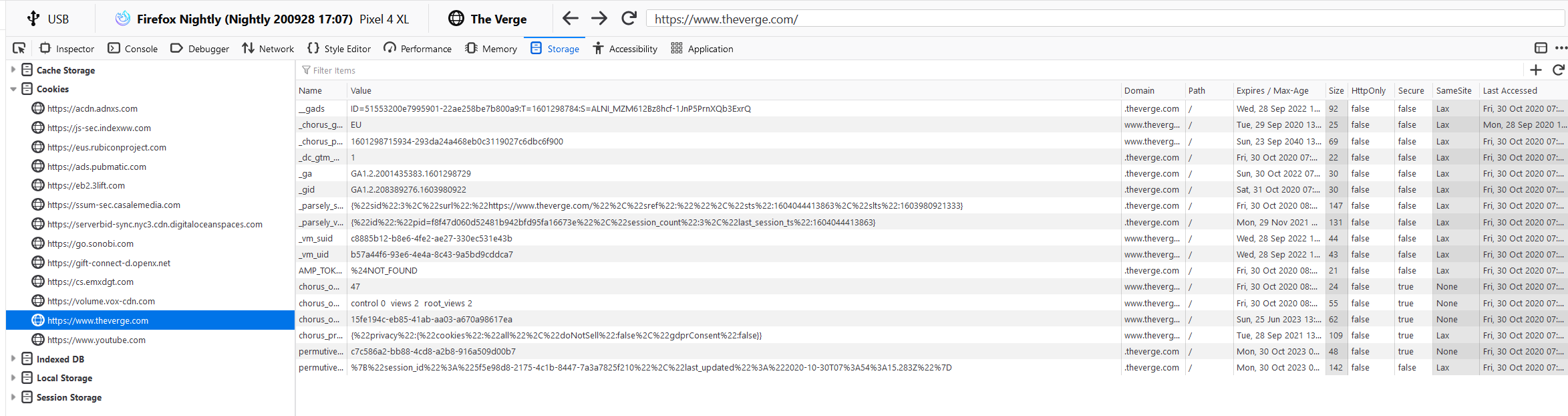
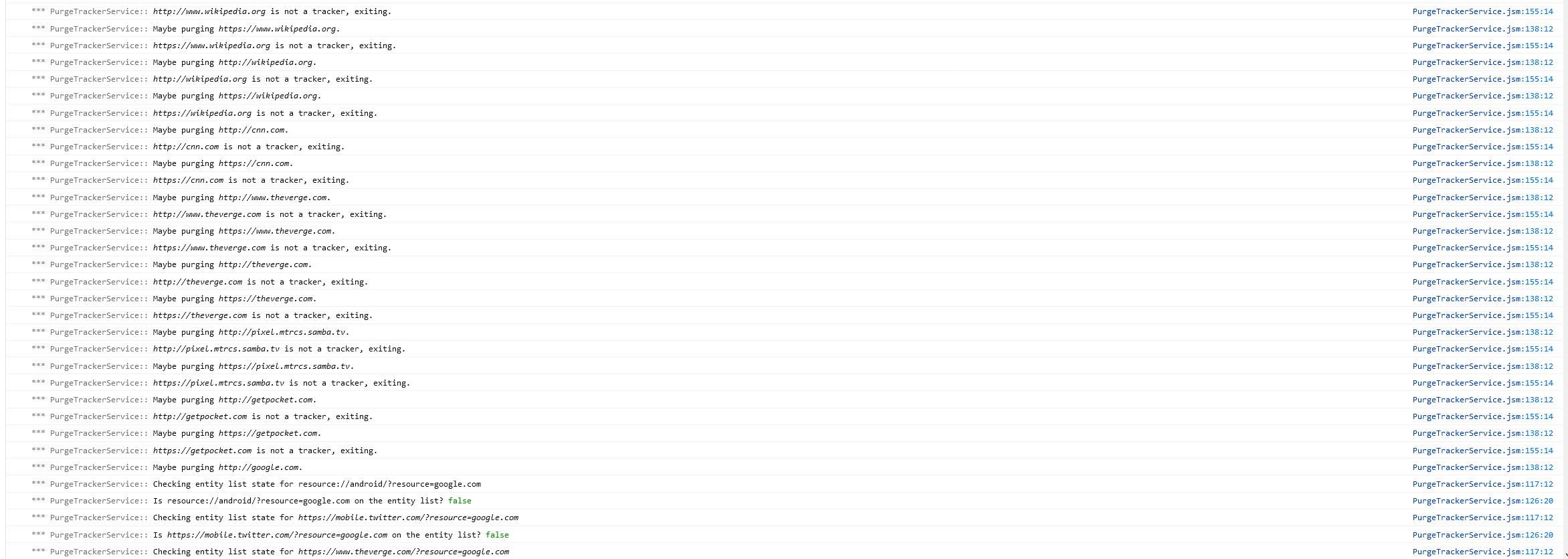
I tested this with many websites and it works accordingly.
Also, note that the new string is correctly displayed and all the icons were removed in Light and Dark mode.
Sorry for the delay with this bug.
 abodea
on 29 Sep 2020
abodea
on 29 Sep 2020
Thanks @abodea!
Amejia481
on 29 Sep 2020
Related issues
 andreicristianpetcu
·
3Comments
andreicristianpetcu
·
3Comments
 softvision-miralobontiu
·
3Comments
softvision-miralobontiu
·
3Comments
 AndiAJ
·
3Comments
AndiAJ
·
3Comments
 phileastv
·
3Comments
phileastv
·
3Comments
 ekager
·
3Comments
ekager
·
3Comments
Most helpful comment
Thanks @abodea!