Fenix: FNX2-15670 ⁃ Surface notification settings in app
User Story
As a user, I want to know how to access my notification preferences in the app, I can easily change my settings.
Acceptance Criteria
- I can access my notification preferences from the settings page
- Fenix settings menu item can redirect user to Android Notification settings for Fenix.
What we currently have for Firefox Nightly:
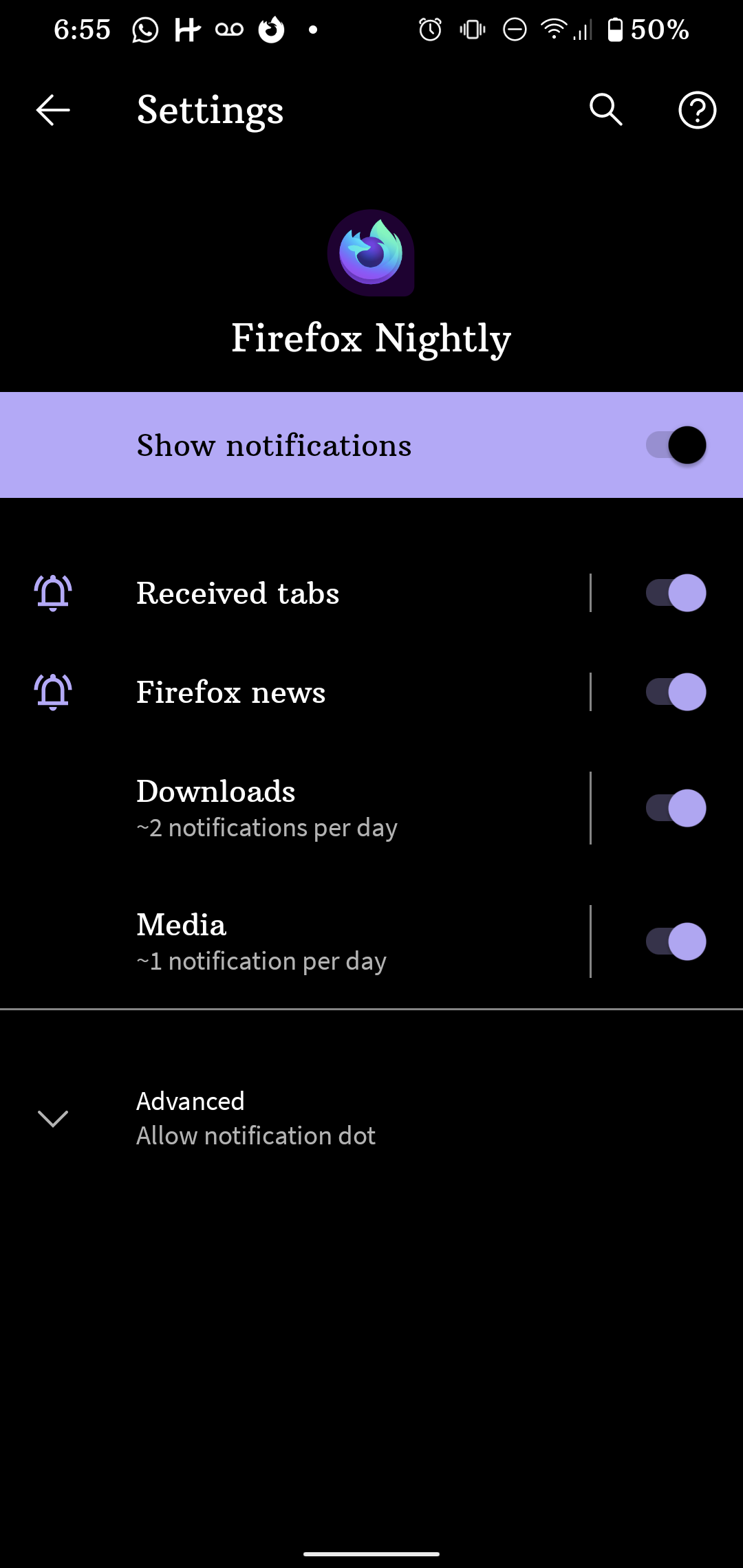 UNITO-UNDERSCORE!20200729-185556!
 vesta0
All 7 comments
This is for Firefox notification directly from Firefox. For web notifications we already have controls to manage this in Site Permissions -> Exceptions
 kbrosnan
on 30 Jul 2020
kbrosnan
on 30 Jul 2020
This needs mocks before it is eng ready
 eliserichards
on 3 Aug 2020
eliserichards
on 3 Aug 2020
@eliserichards I would advise adding a new menu item under Settings → Privacy and Security
- This item should deep-link to Android System Settings → Apps and notifications → Notifications → Firefox
- This item should be positioned below “Delete browsing data on quit”
- String: “Notifications”
- @betsymi, the word “Notifications” refers to messages that Firefox shows at the Android System level when e.g. Private Browsing is currently active, audio/video is currently playing, or a crash just happened.
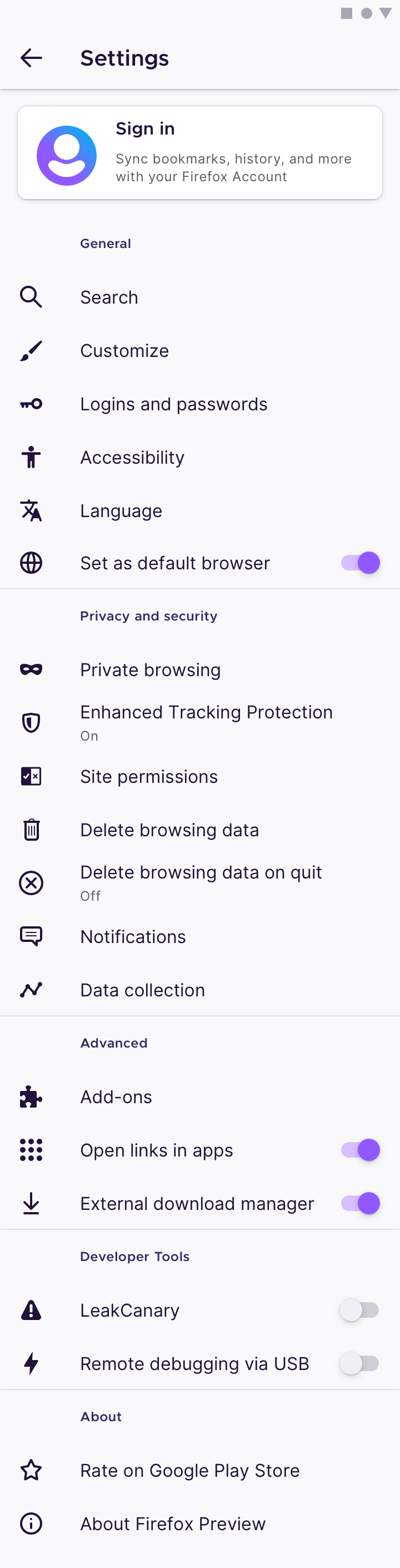
Looking towards the future when we have more download-related settings (e.g.: select default download folder), we can make a new menu item called “Downloads”. When tapped, it can lead to a sub-page that contains “Use external download manager” as one of the items inside it.
 brampitoyo
on 5 Aug 2020
brampitoyo
on 5 Aug 2020
This new setting redirects to the OS app-specific notification setting for Oreo and higher. For these API-related issues, #5898 and https://github.com/mozilla-mobile/fenix/issues/12901#issuecomment-665294281 chose to link to SUMO articles instead on devices that are missing the related API. I was unable to find a SUMO article for this specific notification setting, but https://support.google.com/android/answer/9079661 could be the most general target here, or creating a new SUMO article for this.
 hwinnemoe
on 19 Aug 2020
hwinnemoe
on 19 Aug 2020
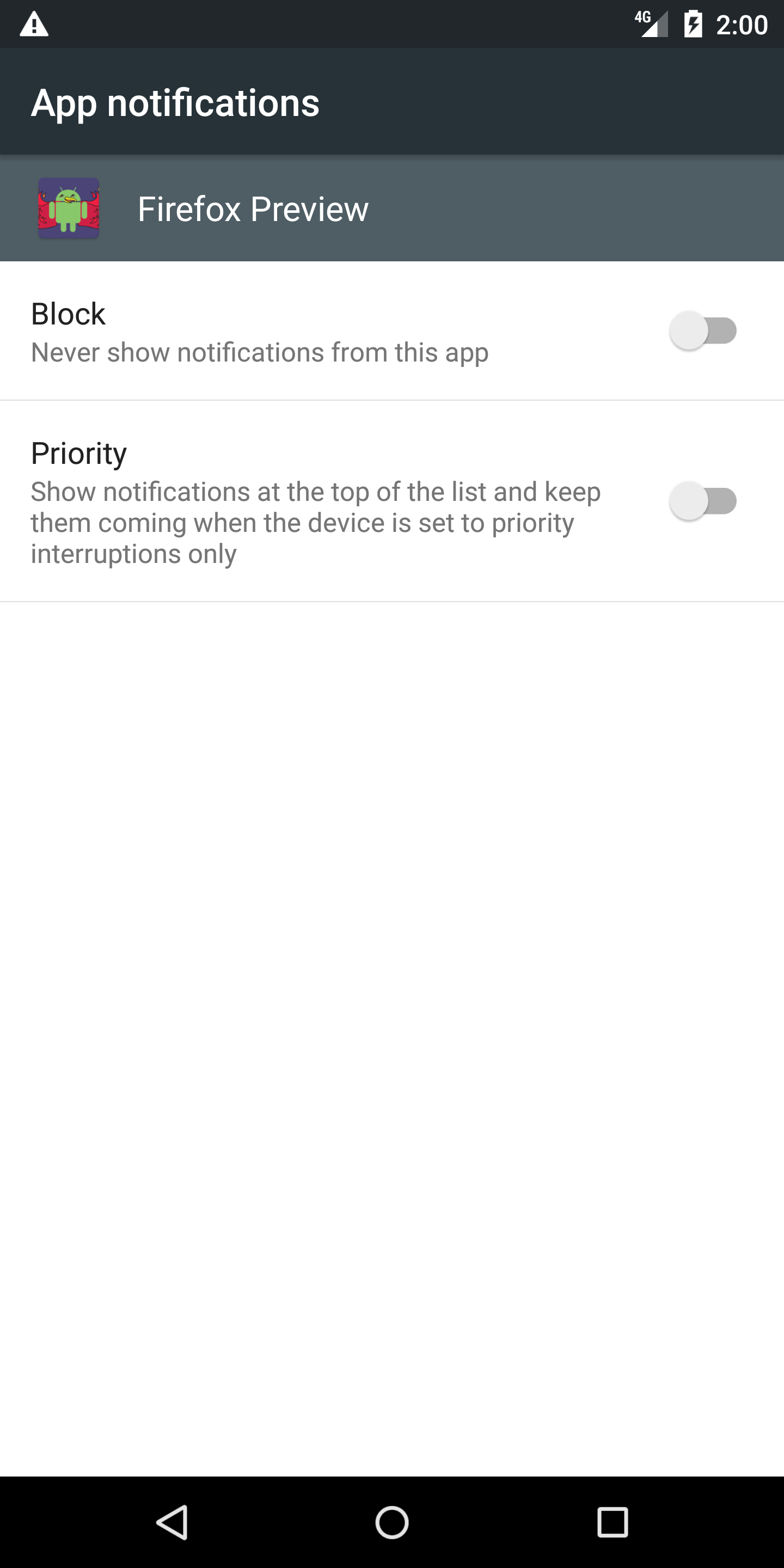
@brampitoyo Do we want to show notification setting for versions before Oreo? It will take you to different settings, as channels were implemented only since Oreo.
This is the screen setting for API level 22, for example.
 mcarare
on 20 Aug 2020
mcarare
on 20 Aug 2020
Tapping on the Notifications settings on Nightly 8/20
- "No app found in the list of the installed apps" message is displayed. - Android 11
- Unable to find application to perform action - Android 10
- The app wasn't found in the list of the installed apps - Android 8
- Notification is not displayed for Android 5.1.1
cc @eliserichards
 sflorean
on 20 Aug 2020
sflorean
on 20 Aug 2020
Verified as fixed on Nightly 8/21 with the following devices:
- Google Pixel 3 (Android 11)
- Samsung Galaxy Note 10 (Android 10)
- Motorola Nexus 6 (Android 7.1.1)
- Huawei MediaPad M2 (Android 5.1.1)
sflorean
on 21 Aug 2020
Related issues
 robsmith11
·
3Comments
robsmith11
·
3Comments
 abodea
·
3Comments
abodea
·
3Comments
 csadilek
·
3Comments
csadilek
·
3Comments
 AndiAJ
·
3Comments
AndiAJ
·
3Comments
 ekager
·
3Comments
ekager
·
3Comments
Most helpful comment
Tapping on the Notifications settings on Nightly 8/20
cc @eliserichards