Fenix: FNX2-15528 ⁃ [a11y] Difficult to see which tab is current in tab history
Steps to reproduce
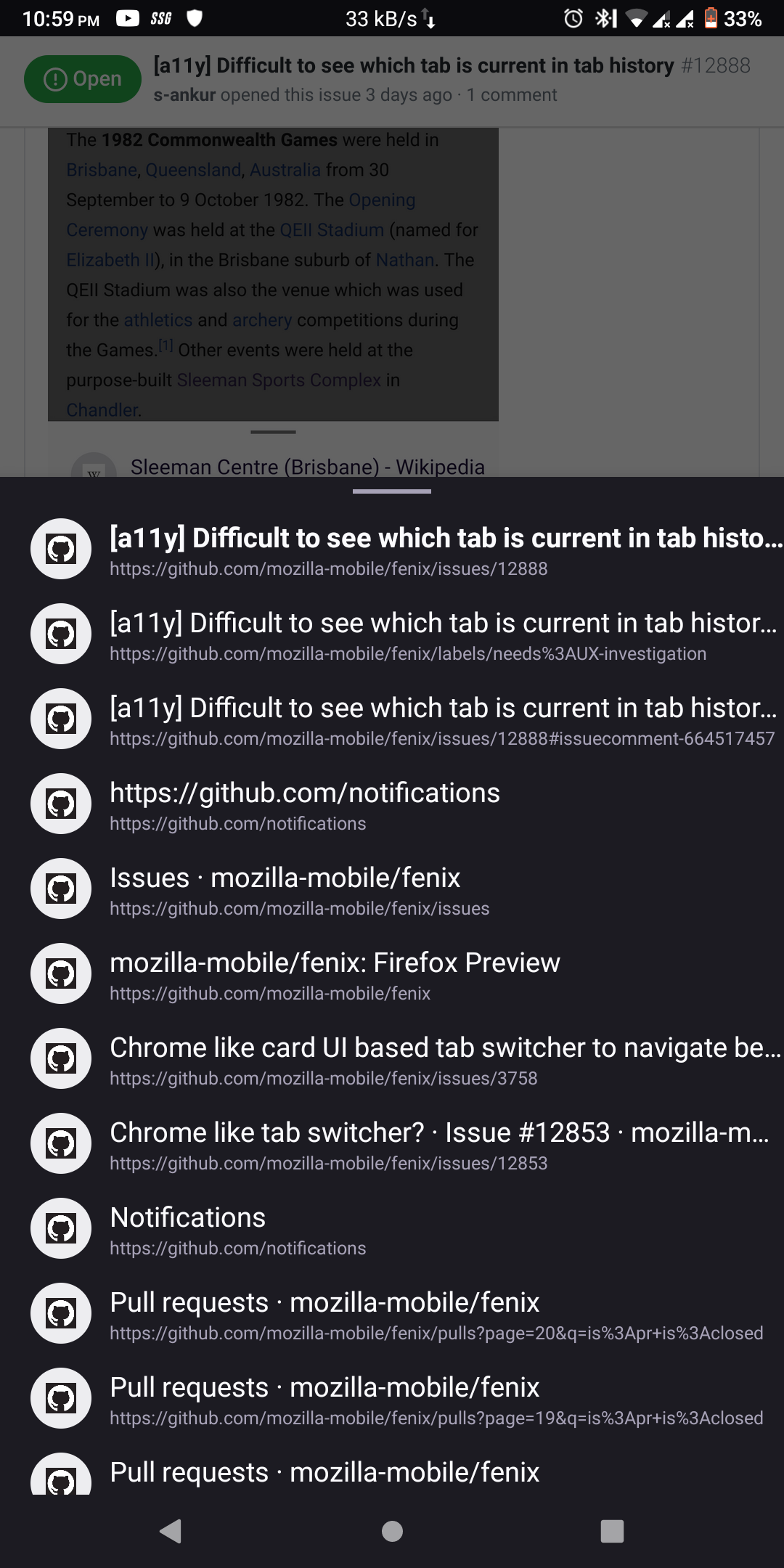
Long press back button to open tab history
Expected behavior
It's clear which tab in tab history you are on, either by inverting the colors for that item or by some other way of highlighting
Actual behavior
It's not very clear and it's only indicated by bold text which and be hard to see for a lot of people
Device information
- Android device: Asus Zenfone
- Fenix version: Nightly 200723 06:01 (Build #22050611)
AC: 52.0.20200722023149, 5c2458cb8
GV: 80.0a1-20200721094241
AS: 61.0.10
 s-ankur
All 7 comments
Current design (from https://github.com/mozilla-mobile/fenix/pull/12519):

@brampitoyo FYI for design input here :)
 eliserichards
on 27 Jul 2020
eliserichards
on 27 Jul 2020
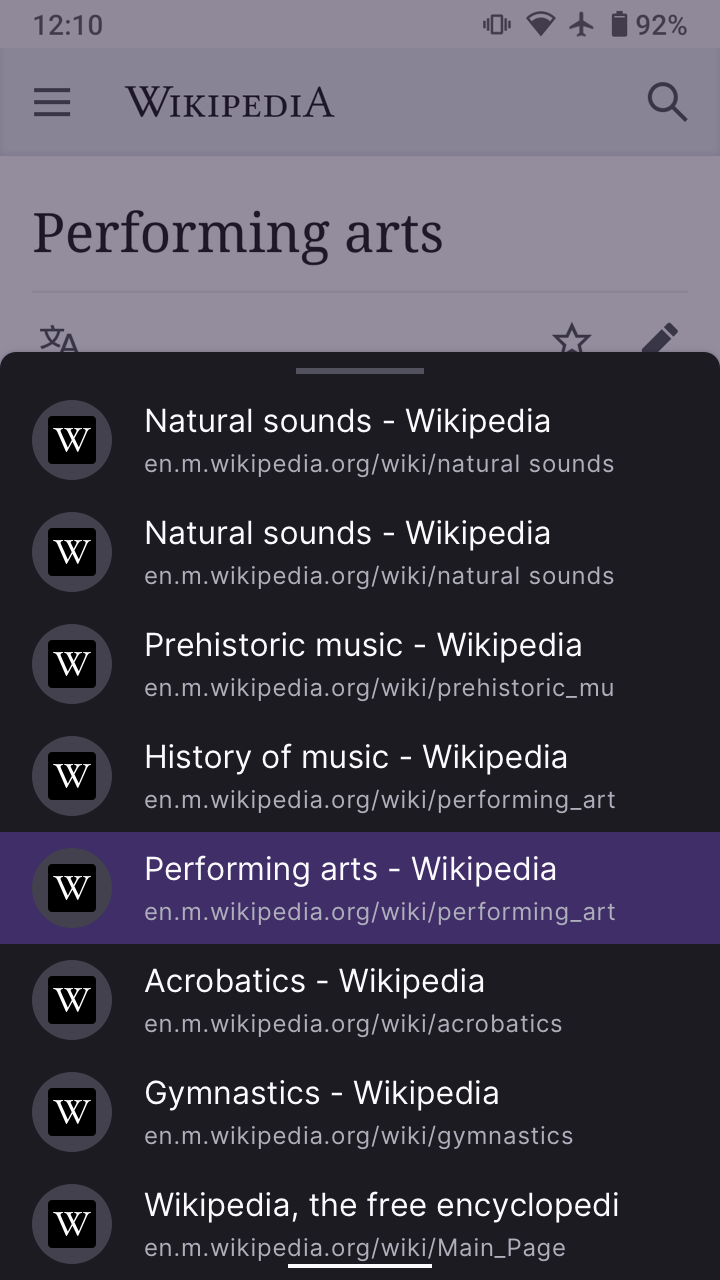
Dark mode is slightly more difficult to distinguish than light mode
s-ankur
on 27 Jul 2020
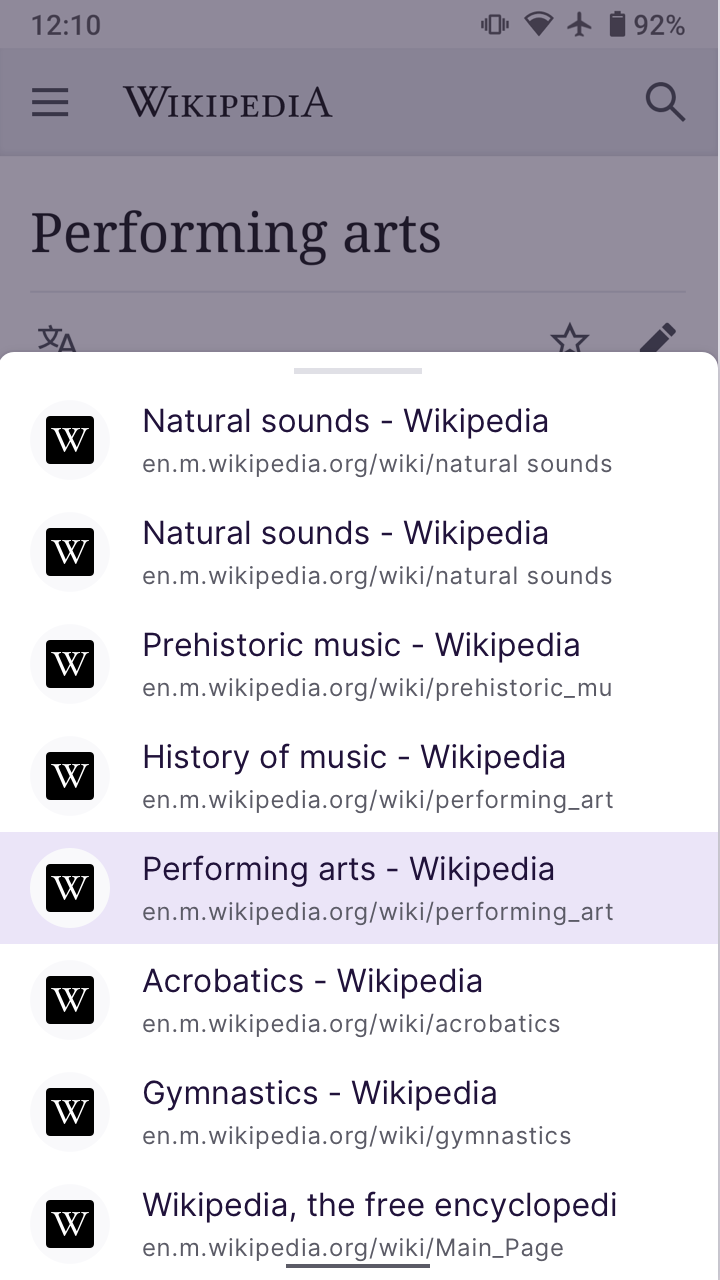
@s-ankur @eliserichards Let’s use the identical highlight colour value that we use in the Tab Tray for currently selected tab.
Tab Tray for comparison:

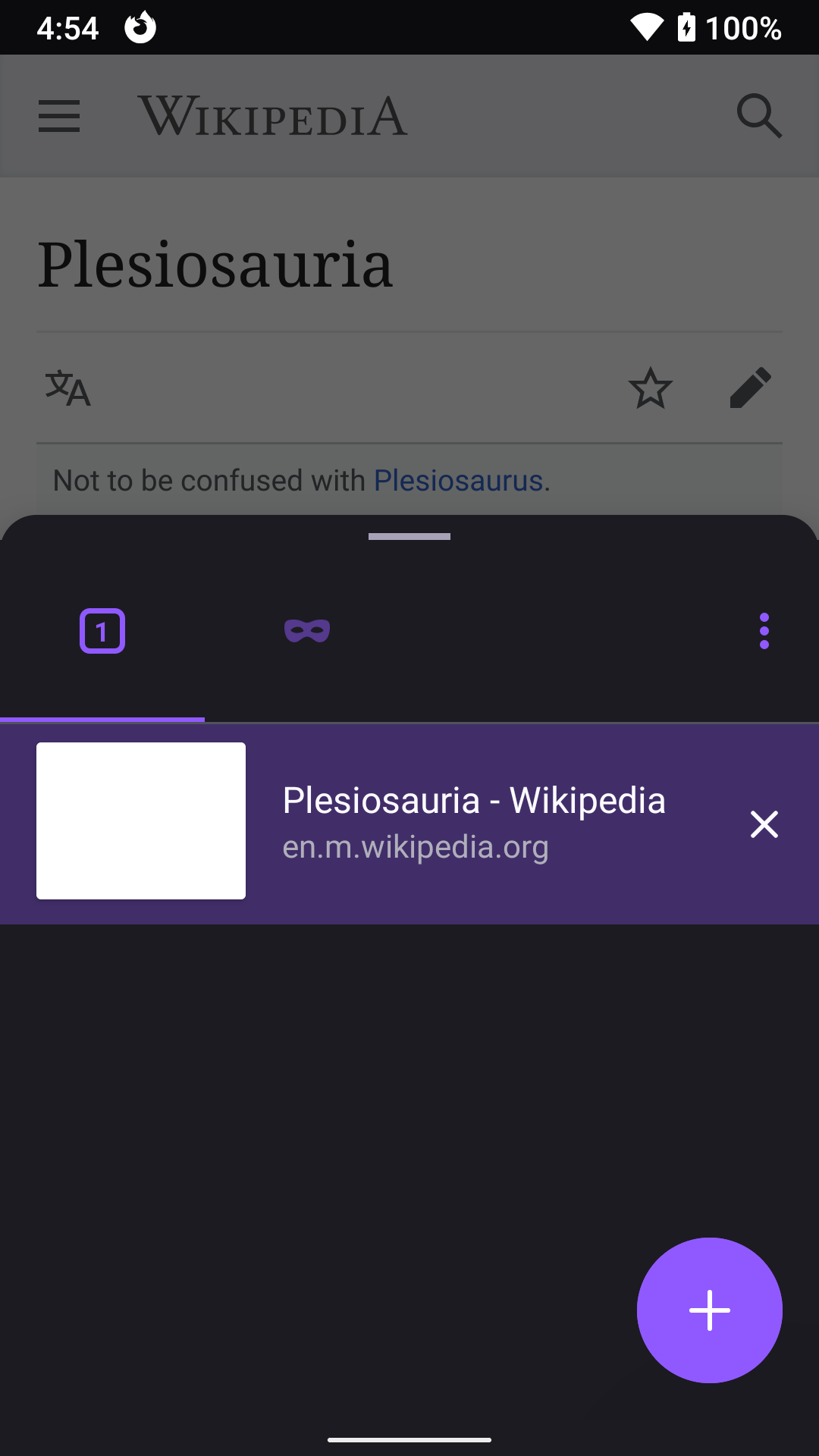
By doing this, we no longer need to bold the text.
 brampitoyo
on 28 Jul 2020
brampitoyo
on 28 Jul 2020
@brampitoyo Does this mean we use the same style in normal and private mode for the tab history sheet? Similar to how the tab tray doesn't have a separate private mode style?
 person808
on 28 Jul 2020
person808
on 28 Jul 2020
@person808 No – and sorry I didn’t clarify this.
We do want a separate style for private mode history stack. It should use the same background colour as the modal bottom sheet used for menu surfaces, ETP Panel, Site Information Panel – and the same background colour as in-app pages like Bookmarks.
The highlight colour value for the private theme will be the same as the one used on dark theme.
brampitoyo
on 28 Jul 2020
Verified as fixed on Nightly 200803 (Build #22161809) GV 81.0a1 from 8/3 with Motorola Moto G6 (Android 8) and Pixel 2 (Android 9).
 ebalazs-sv
on 4 Aug 2020
ebalazs-sv
on 4 Aug 2020
Verified as fixed on 80.0.0-beta6 on several devices.
 sv-ohorvath
on 12 Aug 2020
sv-ohorvath
on 12 Aug 2020
Related issues
 abodea
·
3Comments
abodea
·
3Comments
 csadilek
·
3Comments
csadilek
·
3Comments
 andreicristianpetcu
·
3Comments
andreicristianpetcu
·
3Comments
 thelazyoxymoron
·
3Comments
thelazyoxymoron
·
3Comments
 Chris01277
·
3Comments
Chris01277
·
3Comments
Most helpful comment
@s-ankur @eliserichards Let’s use the identical highlight colour value that we use in the Tab Tray for currently selected tab.
Tab Tray for comparison:
By doing this, we no longer need to bold the text.