Fenix: FNX2-15494 ⁃ Refine add-ons badge design
What is the user problem or growth opportunity you want to see solved?
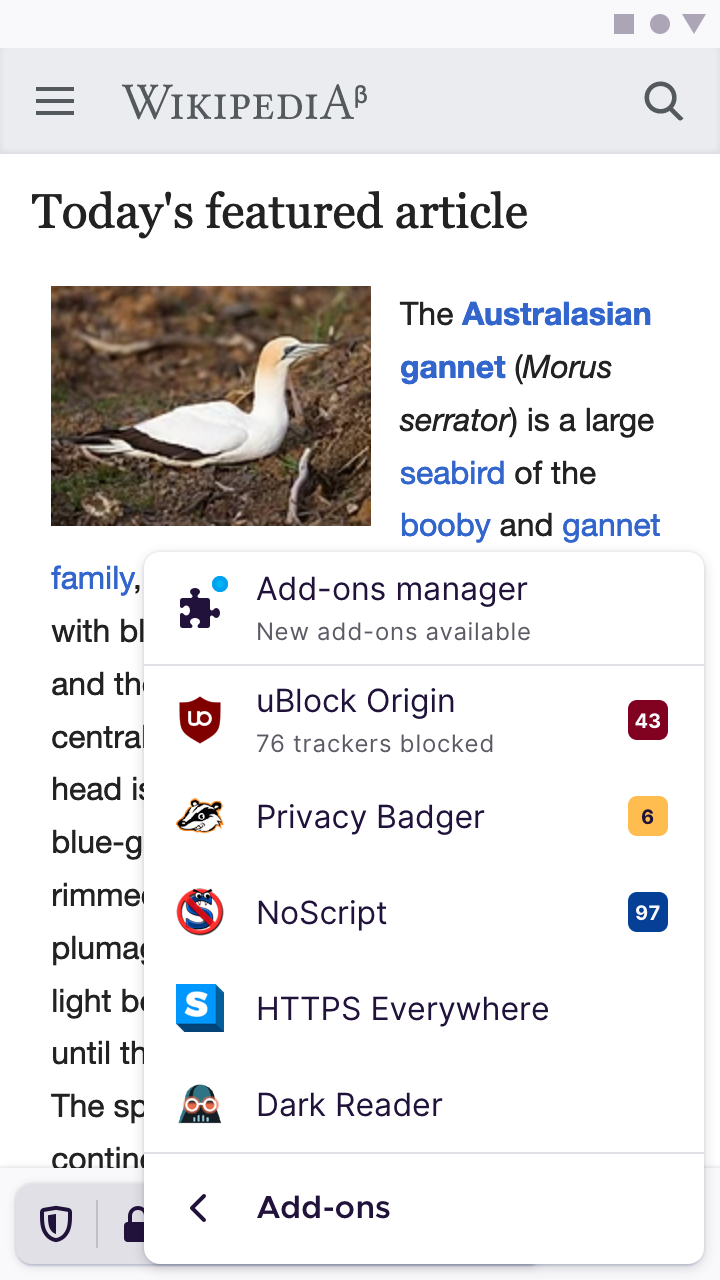
When people see add-on badges, they may not realise that they convey important and useful information, as they currently looks like a plain number with a bit of colour highlight behind it.

We’d like to refine its design so it looks like a badge, while respecting developer-side customisation such as setBadgeTextColor and setBadgeBackgroundColor.
Specs
Notes:
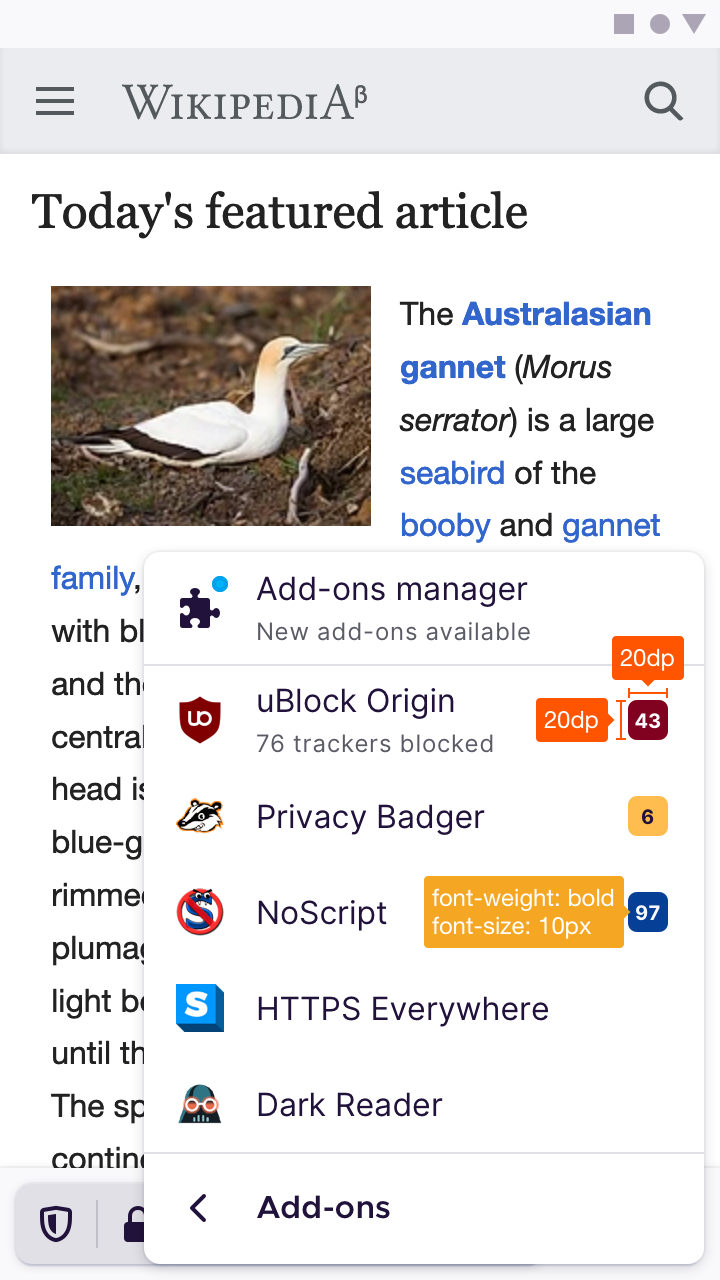
- The width shown is a
min-widthvalue. Add-ons may choose to show heaps of texts (let’s say that 99+ elements are blocked on the page). In that case, we simply widen the badge to fit. - The badge should follow the same margin used by the menu item text. I think the value is 16dp.
 brampitoyo
All 12 comments
@brampitoyo I've debugged a little bit. We're applying properly what we get. We just need to add some radius.
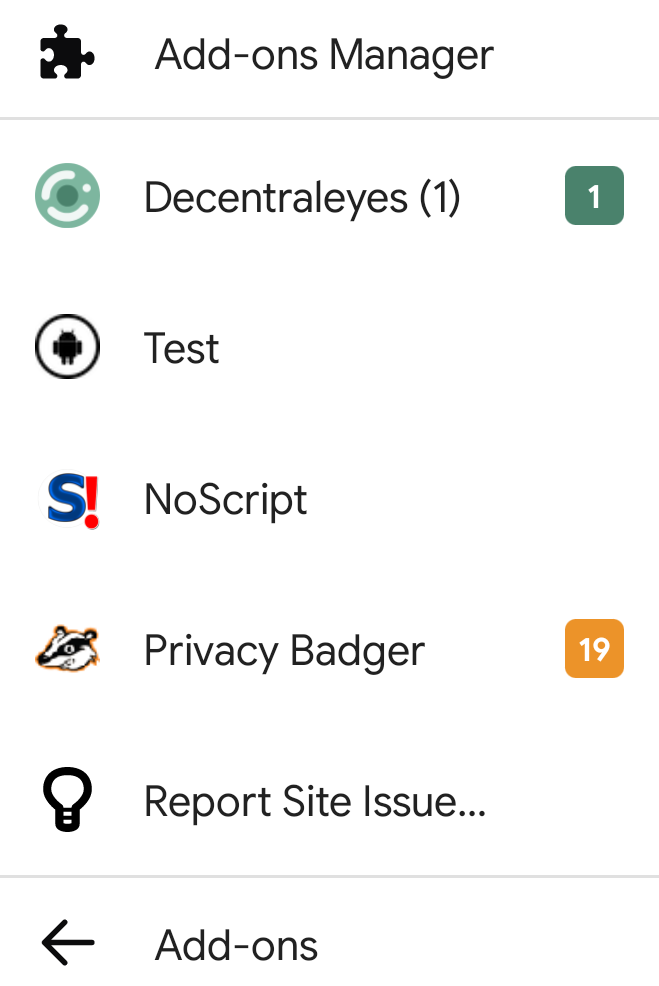
Here is what extensions providing us:
| Extension name | badgeTextColor | badgeBackgroundColor
| ------------- | ------------- | ------------- |
| uBlock Origin | #FFFFFF | #666666
| Privacy Badger | #FFFFFF | #EC9329
| NoScript | null | #800000
| Decentraleyes (0) | #FFFFFF | #4A826C
Decentraleyes has badge and also showing injection number next to extension name. A dev need to contact to them to not show injection number next to their extension name. Also see #12648
 hakkikaancaliskan
on 24 Jul 2020
hakkikaancaliskan
on 24 Jul 2020
Hi @hakkikaancaliskan, thanks heaps for your work on this issue!
It seems as if the colours that extensions gave us is correct. Those are the colour values that we should use. One question here: what happens if they give us a null value? In that case, should we turn our text colour white, or black? Instinctively, I’d pick white – but I’m not sure.
I will post the badge dimension, border radius and font size/style in comment 0. Stay tuned!
brampitoyo
on 29 Jul 2020
@hakkikaancaliskan Badge specs are posted above on https://github.com/mozilla-mobile/fenix/issues/12845#issue-664198860
brampitoyo
on 29 Jul 2020
Hi @hakkikaancaliskan, thanks heaps for your work on this issue!
It seems as if the colours that extensions gave us is correct. Those are the colour values that we should use. One question here: what happens if they give us a
nullvalue? In that case, should we turn our text colour white, or black? Instinctively, I’d pick white – but I’m not sure.I will post the badge dimension, border radius and font size/style in comment 0. Stay tuned!
#D90000 is default badgeBackgroundColor (https://developer.mozilla.org/en-US/docs/Mozilla/Add-ons/WebExtensions/API/browserAction/setBadgeBackgroundColor) and there is no default badgeTextColor(nullable).
Maybe they should set a default badgeTextColor in browserAction API.
Choice is yours.
hakkikaancaliskan
on 29 Jul 2020
@Amejia481 @brampitoyo 10px font size means 10sp (current 12sp)?
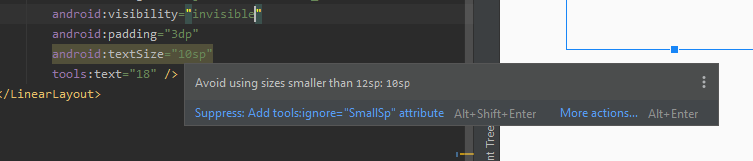
Demo(10sp font size, min width 20):

I think this is so small.
hakkikaancaliskan
on 29 Jul 2020
@Amejia481 @brampitoyo 10px font size means 10sp (current 12sp)?
Demo(10sp font size, min width 20):
I think this is so small.
I think there is no a one to one relation between pixels and sp see. I think 12sp would be sufficient.
 Amejia481
on 29 Jul 2020
Amejia481
on 29 Jul 2020
@Amejia481 @brampitoyo 10px font size means 10sp (current 12sp)?
Demo(10sp font size, min width 20):
I think this is so small.I think there is no a one to one relation between pixels and sp see. I think 12sp would be sufficient.
Then im going to use 22dp min width to maintain square shape.
hakkikaancaliskan
on 30 Jul 2020
@hakkikaancaliskan When you’ve tried a 12sp font size, would you be able to post a screenshot? I think it’ll good great regardless.
Checking against WCAG 2.1, white #ffffff has enough contrast against the default background #d90000. Black doesn’t pass. It seems wise to use white text if the default background value is used.
brampitoyo
on 30 Jul 2020
@hakkikaancaliskan When you’ve tried a 12sp font size, would you be able to post a screenshot? I think it’ll good great regardless.
Checking against WCAG 2.1, white
#ffffffhas enough contrast against the default background#d90000. Black doesn’t pass. It seems wise to use white text if the default background value is used.
This is 22dp min width with 12sp font size
https://github.com/mozilla-mobile/android-components/pull/7838 comment 0
hakkikaancaliskan
on 30 Jul 2020
@hakkikaancaliskan The updated screenshot you posted on that issue looks great to me!
brampitoyo
on 3 Aug 2020
@Amejia481 qa needed :)
hakkikaancaliskan
on 10 Aug 2020
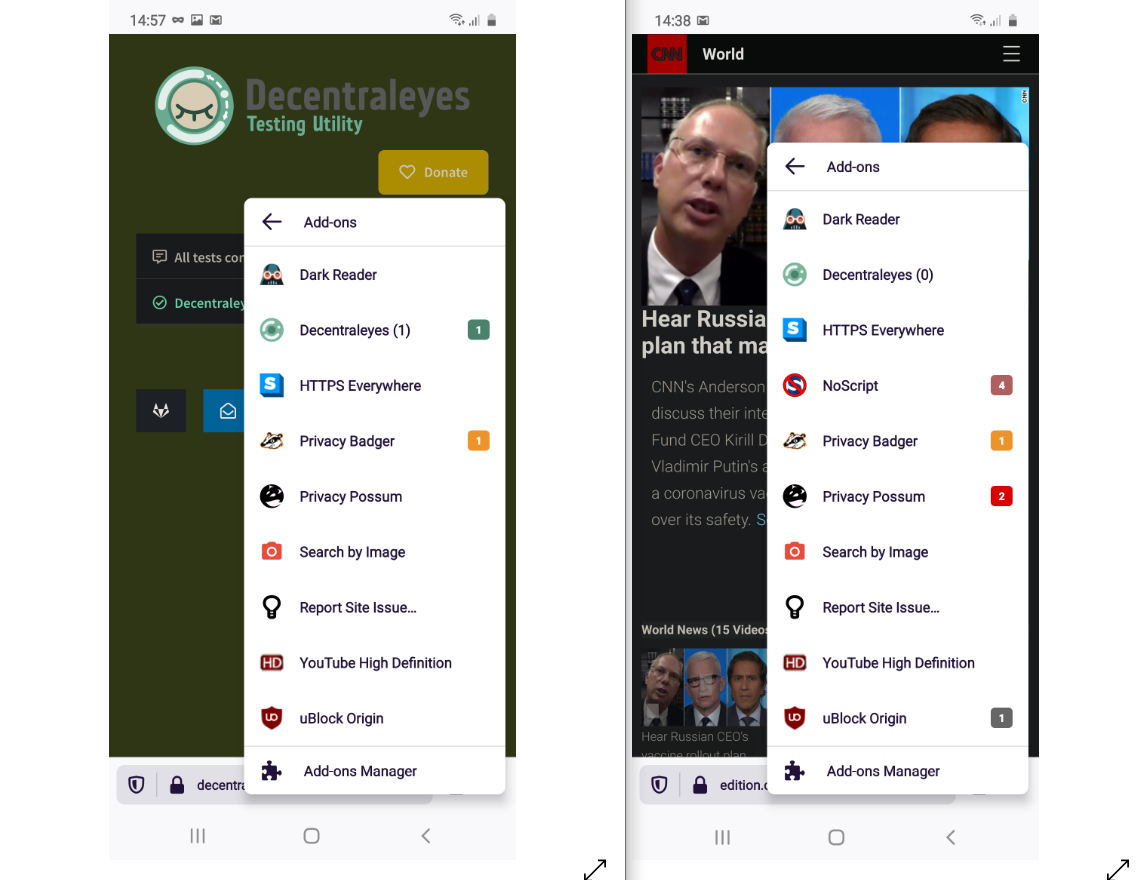
Verified as fixed on Nightly 8/12 with the following devices:
- Samsung Galaxy Note 10 (Android 10)
- Google Pixel 3 (Android 11)
- Huawei MediaPad M2 (Android 5.1.1)
 sflorean
on 12 Aug 2020
sflorean
on 12 Aug 2020
Related issues
 phileastv
·
3Comments
phileastv
·
3Comments
 AndiAJ
·
3Comments
AndiAJ
·
3Comments
 vesta0
·
3Comments
vesta0
·
3Comments
 ekager
·
3Comments
ekager
·
3Comments
 abodea
·
3Comments
abodea
·
3Comments