Fenix: [Bug] delay when loading homescreen content
This has been reported in https://github.com/mozilla-mobile/fenix/issues/12629 and https://github.com/mozilla-mobile/fenix/issues/12284
There is a major visual delay while we load our homescreen icons, collections, etc. We should think about improving the loading experience (either UX or programatically) to reduce the confusion here.
 eliserichards
All 4 comments
CC: @brampitoyo @apbitner
eliserichards
on 16 Jul 2020
@eliserichards Thanks for pinging us on this. Technically, performance is my area of responsibility, and homescreen is @apbitner’s.
I have some more questions that will be quicker to answer and resolve in person.
Talk to you at tomorrow’s stand up, or shortly afterwards!
 brampitoyo
on 20 Jul 2020
brampitoyo
on 20 Jul 2020
@eliserichards Taking a second look at this issue, it seems as if the problem doesn’t just apply to the homescreen content. It applies to webpages, as well.
While viewing a webpage, here’s what happens if I minimise Firefox and reopen it again:

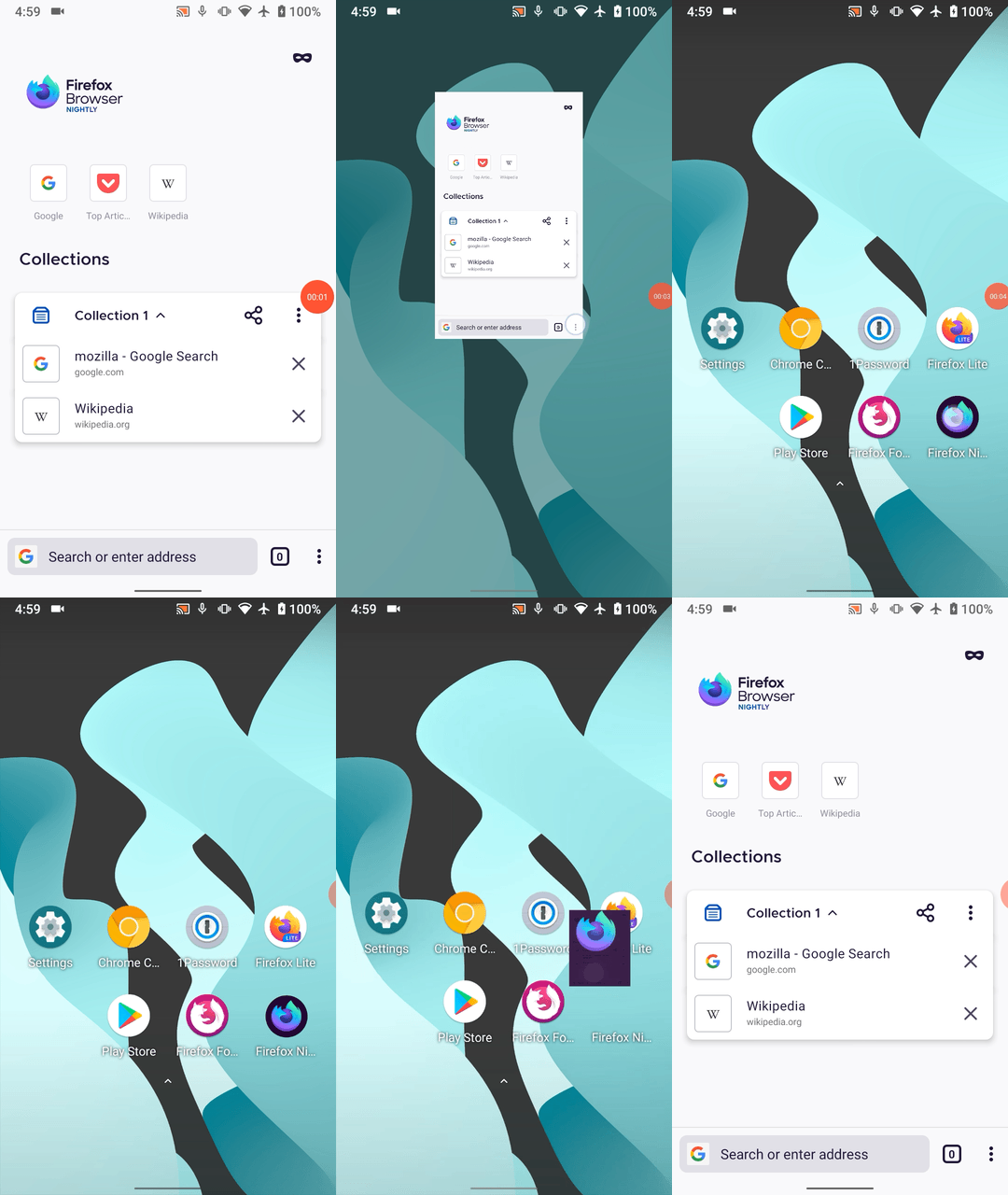
While viewing the new tab page, notice how the collection box get “redrawn” and have a slight grey flicker:
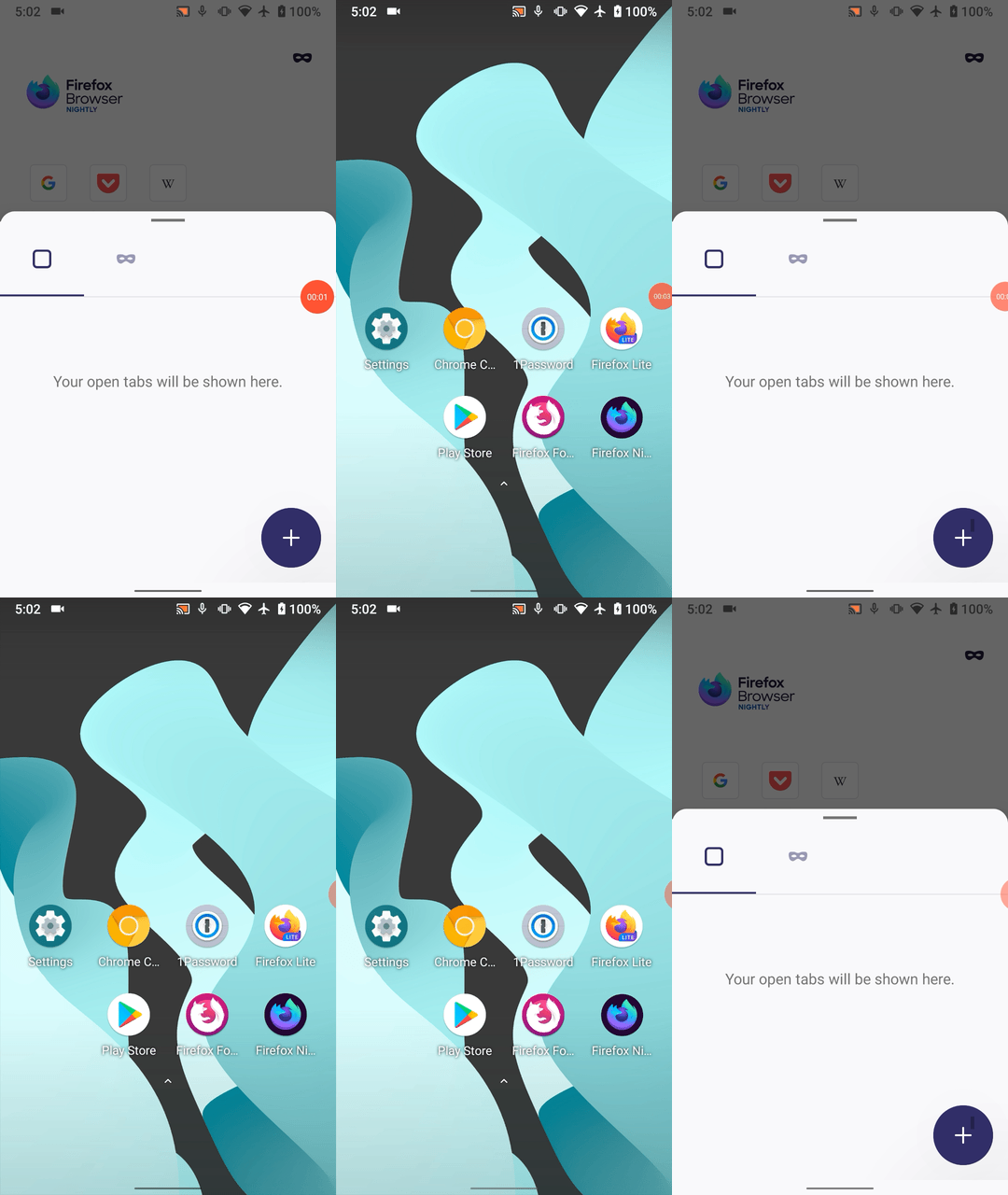
While the tab tray is open, notice how we replay the open transition/animation, even though the tray was already open:
While switching tabs, notice how each webpage briefly flashes or fades in before they appear, giving a sense that they reload all the time:

The behaviour we want is pretty straightforward, but possibly hard to achieve:
An instantaneous transition with zero flickering whenever Firefox changes state: whether it be from minimised to maximised, from one tab to another, etc.
This is different from transitions when you open a modal bottom sheet (Site Information Panel, tab tray, etc.), long press an item to open a context menu, go back and forth within Settings or menu/submenu. In those scenarios, transitions are necessary to give a sense of continuity between pages.
We already have this behaviour on our in-app pages: Settings, History, Bookmarks, etc.
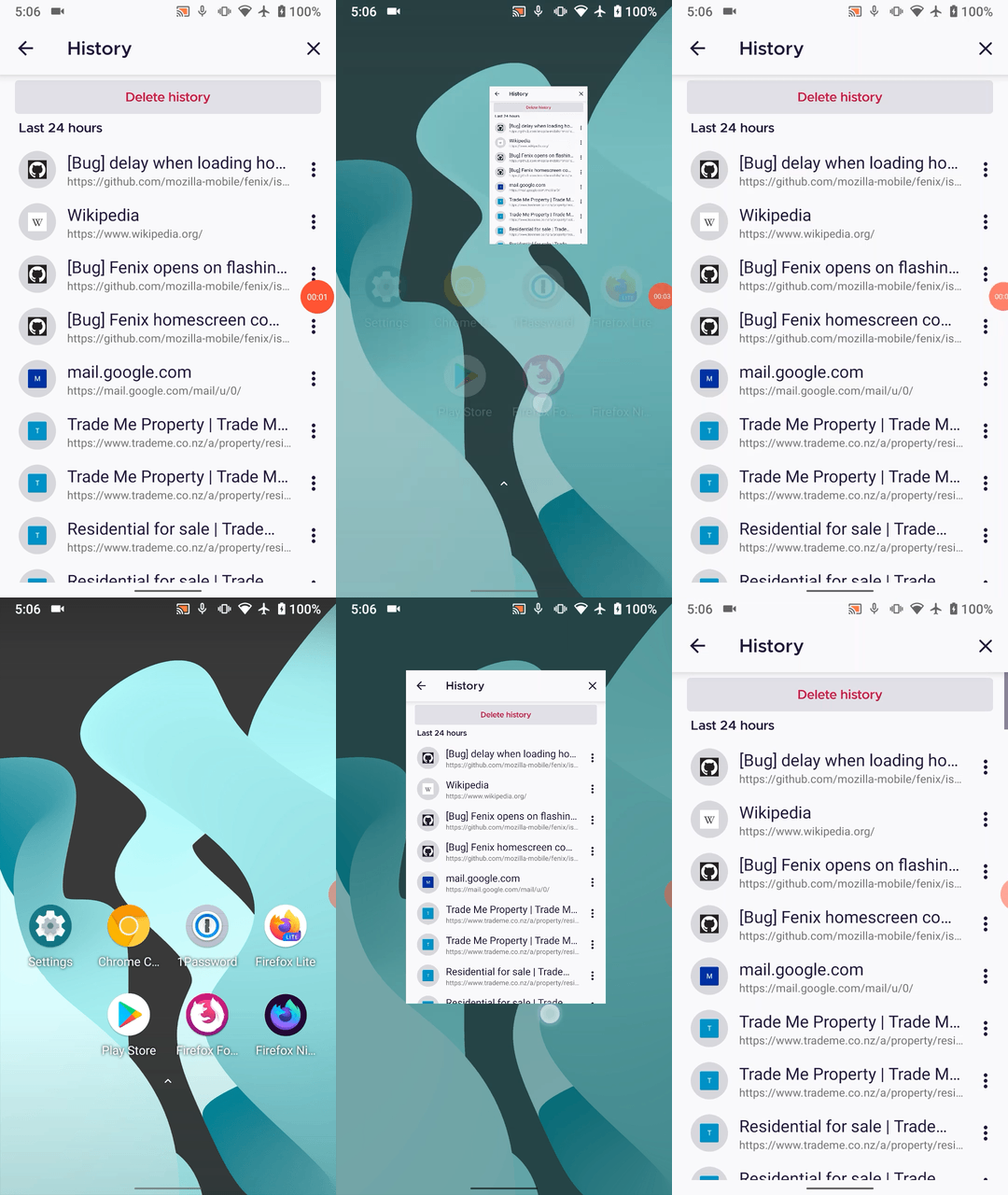
Making these small interactions instantaneous and without delay will help the app will feel fast and great to use.
brampitoyo
on 21 Jul 2020
@brampitoyo The issues/behaviors of Fenix's flashing that you are mentioning are something that I had noticed a long time ago. Here's an issue https://github.com/mozilla-mobile/fenix/issues/9904 that I filed a few months ago for webpages flashing when going back the Android's homescreen and opening Fenix, and while switching to other apps from the Android's app multitasking view and coming back to Fenix, and even the Collections flicker and the flicker when switching to between websites.
I was new to reporting bugs on GitHub at that time and didn't know if it was a bug or something else but the response I received there seemed to me like it's something that is/was already being looked into so that is why I didn't file any further issues related to this "flashing" behavior. If you could take a look at that issue, it'd be really great. Thanks. :)
Anyway, I have another "flash" (flicker) to add to your basket of flashes; I also see a flash when I return to the Fenix's homescreen;
Steps to reproduce
- Open Fenix without having any open tabs.
- Type Wikipedia.org into the address bar
- let the site load, press the back button
- observe a flash (which can be seen very easily, and it's _very_ annoying!)
Edit: This can also be reproduced if you are on a website --> open the tabs tray --> click the new tab ("+") FAB button -- see the screen flash and the homescreen reload.
But apart from that, I also get the feeling that coming back to Fenix's homescreen with this behavior feels _very_ disconnected to me. I don't know why but it could just be due to this flash. It feels like Fenix just threw me suddenly to its homescreen out of nowhere ( I don't know but it just feels like that to me, so don't ask why, I am asking that same question to myself since the new tabs tray was implemented). :)
I am attaching 2 ZIP files below, please extract them to see the video files I recorded for this behavior; (GIFs didn't show this behavior very clearly so that's why the ZIP files)
Flash 1 (at Fenix homescreen).zip
Flash 2 (at Fenix homescreen).zip
Thank you! :)
Edit:
I have another case where the flash occurs; It's on add-ons screen. See the video.
Flash 3 (at add-ons screen).zip
Edit:
The flash also seems to be affecting Reader mode pages as well. I found an issue for it: https://github.com/mozilla-mobile/fenix/issues/11444
 ghost
on 21 Jul 2020
ghost
on 21 Jul 2020
Related issues
 abodea
·
3Comments
abodea
·
3Comments
 Chris01277
·
3Comments
Chris01277
·
3Comments
 thelazyoxymoron
·
3Comments
thelazyoxymoron
·
3Comments
 robsmith11
·
3Comments
robsmith11
·
3Comments
 softvision-miralobontiu
·
3Comments
softvision-miralobontiu
·
3Comments
Most helpful comment
@eliserichards Taking a second look at this issue, it seems as if the problem doesn’t just apply to the homescreen content. It applies to webpages, as well.
While viewing a webpage, here’s what happens if I minimise Firefox and reopen it again:
While viewing the new tab page, notice how the collection box get “redrawn” and have a slight grey flicker:
While the tab tray is open, notice how we replay the open transition/animation, even though the tray was already open:
While switching tabs, notice how each webpage briefly flashes or fades in before they appear, giving a sense that they reload all the time:
The behaviour we want is pretty straightforward, but possibly hard to achieve:
An instantaneous transition with zero flickering whenever Firefox changes state: whether it be from minimised to maximised, from one tab to another, etc.
This is different from transitions when you open a modal bottom sheet (Site Information Panel, tab tray, etc.), long press an item to open a context menu, go back and forth within Settings or menu/submenu. In those scenarios, transitions are necessary to give a sense of continuity between pages.
We already have this behaviour on our in-app pages: Settings, History, Bookmarks, etc.
Making these small interactions instantaneous and without delay will help the app will feel fast and great to use.