Steps to reproduce
Browse the website https://telecomtalk.info it should display a message site wants to send you notification allow or block...this works fine in chromium browsers but it is not showing in fenix...I have observed this in several other sites ...in Firefox desktop it shows this message but not showing in fenix...only sites which have explicit settings to configure/enable push notification works example twitter.com....please fix this bug
Expected behavior
Site should show a message it wants to send notification with option allow or block...
Actual behavior
It does not show any notification ...works fine in Firefox desktop and chromium browsers.
Device information
- Android device: ? A10
- Fenix version: ? Latest nightly
 UNITO-UNDERSCORE!20200701-230446!
 sheikh-azharuddin
All 11 comments
This sounds like the opposite of #11033, but wondering if this is somehow related to #12077 ?
 liuche
on 1 Jul 2020
liuche
on 1 Jul 2020
This sounds like the opposite of #11033, but wondering if this is somehow related to #12077 ?
The 2nd case 12077 is related to resetting notification which I can do easily by going to site permissions and clearing the exceptions....the first case says user getting notification even though he didn't allow....the Twitter has embedded setting(not site setting) to push notification...this is independent of the site notification...
In my case when you browse a page such as the link which I have it should show a prompt to allow or block notification... Unlike twitter where push notification will work only after signing in , this thing normally push notification even though you have not signed in...
The prompt is coming even in Firefox desktop version not sure why not showing in fenix even after reloading the page multiple time.
sheikh-azharuddin
on 2 Jul 2020
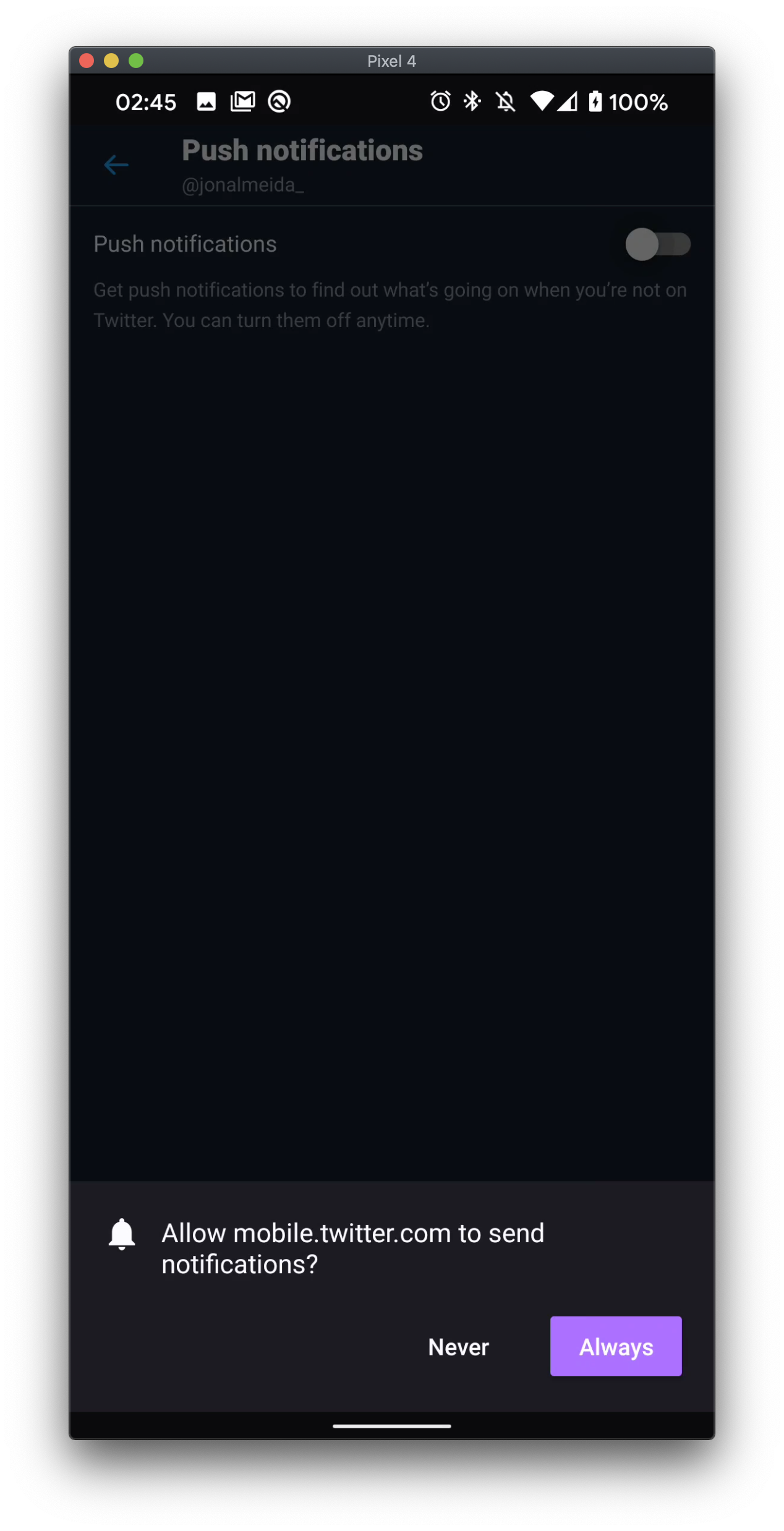
@sheikh-azharuddin we should a prompt when a site requests to show notifications. For Twitter, this happens when you go into their settings and toggle the setting on.
 jonalmeida
on 2 Jul 2020
jonalmeida
on 2 Jul 2020
But it is not working for some sites which don't have settings to push notifications....
Best example is https://telecomtalk.info
It does not show any notification...
sheikh-azharuddin
on 2 Jul 2020
This looks like an issue with the site itself and not Fenix. I do not see the site requesting desktop Firefox or Chrome to send notifications.
Please contact the site owners to notify them if you think this is a bug. I'm going to close this issue in that case.
Thanks for reporting! 🙂
jonalmeida
on 2 Jul 2020
This is not fair ... without proper investigation you are closing the case...the site is definitely pushing an option to allow or block notification...checked in microsoft edge, chrome, Vivaldi mobile browsers....screenshot also attached in the first thread
In Firefox desktop also it shows this....here is the screenshot from Firefox desktop-

sheikh-azharuddin
on 2 Jul 2020
this is not about this site only...while using firefox desktop i have come across several sites which shows this...i specifically selected this site to help you to fix the issue
sheikh-azharuddin
on 2 Jul 2020
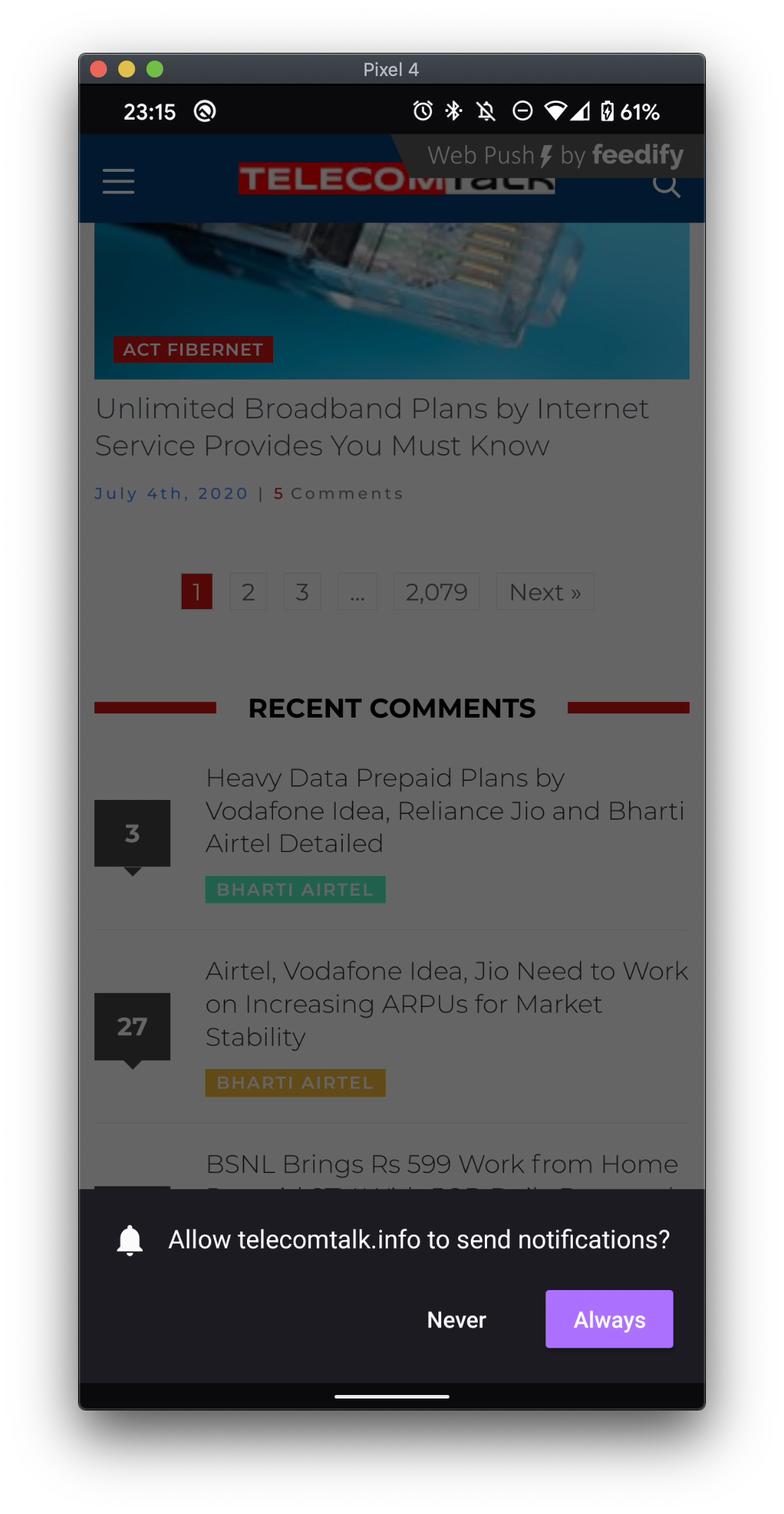
What you're seeing is expected behaviour. Firefox by default blocks notification requests by a site if they are made without user interaction. You can read more about this behaviour in this blog post here.
Below, you can see that when I interact with the site by tapping, the notification request shows up (as you probably did when you took the picture above):
jonalmeida
on 6 Jul 2020
Thanks for the information... Whats weird even after clicking several articles in that site the send notification is not showing.... Can someone else try and let me know...
sheikh-azharuddin
on 6 Jul 2020
Can someone else try
I get the prompt once I open a discussion link. But I only get the prompt in Firefox 79 Beta. In Firefox Nightly it doesn't work at all.
 cadeyrn
on 6 Jul 2020
cadeyrn
on 6 Jul 2020
Exactly! it is not working in nightly....
BTW why issue is closed?????
sheikh-azharuddin
on 6 Jul 2020
Related issues
 Chris01277
·
3Comments
Chris01277
·
3Comments
 csadilek
·
3Comments
csadilek
·
3Comments
 abodea
·
3Comments
abodea
·
3Comments
 bbinto
·
3Comments
bbinto
·
3Comments
 robsmith11
·
3Comments
robsmith11
·
3Comments