Fenix: [Bug] Keyboard never pops back up after being dismissed on certain textboxes
Steps to reproduce
Go to www.Onlinegdb.com/online_c++_compiler
click on the centre text box
keyboard appears
press back
click again on the centre text box
Expected behavior
Keyboard appears. Note that for most other text boxes this is the current behaviour
Actual behavior
Nothing.
Device information
- Android device: Asus Zenfone
- Fenix version: Nightly
 s-ankur
All 5 comments
Works fine with gboard
 sheikh-azharuddin
on 21 Jun 2020
sheikh-azharuddin
on 21 Jun 2020
Hi, I can reproduce the issue on latest Nightly 6/22 with
- Sony Xperia Z5 (Android 7) - default keyboard
- Samsung Galaxy S9 (Android 8) - default keyboard (Samsung keyboard)
- Samsung Galaxy S9 (Android 8) - Gboard
Note:
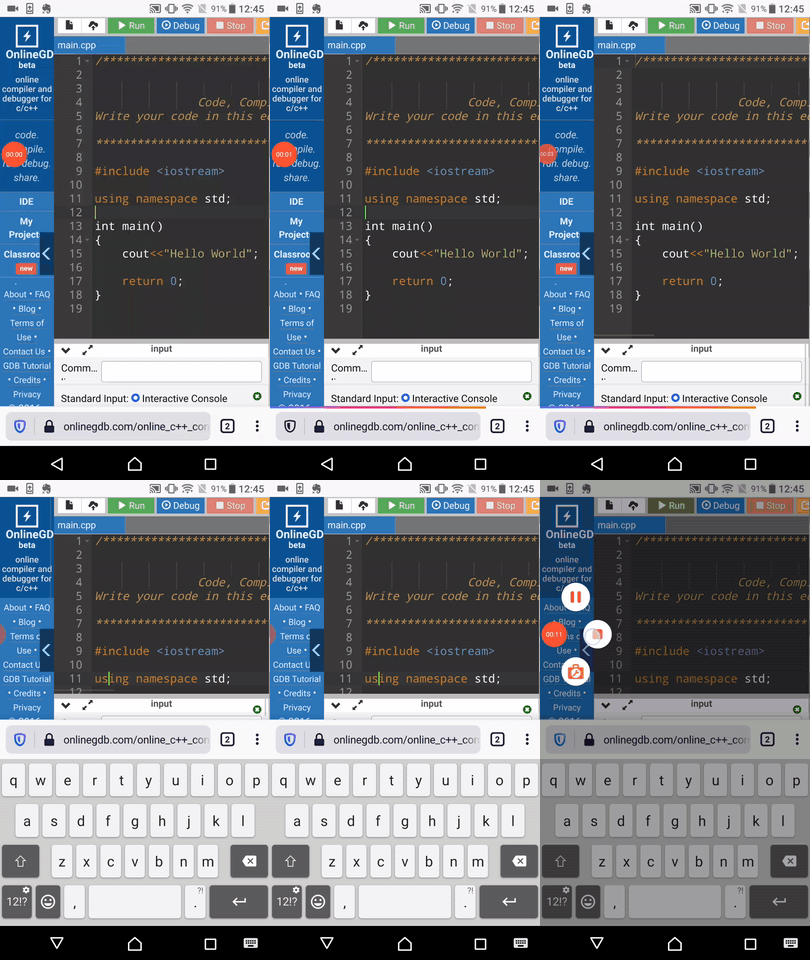
- With Sony Xperia Z5 (Android 7), after tapping the first time on the text box the keyboard flickers as it seems that it wants to enable the caps lock of the keyboard, the same happens if you want to trigger again the keyboard(in case you did not leave a couple of seconds until the flicker stops) -check Sony GIF.
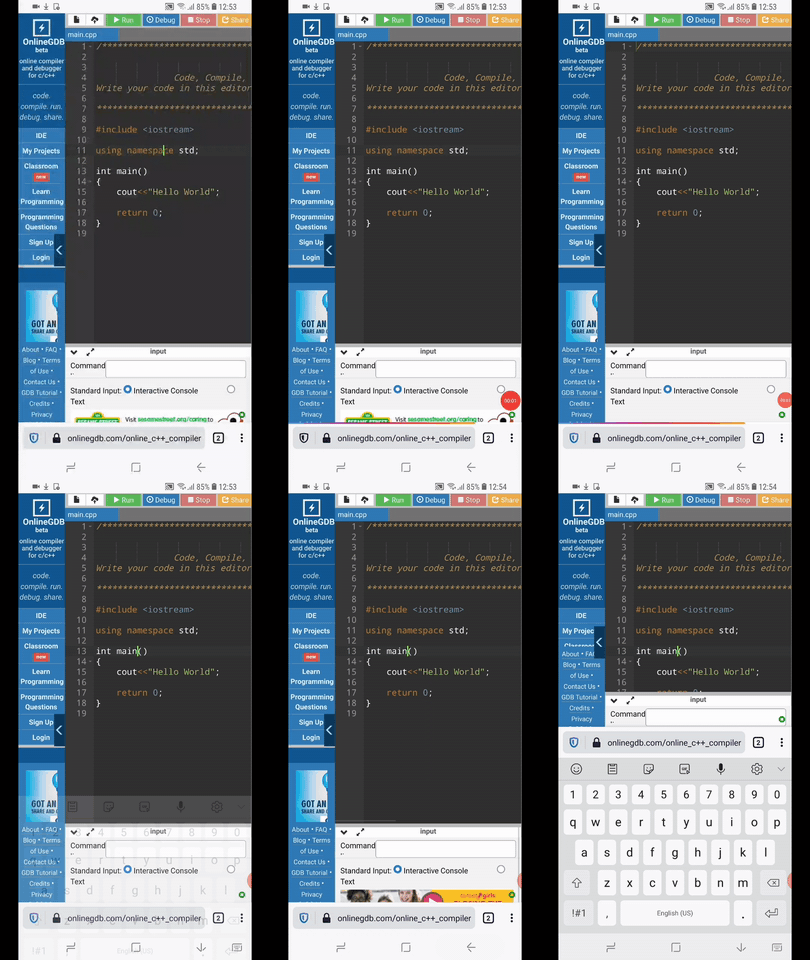
- With Samsung Galaxy S9 (Android 8) the default keyboard is re triggered after the first back action of the device button
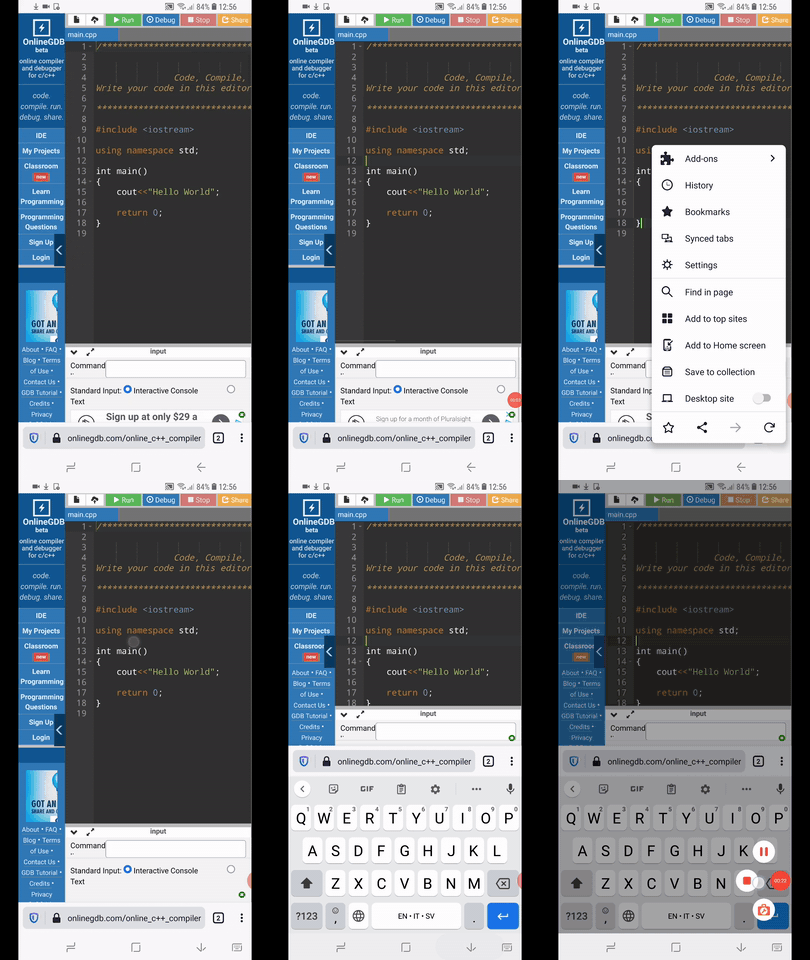
- With Samsung Galaxy S9 - Gboard - it's inconsistent, after the first back action from device button, it can either not be triggered or it flickers(check GIF)
- After a refresh of the page the user can trigger again the keyboard
Sony Xperia Z5 - GIF
Samsung Galaxy S9 - Default keyboard - GIF
Samsung Galaxy S9 - Gboard enabled
 Diana-Rus
on 22 Jun 2020
Diana-Rus
on 22 Jun 2020
👍1
@s-ankur, Does central text box mean code editor or "Command line arguments:" text box?
 makotokato
on 13 Aug 2020
makotokato
on 13 Aug 2020
I meant the code editor
s-ankur
on 13 Aug 2020
Thanks, this is GV issue. I look this via https://bugzilla.mozilla.org/show_bug.cgi?id=1658948
makotokato
on 13 Aug 2020
🎉1
Was this page helpful?
0 / 5 - 0 ratings
Related issues
 abodea
·
3Comments
abodea
·
3Comments
 AndiAJ
·
3Comments
abodea
·
3Comments
AndiAJ
·
3Comments
abodea
·
3Comments
 csadilek
·
3Comments
csadilek
·
3Comments
 topotropic
·
3Comments
topotropic
·
3Comments