Fenix: FNX2-16400 ⁃ [Private Browsing] Change default PBM setting to disable screenshots
Steps to reproduce:
Open a new tab in private browsing
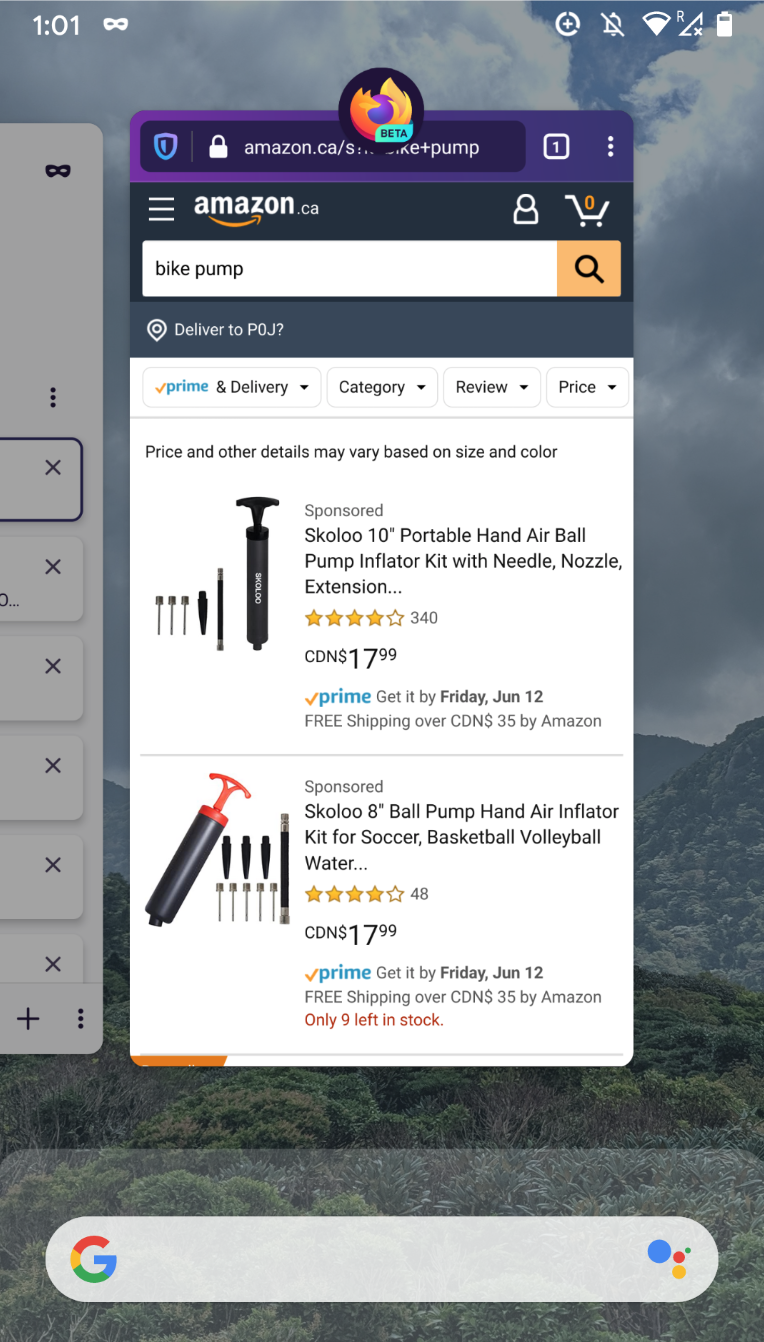
Go to open apps view
Expected:
Private mode contents is hidden (for private homescreen and websites)
Actual:
Private mode contents is shown.
Rational: The idea of private browsing is that we keep your what you're looking at private except when you're actively using Private mode. Showing the contents of private browsing outside of the app (ie. open apps view) violates that.
Secondly: We should have the default set to disabled for "allow screenshots in private browsing" in private browsing settings since this is linked to the ability to hide private mode screen in the open apps view.
 AmyYLee
All 6 comments
@AmyYLee Is this same as : https://github.com/mozilla-mobile/fenix/issues/11153 + the default setting for allowing screenshots?
 mcarare
on 4 Jun 2020
mcarare
on 4 Jun 2020
@mcarare Yes it is. I was told I should open a new issue for the default toggle change.
AmyYLee
on 4 Jun 2020
@Amy Lee, as a note, I've submitted a fix for the first part (hiding preview in private), but it does not depend on the default setting for allowing screenshots.
mcarare
on 4 Jun 2020
Separated out the two issues so that #11153 is tracking always hiding in the app viewer, and this can track changing the default screenshot setting to not allowed
 ekager
on 4 Jun 2020
ekager
on 4 Jun 2020
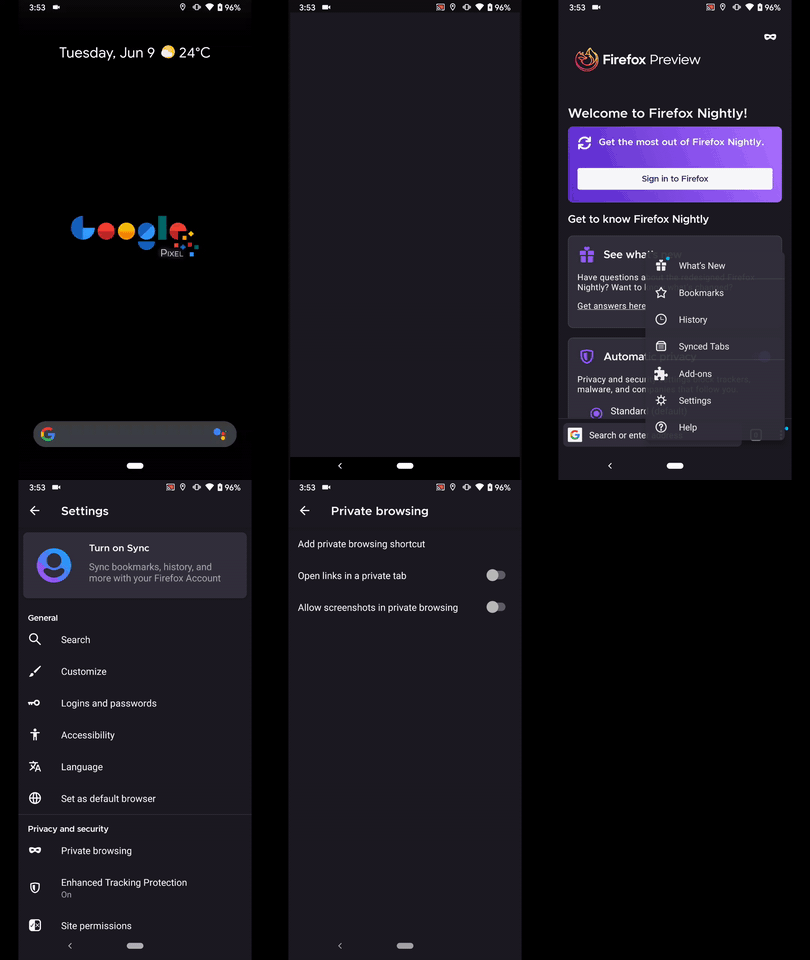
Hi, verified as fixed on the latest Nightly Build 200609 from 6/9 using the following devices:
• Google Pixel 3a (Android 10)
• Huawei Mate 20 Lite (Android 9)
► Video
 AndiAJ
on 9 Jun 2020
AndiAJ
on 9 Jun 2020
// moving comment to another ticket.
 Mugurell
on 10 Jun 2020
Mugurell
on 10 Jun 2020
Related issues
 csadilek
·
3Comments
csadilek
·
3Comments
 abodea
·
3Comments
abodea
·
3Comments
 vesta0
·
3Comments
abodea
·
3Comments
vesta0
·
3Comments
abodea
·
3Comments
 bbinto
·
3Comments
bbinto
·
3Comments