Fenix: [Private Browsing] Opened apps view should always hide contents of private screen
Steps to reproduce:
- Open a new tab in private browsing
- Go to open apps view
Expected:
Private mode contents is hidden (for private homescreen and websites)
Actual:
Private mode contents is shown.
Rational: The idea of private browsing is that we keep your what you're looking at private except when you're actively using Private mode. Showing the contents of private browsing outside of the app (ie. open apps view) violates that.

https://github.com/mozilla-mobile/fenix/issues/11153#issuecomment-662108177 :
We can add the following string as disclaimer text underneath
Allow screenshots in private browsing
If allowed, private tabs will also be visible when multiple apps are open
 AmyYLee
All 15 comments
It's a setting in PBM settings -> "allow screenshots in private browsing" . The default setting is set to true (screenshots are allowed to be taken in private mode), as described in #2768
 ekager
on 2 Jun 2020
ekager
on 2 Jun 2020
@ekager - Screenshots can still be allowed to be taken. This issue is specifically for the open apps view where we don't hide private browsing screen (when most other browsers do). Spoke to @vesta0 and she is okay with my recommendation. Can we reopen this issue? @sblatz
AmyYLee
on 2 Jun 2020
@AmyYLee I can reopen but I am still not sure what you're talking about. When I turn this setting on, I cannot screenshot any screen of the app, and in the apps view, I see a grey blob over Fenix. Are you talking about changing the default setting for screenshots? Or is this function not working on your build even when you have toggled the setting?
ekager
on 2 Jun 2020
From the eng side - we can't differentiate between not allowing screenshots and hiding in the app switcher. It's just one action -> we just tell the system that this is a secure window.
Edit: apparently we weren't setting the flags always at the right time so this should be fixed now!
ekager
on 2 Jun 2020
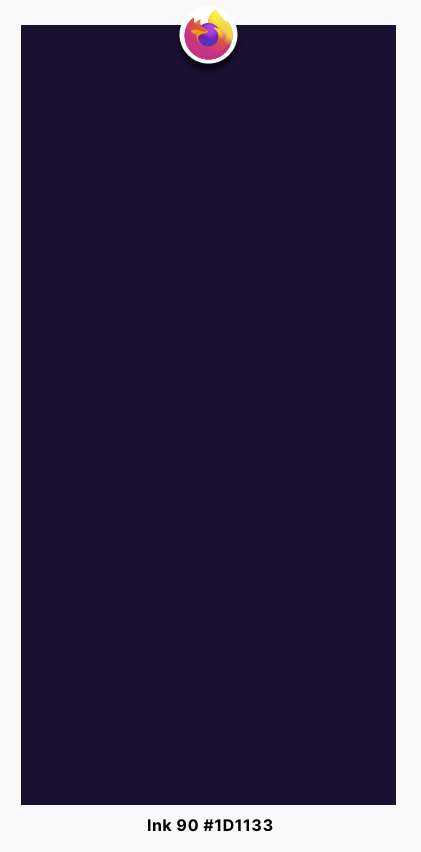
Please use Ink 90 #1D1133 and it should cover the entire window including search bar. Please see reference below
AmyYLee
on 8 Jun 2020
@AmyYLee AFAIK there is no way to customize the preview when the SECURE flag is set.
As for the search bar part, I am not sure what you are referring to. I do not see any search bar in the previews.
 mcarare
on 9 Jun 2020
mcarare
on 9 Jun 2020
Hi, I've just checked this matter on the latest Nightly Build 200609 from 6/9 using the following devices:
• Google Pixel 3a (Android 10)
• Huawei Mate 20 Lite (Android 9)
• Samsung Galaxy S7 (Android 7)
• OnePlus A3 (Android 6.0.1)
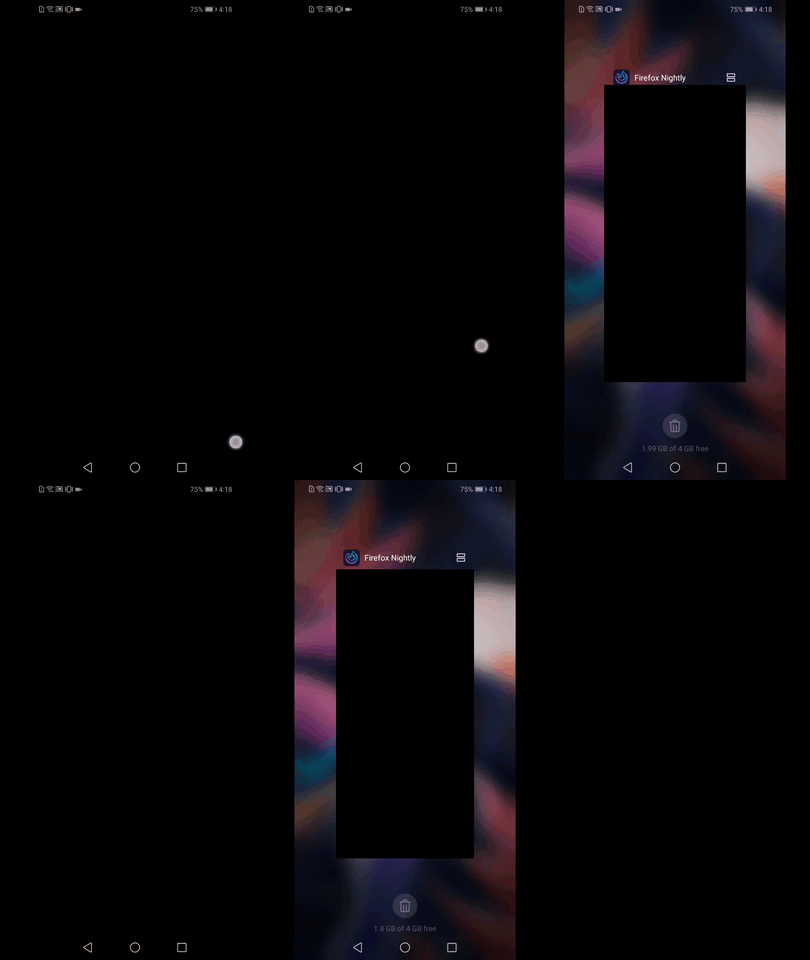
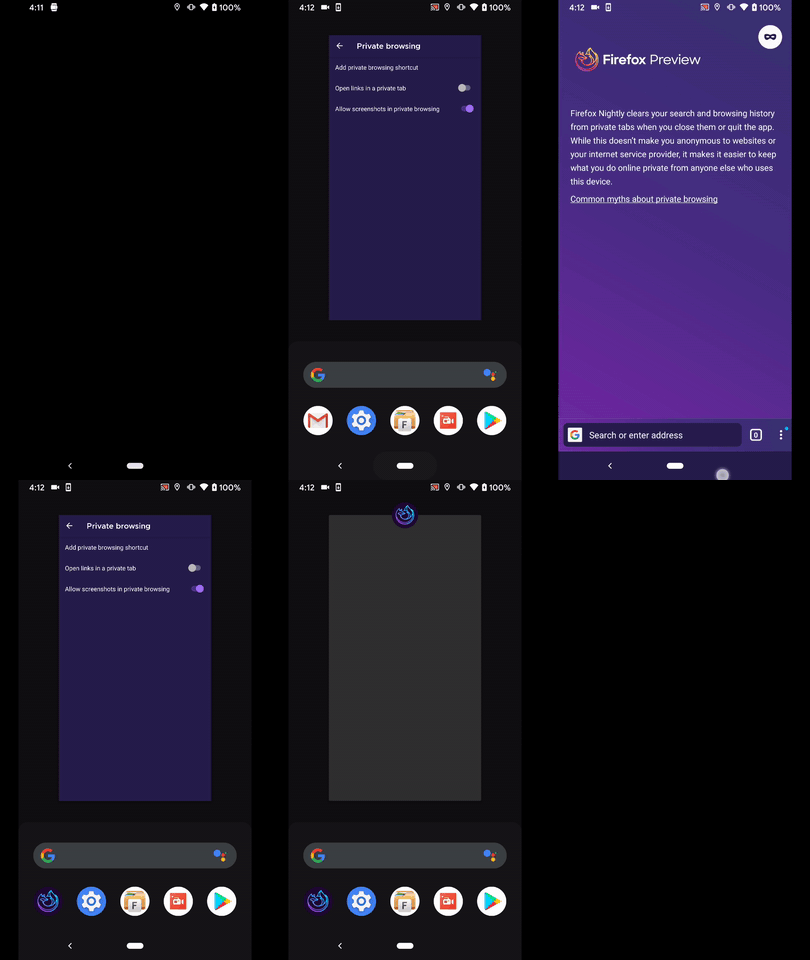
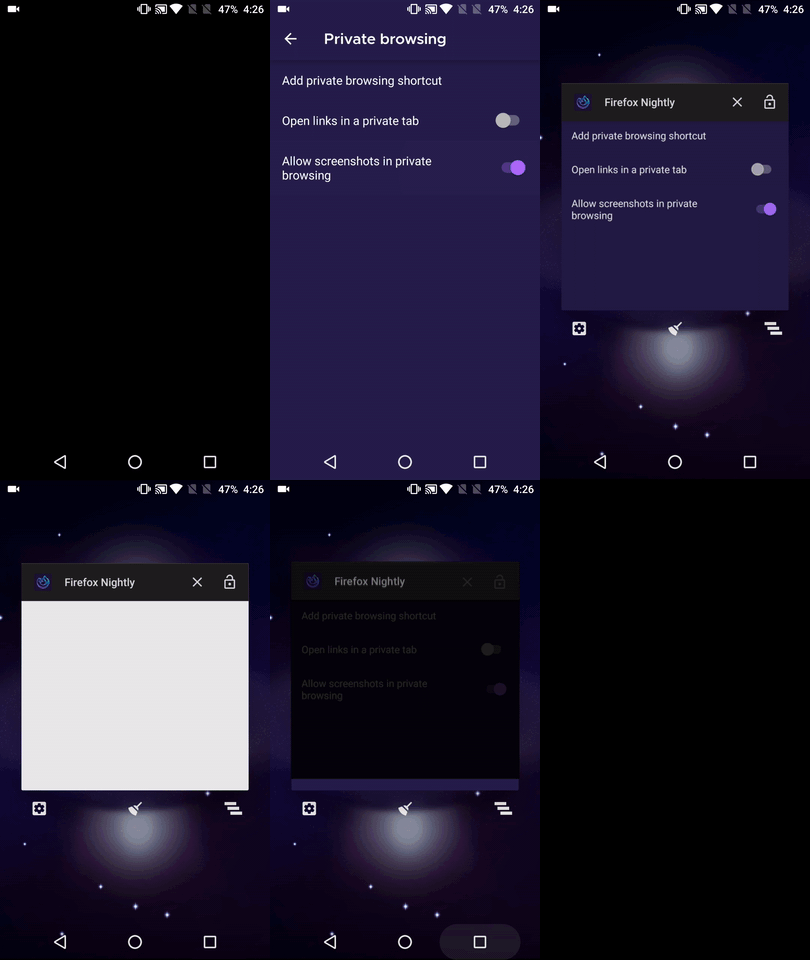
Having the "Allow screenshots in private browsing" disabled will block the contents of private browsing outside the app on all devices
On the other hand, if "Allow screenshots in private browsing" is enabled the contents of private browsing outside the app are blocked only on the Huawei Mate 20 Lite
The private browsing content aren't blocked on Google Pixel 3a , Samsung Galaxy S7, OnePlus A3 if "Allow screenshots in private browsing" is enabled
✔️ Video from Huawei Mate 20 Lite
❌ Video from Google Pixel 3a
❌ Video from OnePlus A3
 AndiAJ
on 9 Jun 2020
AndiAJ
on 9 Jun 2020
Looked a bit at this, it seems like it is not possible anymore to override the thumbnail shown in the Recents Screen.
https://stackoverflow.com/a/49340273/4249825
In the scenario that screenshots are allowed but we want to hide the UI in the Recents Screen
We'd need to know when Android creates a screenshot to be used as the app thumbnail for Recents.
And Android doesn't seem to offer such an API anymore.
Trying to hide the UI in onPause will actually race with Android taking the screenshot to display in Recents, that's why it may be possible that on some devices this might work but on others not.
Tried to use onWindowFocusChanged which is called before onPause but even with that I'd only get 50-50 chances of the UI being blocked or not.
I don't think we can rest on this kind of non-deterministic behavior.
Possible areas of further investigations:
- find the framework call for Recents thumbnail
- find a sure way to detect the Recents button
Even the above I don't think will bring 100% confidence based on the current Android fragmentation.
Users have a reliable way of hiding the UI in Recents - just have the "Allow screenshots in private browsing" toggled off.
Otherwise, if screenshots are allowed the user can easily tap once on the thumbnail and make a screenshot in the app or just tap the thumbnail and see the entire app.
So with the added benefit being so small and with Android not easily supporting this I would propose skipping this feature.
 Mugurell
on 10 Jun 2020
Mugurell
on 10 Jun 2020
@AmyYLee , like @Mugurell said, handling this will not ensure the same behavior for all android versions and device manufacturers. Are we ok with this working only for some users, or should we completely remove this feature? And rely on the setting to not allow screenshots in private (that is already default) that also removes the app preview (100% of times)?
mcarare
on 10 Jun 2020
@AmyYLee , like @Mugurell said, handling this will not ensure the same behavior for all android versions and device manufacturers. Are we ok with this working only for some users, or should we completely remove this feature? And rely on the setting to not allow screenshots in private (that is already default) that also removes the app preview (100% of times)?
Hi,
I would still prefer to have this feature assuming that the majority of users will probably stick to the default setting which is not to allow screenshots. I'm wondering if we should have a caption under the toggle name to warn users that allowing screenshots might be less private. Do we know prior if the device will support hiding the preview if the user enables screenshots? That way we can warn only users of devices that won't support it.
@betsymi for recommendation on if we should have strings here to warn users - Please see screen below under "“Allow screenshots in private browsing” - If we should have a caption under this item warning users that enabling screenshots might have their private browsing contents shown in the opened apps view.

AmyYLee
on 24 Jun 2020
@AmyYLee We could keep this implementation that hides screenshot in private for some users with a caption (preference description) that clearly implies that having it disabled might be less private.
I can also work on improving the device coverage with a workaround that might work for newer android versions only, where you can disable app screenshots, a setting different than the one making a window "SECURE". But again, this will still not be 100%. And we cannot know for sure the devices will support this, without previously testing all of them (not sustainable, IMO).
mcarare
on 24 Jun 2020
@AmyYLee Is this caption pattern one we use elsewhere in settings so I can look at the the character limit and available space?
 betsymi
on 24 Jun 2020
betsymi
on 24 Jun 2020
ping for @betsymi and @AmyYLee
 liuche
on 21 Jul 2020
liuche
on 21 Jul 2020
We can add the following string as disclaimer text underneath
Allow screenshots in private browsing
If allowed, private tabs will also be visible when multiple apps are open
betsymi
on 21 Jul 2020
Verified as fixed on the latest Nightly 201117 05:03 (Build #2015776107) GV 84 from 11/17 with the following devices:
- Motorola Moto G6 (Android 8);
- Google Pixel 2 (Android 9);
- Nexus 5 (Android 6.0.1).
The text "If allowed, private tabs will also be visible when multiple apps are open" is displayed underneath the Allow screenshots in private browsing section.
I will close this issue and remove the qa:needed label.
 ebalazs-sv
on 17 Nov 2020
ebalazs-sv
on 17 Nov 2020
Related issues
 abodea
·
3Comments
abodea
·
3Comments
 andreicristianpetcu
·
3Comments
andreicristianpetcu
·
3Comments
 csadilek
·
3Comments
ekager
·
3Comments
csadilek
·
3Comments
ekager
·
3Comments
 lindongbin
·
3Comments
lindongbin
·
3Comments