Fenix: [Bug] Address bar covering the website content
Steps to reproduce
- Install and enable uBlock
- Go to settings
- Scroll down till the end
- Expected behavior
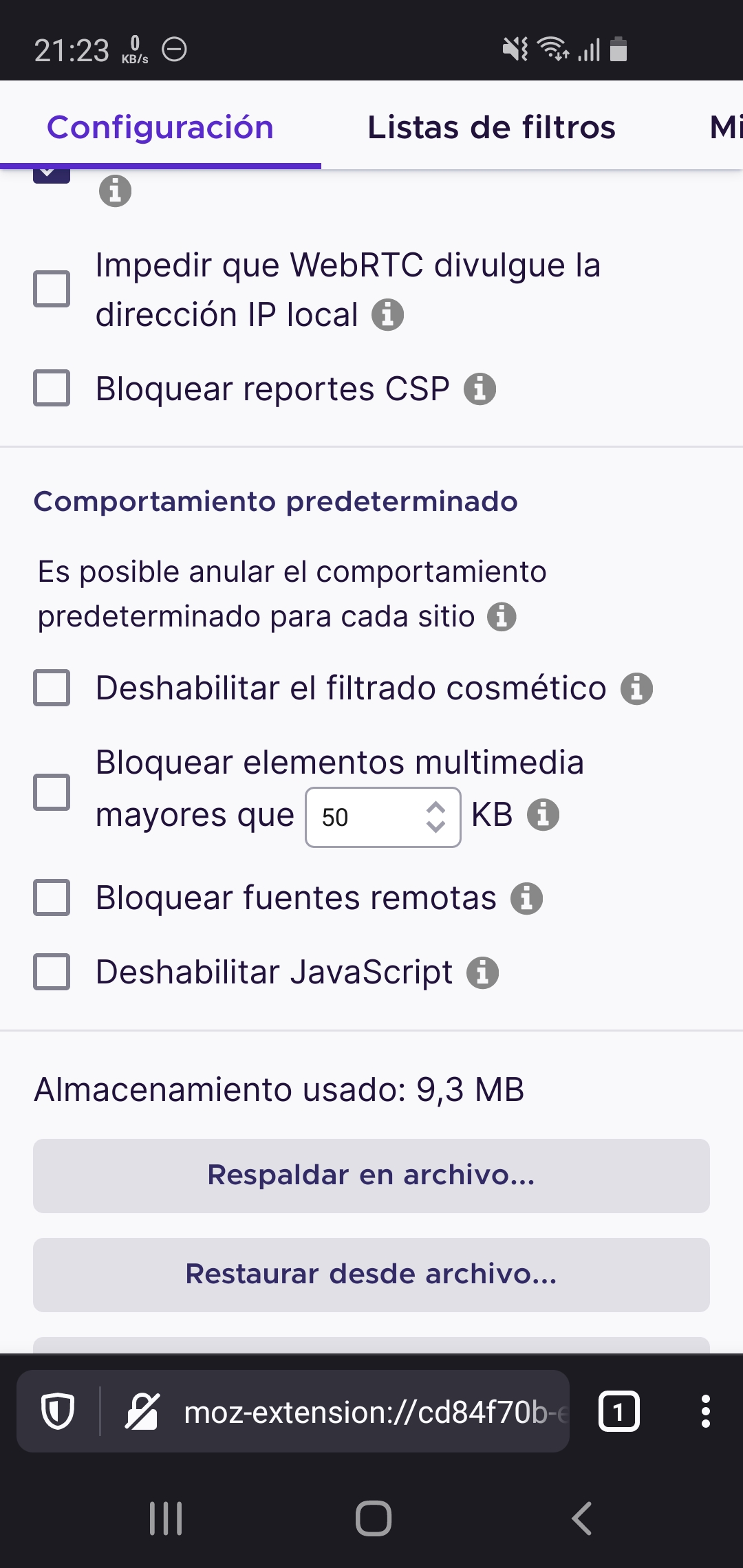
Full webpage is shown including the reset settings button, works correctly in Fennec 68
 UNITO-UNDERSCORE!20200527-212424!UNITO-UNDERSCORE!Firefox!
 - Actual behavior
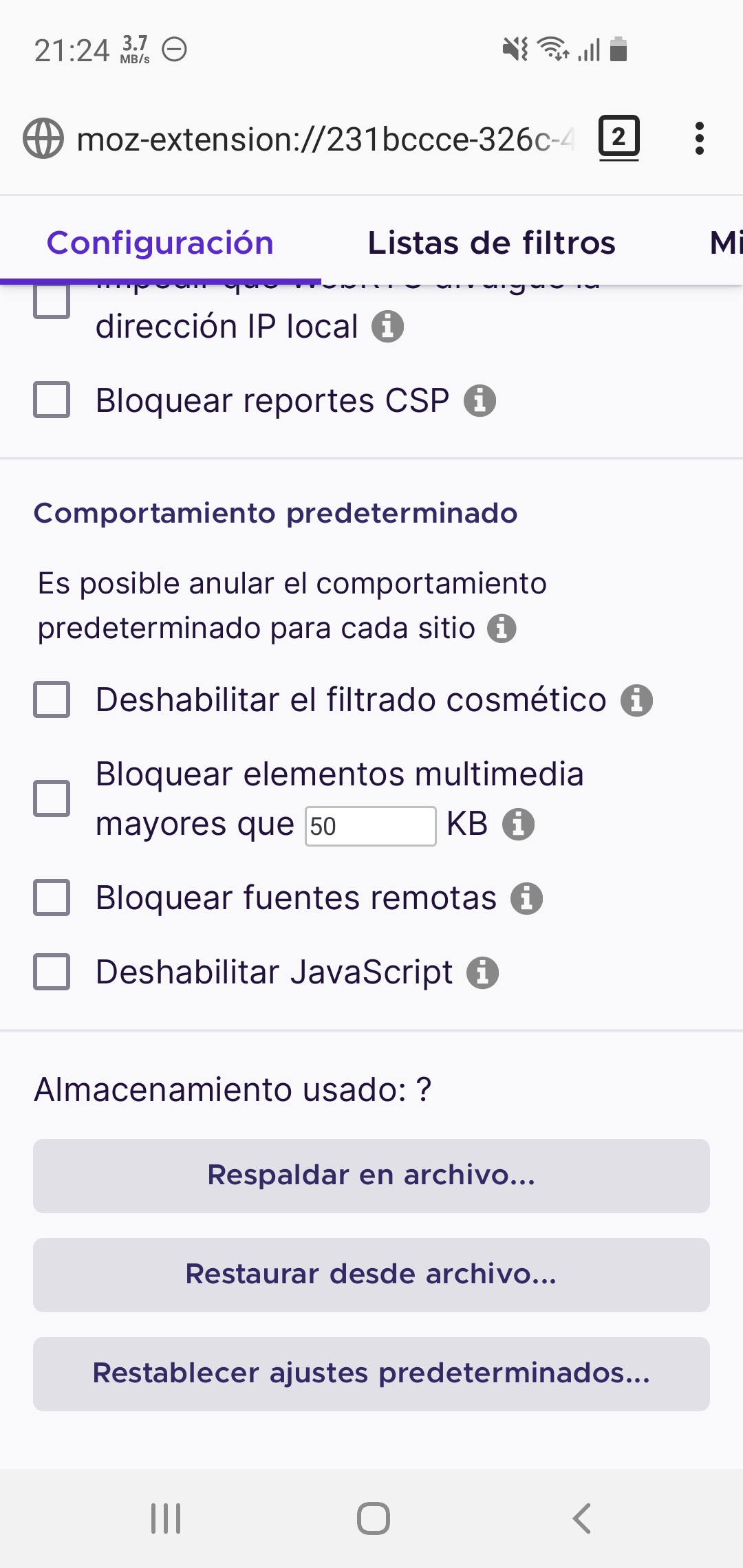
The address bar is covering the reset settings button
 UNITO-UNDERSCORE!20200527-212324!UNITO-UNDERSCORE!Firefox Nightly!
 - Device information
- Expected behavior
- Android device: SM-G970F Android 10 with OneUI 2.1
- Fenix version: Nightly 200527 18:16 (Build #2015742803)
PD: It also happens in VirusTotal scan results, hiding the rescan button
Sample URL: https://www.virustotal.com/gui/file/544ca9b28670dfece0d5c55a60de3f5230b91d5cfadeb84497409b4ef52dbb4f/summary
 victor-bayas
👍1
All 5 comments
This happens in preference page too..(about: config).. it hides last element.
 sheikh-azharuddin
on 28 May 2020
sheikh-azharuddin
on 28 May 2020
👍3
As a workaround you can set the address bar to the top
victor-bayas
on 31 May 2020
As a workaround you can set the address bar to the top
Not really a good workaround when the address bar at the bottom is one of the cool features that Firefox offers
 usr-dot-com
on 19 Jul 2020
usr-dot-com
on 19 Jul 2020
😄1
The bug it's now present when using the address bar at the top, no workaround :(
victor-bayas
on 26 Sep 2020
Duplicate of https://github.com/mozilla-mobile/fenix/issues/11858
 s-ankur
on 22 Oct 2020
s-ankur
on 22 Oct 2020
Was this page helpful?
0 / 5 - 0 ratings
Related issues
 thelazyoxymoron
·
3Comments
thelazyoxymoron
·
3Comments
 lindongbin
·
3Comments
lindongbin
·
3Comments
 andreicristianpetcu
·
3Comments
andreicristianpetcu
·
3Comments
 phileastv
·
3Comments
phileastv
·
3Comments
 clitetailor
·
3Comments
clitetailor
·
3Comments
Most helpful comment
This happens in preference page too..(about: config).. it hides last element.