Fenix: FNX2-16230 ⁃ [Bug] Watching videos with WR enabled is broken, jittery video, frozen image, sometimes whole tab turns black
Steps to reproduce
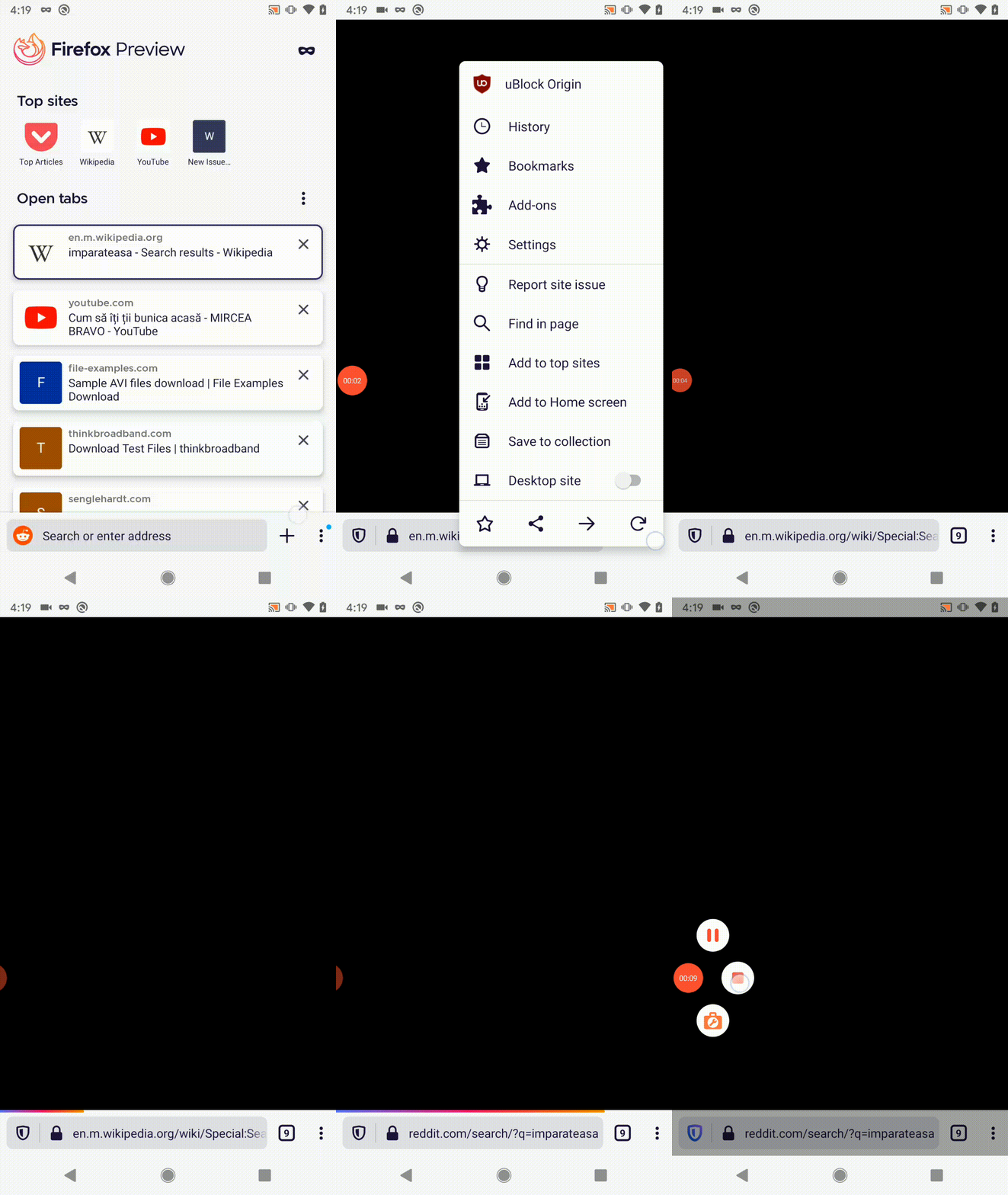
- I had 9 tabs opened, Block Origin add-on installed, and was signed-in with a new account.
- I've changed the default search engine to Reddit.
- Typed a random word.
Expected behavior
The search is performed with the selected search engine, the results are displayed.
Actual behavior
The page is black, no results are displayed - please see the GIF below.
Device information
- Android device: Google Pixel (Android 10)
- Fenix version: 5/25 Nightly build
- Logcat: logcat.txt
 softvision-miralobontiu
All 8 comments
I believe this is the same bug: https://bugzilla.mozilla.org/show_bug.cgi?id=1640496
@softvision-miralobontiu did you have a video playing on a tab before this?
 jonalmeida
on 25 May 2020
jonalmeida
on 25 May 2020
@jonalmeida yes! I played some videos before this.
softvision-miralobontiu
on 26 May 2020
I just saw this while testing PiP the other day!
Changed the title to track the real bug better
 ekager
on 26 May 2020
ekager
on 26 May 2020
@mcomella shared a video in #11054 as well:
The video will start looping a few milliseconds of content (audio is fine). Subsequent interactions with the browser will make it unusable (e.g. content is all black) until I swipe it closed.
Video: https://drive.google.com/file/d/1Wgt6mBdQmRtlT7vIoPdWiYU65ushguaU/view?usp=sharing
ekager
on 5 Jun 2020
@softvision-miralobontiu Can you still reproduce this issue with the latest version? We have been unable to reproduce it again (https://bugzilla.mozilla.org/show_bug.cgi?id=1640496 for context)
 jbonisteel
on 8 Jun 2020
jbonisteel
on 8 Jun 2020
Hi all!
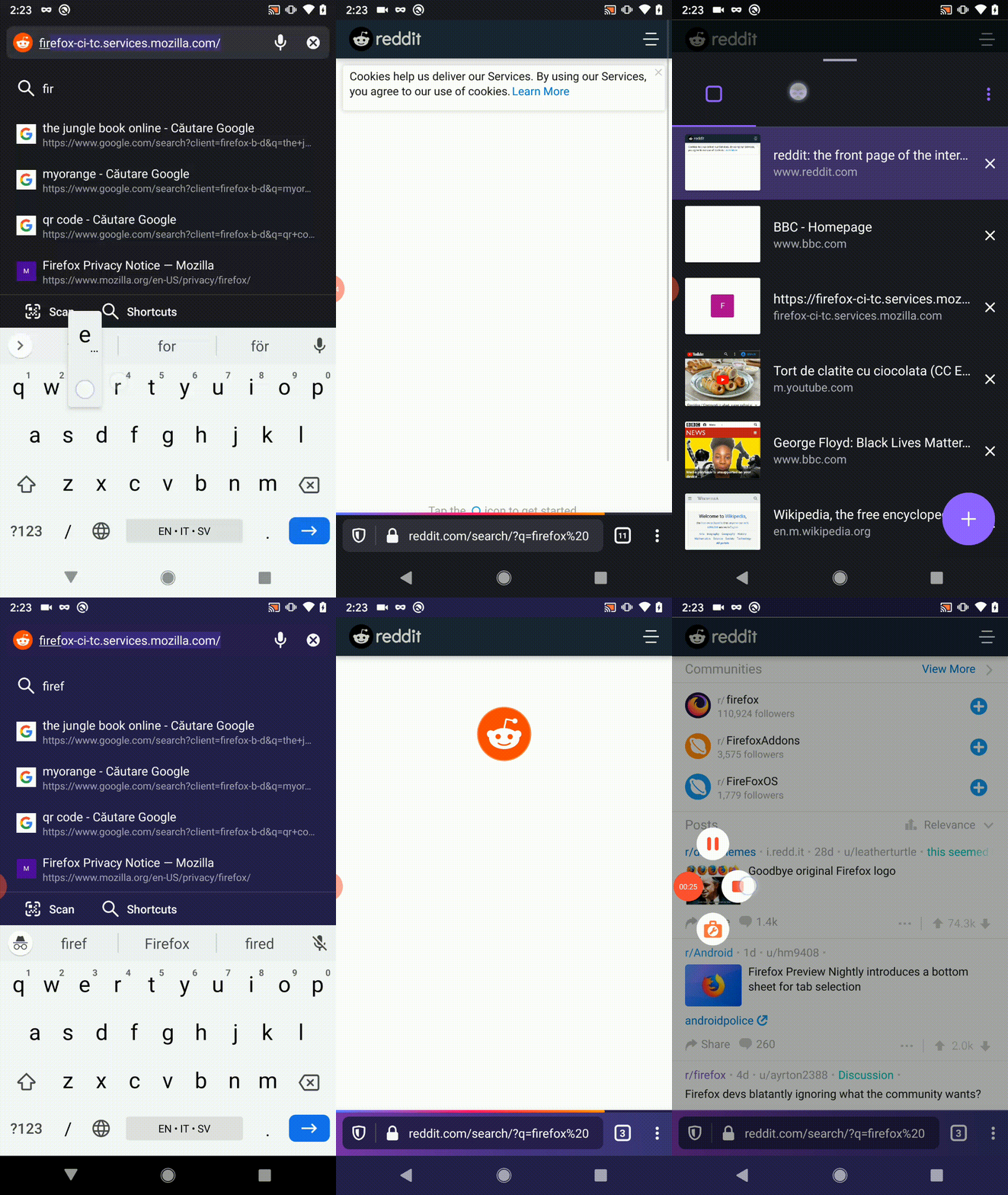
I was able to reproduce some parts of this issue, following the steps from comment 0, on the latest Nightly build from 6/9 with Google Pixel (Android 10).
The only difference, the tabs don't turn black, they are just frozen, their content doesn't load (reddit.com, instagram.com).
What is curious, that the exact same pages load as expected in private mode.
softvision-miralobontiu
on 9 Jun 2020
Verified as fixed on the latest Firefox Preview Nightly Build 200616 (Build #21680610)
Device information
- OnePlus 6T (Android 9)
 LaurentiuApahideanSV
on 16 Jun 2020
LaurentiuApahideanSV
on 16 Jun 2020
Verified as fixed on the latest Firefox Preview 5.2.0-beta.2 (Build #21682234)
Device information
- OnePlus 6T (Android 9)
LaurentiuApahideanSV
on 18 Jun 2020
Related issues
 clitetailor
·
3Comments
clitetailor
·
3Comments
 andreicristianpetcu
·
3Comments
ekager
·
3Comments
andreicristianpetcu
·
3Comments
ekager
·
3Comments
 phileastv
·
3Comments
phileastv
·
3Comments
 vesta0
·
3Comments
vesta0
·
3Comments