Fenix: [Bug] Custom tab share icon looks off-scaled (enlarged)
Steps to reproduce
- Set Fenix as default browser. Open a custom tab.
- From a custom tab, open the link in Fenix.
Expected behavior
Share icon doesn't look off-scaled compared to the three dot settings menu icon
Actual behavior
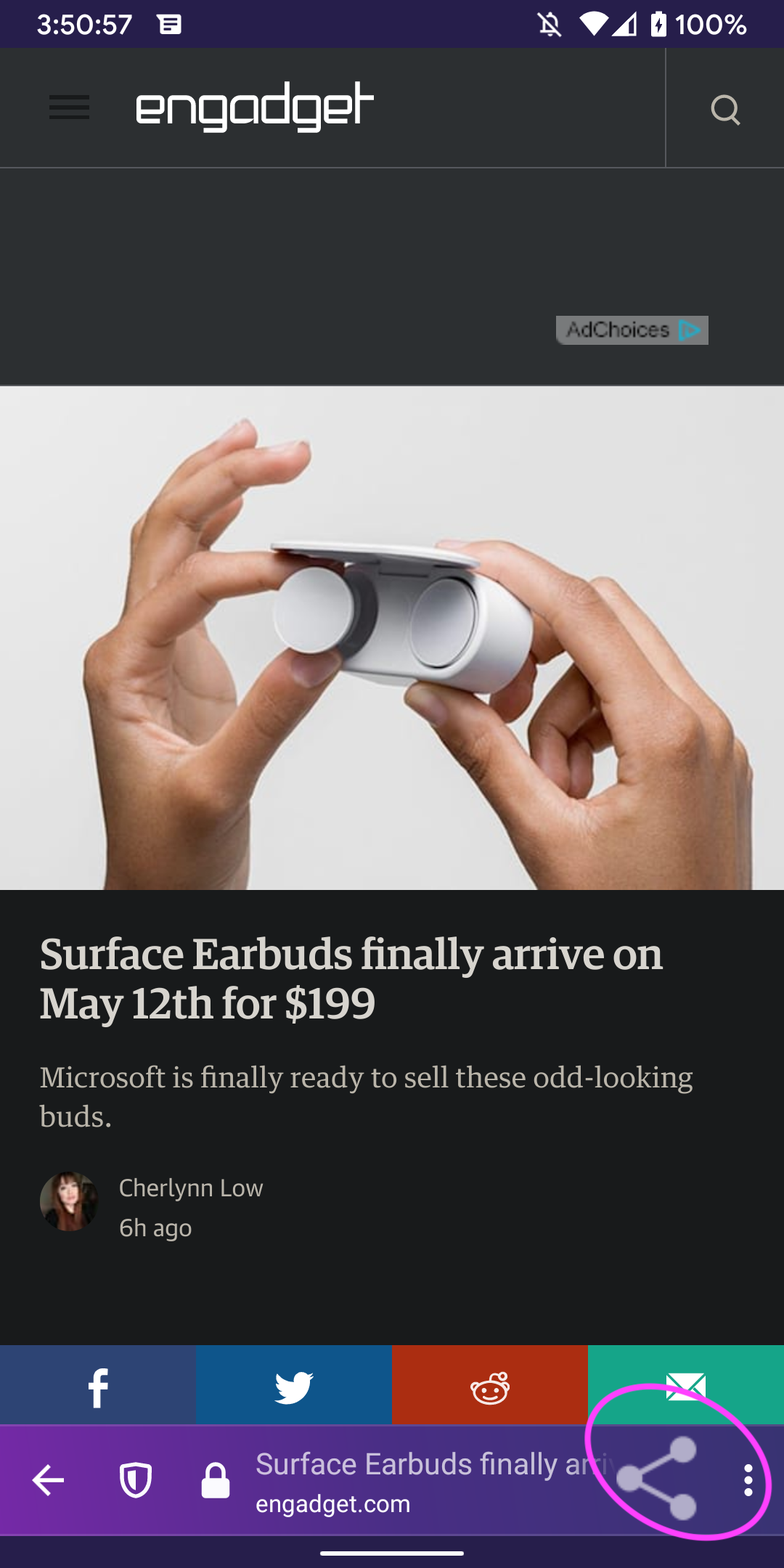 UNITO-UNDERSCORE!20200506-155059!
Device information
- Android device: ?
- Fenix version: ?
 psymoon
All 9 comments
Hi, I can't reproduce your issue using the latest version of Firefox Preview Nightly 5/7 #21280606.
Devices:
- Google Pixel 3 (Android 10);
- Samsung Galaxy Note 8 (Android 9).
@psymoon Can you retest using the latest version of Firefox Preview Nightly? Also, do you have more details about your issue so I can reproduce it?
 sv-sdeiac
on 7 May 2020
sv-sdeiac
on 7 May 2020
It depends on the third party app that opens a custom tab. The app can give us an icon to show in some cases as well, and we should probably scale it down if needed. I don't think this is our own share icon.
 jonalmeida
on 25 May 2020
jonalmeida
on 25 May 2020
I can reproduce the same behavior when opening an article in Feedly. Can confirm that other apps behave correctly.
Firefox should still downscale the icon though.
 Tajnymag
on 5 Jun 2020
Tajnymag
on 5 Jun 2020
I cannot find a website where I can reproduce this. Can QA please retest this? Thank you!
 mcarare
on 28 Sep 2020
mcarare
on 28 Sep 2020
Tested on the latest Nightly and couldn't reproduce the issue following the exact website from the description (link opened from Gmail). Tested with other websites, without any luck.
@psymoon this is still reproducible for you? If yes, do you have extra steps?
 sflorean
on 28 Sep 2020
sflorean
on 28 Sep 2020
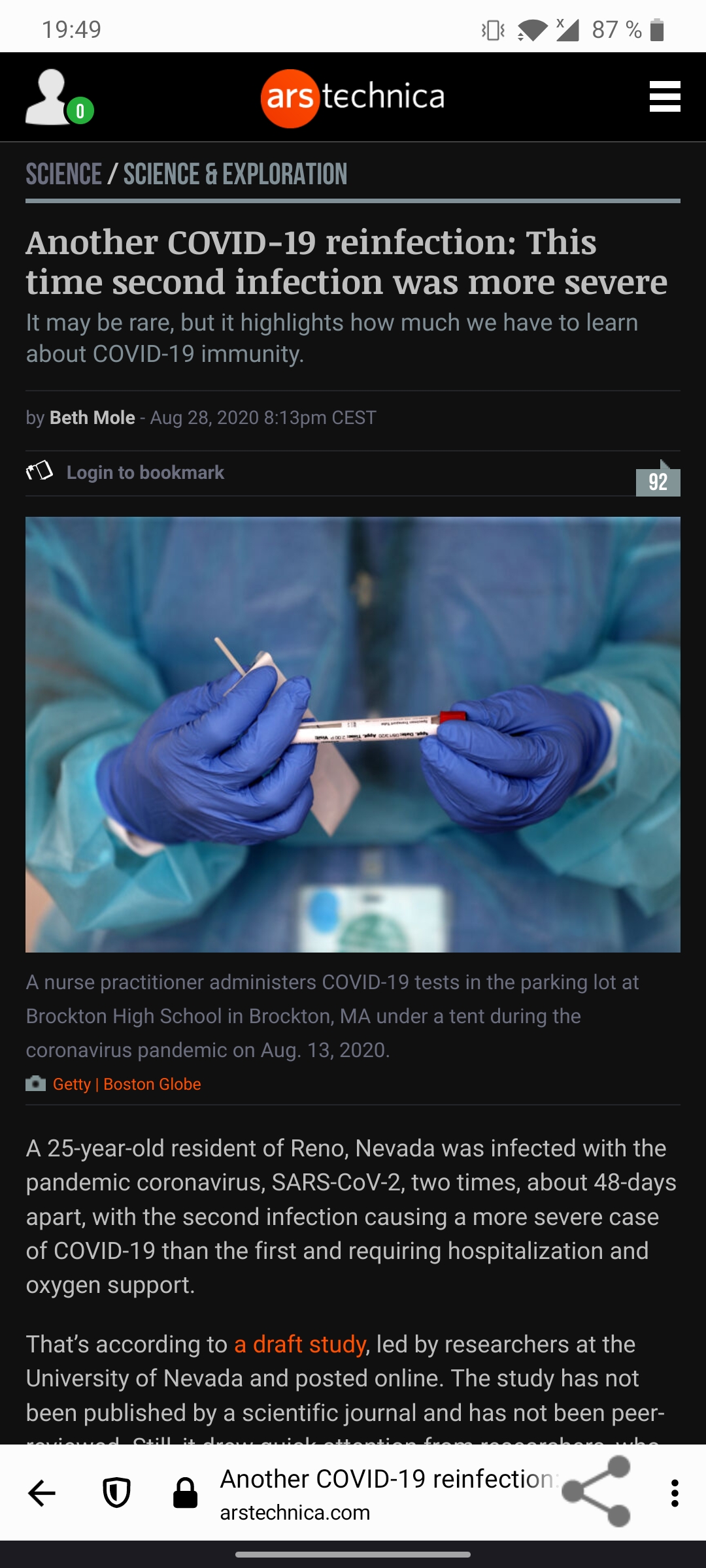
Yup, it's still reproducible. For example in Feedly
Tajnymag
on 28 Sep 2020
@Tajnymag thank you!
STR:
- Nightly is set as the default browser.
- Install Feedly from GP
- Open an article.
- Open a link from that article in order to open the Nightly custom tab.
Results: the share icon is enlarged.
sflorean
on 28 Sep 2020
 ekager
on 28 Sep 2020
ekager
on 28 Sep 2020
Verified as fixed on Nightly 10/8 with Samsung Galaxy Note 10 (Android 10).
sflorean
on 8 Oct 2020
Related issues
 AndiAJ
·
3Comments
AndiAJ
·
3Comments
 csadilek
·
3Comments
csadilek
·
3Comments
 topotropic
·
3Comments
topotropic
·
3Comments
 robsmith11
·
3Comments
robsmith11
·
3Comments
 abodea
·
3Comments
abodea
·
3Comments
Most helpful comment
@Tajnymag thank you!
STR:
Results: the share icon is enlarged.