Fenix: [Bug] [a11y]Onboarding screen - Touch target items need to be made larger
Prerequisites:
- Have Google Accessibility Scanner installed.
- Have a clean Firefox profile.
Steps to reproduce
- Open app and inspect the screen elements with the scanner.
Expected behavior
There are no suggestions to make any changes.
Actual behavior
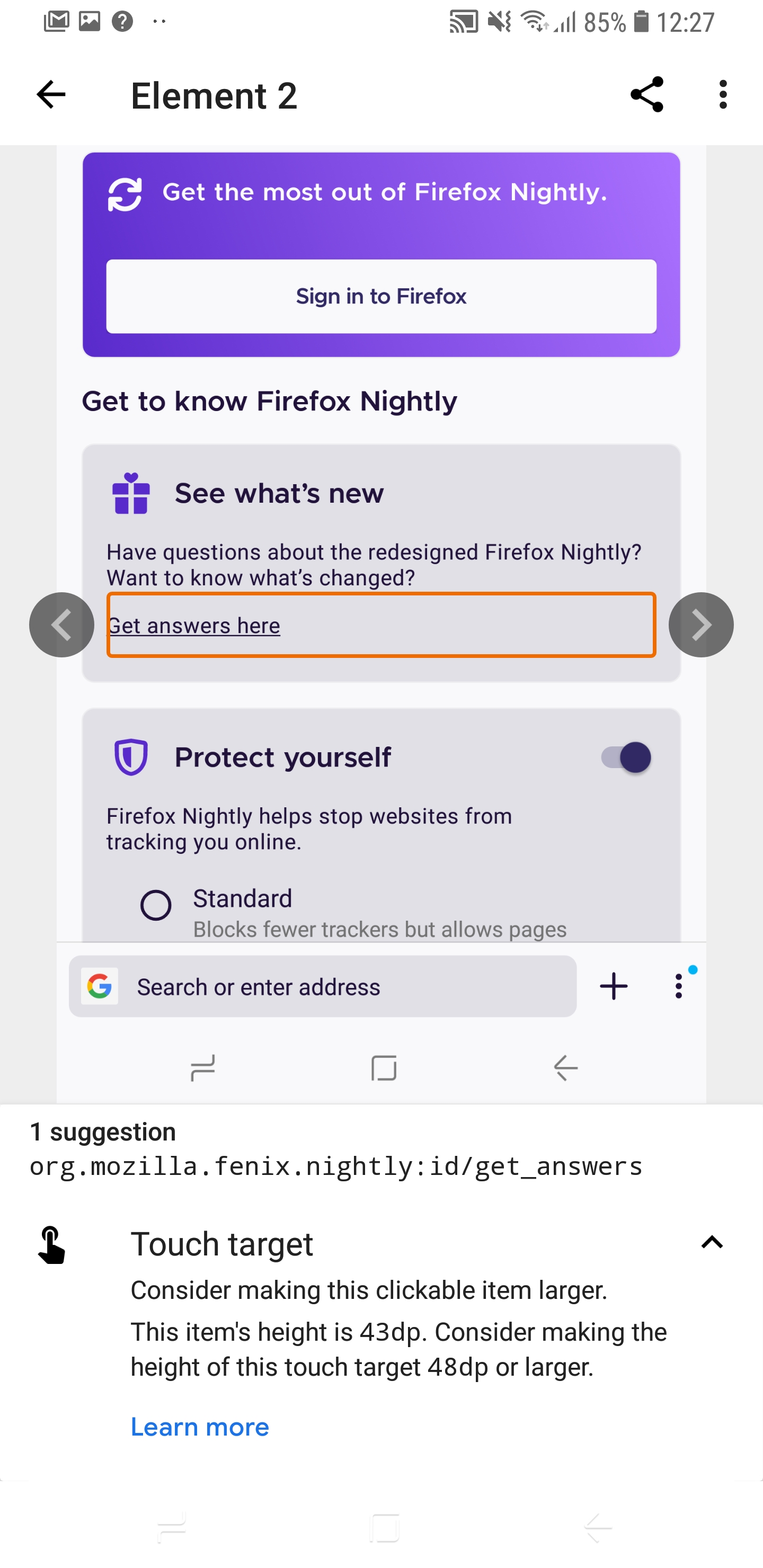
Section: See what's new -> "Get answers here" link
- org.mozilla.fenix.nightly:id/get_answers
This item's height is 43dp. Consider making the height of this touch target 48dp or larger.
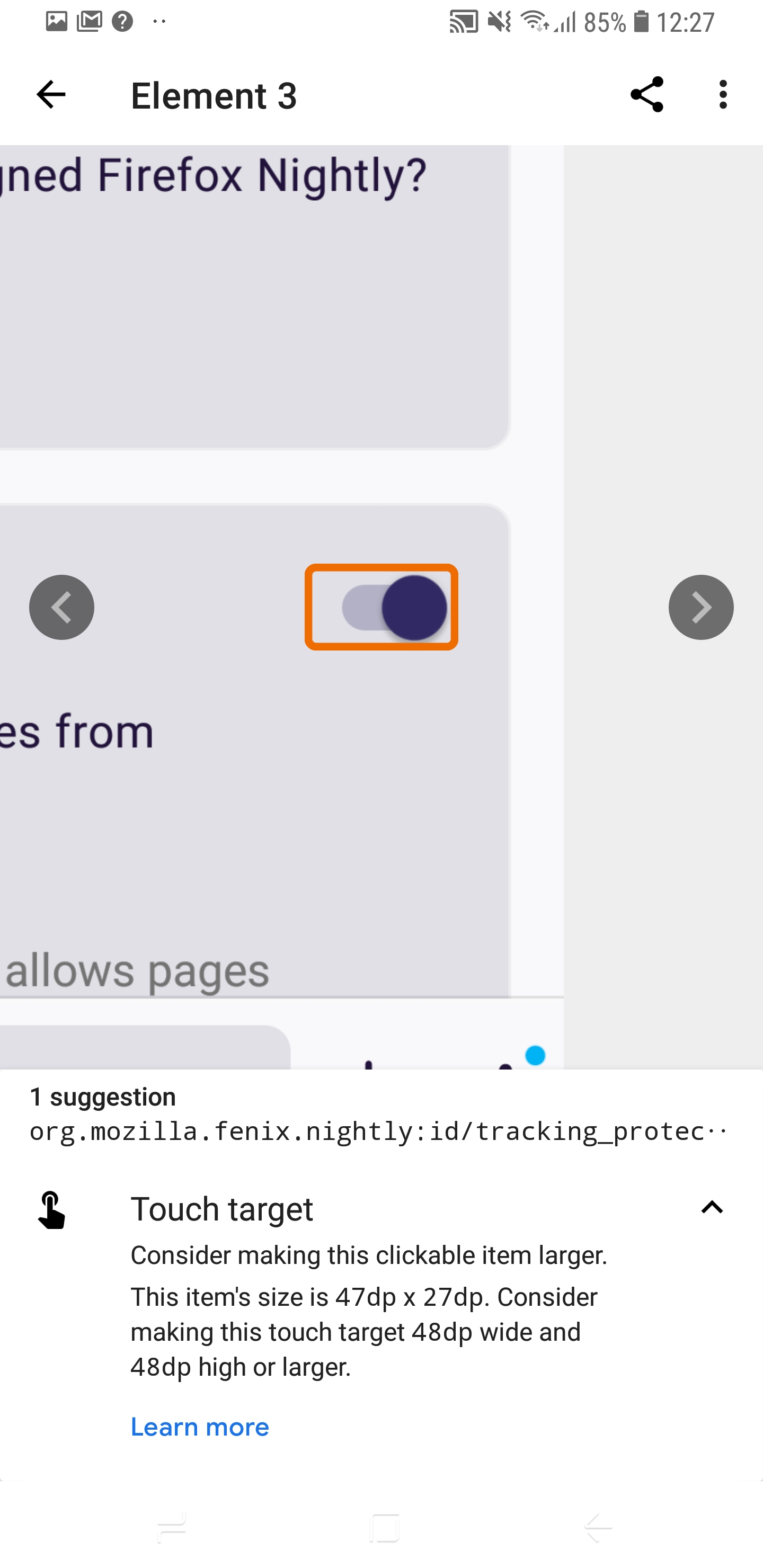
Section: Protect yourself -> Enable/Disable ETP toggle
- org.mozilla.fenix.nightly:id/tracking_protection_toggle
This item's size is 47dp x 27dp. Consider making this touch target 48dp wide and 48dp high or larger.
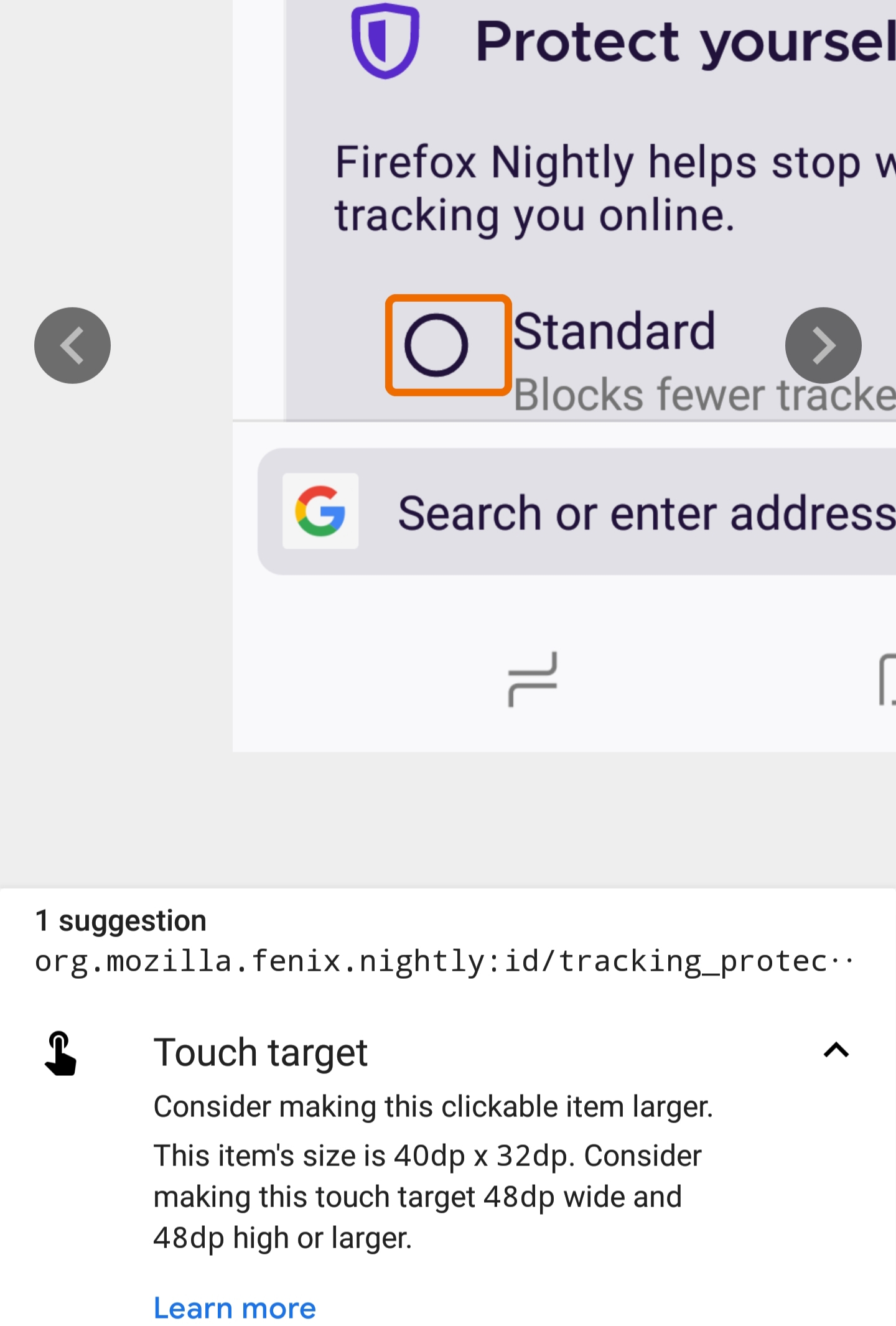
Section: Protect yourself
-> "Standard" radio button & "Strict" radio button
- org.mozilla.fenix.nightly:id/tracking_protection_standard_option
- org.mozilla.fenix.nightly:id/tracking_protection_strict_default
This item's size is 40dp x 32dp. Consider making this touch target 48dp wide and 48dp high or larger.
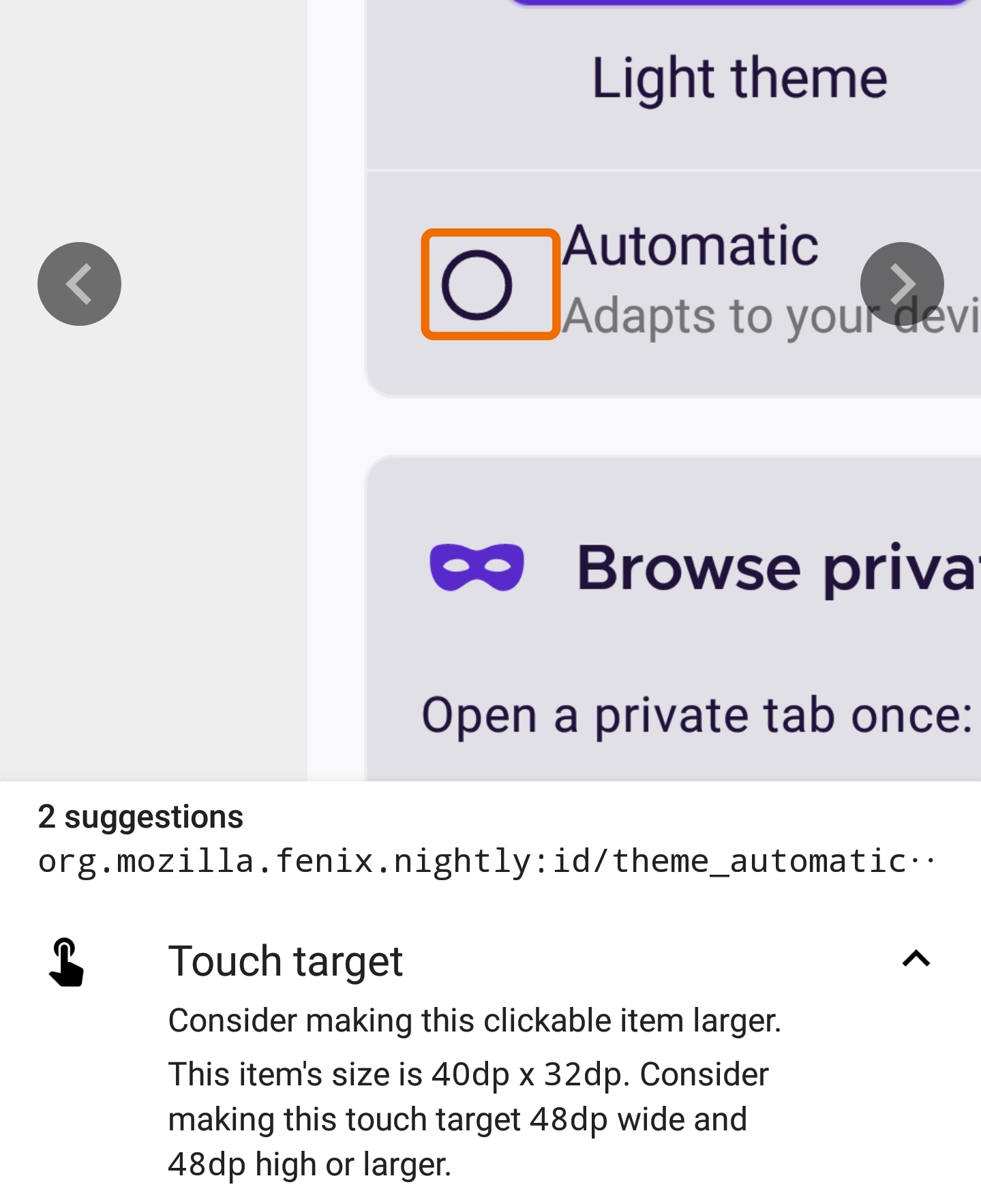
Section: Choose your theme
-> "Light theme" radio-button & "Dark theme" radio button
- org.mozilla.fenix.nightly:id/theme_light_radio_button
- org.mozilla.fenix.nightly:id/theme_dark_radio_button
This item's size is 32dp x 32dp. Consider making this touch target 48dp wide and 48dp high or larger.
-> "Automatic" radio-button
-org.mozilla.fenix.nightly:id/theme_automatic_radio_button
This item's size is 40dp x 32dp. Consider making this touch target 48dp wide and 48dp high or larger.
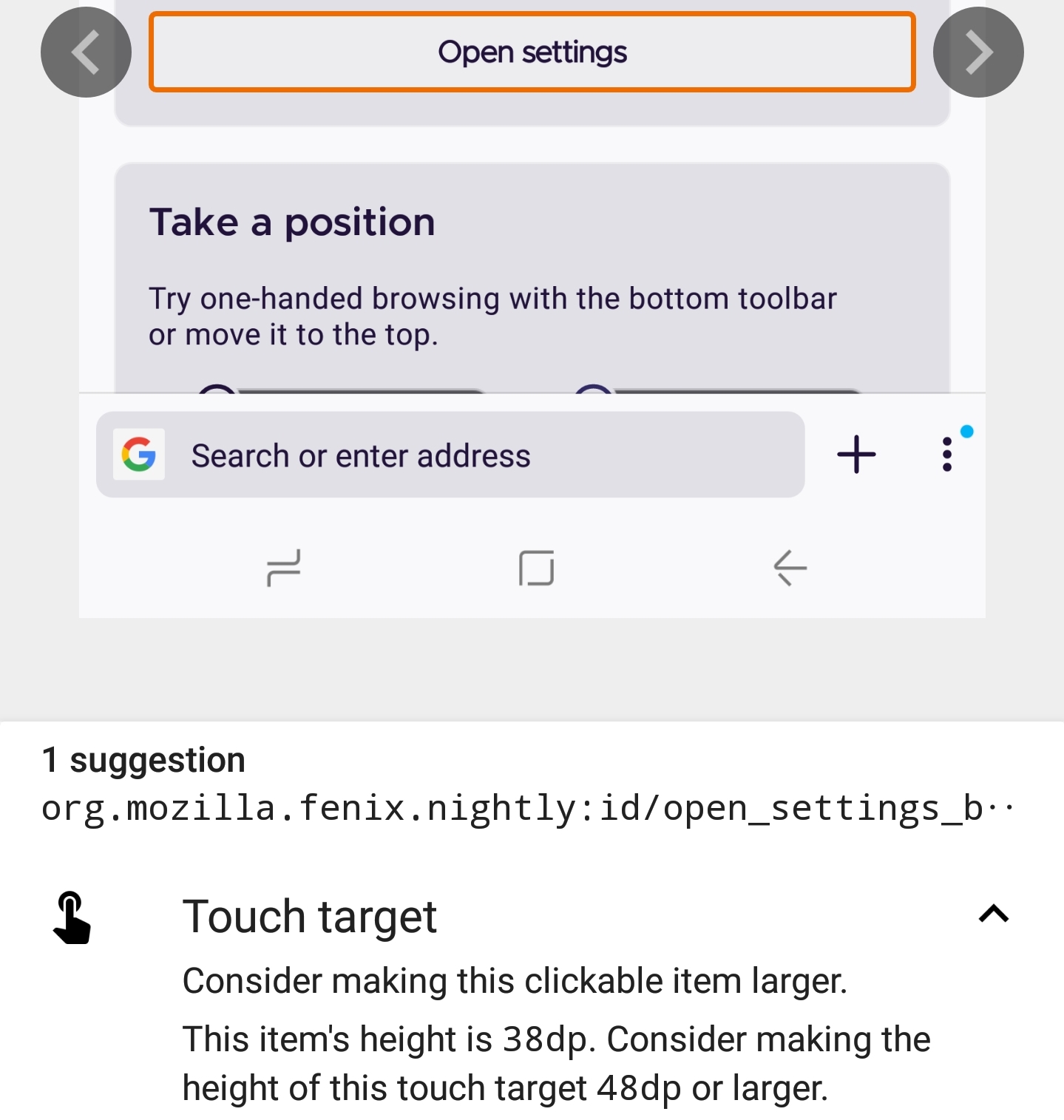
Section Browse privately -> "Open Settings" button
- org.mozilla.fenix.nightly:id/open_settings_button
This item's height is 18dp. Consider making the height of this touch target 48dp or larger.
Section: Take a position
-> Toolbar "Top" & "Bottom" options
- org.mozilla.fenix.nightly:id/toolbar_top_radio_button
- org.mozilla.fenix.nightly:id/toolbar_bottom_radio_button
This item's size is 32dp x 32dp. Consider making this touch target 48dp wide and 48dp high or larger.
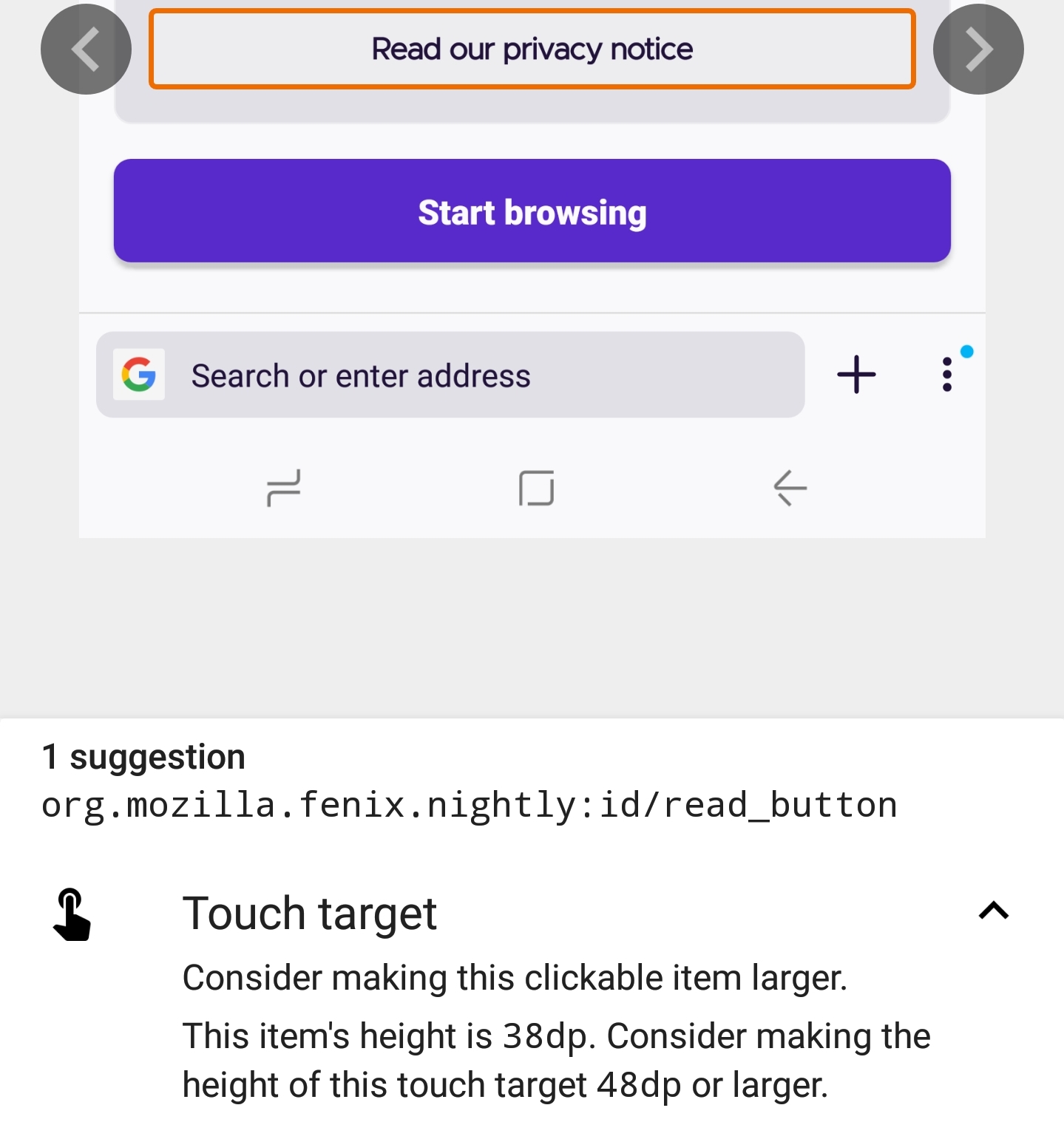
Section: Your pivacy
-> Read our privacy notice
- org.mozilla.fenix.nightly:id/read_button
This item's height is 38dp. Consider making the height of this touch target 48dp or larger.
Device information
- Android device: Samsung Galaxy S9 (Android 8)
- Fenix version: Nightly 4/1 (Build #20920607)
Screenshots:
Section: See what's new -> "Get answers here" link
Section: Protect yourself -> Enable/Disable ETP toggle
Section: Protect yourself -> "Standard" radio button
Section: Choose your theme
-> "Light theme" radio-button & "Dark theme" radio button

-> "Automatic" radio-button
Section Browse privately -> "Open Settings" button
Section: Take a position
-> Toolbar "Top" options

Section: Your pivacy
-> Read our privacy notice
 Diana-Rus
All 5 comments
I don't think we need to worry about the size of the touch target for radio buttons that overlay the top left corner of a picture because the whole picture is a target for the same action. Other targets should be adjusted.
 asadotzler
on 6 Apr 2020
asadotzler
on 6 Apr 2020
@sblatz Is there a constraint in changing buttons height back to 48dp?
 mcarare
on 29 May 2020
mcarare
on 29 May 2020
@mcarare having them be clickable at 48dp is totally fine, but let's not update the visual height :)
 sblatz
on 29 May 2020
sblatz
on 29 May 2020
Tested on Nightly 6/4 with Google Pixel 3(Android 10) and LG G7 FIT (Android 8) and I can confirm that this issue is fixed. However, the buttons for Protect yourself card: Standard and Strict have 40dp x 32dp, same as before. @mcarare could you please confirm that this is expected, due to the fact that they do not overlay the top left corner of a picture? Thank you!
 sflorean
on 4 Jun 2020
sflorean
on 4 Jun 2020
@sflorean This is expected, and I did not intended to change that. They are in the same situation as elements mentioned in https://github.com/mozilla-mobile/fenix/issues/9583#issuecomment-609987250, because their touch target extends to the policy title and description.
mcarare
on 4 Jun 2020
Related issues
 ekager
·
3Comments
ekager
·
3Comments
 bbinto
·
3Comments
bbinto
·
3Comments
 phileastv
·
3Comments
phileastv
·
3Comments
 andreicristianpetcu
·
3Comments
andreicristianpetcu
·
3Comments
 topotropic
·
3Comments
topotropic
·
3Comments