Fenix: [Bug] Empty Settings view after tapping the back button
Prerequisites
Have uBlock Origins installed
Steps to reproduce
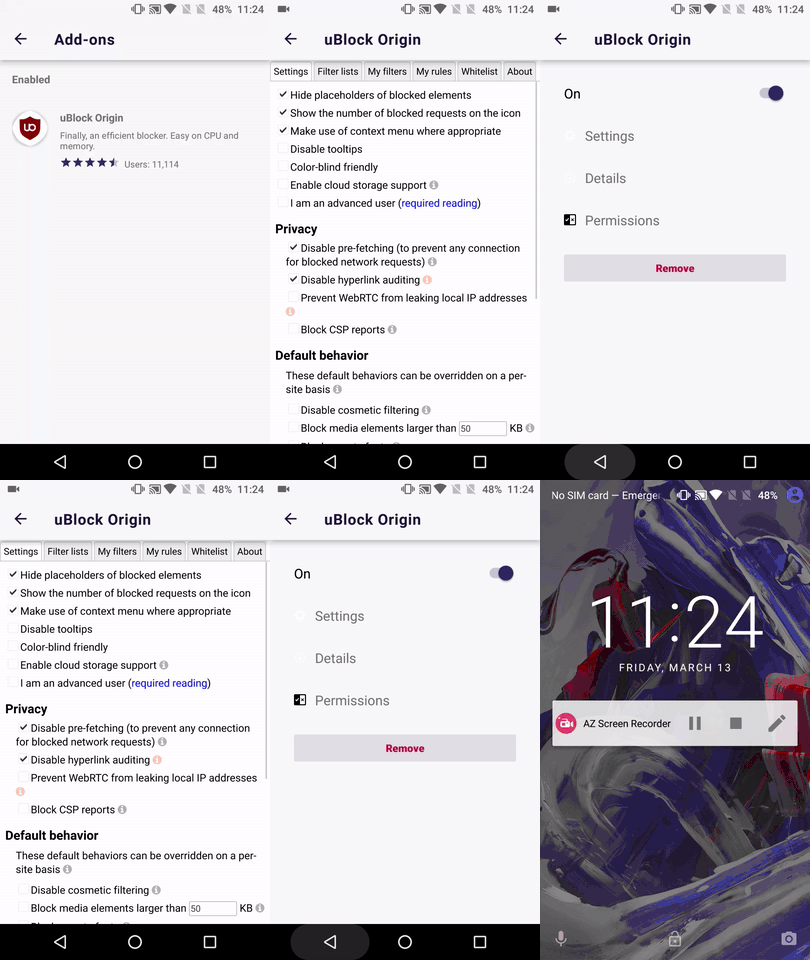
- Open uBlocks "Settings" section
- Tap the device back button
Expected behavior
Should properly exit to uBlocks options & settings view.
Actual behavior
Empty Settings section
Device information
Android device: OnePlus A3 (Android 6.0.1)
Fenix version:
• Fenix Beta 4.1.0-beta.2 Build #20730532 from 3/13
• Fenix Nightly Build #20730607 from 3/13
Notes
► Video
 AndiAJ
All 4 comments
This, as well as https://github.com/mozilla-mobile/fenix/issues/8808, are ultimately caused by us ignoring uBlock's configuration to open the options page in a tab: https://github.com/gorhill/uBlock/blob/master/platform/firefox/manifest.json#L77
I will put up a PR to fix this so that the settings/options pages is opened in a tab instead, preventing many of these problems.
 csadilek
on 17 Mar 2020
csadilek
on 17 Mar 2020
@AndiAJ re: my comment above. The uBlock options/settings page is now opened in a tab as configured by the add-on (It was always opened in a tab if triggered via the browser action popup). This is the correct behaviour, so I think we can close this bug. Can you verify.
csadilek
on 17 Mar 2020
Hi @csadilek , I've just re-tested this matter on the latest Nightly Build #20780606 from 3/18 using the following devices:
• Google Pixel 3a (Android 10)
• Huawei Mate 20 Lite (Android 8.1.0)
• Samsung Galaxy S6 (Android 7)
• OnePlus A3 (Android 6.0.1)
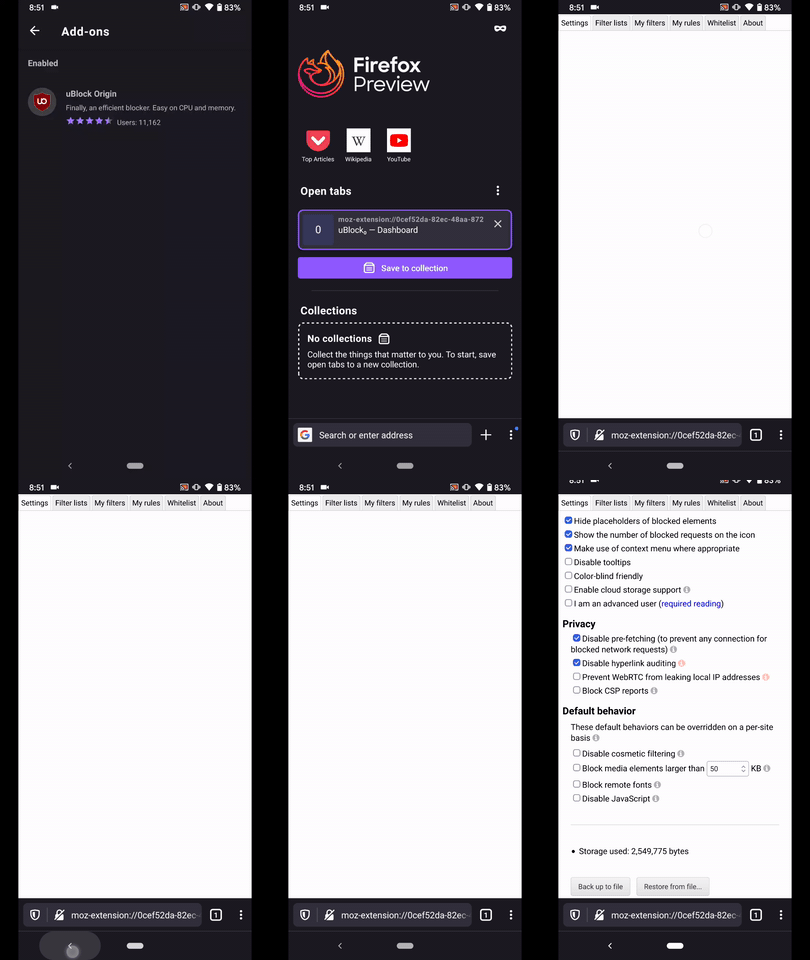
Indeed now it's opened in a new tab, on the other hand if you tap the device back button the settings section remains empty (a page refresh will do the trick).
It should actually exit to Fenix's home screen.
Could you please review and share your thought? ☺️
► Video
AndiAJ
on 18 Mar 2020
@AndiAJ ah indeed. That's actually a bug in the latest uBlock and also reproducible in Fennec.
This is another one to put on the list to relay to the add-on developer. Not something we can fix. /cc @kewisch
csadilek
on 18 Mar 2020
Related issues
 abodea
·
3Comments
AndiAJ
·
3Comments
abodea
·
3Comments
AndiAJ
·
3Comments
 robsmith11
·
3Comments
robsmith11
·
3Comments
 lindongbin
·
3Comments
csadilek
·
3Comments
lindongbin
·
3Comments
csadilek
·
3Comments