Fenix: [Bug] Pause/resume don't work when downloading more files
Steps to reproduce
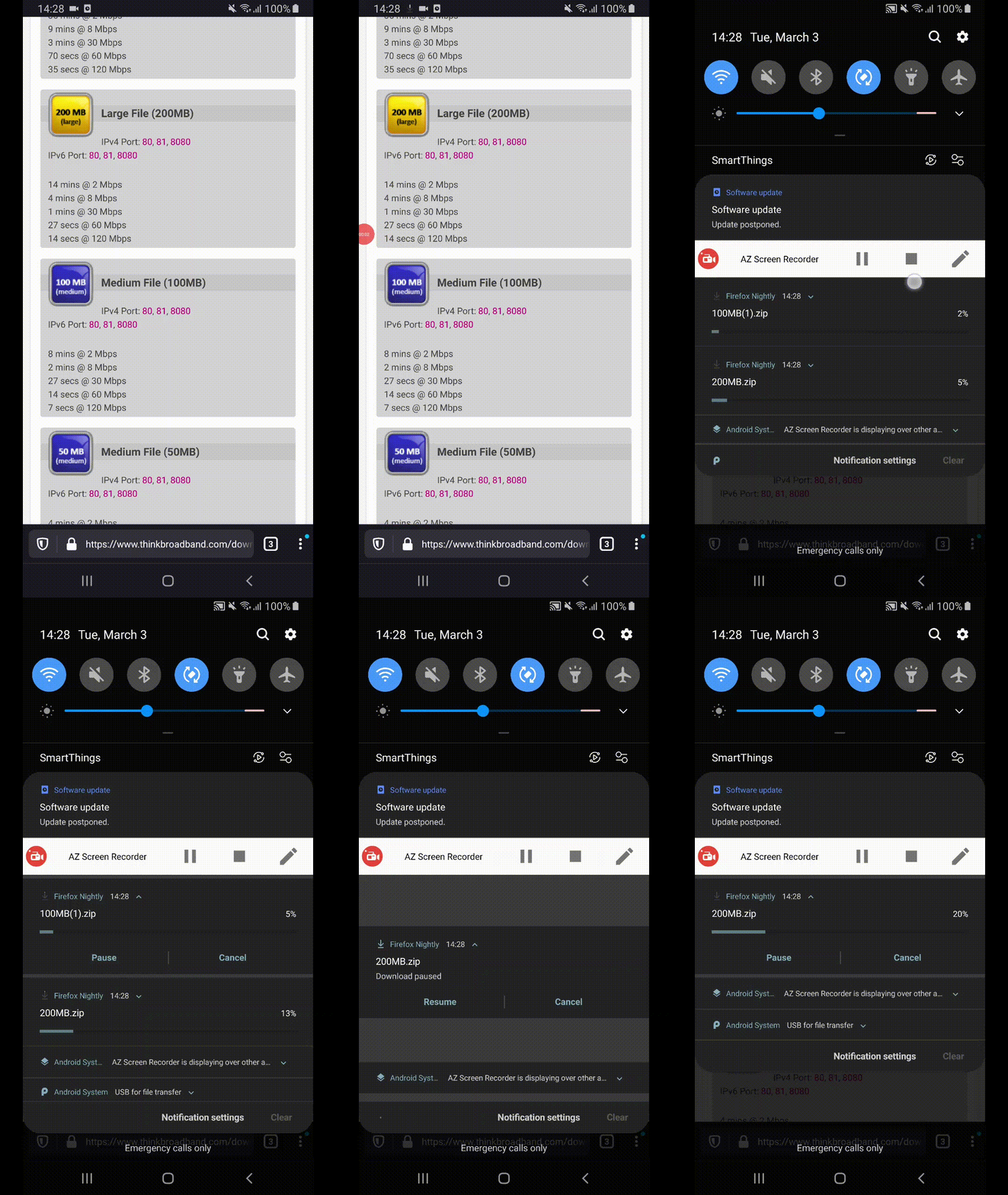
- Go to https://www.thinkbroadband.com/download and download two or three different files.
- Go to the download notifications.
- Pause/resume every download.
Expected behavior
All the buttons react accordingly - pause when asked to, resume when asked to.
Actual behavior
The user must tap 2-3 times until the pause/resume responds.
Device information
- Android device: Samsung Galaxy Note 8 (Android 9), Google Pixel 3A (Android 9)
- Fenix version: 3/3 Nightly build
 softvision-miralobontiu
All 11 comments
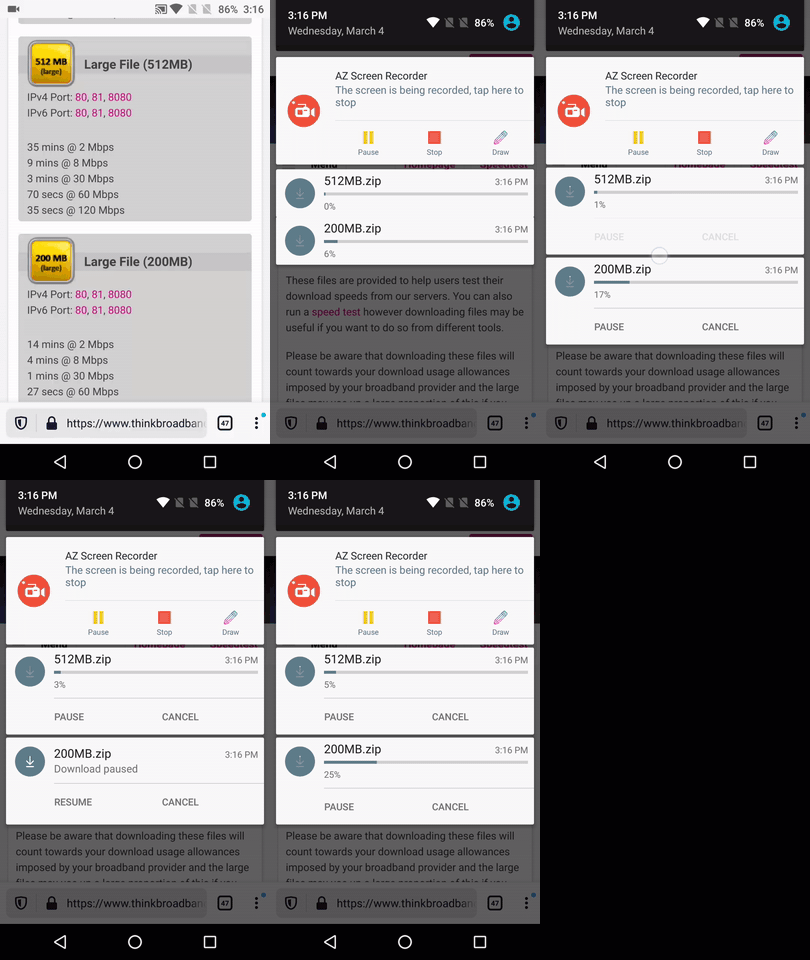
Hi, reproducible on Beta 4.0.0-beta.3 using a OnePlus A3 (Android 6.0.1).
❗️ There's also an odd movement of the download notification bars.
► Video
 AndiAJ
on 4 Mar 2020
AndiAJ
on 4 Mar 2020
Leaving for the AC team: Has something major changed in the download manager? This definitely didn't used to happen 😅
 sblatz
on 17 Mar 2020
sblatz
on 17 Mar 2020
This https://github.com/mozilla-mobile/android-components/pull/6458 pr fixes, it will be available on the new AC build.
 Amejia481
on 6 Apr 2020
Amejia481
on 6 Apr 2020
This is ready for QA :)
Amejia481
on 7 Apr 2020
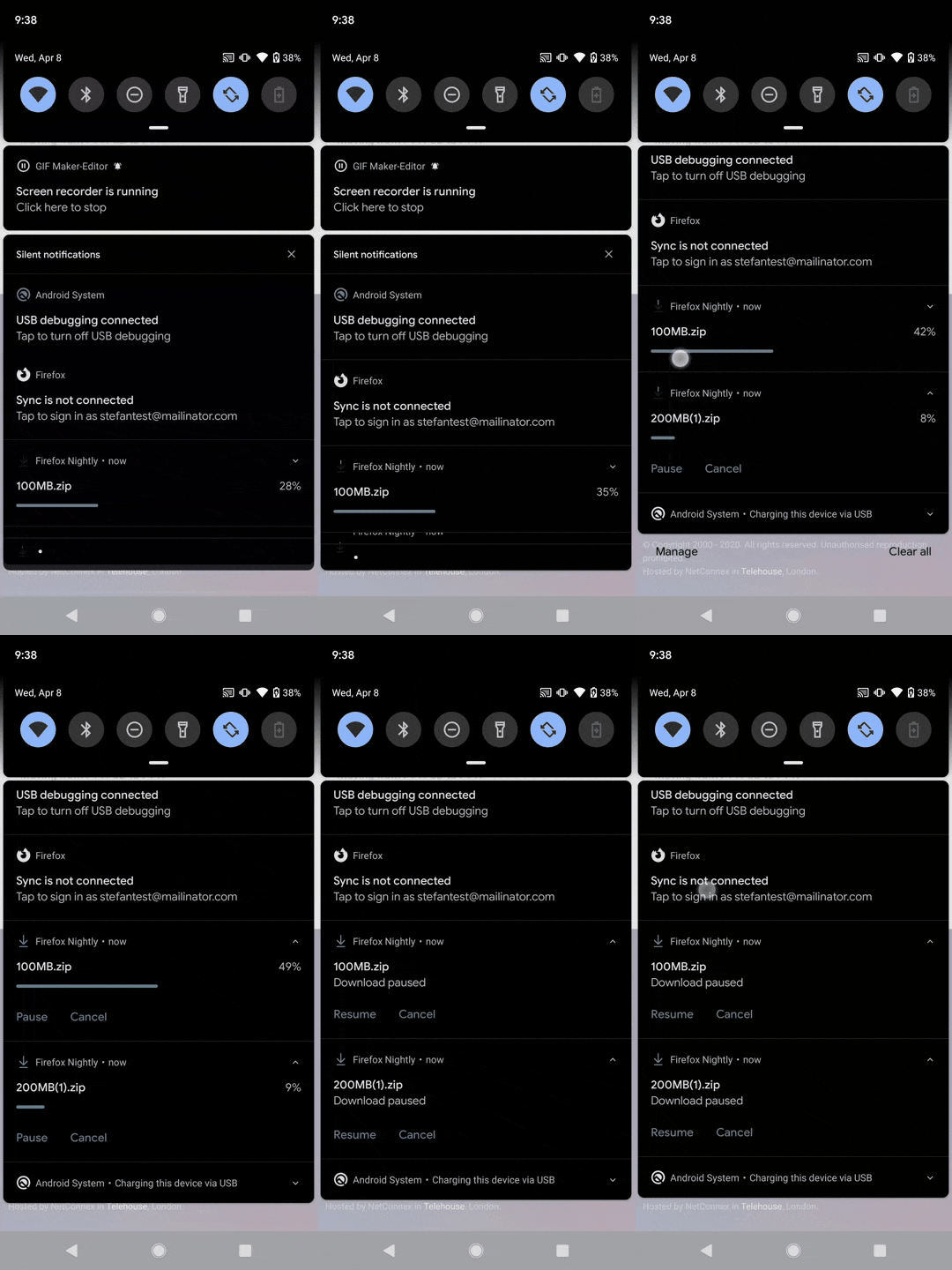
Hi, the issue is partially fixed since the lack of response is shorter but it is still visible.
Also, the odd movement is still displayed.
Devices:
- LG g7 fit (Android 8.1);
- Samsung Galaxy Note 8 (Android 9);
- Xiaomi Mi 8Lite (Android 9);
- Google Pixel 3 (Android 10).
@Amejia481 can you take a look?
 sv-sdeiac
on 8 Apr 2020
sv-sdeiac
on 8 Apr 2020
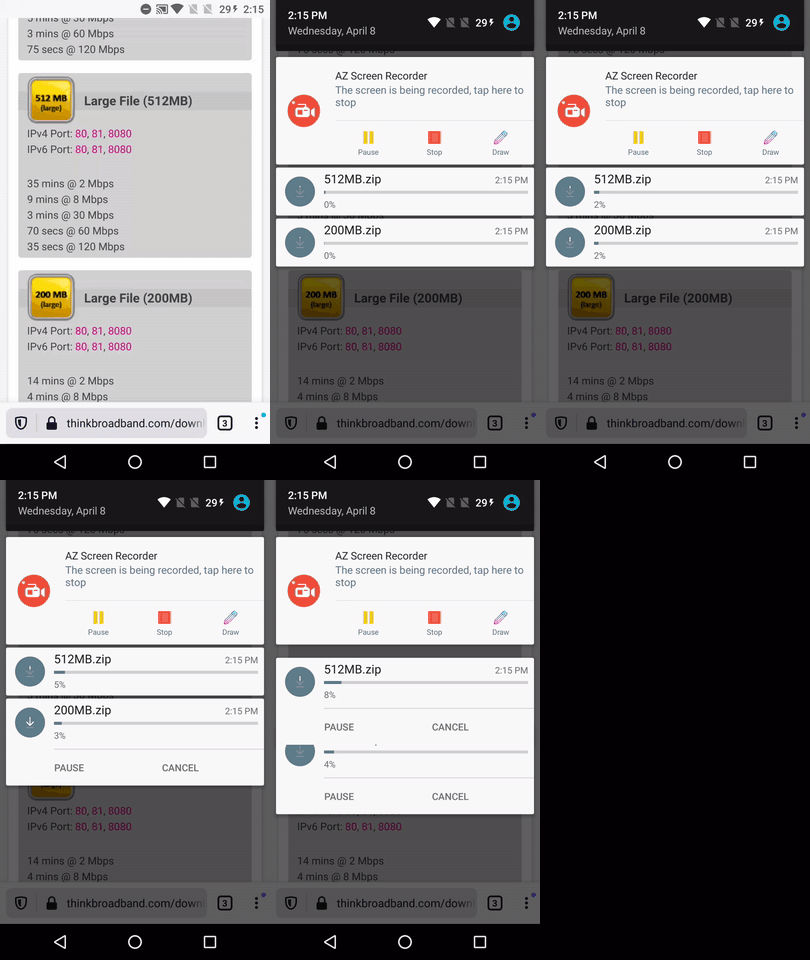
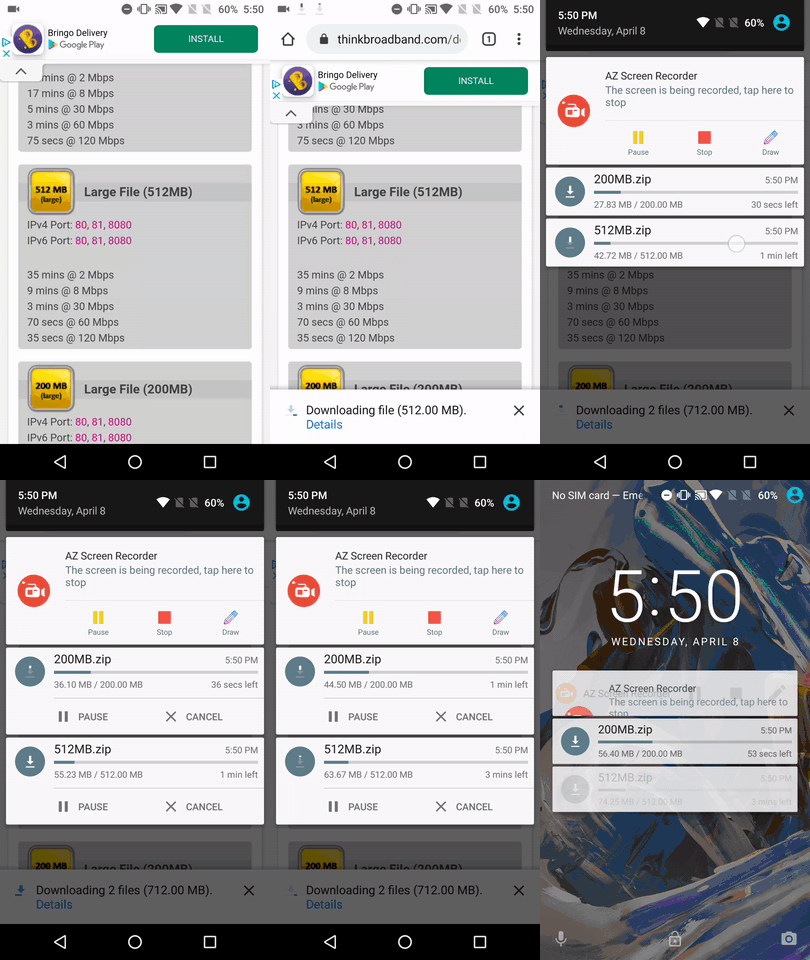
And still moving on a OnePlus A3 (Android 6.0.1) ☺️
► Video
AndiAJ
on 8 Apr 2020
Hi, the issue is partially fixed since the lack of response is shorter but it is still visible.
Also, the odd movement is still displayed.Devices:
* LG g7 fit (Android 8.1);

* Samsung Galaxy Note 8 (Android 9);

* Xiaomi Mi 8Lite (Android 9);

* Google Pixel 3 (Android 10).
@Amejia481 can you take a look?
The slow response is a restriction imposed by Android, we can't update a notification faster than 1 seconds, for example the slow response is only visible when the file is getting downloaded because we are updating the notification every second to reflect the file progress. Unfortunately, there nothing more that we can do to improve the response time
Amejia481
on 8 Apr 2020
And still moving on a OnePlus A3 (Android 6.0.1) ☺️
► Video
The notification odd movement is only present in OnePlus A3 (Android 6.0.1). @sv-sdeiac @AndiAJ ? Would you mind trying to download multiple files on Chrome? and see if the movement is present there?
Amejia481
on 8 Apr 2020
Hi @Amejia481 , I've just re-checked this matter.
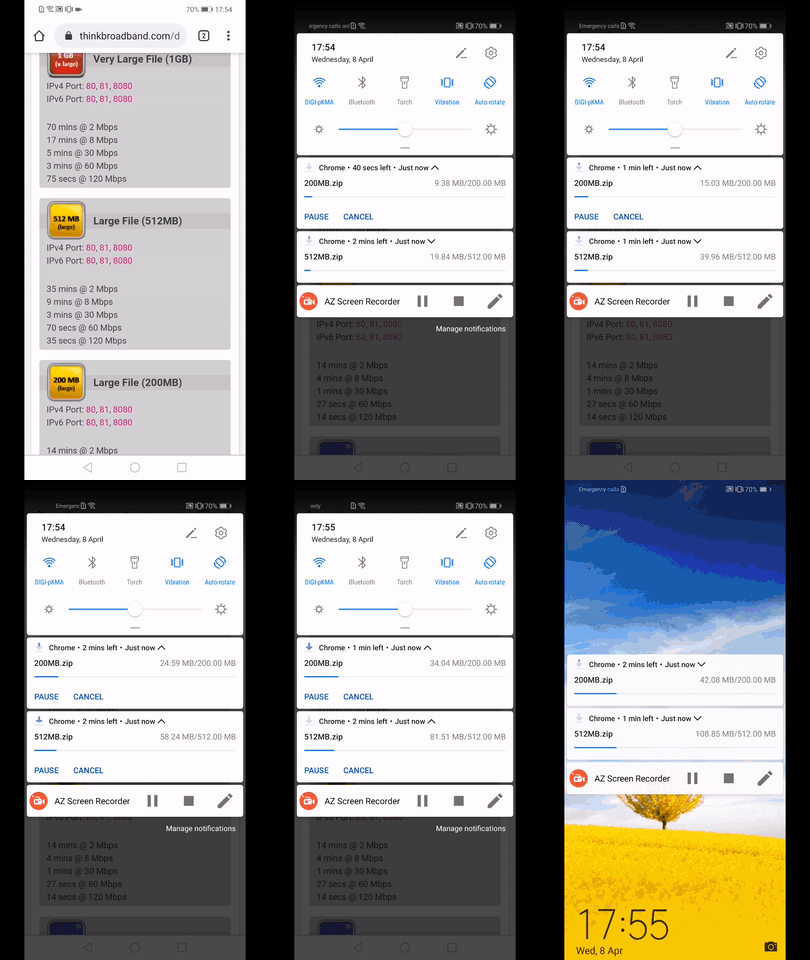
✔️ No issues encountered on OnePlus A3 (Android 6.0.1) while downloading on Chrome
► Video
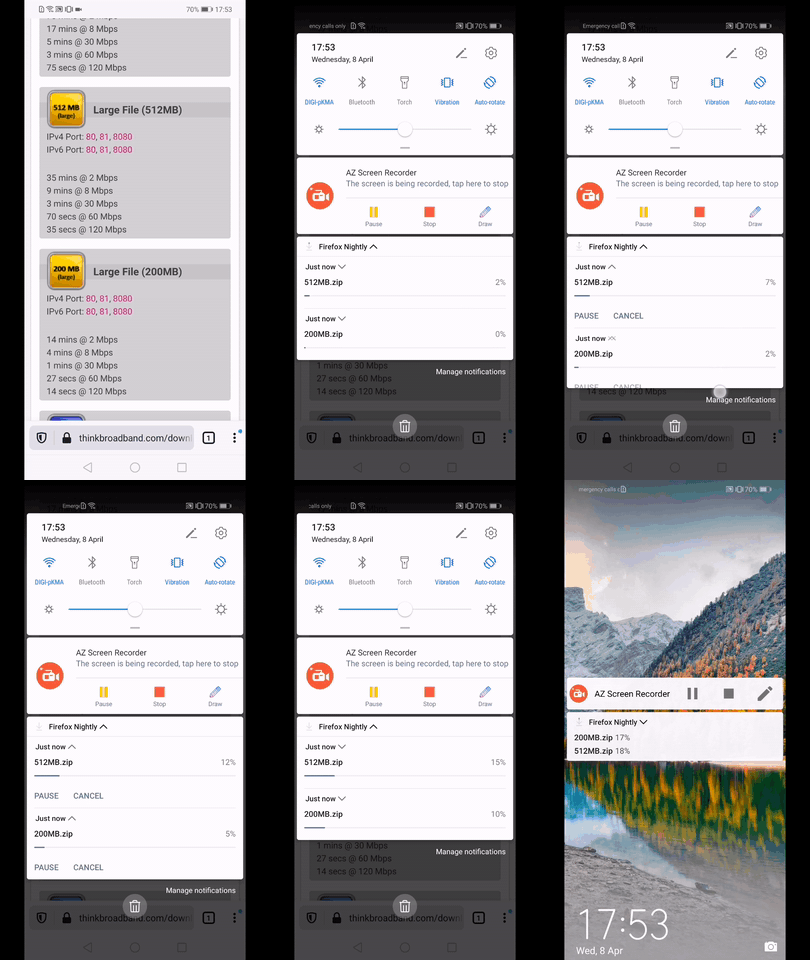
❓ Noticed a flicker on a Huawei Mate 20 Lite (Android 9) of the "Just now" while downloading the files on Fenix
► Video
✔️ No issues using the Huawei Mate 20 Lite (Android 9) on Chrome
► Video
AndiAJ
on 8 Apr 2020
@AndiAJ do you mind taking a look? It should be already on master :)
Amejia481
on 13 Apr 2020
Hi @Amejia481 , I've rechecked this matter on the on the latest Nightly Build #21060608 from 4/15 using the following devices:
• Google Pixel 3a (Android 10)
• Huawei Mate 20 Lite (Android 9)
• OnePlus A3 (Android 6.0.1)
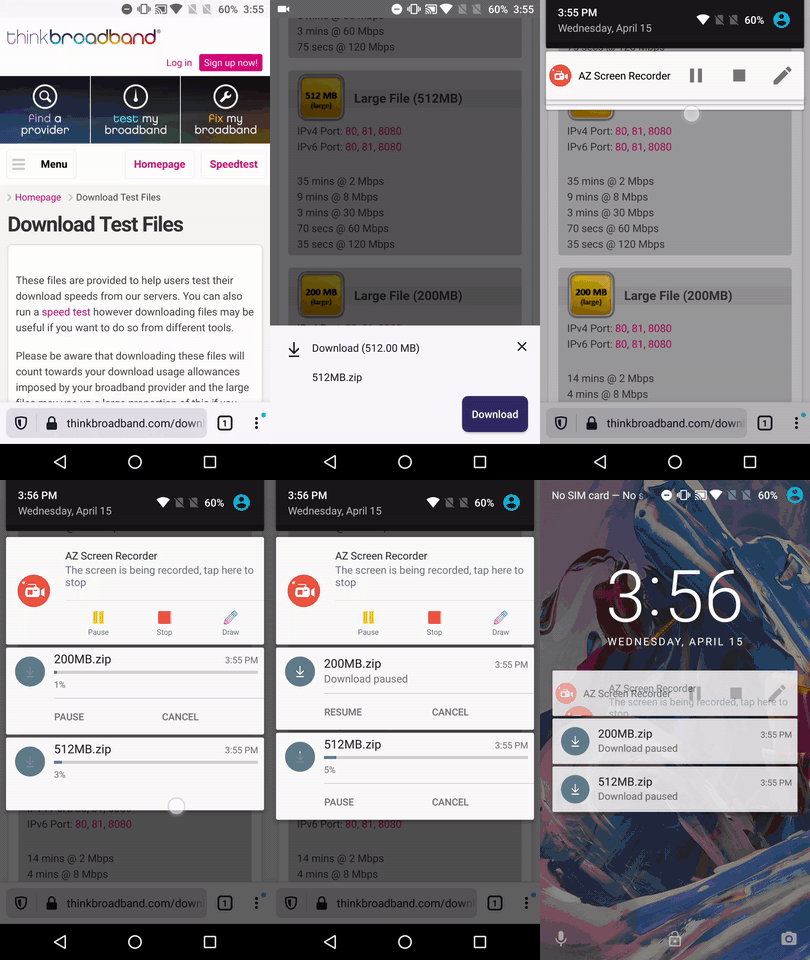
✔️ Works properly on both Google Pixel 3a and OnePlus A3 (the previous movement issues got fixed)
► Video
❌ On the other had I've noticed a flicker while testing on the Huawei Mate 20 Lite.
Because of this I've opened #9954
► Video
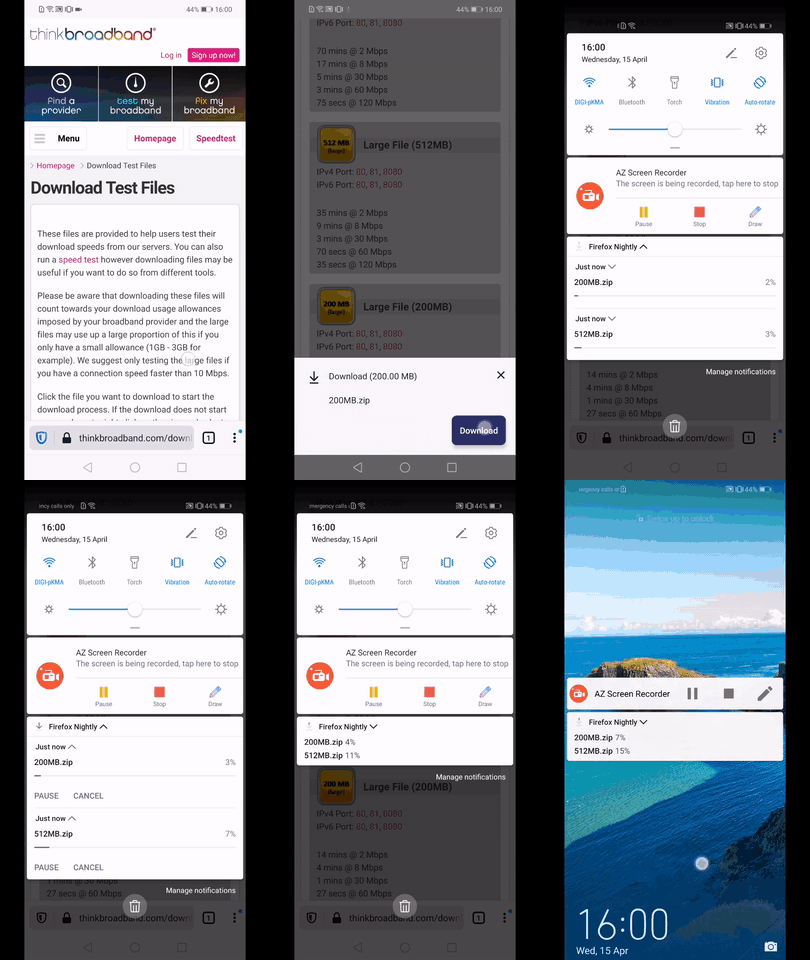
I'll mark this issue verified as fixed
The remaining flicker problem will be tracked in #9954
AndiAJ
on 15 Apr 2020
Related issues
 phileastv
·
3Comments
phileastv
·
3Comments
 abodea
·
3Comments
abodea
·
3Comments
 thelazyoxymoron
·
3Comments
abodea
·
3Comments
thelazyoxymoron
·
3Comments
abodea
·
3Comments
 csadilek
·
3Comments
csadilek
·
3Comments