Fenix: Search selection after a query
To search something in firefox for desktop and fennec you should type a query and then select and press the search action.
Fenix completely breaks this logics forcing you to select the search before typing a query.
Every time I'd like to search something in the alternate search engine the following happens, I:
- type a query
- see that only default search is available
- say "F... Fenix designers"!
- select typed query
- press
cut - select the search engine
- paste the clipboard
 532910
All 6 comments
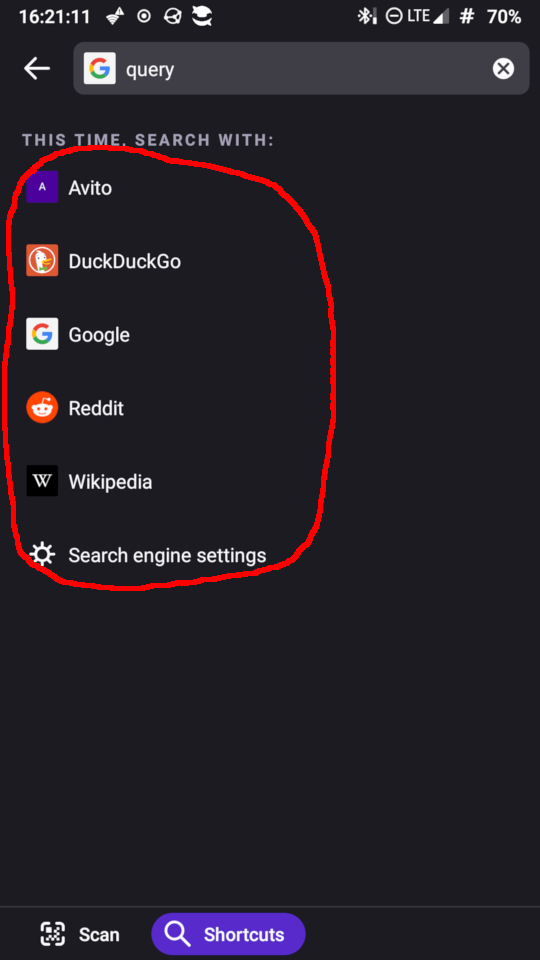
@532910 pressing the "Shortcuts" button above the keyboard will show a list of available shortcuts to search with.
 TitanNano
on 17 Feb 2020
TitanNano
on 17 Feb 2020
On the one hand I was wrong, it's possible to select a search engine after a query.
On the other:
- It's too untrivial (I was unable to find it myself)
- It requires two actions more: (before, pressing another search engine icon leads to this query execution, now it requires tree actions: press shortcuts, select engine, press enter.
532910
on 20 Feb 2020
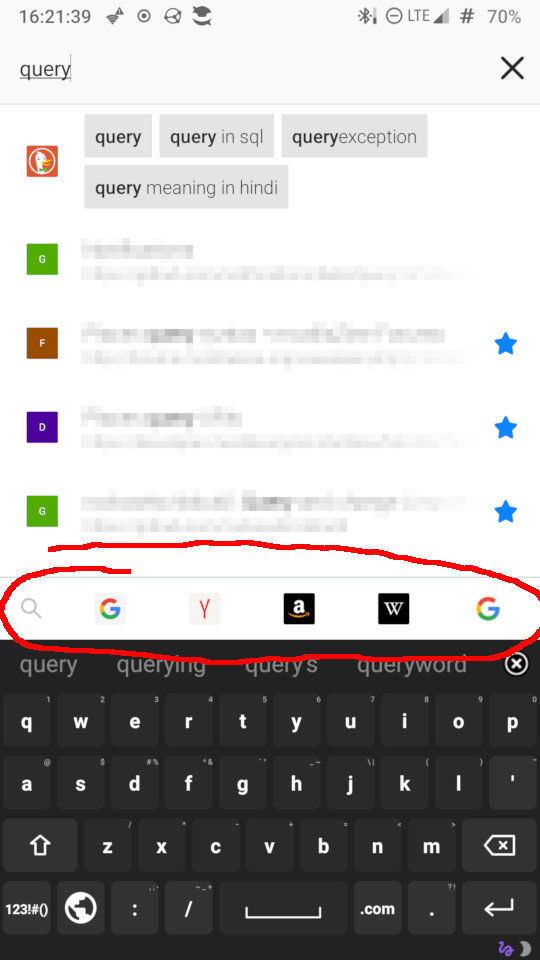
Moreover, before it was a line, but now it takes the whole screen:
532910
on 20 Feb 2020
I completely agree with the bug report @532910, although thanks to @TitanNano for the tip about shortcuts.
I would like to know what the perceived benefit of the current workflow is? Why do t get team think this is better than the Fennec implementation?
Cheers 🙂
 madb1lly
on 5 Mar 2020
madb1lly
on 5 Mar 2020
@532910 you can eliminate some steps, by enabling the "Show search engines" from Settings - Search.
Now, your steps will be:
- type a query
- select the desired search engine
- tap on "Go".
Does this help?
 softvision-miralobontiu
on 18 Nov 2020
softvision-miralobontiu
on 18 Nov 2020
Nope, search engines hide as soon as I start typing a query.
532910
on 18 Nov 2020
Related issues
 vesta0
·
3Comments
vesta0
·
3Comments
 ekager
·
3Comments
ekager
·
3Comments
 thelazyoxymoron
·
3Comments
thelazyoxymoron
·
3Comments
 clitetailor
·
3Comments
clitetailor
·
3Comments
 csadilek
·
3Comments
csadilek
·
3Comments
Most helpful comment
Moreover, before it was a line, but now it takes the whole screen: