Fenix: [Bug] Animation jank when clicking URL bar and closing it
Steps to reproduce
- Click URL bar (observe)
- Press back (observe)
Expected behavior
Smooth animation to open enter address page. Smooth animation to close page.
Actual behavior
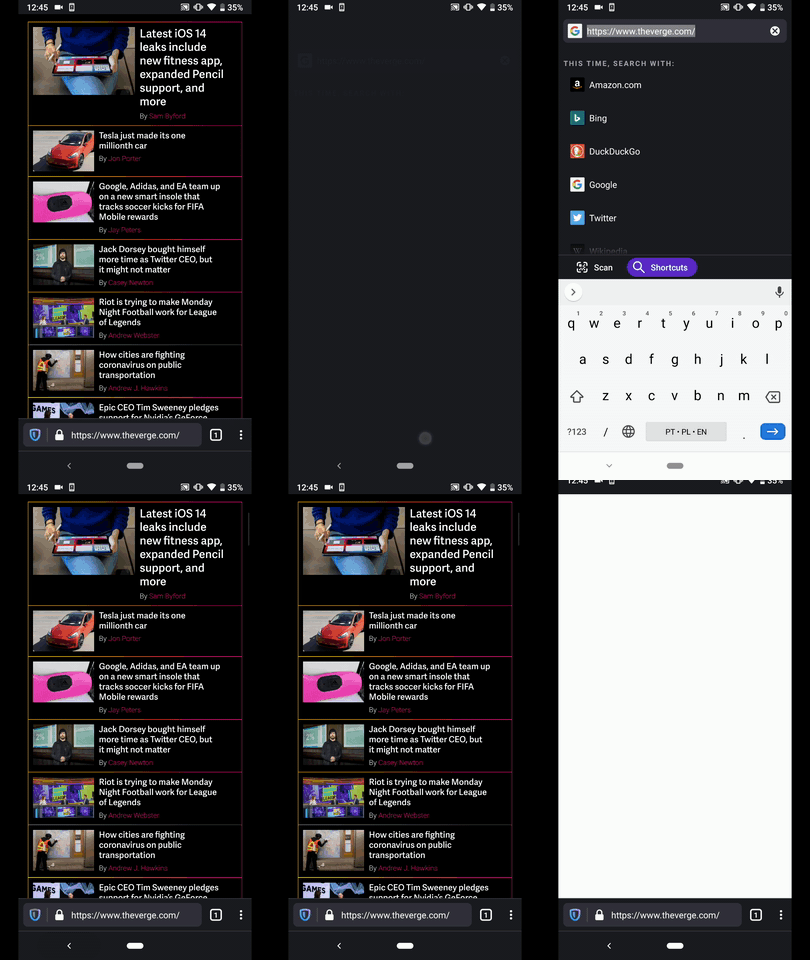
Jank when opening page. In separate non-animated frames, the following happens in order:
- Web page flashes to white
- "Search or enter address" appears at top of screen
- ^ "Search or enter address" is replaced by URL
- URL is highlighted
- Keyboard is raised, bumping "Scan | Shortcuts" menu from bottom of screen to above keyboard
Jank when closing page. In separate, non-animated frames, the following happens in order:
- The "Search or enter address" bar disappears and the toolbar appears at the bottom of the screen
- The toolbar relayouts where a bookmarks star is shown and other items are reordered
- The toolbar relayouts to final layout where TP is shown instead of star
- The web page appears and a black bar appears where the toolbar was (it moves to the bottom of the screen, hidden by the animating out keyboard)
I took a video: download it and play the video in slow motion (e.g. by moving individual frames with the arrow keys in Quicktime): https://drive.google.com/file/d/1NyETDyDbu77Mehcjwr05W66Fao-6Dz7X/view?usp=sharing
Device information
- Android device: Pixel 2
- Fenix version: Nightly 191226
 mcomella
All 5 comments
On my Pixel 4, the navbar quickly gets tugged down to half-screen, so something weird is going on. This could be much smoother.
 darkwing
on 12 Feb 2020
darkwing
on 12 Feb 2020
I'm working on this as part of search polish and have already made improvements on Home -> Search 😄
 sblatz
on 26 Feb 2020
sblatz
on 26 Feb 2020
Hi, still reproducible on the latest Nightly Build #20700607 from 03/10 using the following devices:
• Google Pixel 4XL (Android 10)
• Google Pixel 3a (Android 9)
• Huawei Mate 20 Lite (Android 8.1.0)
• Samsung Galaxy S7 (Android 7)
• OnePlus A3 (Android 6.0.1)
• LG Nexus 4 (Android 5.1.1)
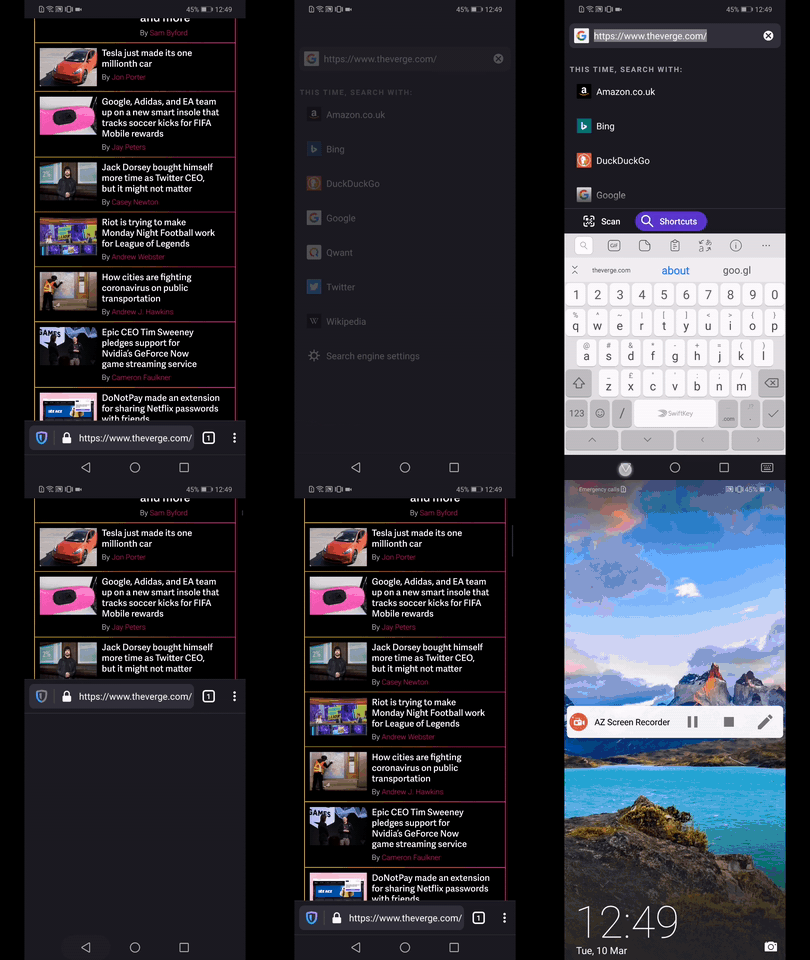
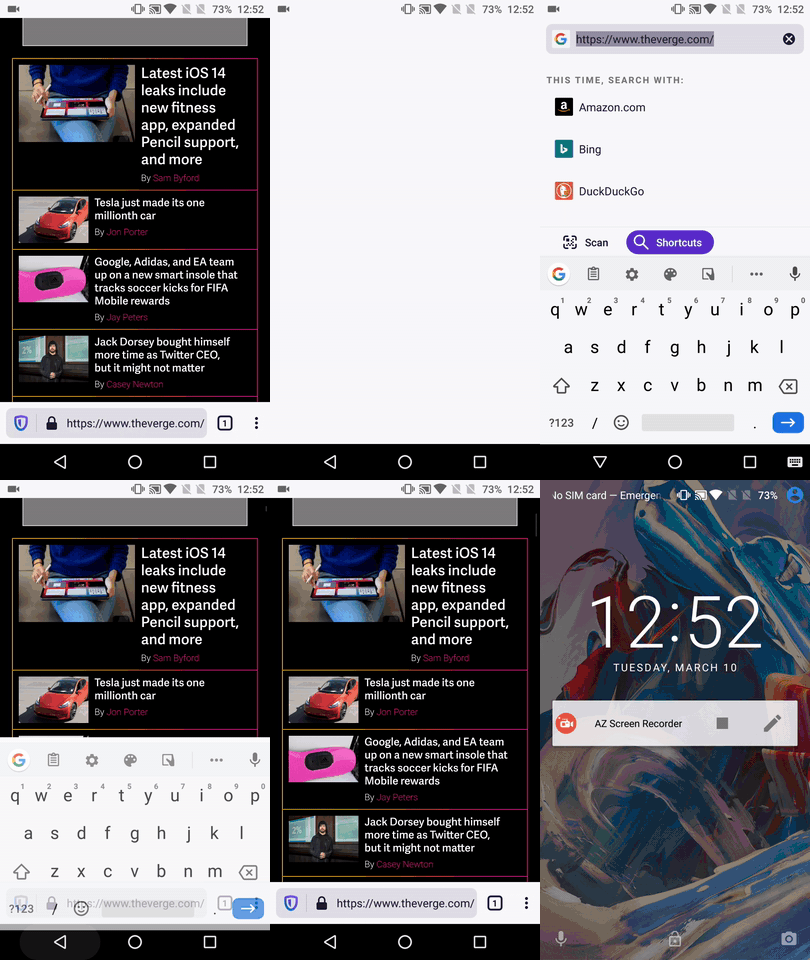
Most of the inconsistencies described by @mcomella seem to be happening closing the search fragment.
►Video from Google Pixel 3a
►Video from Huawei Mate 20 Lite
►Video from OnePlus A3
@sblatz - Please review. ☺️
I'll remove the QA needed until further notice.
 AndiAJ
on 10 Mar 2020
AndiAJ
on 10 Mar 2020
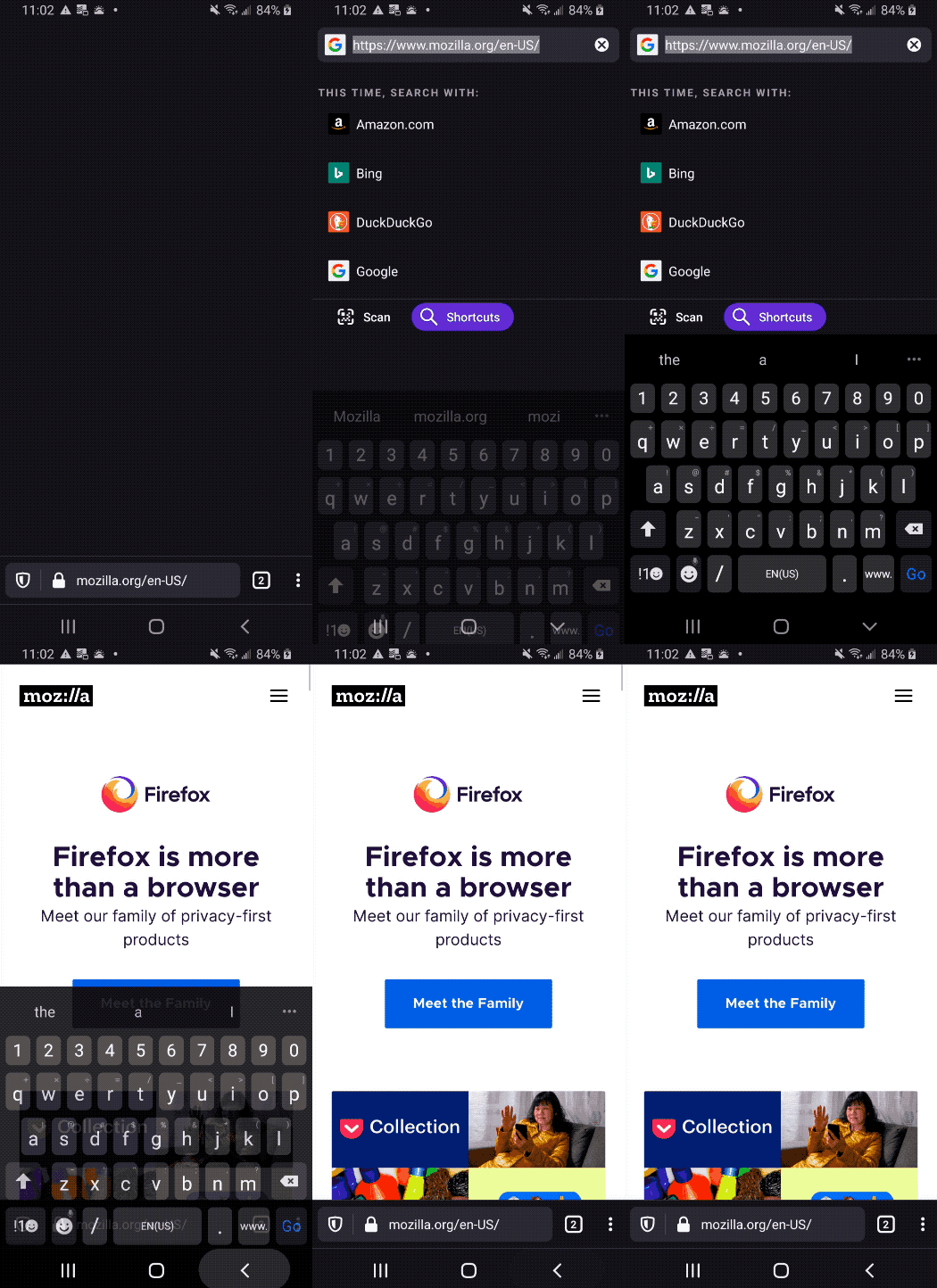
@mcomella do you feel like this new animation is good enough? The icon doesn't flash to being a star anymore, the animation is not "jittery" anymore. Please let me know what issues you still have with it :)
For what it's worth there's only so much we can do to make this animation feel "smooth" since the keyboard has to be dismissed and its animation is handled by the system 😕
sblatz
on 13 Apr 2020
@sblatz Yeah, this looks much better on my P2 – I'm happy to close.
For what it's worth there's only so much we can do to make this animation feel "smooth" since the keyboard has to be dismissed and its animation is handled by the system
To that point, I wonder how other apps animate to look smooth while animating the keyboard. Can we learn from them?
mcomella
on 15 Apr 2020
Related issues
 thelazyoxymoron
·
3Comments
thelazyoxymoron
·
3Comments
 clitetailor
·
3Comments
clitetailor
·
3Comments
 abodea
·
3Comments
abodea
·
3Comments
 ekager
·
3Comments
ekager
·
3Comments
 vesta0
·
3Comments
vesta0
·
3Comments