Fenix: [Bug] Tapping tabs overview does not show current tab
Steps to reproduce
- Open a new tab
- Start a search
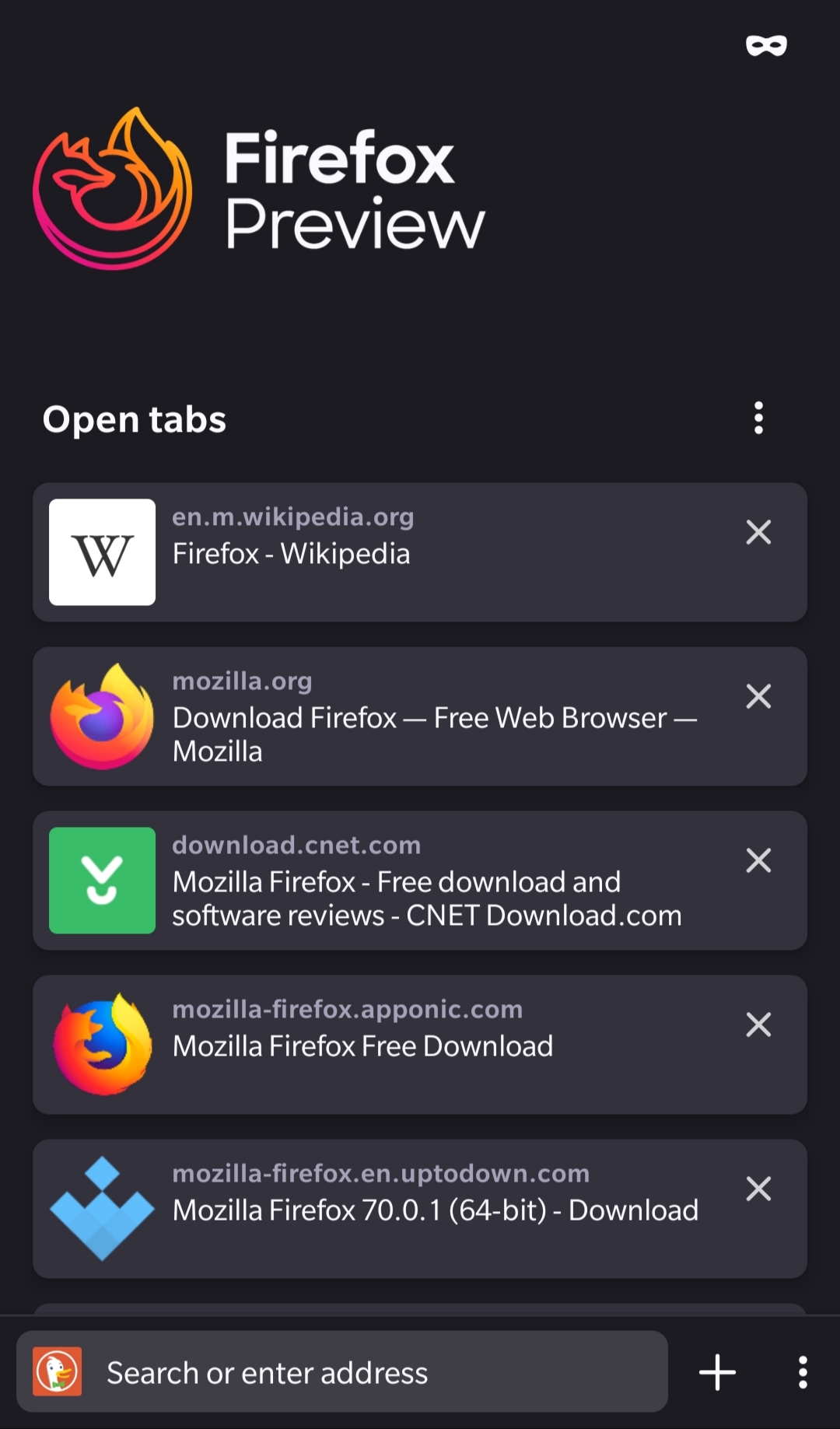
- Open many results in new tab (more than the tab overview can show without scrolling)
- Than click Switch
- Tap on the tab overview button
Expected behavior
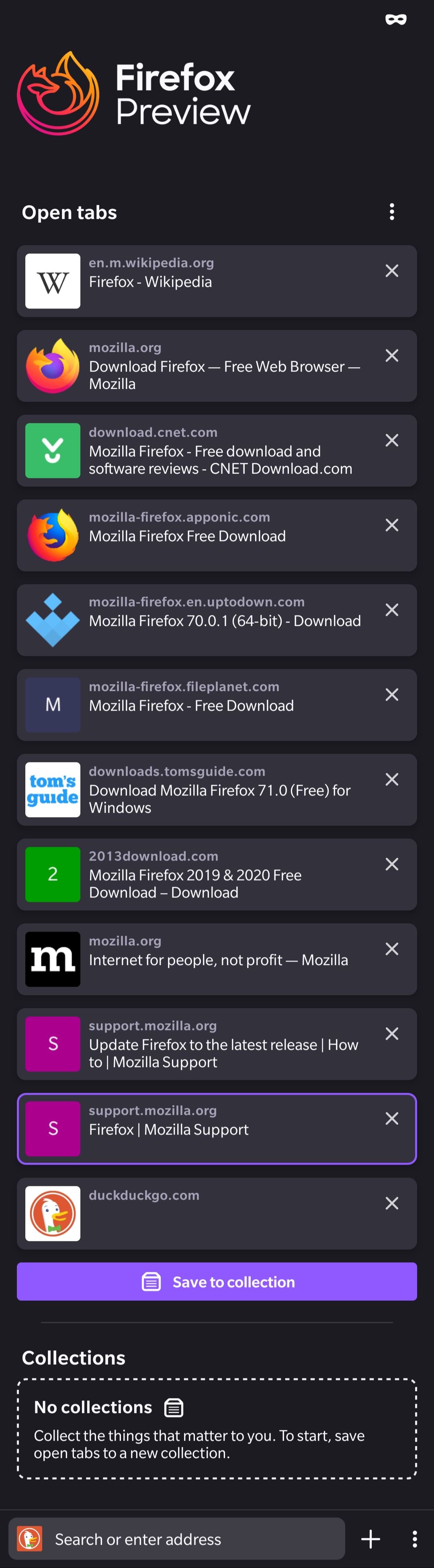
The preselected tab is the current one and it is scrolled down to it.
Actual behavior
The current tab is preselected but you cannot see it because it's on the top of the list.
Device information
- Android device: OnePlus 3T OOS 9.0.6 Android 9
- Fenix version: Nightly 191224 06:00 (Build #13580608) 27.0.0, 11653be8e GV: 73.0a1-20191220095035
 mikeGolf08
All 8 comments
@topotropic Is this something we want to do in the new tab tray?
 boek
on 27 Dec 2019
boek
on 27 Dec 2019
We want to show the tab people came from when navigating back to tab overview. Can we scroll the selected tab into view?
 topotropic
on 27 Feb 2020
topotropic
on 27 Feb 2020
@boek Should we work on this after the new tab tray is implemented?
 mcarare
on 2 Mar 2020
mcarare
on 2 Mar 2020
It seems that the "scroll to tab you where just on" is a behavior we want – no matter where it happens (home or maybe in a future iteration on tab tray).
topotropic
on 2 Mar 2020
@topotropic Should we implement the scrolling to selected tab in any flow? Or just when you tap on the tabs overview? I am asking because you can scroll in the home screen to some position that does not show the selected tab, navigate away(for example to settings) and then go back.
Also, there is this issue: https://github.com/mozilla-mobile/fenix/issues/8561.
Do we want to scroll to selected tab or to top on app start?
mcarare
on 5 Mar 2020
For the scenario you described (scroll on home, go to settings, go back to home) we preserve the scroll state, so don't scroll to selected tab.
On cold start, we render from top and display top sites addressing https://github.com/mozilla-mobile/fenix/issues/8561.
Let me know if that doesn't answer your questions or if there's something I missed.
Thank you!
topotropic
on 5 Mar 2020
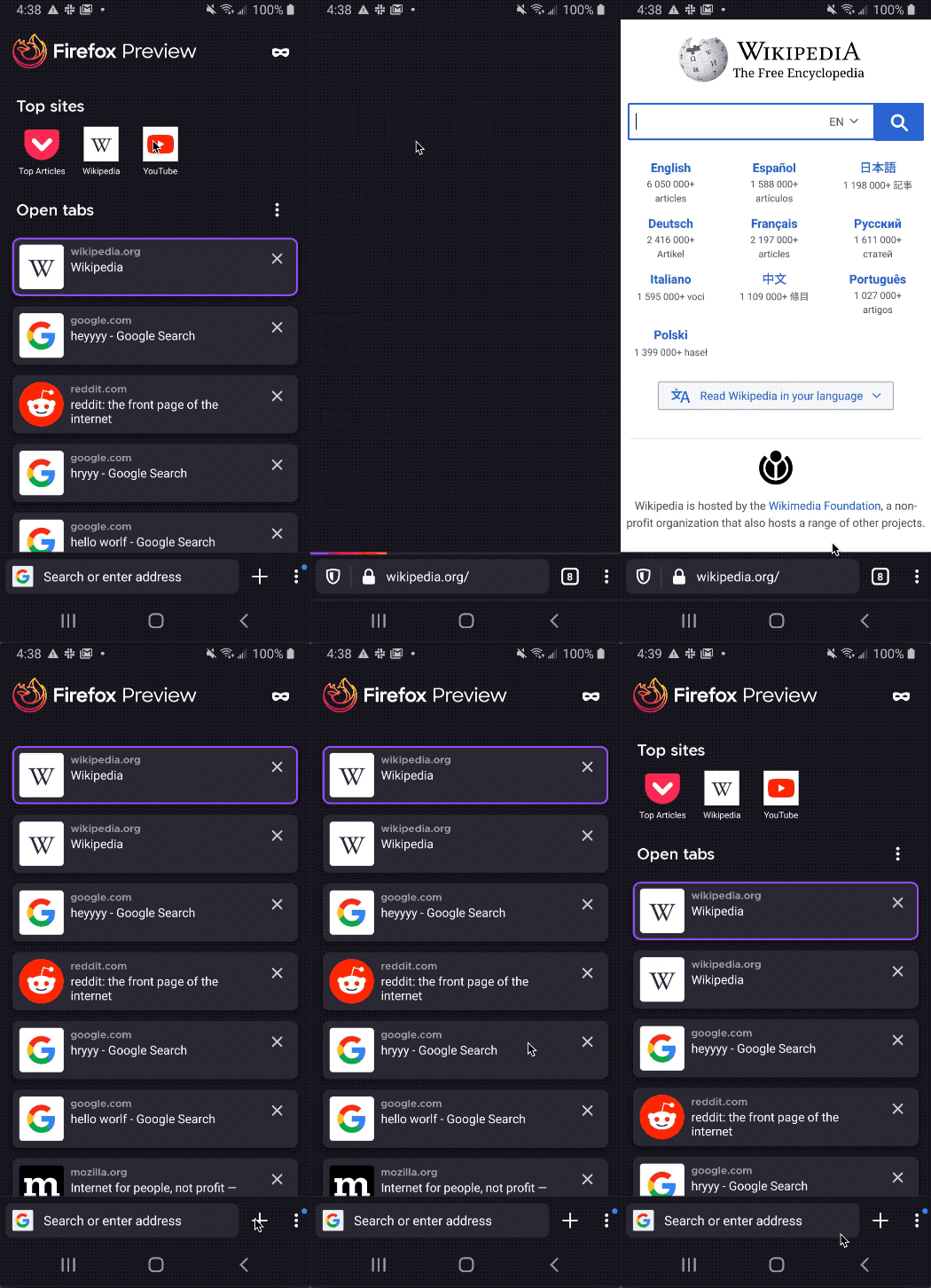
@topotropic this now has odd behavior with top sites & newly added tips. If I come back from a tab, I do not see "top sites" and don't have any visual indicator that they're even there. Same goes for tips.
Maybe if the top tab is the one selected, we try to also show top sites & tip?
Demo:
 sblatz
on 10 Apr 2020
sblatz
on 10 Apr 2020
@topotropic this now has odd behavior with top sites & newly added tips. If I come back from a tab, I do not see "top sites" and don't have any visual indicator that they're even there. Same goes for tips.
Maybe if the top tab is the one selected, we try to also show top sites & tip?
Demo:
...
Yes this behavior is kinda odd and does not represent the newest FF75 awesomebar integration.
I think there are 3 possible solutions:
- Showing Top-Sites everytime (showing the top and not the currently selected tab at all)
- Showing Top-Sites in "awesome-bar" window after clicking on it and remove them after the first char is typed & still at the top of the Tab-Overview but with a little Top-Sites button to the left of the Incognito Window button (to be reachable when selected tab is at such a position that Top-Sites are not visible anymore)
- Showing the top everytime but the selected tab moves to the top of the list
I for one prefer the second solution!
@sblatz @boek @topotropic
mikeGolf08
on 12 Apr 2020
Related issues
 csadilek
·
3Comments
csadilek
·
3Comments
 abodea
·
3Comments
abodea
·
3Comments
 robsmith11
·
3Comments
robsmith11
·
3Comments
 thelazyoxymoron
·
3Comments
abodea
·
3Comments
thelazyoxymoron
·
3Comments
abodea
·
3Comments