Fenix: [Bug]Pausing & resuming a download creates multiple partially written files with same name
Steps to reproduce
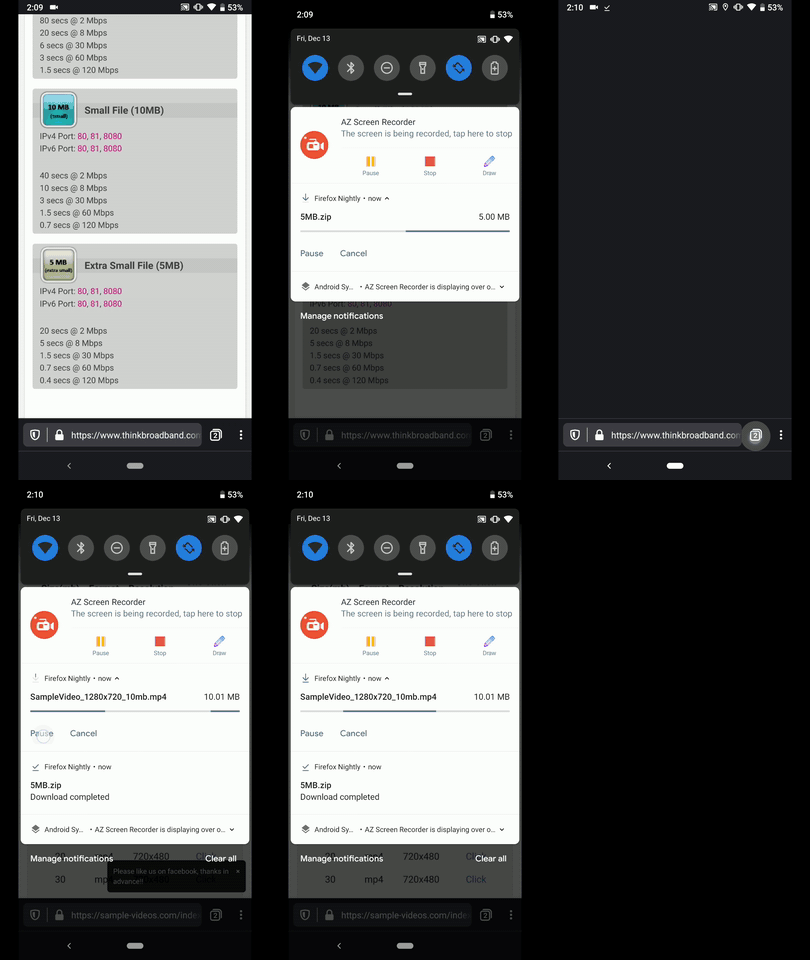
- Navigate to https://www.thinkbroadband.com/download and download a file.
- While downloading the desired file Pause & Resume a couple of times.
- After the download is done, using the device file manager check the Downloads
Expected behavior
The file should be listed only once.
Actual behavior
The file is listed multiple times and seems to be downloaded multiple times.
Number of files = Number of download resumes
Device information
• Android device:
❌ Reproducible on:
• Google Pixel 3a (Android 9)
• Samsung Galaxy S7 (Android 7)
• OnePlus A3 (Android 6.0.1)
✔️ Not reproducible on:
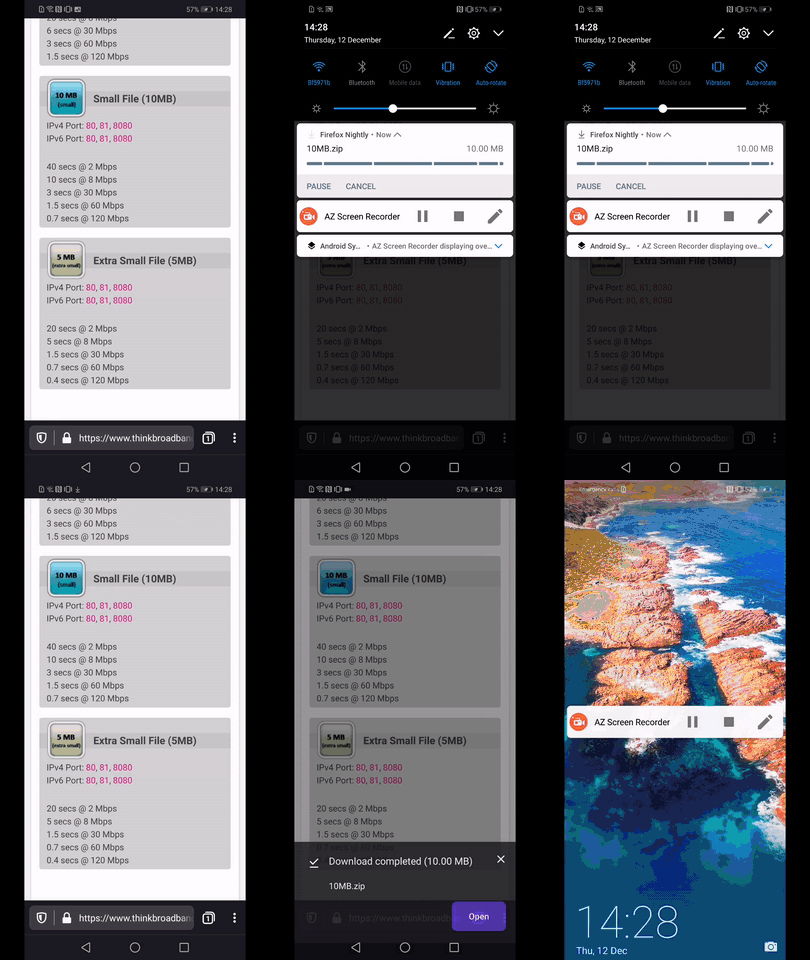
• Huawei Mate 20 Lite (Android 8.1.0)
• LG Nexus 4 (Android 5.1.1)
• [sblatz] Samsung Galaxy S9 (Android 9)
• Fenix version: Nightly Build #13520613 from 12/18
Notes
► Video from Google Pixel 3a
► Video from Huawei Mate 20 Lite
 AndiAJ
All 7 comments
This is a really strange bug. I cannot reproduce this on my Galaxy S9 on Android 9.
@csadilek do you have any idea what may be going on here? It may be related to this patch: https://github.com/mozilla-mobile/android-components/pull/5286/files
I'm digging into this a bit and my thoughts for possible issues are:
- Download pause doesn’t kill the job? Resuming starts a new one so many files are written.
- Download resume creates a new file immediately with same name
Neither of these really make sense to me, but I'm unsure what else it would be. I'm going to see if I can reproduce this in an emulator of a Pixel.
EDIT I'm able to reproduce this on an emulator. A few weird things I'm observing:
- On each PAUSE the file size becomes the full expected file size, though trying to open the file leads to an error (e.g. it jumps from 3MB to 200MB immediately) (it looks like
useFileStreamgets called at this point`) - Leaving the download paused for ~10 seconds and trying to resume / cancel does not work. Left with a phantom notification 😕
Here's some debugging logs from doing the following steps:
1) Download file
2) Pause (1 file written, "full size" written)
3) Resume (1 file)
4) Pause (2 files written, "full size" on both)
5) Resume
6) Let download finish (2 files written, "full size" on both, both files fail to open)
D/Sawyer: makeUniqueFileName returning unique name!
D/Sawyer: useFileStreamLegacy file exists?: false isAppending?: false
D/Sawyer: ACTION_PAUSE
D/Sawyer: end copyInChunks while loop
D/Sawyer: makeUniqueFileName returning same name
D/Sawyer: useFileStreamLegacy file exists?: true isAppending?: true
D/Sawyer: ACTION_PAUSE
D/Sawyer: end copyInChunks while loop
D/Sawyer: makeUniqueFileName returning same name
D/Sawyer: useFileStreamLegacy file exists?: true isAppending?: true
D/Sawyer: end copyInChunks while loop
(the DIFF I used to produce this log)
It seems to be following the correct flow here. It calls "append" correctly when resuming, pauses the copying correctly, and returns an identical name as expected.
I'm wondering if addCompletedDownload acts differently here on different android versions/devices? On some it may collapse files with the SAME NAME, but on others it does not? Leaving users with files that have identical names.
It's really strange that we ask the system if the file exists, the system says YES, we ask it to append to THAT file, and instead it creates a NEW file with the SAME NAME as the existing file and writes a partial file there.
 sblatz
on 18 Dec 2019
sblatz
on 18 Dec 2019
I've got it! Patch incoming in AC: https://github.com/mozilla-mobile/android-components/pull/5344 :)
sblatz
on 18 Dec 2019
Should be fixed in the next nightly 😄
sblatz
on 18 Dec 2019
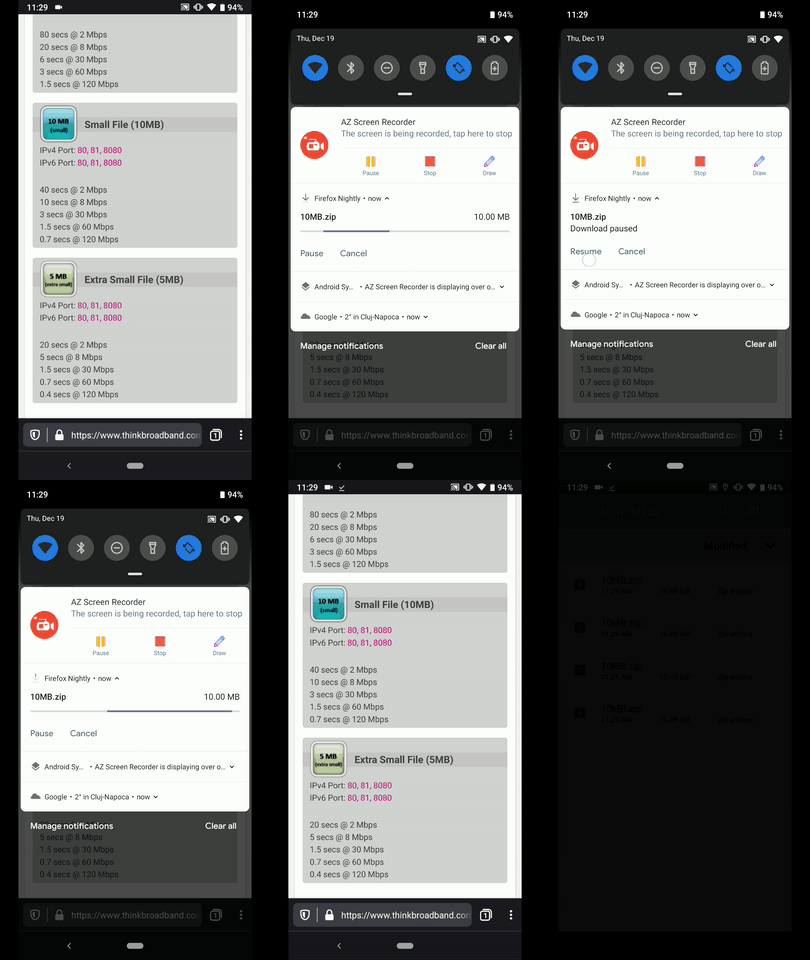
Hi, still reproducible on the latest Nightly build #13530608 from 12/19
❌ Reproducible on:
• Google Pixel 3a (Android 9)
• Samsung Galaxy S7 (Android 7)
• OnePlus A3 (Android 6.0.1)
✔️ Not reproducible on:
• Huawei Mate 20 Lite (Android 8.1.0)
• LG Nexus 4 (Android 5.1.1)
► Video
AndiAJ
on 19 Dec 2019
Oops, sorry about that @AndiAJ, the AC version hadn't been updated. I'll make sure that gets merged before putting qa needed on this again 😄
sblatz
on 19 Dec 2019
AC version has been updated to 27 so this should work on master/next nightly.
sblatz
on 20 Dec 2019
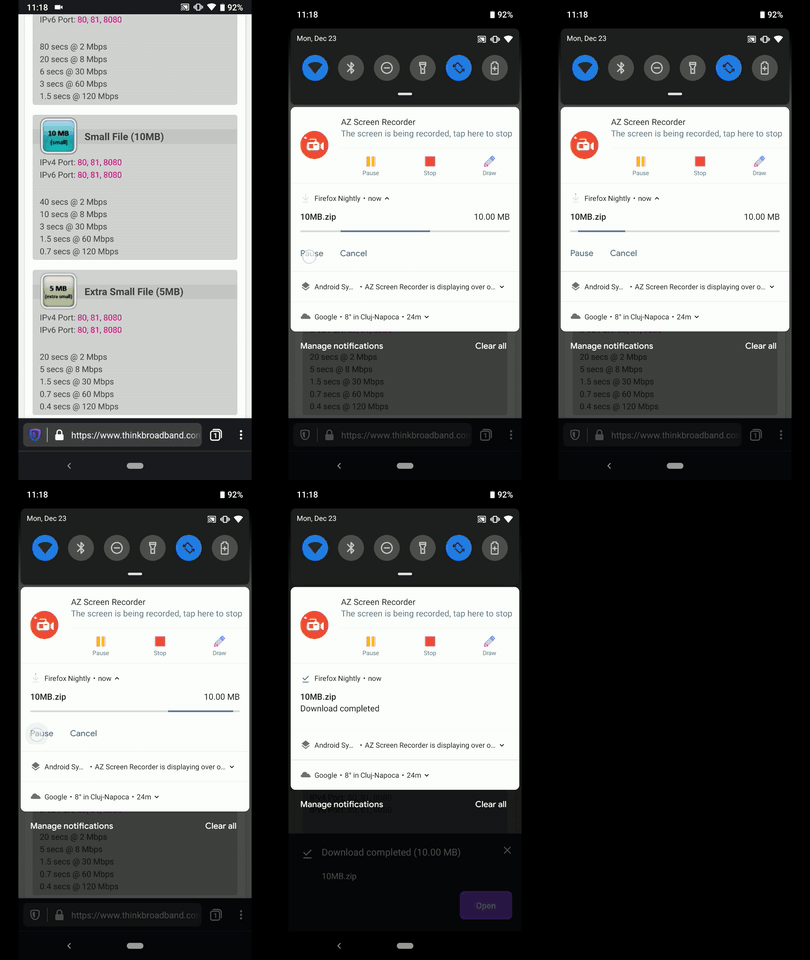
Hi, verified as fixed on the latest Nightly Build #13570608 from 12/23 using the following devices:
• Google Pixel 3a (Android 9)
• Huawei Mate 20 Lite (Android 8.1.0)
• Samsung Galaxy S7 (Android 7)
• OnePlus A3 (Android 6.0.1)
• LG Nexus 4 (Android 5.1.1)
► Video
Great job @sblatz ! ☺️
AndiAJ
on 23 Dec 2019
Related issues
 andreicristianpetcu
·
3Comments
andreicristianpetcu
·
3Comments
 csadilek
·
3Comments
csadilek
·
3Comments
 clitetailor
·
3Comments
clitetailor
·
3Comments
 phileastv
·
3Comments
phileastv
·
3Comments
 thelazyoxymoron
·
3Comments
thelazyoxymoron
·
3Comments