Fenix: [Bug] Don't allow and Allow buttons cannot be accessed in landscape mode
Steps to reproduce
- Launch Fenix.
- Access Private browsing(make sure search suggestions are on).
- Type anything in the URL bar.
- The
Allow search suggestions in private session?prompt is displayed. - Rotate the device from portrait to landscape mode.
Expected behavior
The screen is scrollable and the Don't allow and Allow buttons can be accessed.
Actual behavior
The bottom part of the Allow search suggestions in private session? prompt is not displayed and Don't allow and Allow buttons cannot be accessed.
Device information
- Android device: Google Pixel 3a XL(Android 10), OnePlus 6T(Android 9)
- Fenix version: Latest Nightly 12/9.

UX
Design Work
- [x] Request for Comments from UX team
- [ ] ~Usability testing if a new pattern or potentially confusing UI~ Not required – it’s a bugfix
- [x] Request for Comments from Fenix team and/or A/C, GV, Sync, etc as needed
- [x] Interaction details included
- [x] Accessibility ~- is this a review by someone,~ just keeping it in mind?
- [ ] ~For existing UI changes, deltas are highlighted~ No UI – this is a behaviour change
- the[ ] ~Strings/content reviewed and approved~ No string – this is a behaviour change
- [ ] ~Are they too long for the component in other locales~
Deliverable
- [ ] ~Assets uploaded to Google Drive~
- [ ] ~Links to deliverables (spec, assets) posted in comment 0~
Deliverable Links
- ~User flow: (link to e.g. Abstract artboard, LucidChart, Whimsical, Miro, etc.)~
- ~Spec: (link to e.g. Abstract artboards)~
- ~Assets: (link to Google Drive folder)~
Behaviours
We’ve tried designing new landscape-specific layouts for this dialogue. In the end, the solution that worked without introducing any layout exceptions is to make the search results scrollable. This is the behaviour that we should have.
 abodea
All 22 comments
How should we handle this? Hide keyboard when prompt is touched or somehow scroll the prompt ?
 mcarare
on 10 Dec 2019
mcarare
on 10 Dec 2019
@mcarare Ideally, we’d align the buttons right, make them the same width, and stack them vertically:
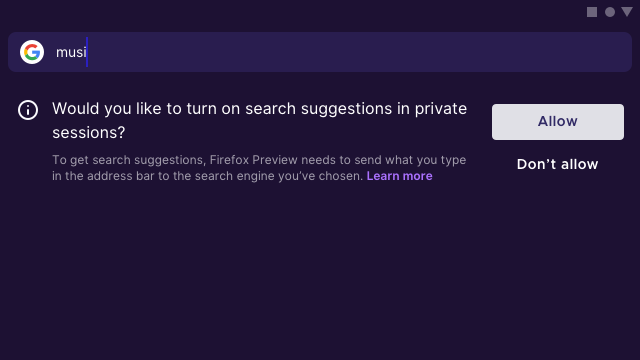
But I wonder whether it’s possible to do that?
If not, can we do something like allow scrolling the area below the search bar, so users can access the buttons? Not ideal, I know!
 brampitoyo
on 11 Dec 2019
brampitoyo
on 11 Dec 2019
@brampitoyo This alignment just for landscape, or also for portrait?
mcarare
on 11 Dec 2019
Hey, @brampitoyo tried the stacked design but doesn't really help realistically because the soft keyboard hides the bottom button.
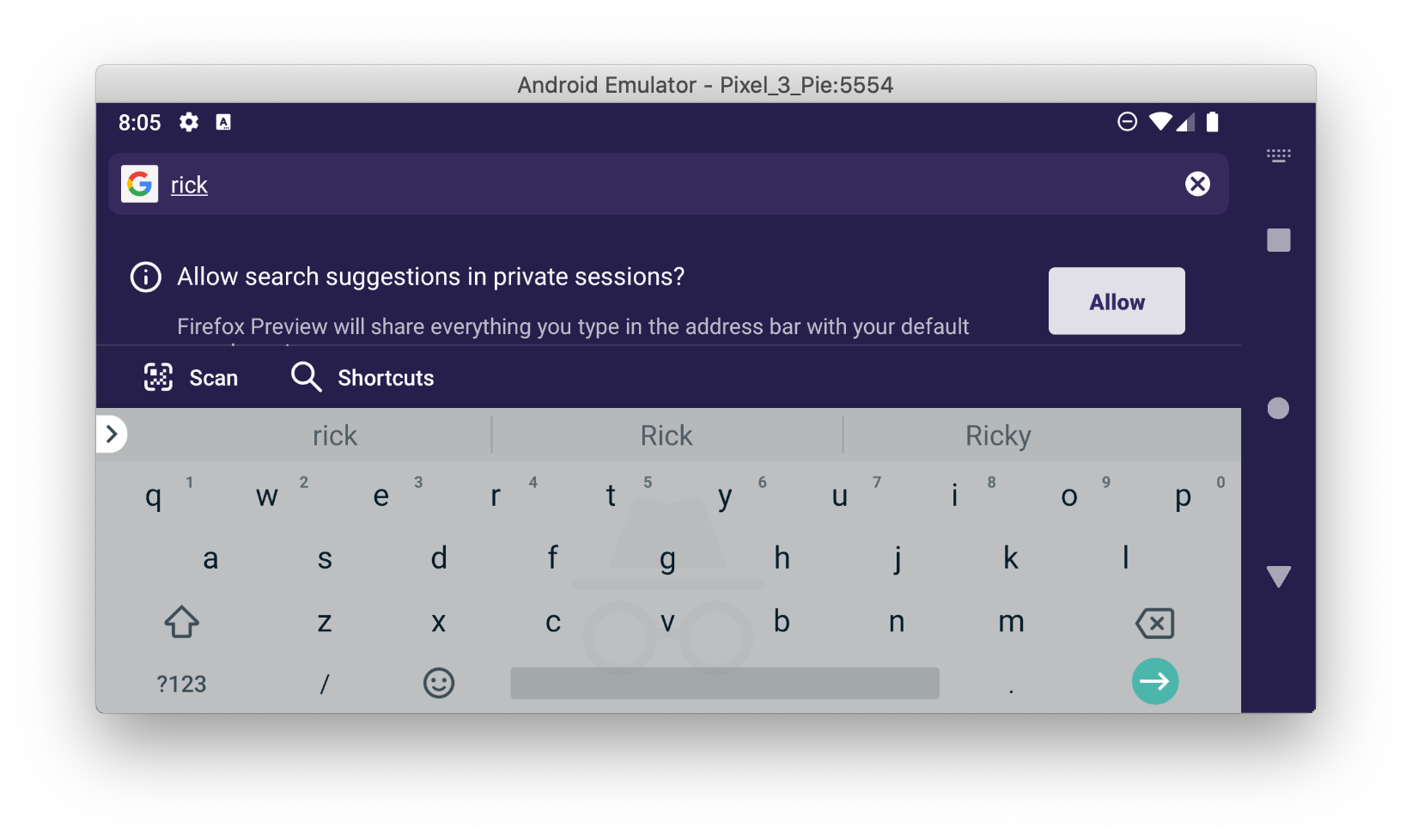
I also tried aligning them and that does seem to fix the button visibility. Let me know what you think!
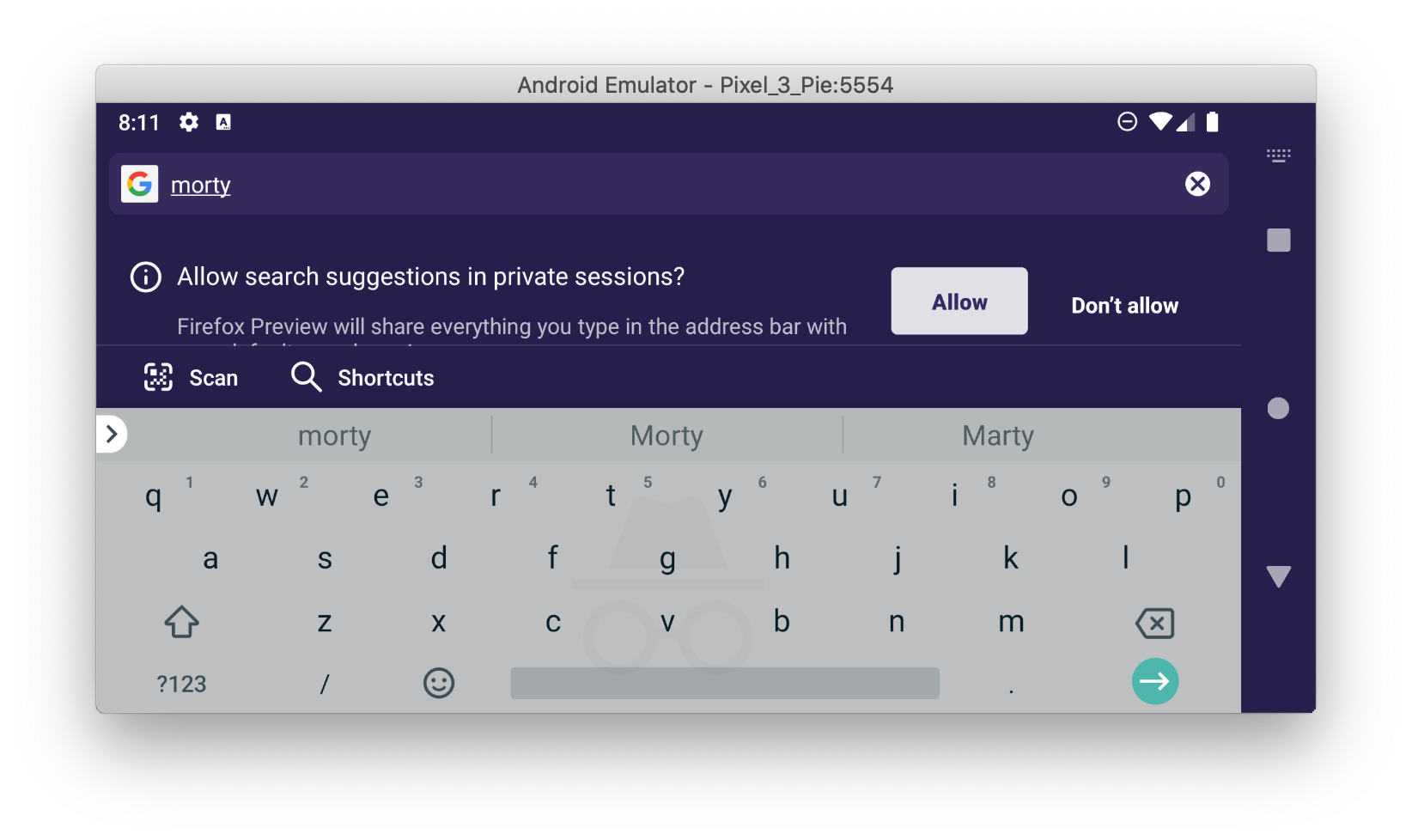
 hackertronix
on 11 Dec 2019
hackertronix
on 11 Dec 2019
@mcarare I was thinking that the alignment should only apply to landscape orientation. However, @hackertronix showed that it doesn’t help.
I wonder if we can make the page scroll, instead of re-aligning any button? Of course then the user will still have to scroll down in order to access these buttons. It’s inconvenient, but there’s a way to do it, and we won’t need to modify our layout.
Otherwise, out of the two solutions that @hackertronix proposed, I like the latter one because it still allows the user to tap the buttons. However, let’s swap the position of “Allow” and “Don’t allow”. The “Allow” button should appear right, similar to the portrait orientation.
Let me know what approach would work best?
brampitoyo
on 12 Dec 2019
@brampitoyo my suggestions don't really modify the original layout, I simply created a landscape variant of the layout and rearranged the buttons and the portrait UI has not been modified
hackertronix
on 12 Dec 2019
@hackertronix That sounds ok to me. I suppose my question to @mcarare is whether we should make the search page scrollable – instead of keeping it static – because it may help fix this issues specifically, and other issues as well.
brampitoyo
on 12 Dec 2019
Hey, @brampitoyo I just tried making the layout scrollable and that fixes the button visibility issue 🎉

hackertronix
on 12 Dec 2019
@hackertronix Great! I will update comment 0 with UX decision.
brampitoyo
on 15 Dec 2019
@brampitoyo Should I submit a PR for this?
hackertronix
on 16 Dec 2019
@hackertronix Yes, I think so! Please check with @mcarare for further PR-related information.
@mcarare Would fixing this issue also fix #7059?
brampitoyo
on 16 Dec 2019
@brampitoyo Sure, it will also be a good fix for #7059.
mcarare
on 16 Dec 2019
@hackertronix Are you working on a PR for this? Otherwise I will pick this up.
mcarare
on 18 Dec 2019
Hey @mcarare yes I am working on this I will most probably open a PR early tomorrow morning.
hackertronix
on 18 Dec 2019
The PR from @hackertronix is meant to fix this issue but I can't seem to scroll in horizontal view. @kglazko Can you check this out to make sure I'm not crazy?
 darkwing
on 12 Feb 2020
darkwing
on 12 Feb 2020
For reference, the PR never got linked in this issue but is here: https://github.com/mozilla-mobile/fenix/pull/7339
 kglazko
on 12 Feb 2020
kglazko
on 12 Feb 2020
My PR https://github.com/mozilla-mobile/fenix/pull/8866 should fix this issue by allowing scrolling in this area.
darkwing
on 28 Feb 2020
Hi, I've re-checked this matter on the latest Nightly Build #20940609 from 4/3 using the following devices:
• Google Pixel 3a (Android 10)
• Huawei Mate 20 Lite (Android 9)
• Samsung Galaxy S6 (Android 7)
• OnePlus A3 (Android 6.0.1)
✔️ It seems to be working if Gboard is used.
► Video
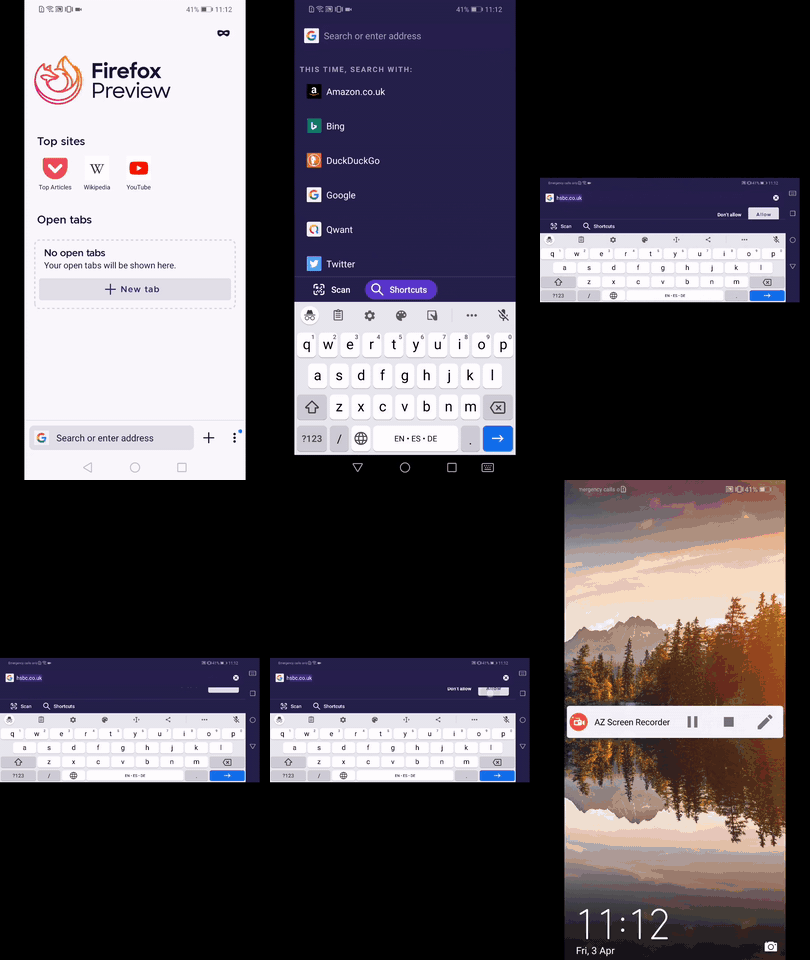
❌ On the other hand when using the SwiftKey the keyboard covers the prompt, no swipe action possible.
► Video
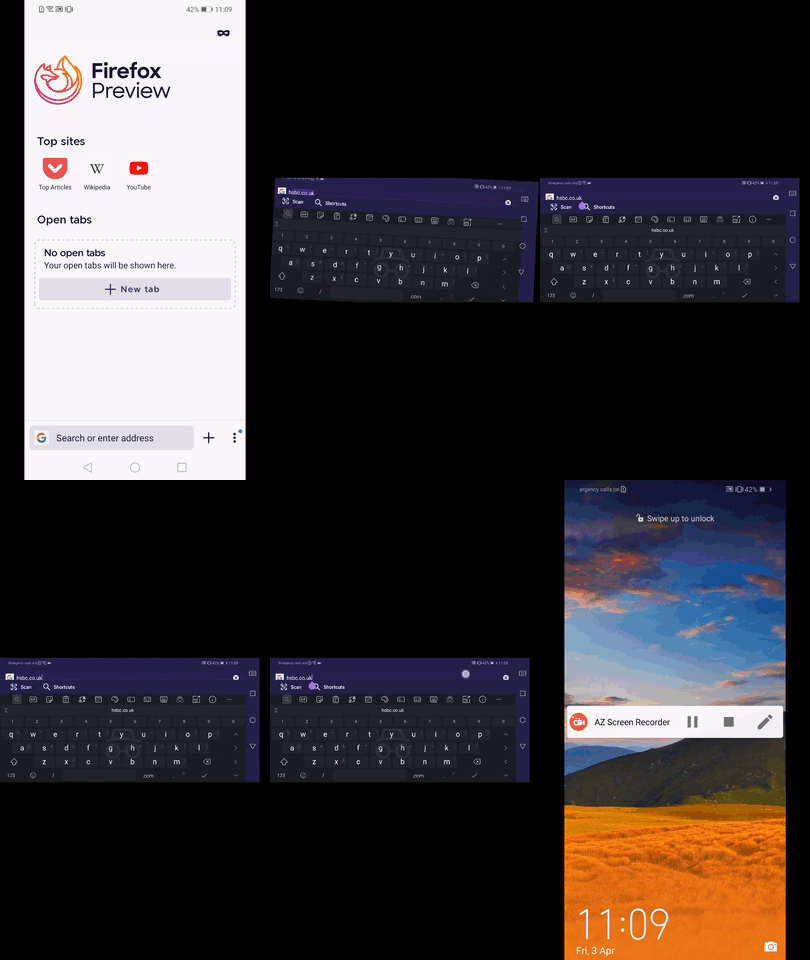
@brampitoyo -Please review and advise. ☺️
I'll remove the QA needed label until further notice.
 AndiAJ
on 3 Apr 2020
AndiAJ
on 3 Apr 2020
@AndiAJ Prior to this issue, our original design is to minimise the keyboard (along with the Scan/Shortcut bar) whenever the user scrolls down.
Would it be good to revert to this original behaviour? If the keyboard is minimised on scroll-down, then the dialog will definitely be visible.
brampitoyo
on 6 Apr 2020
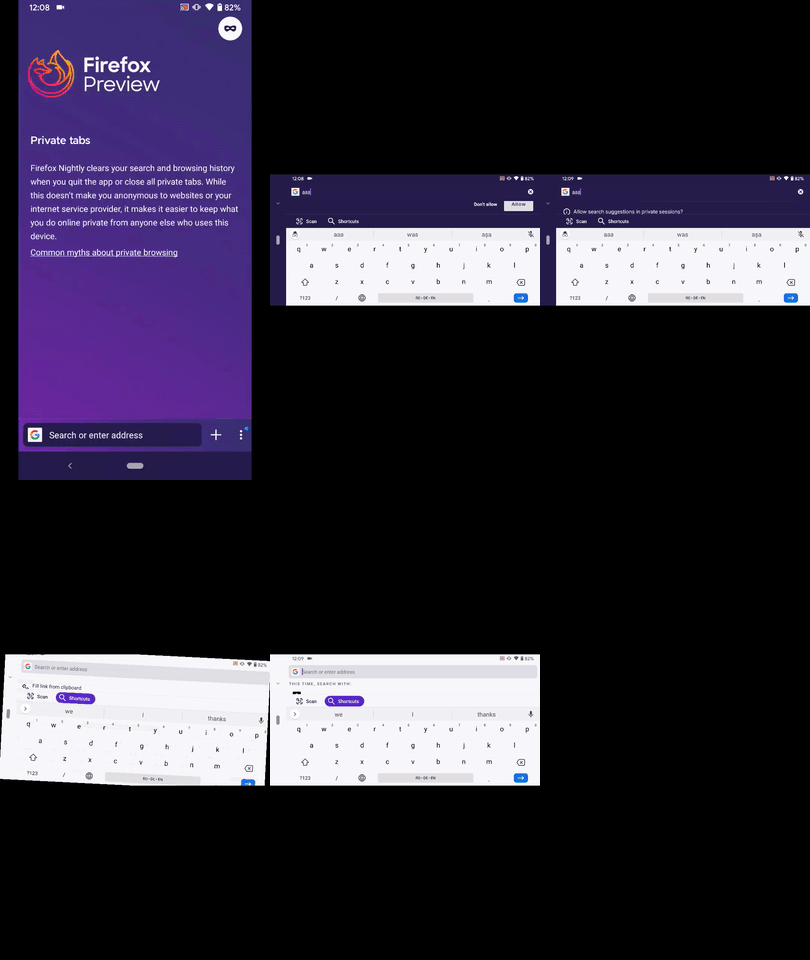
Hi @brampitoyo , I've re-checked this matter on the on the latest Nightly Build #20970607 from 4/6 using the following devices:
• Google Pixel 3a (Android 10)
• Huawei Mate 20 Lite (Android 9)
• OnePlus A3 (Android 6.0.1)
The keyboard along with Scan/Shortcut bar don't get minimized.
Due to this the user has very limited space to work with when trying to reach and access anything in landscape mode.
As previously mentioned, Switkey covers the entire view by default.
I've found a workaround (dismiss the SwiftKey Toolbar using the ⇅), yet again, the user has very limited space to interact with the search fragment.
► Video Gboard
► Video SwiftKey
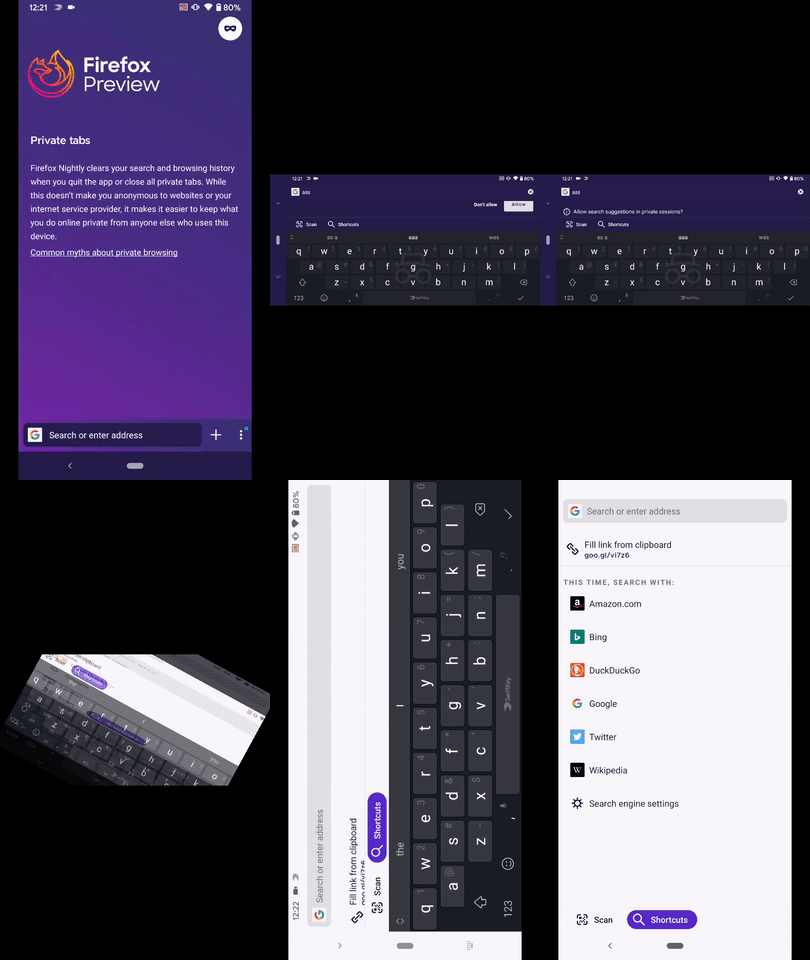
Not sure if it's possible, but perhaps it could be reverted only for landscape view?
Please review and share your thoughts. ☺️
I'l remove the QA needed label until further notice.
AndiAJ
on 6 Apr 2020
Even if dismissing keyboard on scroll worked, some devices won't have that ability currently.
One Plus 7 Pro / Gboard with "Normal" keyboard height gives me no scroll area in landscape.
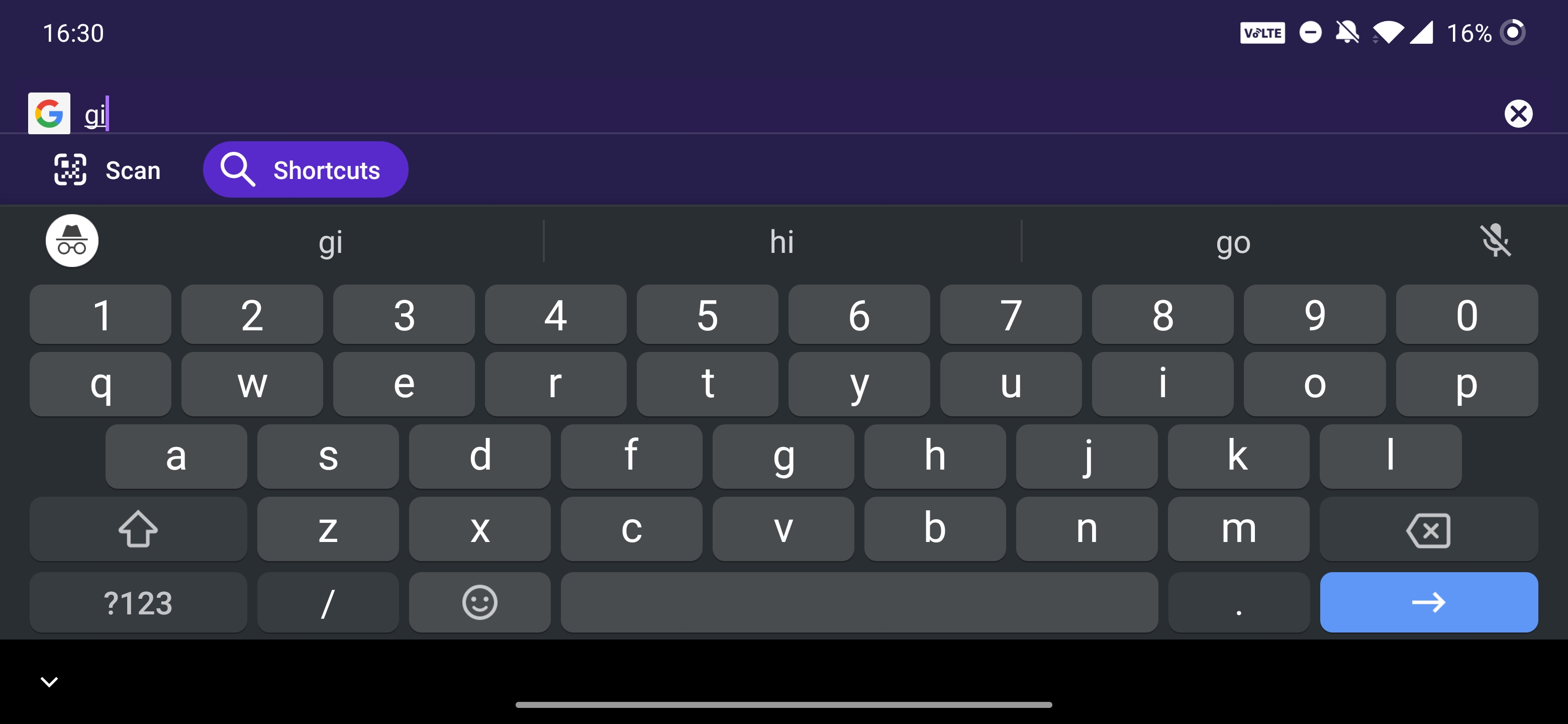
 JLRoberts
on 13 Apr 2020
JLRoberts
on 13 Apr 2020
See #1211 for additional history about hiding the keyboard while scrolling items. There are some underlying issue that makes this tricky.
 ekager
on 16 May 2020
ekager
on 16 May 2020
Related issues
 Chris01277
·
3Comments
abodea
·
3Comments
Chris01277
·
3Comments
abodea
·
3Comments
 csadilek
·
3Comments
abodea
·
3Comments
csadilek
·
3Comments
abodea
·
3Comments
 vesta0
·
3Comments
vesta0
·
3Comments