Fenix: [Bug] Bookmark saved snackbar not displaying with top toolbar
Steps to reproduce
- Change toolbar to top
- Bookmark a page
Expected behavior
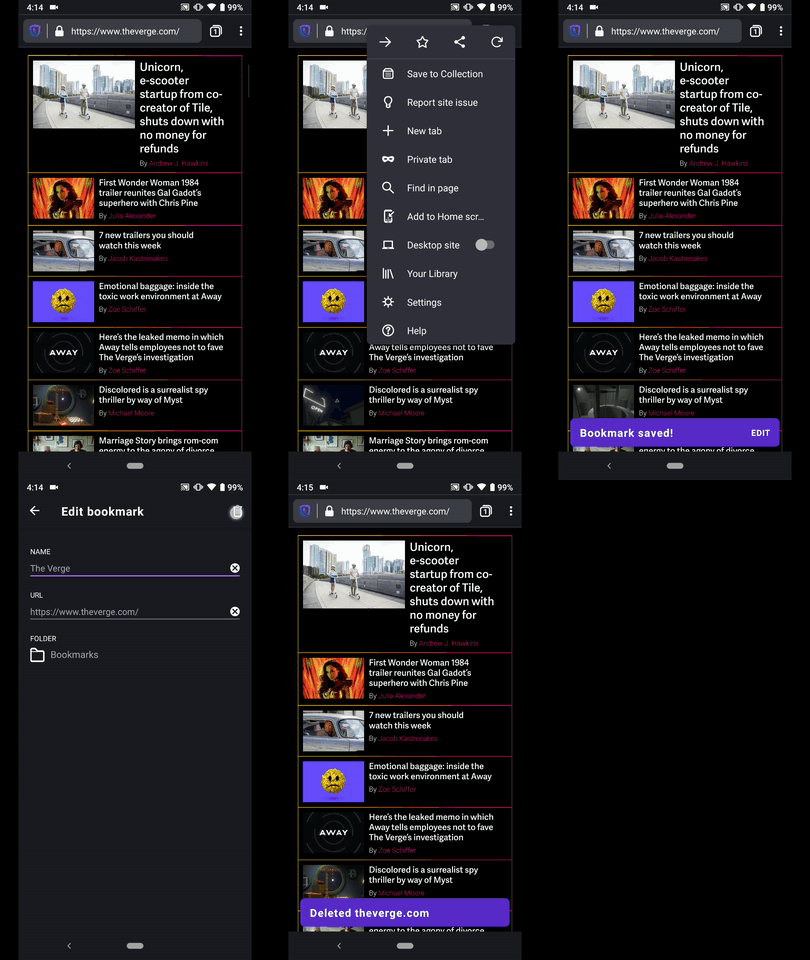
See snackbar
Actual behavior
Don't see snackbar
Device information
- Android device: ?
- Fenix version: ?
 ekager
All 2 comments
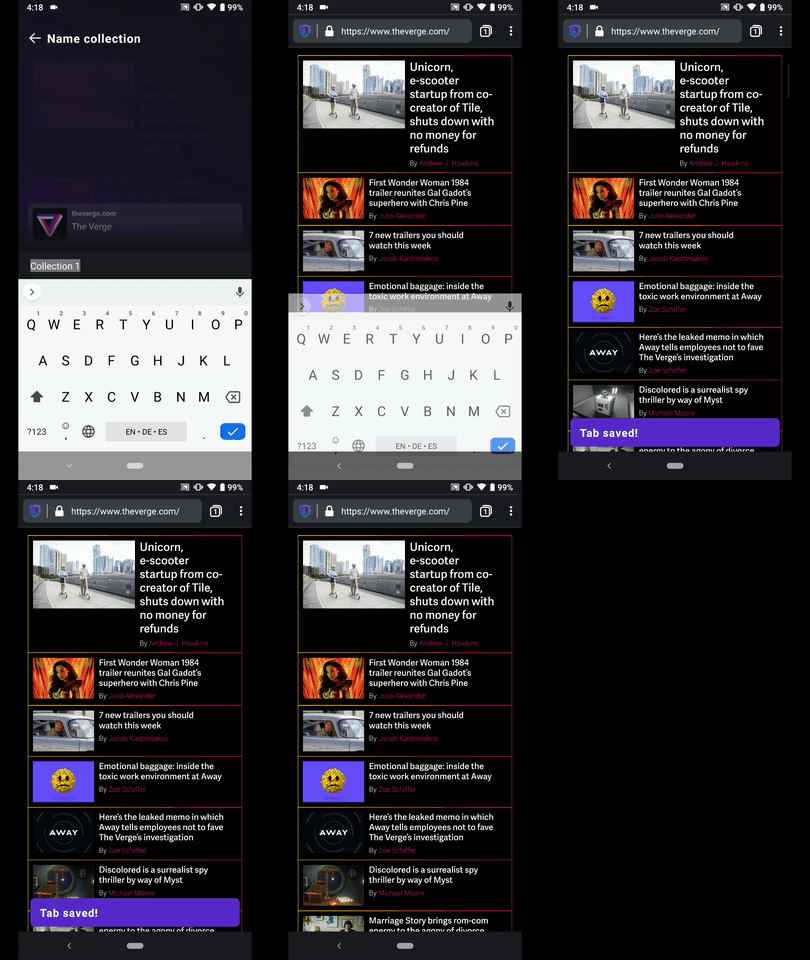
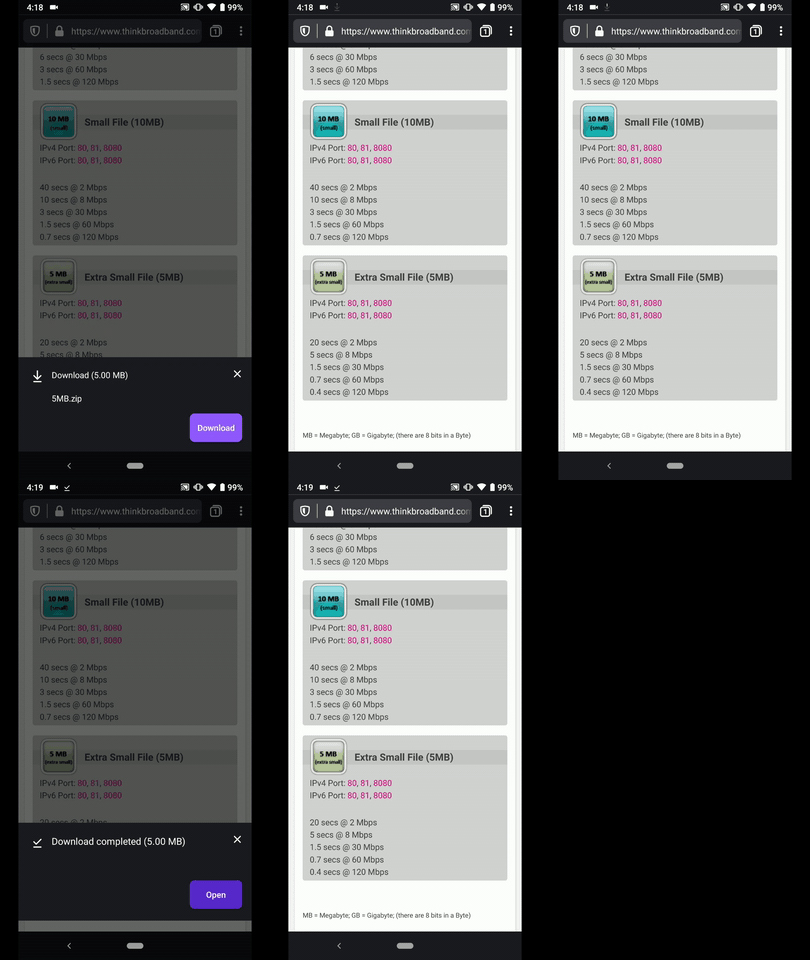
Also likely impacts onCannotOpenFile, tab saved to collection snackbars
ekager
on 3 Dec 2019
Hi, verified as fixed on the latest Nightly Build #13430607 from 12/9 using the following devices:
• Google Pixel 3a (Android 9)
• Huawei Mate 20 Lite (Android 8.1.0)
• Samsung Galaxy S7 (Android 7)
• OnePlus A3 (Android 6.0.1)
• LG Nexus 4 (Android 5.1.1)
► Add/remove bookmark
► Tab saved to collection
► Could not open file
 AndiAJ
on 9 Dec 2019
AndiAJ
on 9 Dec 2019
❤1
👍1
Was this page helpful?
0 / 5 - 0 ratings
Related issues
 abodea
·
3Comments
abodea
·
3Comments
 csadilek
·
3Comments
AndiAJ
·
3Comments
csadilek
·
3Comments
AndiAJ
·
3Comments
 topotropic
·
3Comments
abodea
·
3Comments
topotropic
·
3Comments
abodea
·
3Comments
Most helpful comment
Hi, verified as fixed on the latest Nightly Build #13430607 from 12/9 using the following devices:
• Google Pixel 3a (Android 9)
• Huawei Mate 20 Lite (Android 8.1.0)
• Samsung Galaxy S7 (Android 7)
• OnePlus A3 (Android 6.0.1)
• LG Nexus 4 (Android 5.1.1)
► Add/remove bookmark

► Tab saved to collection

► Could not open file
