Fenix: Show progress on Download Notification
Fenix finally uses the new Gecko based download manager! It solves some issues but also regressed the functionality.
- [ ] You can no longer see the progress in the notification during the download
- [x] The download no longer opens after a click on the notification after the download
 cadeyrn
All 10 comments
~The second issue was fixed in the newest Android Components version so it should show up in nightly soon.~ I take it back, I wrote the feature but forgot to submit a PR 😅 Will fix soon
 NotWoods
on 4 Aug 2019
NotWoods
on 4 Aug 2019
@vesta0 When I was implementing the download notification, I found that we actually could add a progress bar to the notification. Is that something we want to prioritize as a must/should?
My rough engineering estimate is ~E5 for this :)
 sblatz
on 12 Nov 2019
sblatz
on 12 Nov 2019
Hey @sblatz that's great to know. Let's create a ticket for this and call it a SHOULD. Thanks!
 vesta0
on 15 Nov 2019
vesta0
on 15 Nov 2019
@sblatz can we close this?
vesta0
on 17 Dec 2019
@vesta0 Not just yet. I am working on this in AC: https://github.com/mozilla-mobile/android-components/issues/5284
Hoping I can get it closed out this week 😄
sblatz
on 17 Dec 2019
Hi, I've just checked the Download Notification progress bar on the latest Nightly Build #13640626 from 12/30 using the following devices:
• Google Pixel 3a (Android 9)
• Huawei Mate 20 Lite (Android 8.1.0)
• Samsung Galaxy S7 (Android 7)
• OnePlus A3 (Android 6.0.1)
• LG Nexus 4 (Android 5.1.1)
✔️ The download progress bar is displayed in the Android notification while downloading any content.
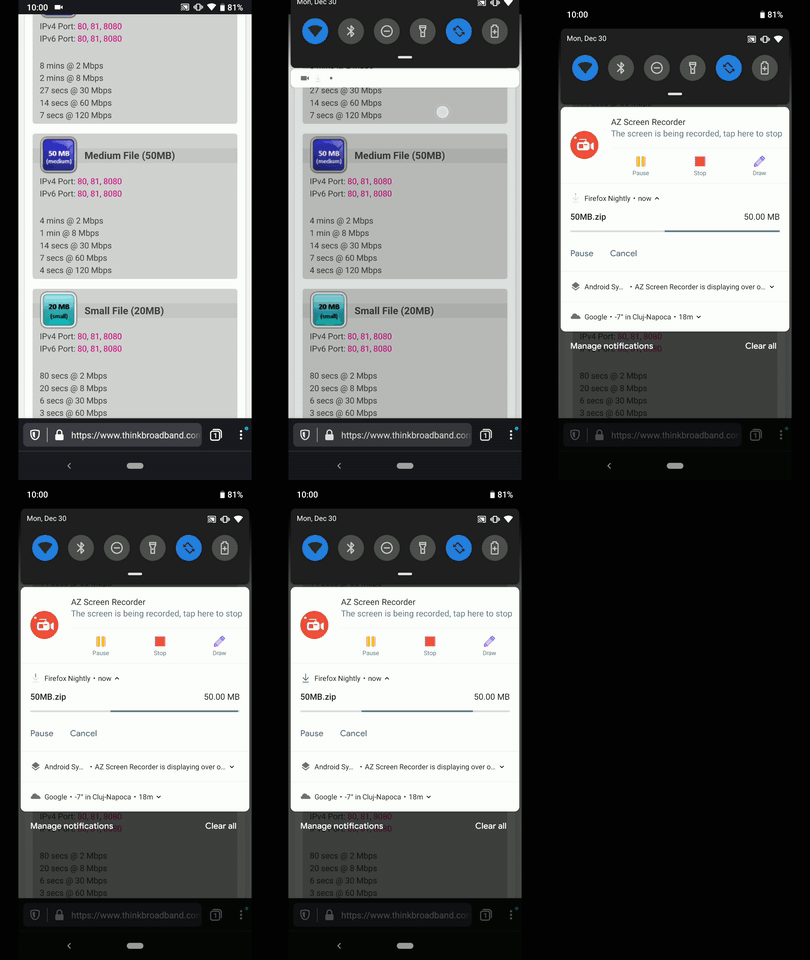
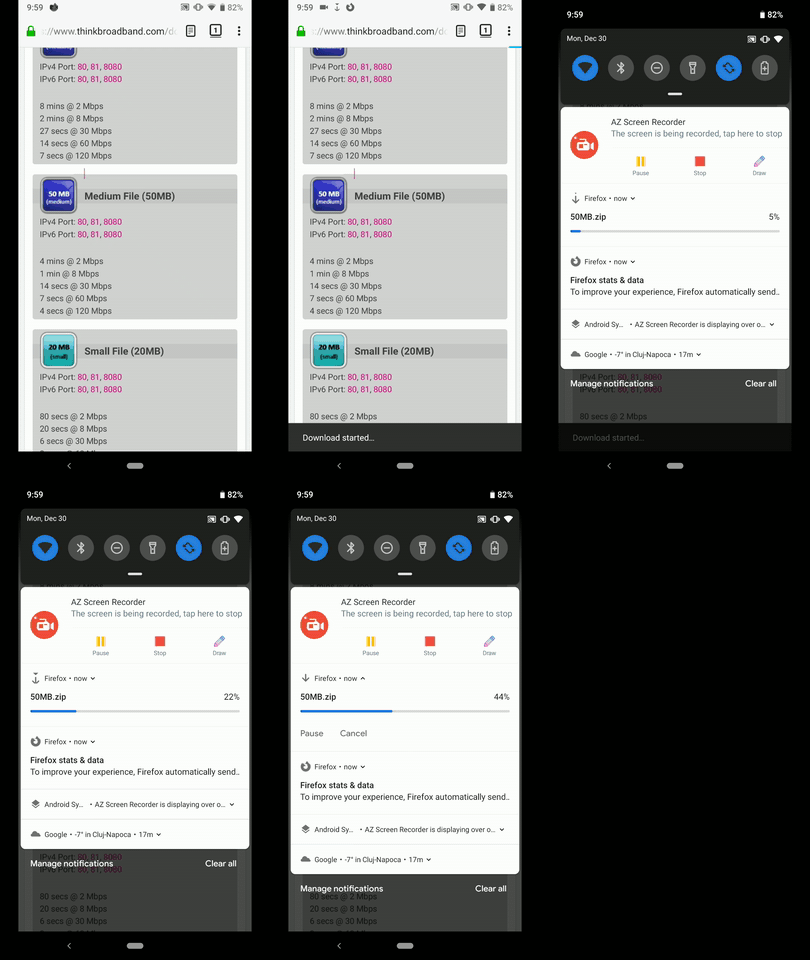
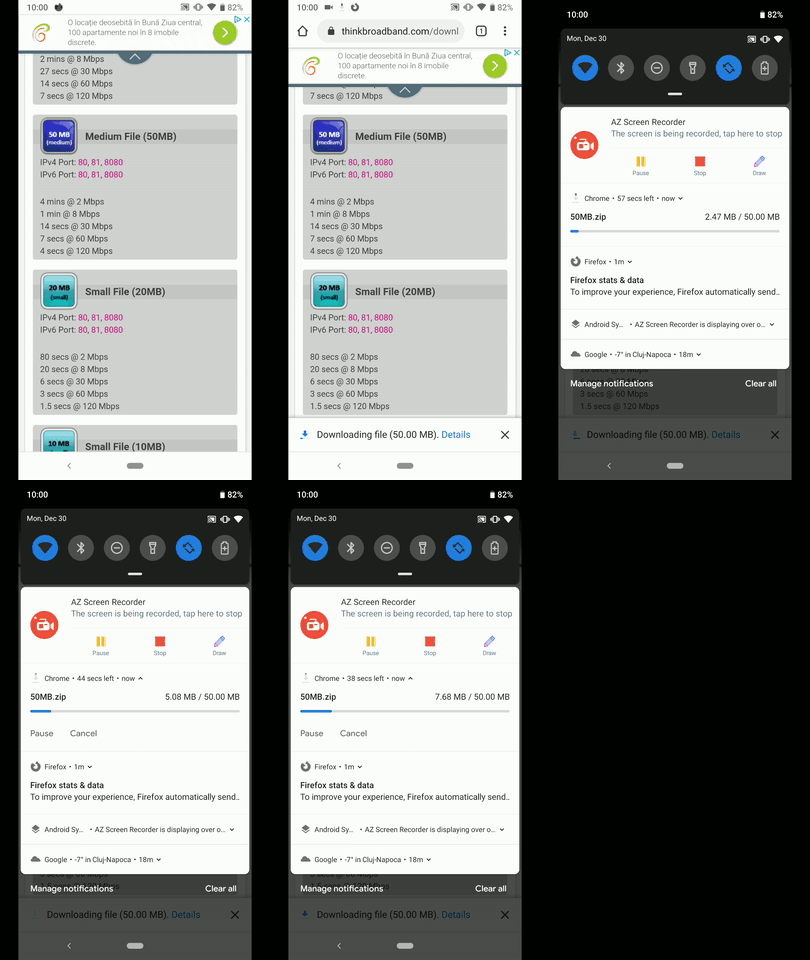
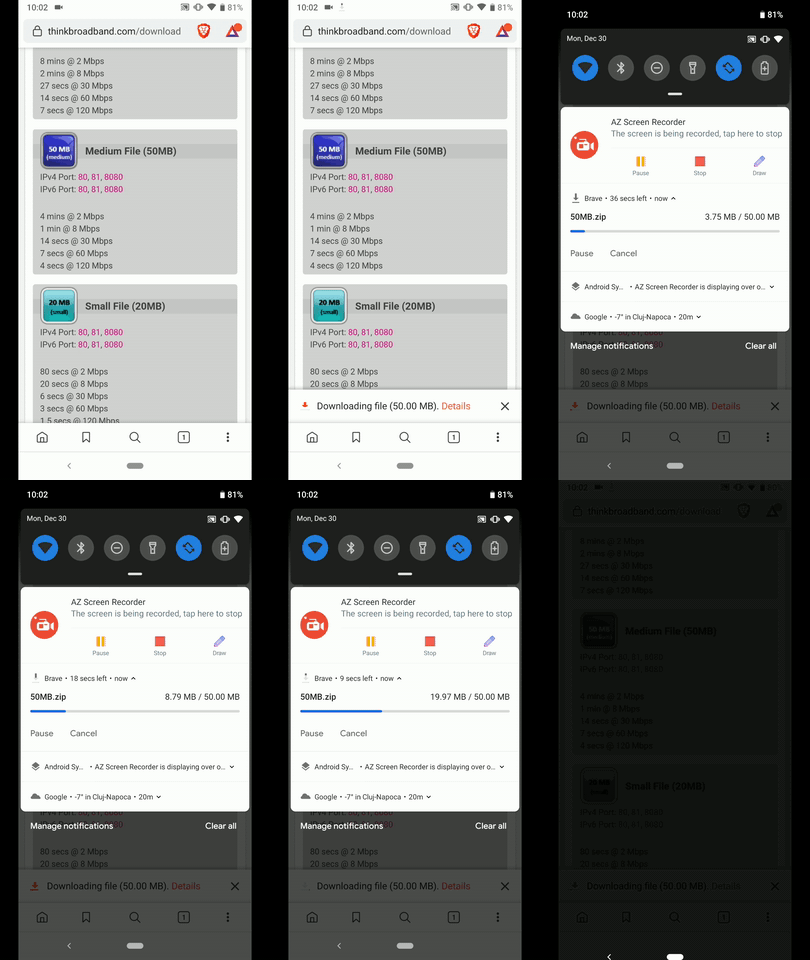
Compared to other browsers, I've noticed an inconsistency, namely, that it's not actually displaying the progress (Download percentage or progress from a file size point of view )
► Fenix (Continuously loading progress bar)
► Fennec (Percentage)
► Chrome (File size progress)
► Brave (File size progress)
@sblatz - Please review, and advise ☺️
I'll remove the QA needed label until further notice
 AndiAJ
on 30 Dec 2019
AndiAJ
on 30 Dec 2019
Hi, verified as fixed, the progress bar is displayed, on the latest Nightly Build #20070606 from 01/07 using the following devices:
• Google Pixel 3a (Android 9)
• Huawei Mate 20 Lite (Android 8.1.0)
• Samsung Galaxy S7 (Android 7)
• OnePlus A3 (Android 6.0.1)
• LG Nexus 4 (Android 5.1.1)
► Video
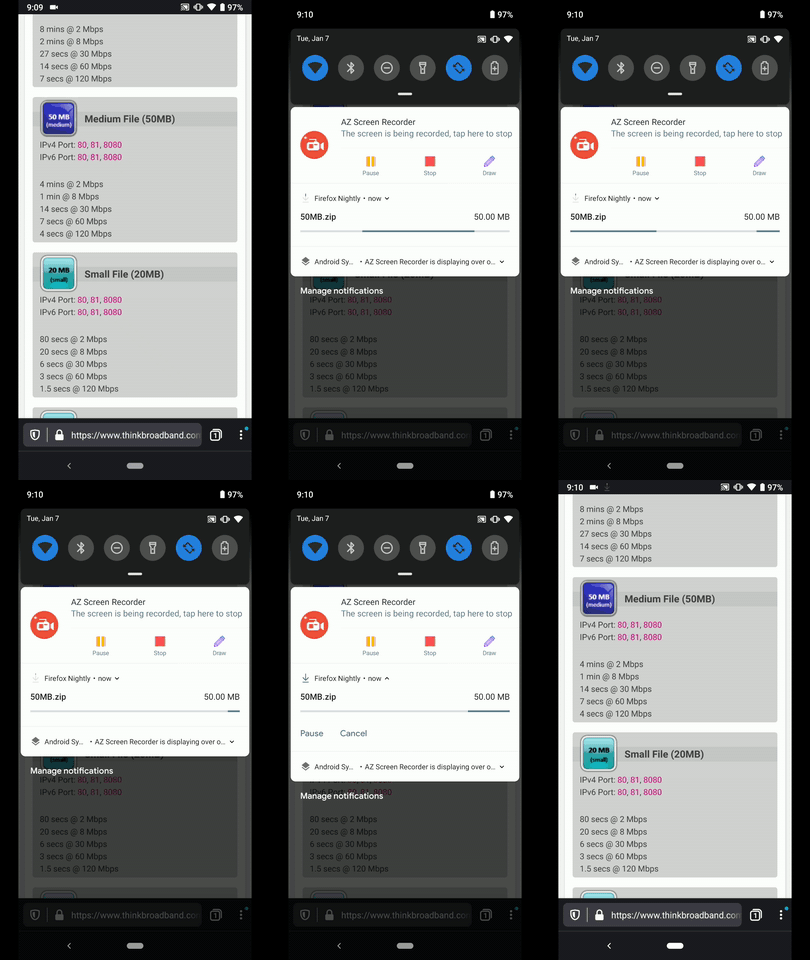
@sblatz - Filled #7516 for the other mentioned matter (Download percentage or progress from a file size point of view )
AndiAJ
on 7 Jan 2020
@AndiAJ Sorry for the confusion on this. This ticket should be tracking the progress moving (not just an indeterminate bar). It seems that didn't make it into nightly. I'm going to re-open this and mark it as QA once it's in. Apologies!
sblatz
on 7 Jan 2020
This is now appearing on master so it should be ready to QA 😄
sblatz
on 9 Jan 2020
Hi, verified as fixed on the latest Nightly Build #20100616 from 01/10 using the following devices:
• Google Pixel 3a (Android 9)
• Huawei Mate 20 Lite (Android 8.1.0)
• Samsung Galaxy S7 (Android 7)
• OnePlus A3 (Android 6.0.1)
• LG Nexus 4 (Android 5.1.1)
► Video
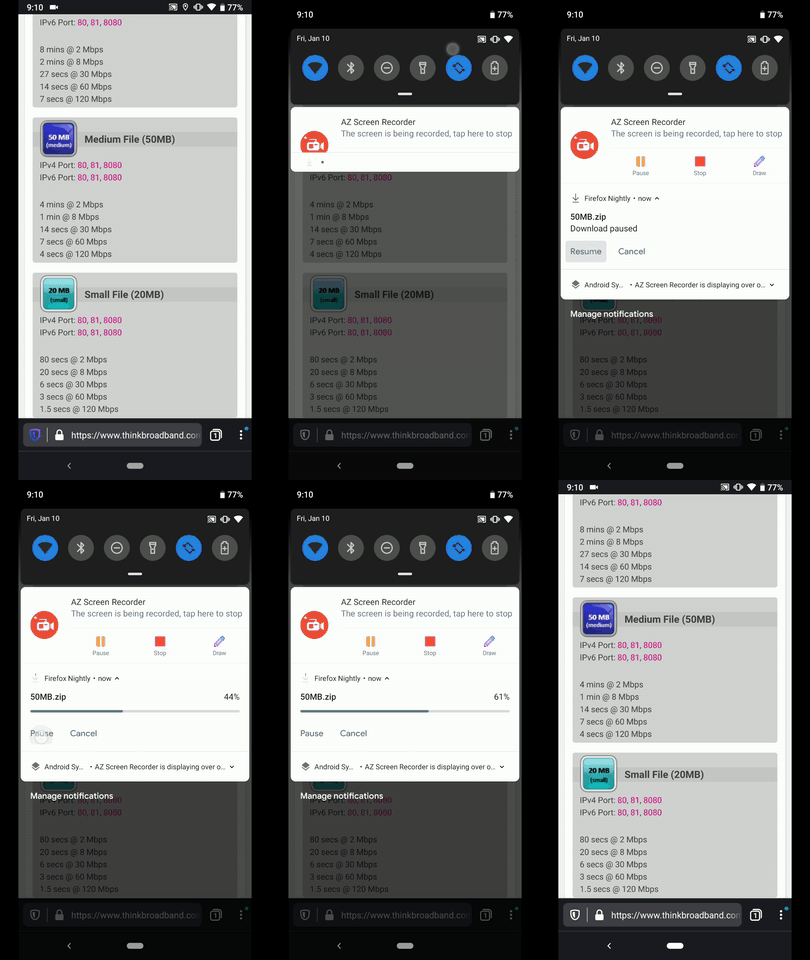
Great job @sblatz ☺️ !
AndiAJ
on 10 Jan 2020
Related issues
 robsmith11
·
3Comments
robsmith11
·
3Comments
 softvision-miralobontiu
·
3Comments
softvision-miralobontiu
·
3Comments
 ekager
·
3Comments
ekager
·
3Comments
 csadilek
·
3Comments
csadilek
·
3Comments
 abodea
·
3Comments
abodea
·
3Comments
Most helpful comment
~The second issue was fixed in the newest Android Components version so it should show up in nightly soon.~ I take it back, I wrote the feature but forgot to submit a PR 😅 Will fix soon