Fenix: Add a pref to use FxA stage server
Why/User Benefit/User Problem
We are working on an environment to run sync integration tests (similar to the ones we have on iOS). These tests create Bookmark, History, Logins and Tabs on iOS and check that they appear on Desktop (and vice-versa) once you sign in and sync.
What/Requirements
For the Desktop part we use tps, which uses Nightly configured with stage, and we create a stage account with fxcli tool which is destroyed after tests run.
As far as I know a-c already supports this. Hopefully it is not something very hard to implement. It would be really nice to have a pref so that we can use it in our tests to set stage server instead of using production directly.
 isabelrios
All 33 comments
cc @st3fan, not sure if you remember these tests that we have on iOS. We have a prototype working, syncing a history item created on Desktop and verified on Fenix, let me paste a video here that shows what they would do: https://youtu.be/XRItqptY3gU
We are using a prod. account and nightly configured accordingly but ideally, it would be best to use stage. That's why we have asked for this implementation.
Thanks!
isabelrios
on 17 Jul 2019
@csadilek - We talked about this a week ago, to set the FxA server to point to dev. I remember the code change required was 1-2 lines but not sure how to explain it here - could you point us to what needs to be done?
Once we have this running, we will run a sanity test that does basic sync of FxA account from Desktop to/from Fenix.
 nojunpark
on 23 Jul 2019
nojunpark
on 23 Jul 2019
@npark-mozilla yes, so you'd need to change the ServerConfig: https://github.com/mozilla-mobile/fenix/blob/5ecdce6ba6c121cf15d915c12b52803cf564be95/app/src/main/java/org/mozilla/fenix/components/BackgroundServices.kt#L58
Basically, you'd need to change ServerConfig.release(CLIENT_ID, REDIRECT_URL) to ServerConfig.dev(CLIENT_ID, REDIRECT_URL).
 csadilek
on 23 Jul 2019
csadilek
on 23 Jul 2019
@npark-mozilla @csadilek thanks for your input here!
I tried modifying that option but I get this error when clicking on Turn on Syncoption in Settings menu.
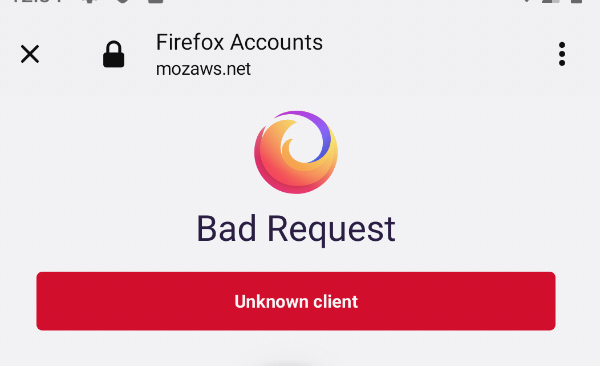
Should I do something else?
isabelrios
on 24 Jul 2019
@vladikoff @eoger can you help here or point us in the right direction. We want to test Fenix against the FxA staging server and getting this error back. Looks like a configuration issue?
csadilek
on 24 Jul 2019
we might be missing the client in stage I will double check
 vladikoff
on 24 Jul 2019
vladikoff
on 24 Jul 2019
Stage client now available: https://oauth.stage.mozaws.net/v1/client/a2270f727f45f648
vladikoff
on 24 Jul 2019
Thanks @vladikoff, still getting an error though...
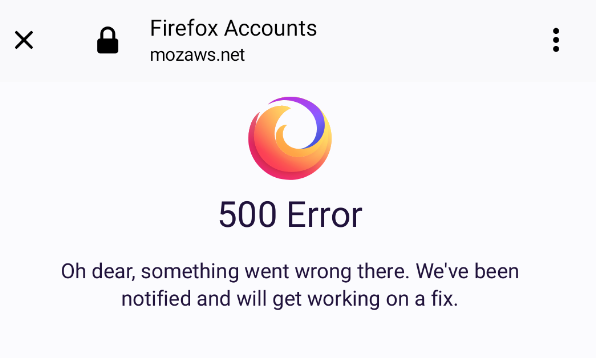
I may be doing something wrong when changing the redirect url...how should it be changed?
I'm trying:
https://accounts.stage.mozaws.net/oauth/success/a2270f727f45f648
Thanks for your help!
isabelrios
on 25 Jul 2019
I need to work with devops to fix that redirect uri, I shall let you know when that is done
vladikoff
on 26 Jul 2019
vladikoff
on 26 Jul 2019
@isabelrios try again? @jrgm has deployed an update to the stage server
vladikoff
on 29 Jul 2019
@vladikoff this is working now! thanks! I can sign in using an stage account successfully :)
@csadilek Next step would be to add the pref so that we can modify these two lines of code to use stage while running the tests only. Sorry for my ignorance, but would that imply a lot of/important changes? Could you please guide us to do it if it is kind of trivial? If there is any other pref set that we could use as an example, that would help too.
Thanks!
isabelrios
on 29 Jul 2019
@isabelrios sure, for the Reference Browser UI tests we use a pref to set testingModeEnabled which is an engine setting, but otherwise similar: https://github.com/mozilla-mobile/reference-browser/blob/d2d922722e586e2b9c33f222eb2c5cafce214917/app/src/main/java/org/mozilla/reference/browser/components/Core.kt#L46
We could the same for BackgroundServices to decide whether or not FxA testing is enabled. What do you think?
csadilek
on 29 Jul 2019
Thanks @csadilek! I think that could work!
cc @npark-mozilla
isabelrios
on 30 Jul 2019
Hi @csadilek, I'm afraid I need more help to implement this...If I understood correctly, the idea would be to create a pref, like testingModeEnabled, if that is set to true then the server config picked would be the stage and so tests will work.
I know the changes to do in REDIRECT_URLand serverConfigval but I don't know how to select those when the pref changes to true. So, the thing is if I set the pref to true, how the stage server changes are applied...
Please take into account that I'm very new, not an android dev expert 🙈
isabelrios
on 1 Aug 2019
@csadilek, I think I have something working...in my test I do this:
val appContext = InstrumentationRegistry.getInstrumentation()
            .targetContext
            .applicationContext

    val prefs = PreferenceManager.getDefaultSharedPreferences(appContext)
            .edit()
            .putBoolean("pref_key_testing_stage", true)
            .apply()
And in BackgroundServices:
val prefs = PreferenceManager.getDefaultSharedPreferences(context)
    val testingMode = prefs.getBoolean(context.getPreferenceKey(R.string.pref_key_testing_stage),false)

    private val serverConfig = if (testingMode) {ServerConfig.dev(CLIENT_ID, REDIRECT_URL_STAGE)}
    else { ServerConfig.release(CLIENT_ID, REDIRECT_URL)}
It may be far from what you have in mind...please let me know your thoughts...thanks!
isabelrios
on 1 Aug 2019
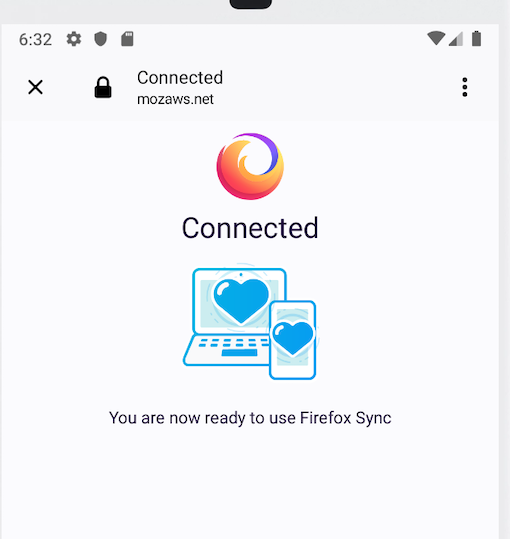
@vladikoff not sure if I should change something else or there might be an issue. After I sign in with a stage account successfully, I'm trying to sync some history items and that does not seem to work. It is like on Fenix the syncing process does not start once the sign in successes.
This screen is shown once I sign in but it never closes unless you tap on 'x' button:
Then you are here, and you have to start the sing in process again:
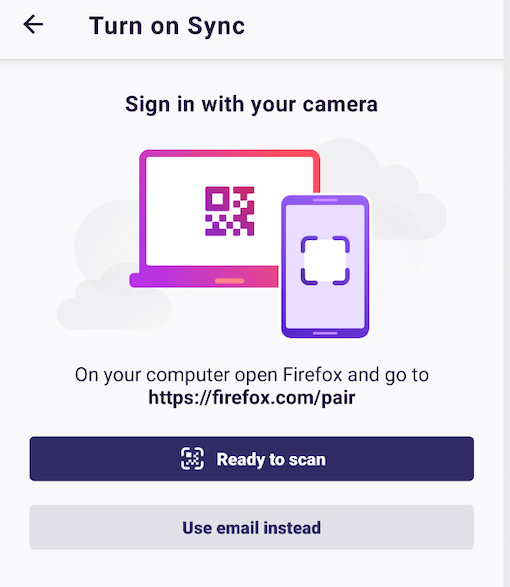
Please let me know if you need more info/open an issue...Thanks!
isabelrios
on 1 Aug 2019
@isabelrios hm, will need to see some logs from adb maybe
cc @jrgm @grigoryk
vladikoff
on 1 Aug 2019
@vladikoff, hope this is helpful:
logs.txt
Steps:
-Tap on Use email instead
-Enter password and Sign in
-Wait for a while, then tap on xbutton and Use email instead again
isabelrios
on 1 Aug 2019
@isabelrios re: your code snippet: Yes, that's what I had in mind too. So, looks good to me!
csadilek
on 1 Aug 2019
Hey @csadilek! sorry for bothering you again with this but looks like after the latest changes on BackgroundServices , what is in master now, that code is not working anymore :(
I rebased master on my branch and then it does not work as before. Now I see stage only when I manually run the app or once the test finishes and I re-launch the app but not while the test is running. It always sets the release server for the tests.
It is working fine in my branch I did not push all the changes after the rebase yet to have at least a working environment and see where the error could be, if any...
Thanks!
isabelrios
on 6 Aug 2019
@isabelrios Unfortunately, with recent Fenix changes, the accountManager is now always created in Application.onCreate and setting the pref in the tests is too late. However, we found a better (more reliable) solution to test this. I've pushed a commit on top of your branch here: https://github.com/csadilek/fenix/commit/632d87fefe84d363ef5a241b148459b14c3943bc
Basically, this introduces a FxaConfig object which is different for UI tests. This way you don't need to set a special pref and it will just automatically use the staging servers for tests and the production servers otherwise. I just ran the tests in your branch with this commit to verify this is working.
csadilek
on 7 Aug 2019
Thanks @csadilek! that's working like a charm! I cherry-picked your commit to my branch to continue the work there.
I will close this issue for now and open a new one with the previous comments about the problems syncing with stage but the selection of server is done for now.
Thanks for your help!
isabelrios
on 7 Aug 2019
Thanks @csadilek! that's working like a charm! I cherry-picked your commit to my branch to continue the work there.
I will close this issue for now and open a new one with the previous comments about the problems syncing with stage but the selection of server is done for now.
Thanks for your help!
isabelrios
on 8 Aug 2019
This will land once the sync tests are finished, the work done is in commit: e50ef2713183d3fccde7b0a07060c5bade1a8e3a in the WIP branch
isabelrios
on 8 Aug 2019
Hi @csadilek! sorry for bothering you again with this, but looks like we are facing this issue again...
We can sign in using stage but the process does not seem to complete, as explained in comment above:
https://github.com/mozilla-mobile/fenix/issues/4023#issuecomment-517364646
Are you aware of any change around how Fenix uses stage server so that this is appearing again!
Thank you very much in advance!
isabelrios
on 14 Feb 2020
@isabelrios When was the last time these tests passed? Do we know? It could be related to the FxA web channel. I'd like to try locally, but the SyncIntegrationTests fail for me for other reasons before I even get to sign in:
Anything I am missing to run these locally?
androidx.test.uiautomator.UiObjectNotFoundException: UiSelector[CLASS=android.widget.EditText, INSTANCE=0]
at androidx.test.uiautomator.UiObject.setText(UiObject.java:666)
at org.mozilla.fenix.syncintegration.SyncIntegrationTest.typeEmail(SyncIntegrationTest.kt:185)
at org.mozilla.fenix.syncintegration.SyncIntegrationTest.signInFxSync(SyncIntegrationTest.kt:232)
at org.mozilla.fenix.syncintegration.SyncIntegrationTest.checkAccountSettings(SyncIntegrationTest.kt:84)
at java.lang.reflect.Method.invoke(Native Method)
at org.junit.runners.model.FrameworkMethod$1.runReflectiveCall(FrameworkMethod.java:50)
at org.junit.internal.runners.model.ReflectiveCallable.run(ReflectiveCallable.java:12)
Hi @csadilek I would say three weeks ago, it may be even more...There was another issue about the TPS tool we are using in the famework, so until that was fixed, did not want to bother you with this. That's why I have not said anything before. I will try to find out when exactly the tests started to fail.
What you are seeing could be a timing issue trying to find the email or password field to log in.
Also if you run all the tests locally using pipenv run pytest you'd need Pixel_3_API_28 sim installed.
I would recommend running the tests directly from Android Studio. For example, this test:
checkHistoryFromDeviceTest. You will see that after the signInFxSync the app stays in Connectedscreen instead of going to Settings view once the sync process finishes correctly.
You could use this stage testing account in lines #184 and #198:
[email protected]
nPuPEcoj
If you need to verify it, ping me and I will do it. Also, please feel free to ping me about the issues you are seeing, or we could even set a zoom video. Thank you very much for your help!
isabelrios
on 20 Feb 2020
@isabelrios So, yes, the problem is the fxawebchannel extension which doesn't work for the staging servers. I've filed https://github.com/mozilla-mobile/android-components/issues/6012 to address this.
In the meantime, you can fix the test, by adding this class to your androidTest folder: https://github.com/mozilla-mobile/android-components/issues/6012
This overrides the interceptor so it doesn't check if the fxa web channel is supported and correctly assumes it is not being used in the test. With this change, the test will pass.
csadilek
on 20 Feb 2020
@csadilek Thank you very much for finding the cause of the failure and opening the issue!
I think the link to the class you are referring to is the same link to the open issue :) would you mind pasting the one to the class? 🙏
I would also like to understand which logs you looked at to get that conclusion, so that I can be more helpful in the future if things like this happens again...Thanks!
isabelrios
on 21 Feb 2020
@isabelrios ah sorry, here's the link to the commit that fixes the test: https://github.com/csadilek/fenix/commit/5712efa3db51d1c24d7777f5b46ab977ce5163d7
You basically just need to add this class to override the interceptor in the tests.
csadilek
on 21 Feb 2020
Thanks @csadilek! that works perfectly! I will add that class to the PR where I'm fixing the TPS issue we had along with other timing issues.
Although looking at the comments in a-c issue you open, not sure if this could land 🤔
isabelrios
on 24 Feb 2020
@isabelrios no, that's fine, you can land this. The conversation is about a built-in solution to this problem, not the workaround I shared with you, which is harmless and can go in.
csadilek
on 24 Feb 2020
Related issues
 thelazyoxymoron
·
3Comments
thelazyoxymoron
·
3Comments
 lindongbin
·
3Comments
lindongbin
·
3Comments
 clitetailor
·
3Comments
clitetailor
·
3Comments
 Chris01277
·
3Comments
Chris01277
·
3Comments
 andreicristianpetcu
·
3Comments
andreicristianpetcu
·
3Comments