Fenix: Please provide a Desktop-Mode
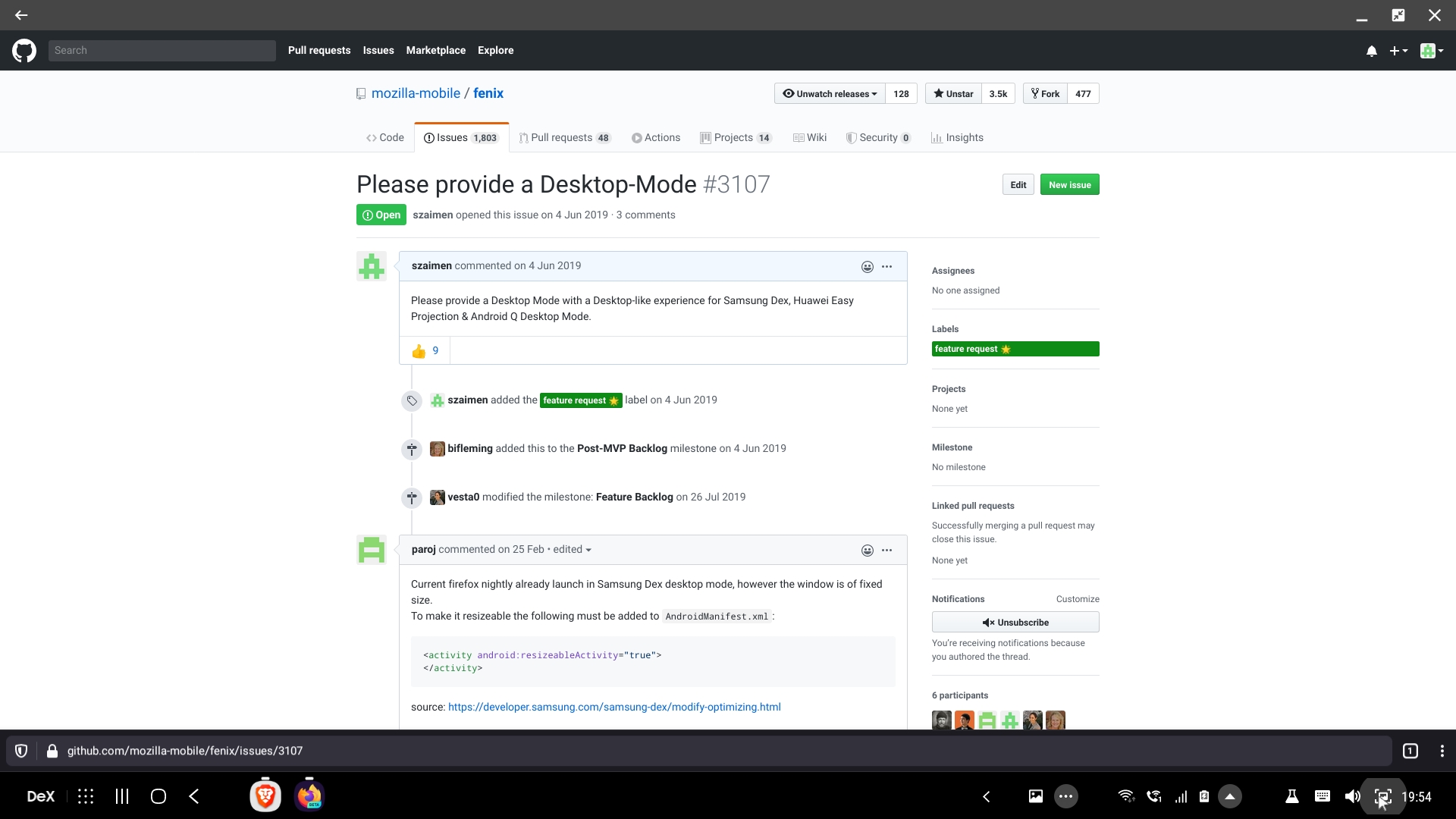
Please provide a Desktop Mode with a Desktop-like experience for Samsung Dex, Huawei Easy Projection & Android Q Desktop Mode.
 szaimen
All 7 comments
Current firefox nightly already launch in Samsung Dex desktop mode, however the window is of fixed size.
To make it resizeable the following must be added to AndroidManifest.xml:
<activity android:resizeableActivity="true">
</activity>
source: https://developer.samsung.com/samsung-dex/modify-optimizing.html
This is a regression compared to the old firefox for android, where the window was actually resizable.
 paroj
on 25 Feb 2020
paroj
on 25 Feb 2020
Additionally to supporting resizing, an important feature would be requesting desktop sites by default when run in desktop mode.
Tons of info in https://developer.samsung.com/samsung-dex/modify-optimizing.html and https://developer.samsung.com/samsung-dex/modify-optional.html (see especially _Samsung Mobile Browser_ section in the latter)
 bergie
on 15 Apr 2020
bergie
on 15 Apr 2020
I've been able to open Fenix in Chrome OS and resize the window without issues, but I don't have a Samsung Dex device to test with. Can you provide device information for the phone you tried to use Dex with?
I'll split out defaulting to desktop mode into a separate issue: #10631.
 NotWoods
on 13 May 2020
NotWoods
on 13 May 2020
I've been able to open Fenix in Chrome OS and resize the window without issues, but I don't have a Samsung Dex device to test with. Can you provide device information for the phone you tried to use Dex with?
Resizing and opening fenix on samsung dex works for me.
What I meant with desktop mode is a desktop like experience with tabs, etc.
Because a mobile like experience isn't that great in terms of UX on a Desktop mode like Samsung DEX.
E.g. this is Brave on Samsung Dex
(which is based on chromium) which is much better to use on Dex:

This is fenix on samsung dex:

szaimen
on 13 May 2020
I've been able to open Fenix in Chrome OS and resize the window without issues, but I don't have a Samsung Dex device to test with. Can you provide device information for the phone you tried to use Dex with?
resizing works on Dex now and was fixed with https://github.com/mozilla-mobile/fenix/commit/56eb2ec1d736a5c1f9eecaebfaabaf604dd7ca06
paroj
on 13 May 2020
mode is a desktop like experience with tabs, etc.
Because a mobile like experience isn't that great in terms of UX on a Desktop mode like Samsung DEX.
What would be really useful in Samsung DeX is to activate automatically the check for desktop view/site and deactivate it when switching to mobile use (not in DeX mode)
 jdelga2
on 16 Jul 2020
jdelga2
on 16 Jul 2020
This looks similar to what we may want to do in #4498
 liuche
on 28 Aug 2020
liuche
on 28 Aug 2020
Related issues
 abodea
·
3Comments
abodea
·
3Comments
abodea
·
3Comments
abodea
·
3Comments
 softvision-miralobontiu
·
3Comments
softvision-miralobontiu
·
3Comments
 bbinto
·
3Comments
abodea
·
3Comments
bbinto
·
3Comments
abodea
·
3Comments
Most helpful comment
Additionally to supporting resizing, an important feature would be requesting desktop sites by default when run in desktop mode.
Tons of info in https://developer.samsung.com/samsung-dex/modify-optimizing.html and https://developer.samsung.com/samsung-dex/modify-optional.html (see especially _Samsung Mobile Browser_ section in the latter)