Fenix: FNX-487 ⁃ [Bug] Flash of black when leaving GV engine
Dependencies
- [ ] Maybe Graphics bug in GV/Gecko
Steps to reproduce
- Load a page
- Press tabs button
Expected behavior
Tabs screen appears smoothly (with animation?)
Actual behavior
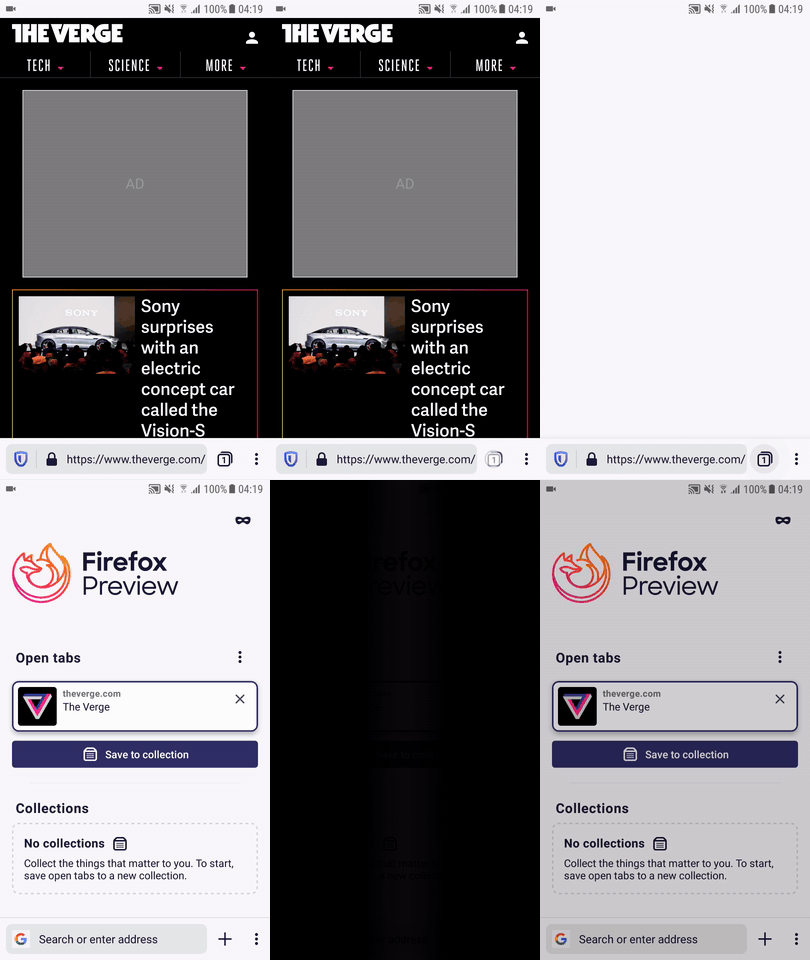
There's a flash of black (or white, depending on Light/Dark mode) and the tabs screen suddenly appears
This also happens when creating a new tab from an open tab (i.e. load page, click 3-dot, select "New tab")
Next steps
GV doesn't think this is a Gecko problem, but rather a problem in Fenix not destroying the SurfaceView in time. So the next steps here are to verify that we're handling the SurfaceView correctly.
I'm not convinced the black flash when navigating away is graphics' fault. We set everything inactive in GeckoView.Display.onSurfaceDestroyed(), which I presume happens when the SurfaceView is destroyed by navigating away from the browser fragment. No rendering can occur after this point. I'm not sure what we could do, when we don't have a surface to render in to. Isn't the problem that there is a delay between the SurfaceView being destroyed and the TabsFragment being created and shown? So the android UI displays black during this time.
Device information
- Android device: Pixel 2
- Fenix version: 1.0.1917
Edit by @sblatz
Acceptance Criteria
- I do not see a black/white flash when moving from browser -> Settings
- I do not see a black/white flash when moving from browser -> Library
- I do not see a black/white flash when moving from browser -> Fenix Home
(black/white flash depending on if user is in Dark/Light Mode)
 mcomella
All 20 comments
I noticed this on a Moto G today. Screencast attached.
 yoasif
on 27 Apr 2019
yoasif
on 27 Apr 2019
Still reproducing on 5/23 build. Pixel and Galaxy Note 8.
 sv-ohorvath
on 23 May 2019
sv-ohorvath
on 23 May 2019
The only way for us to handle this is to "screenshot" the GV and animate with that.
We should consider handling the bugs surrounding this all at one time since there's a few mentioning it.
 sblatz
on 27 Sep 2019
sblatz
on 27 Sep 2019
Demo of the behavior:

I will link to the other related issues since it will be the same underlying fix 😄
sblatz
on 1 Oct 2019
Basically the same issue as https://github.com/mozilla-mobile/fenix/issues/4708 but lets make sure that animation looks good too (navigate from browser -> home).
sblatz
on 1 Oct 2019
Verified as fixed with a Pixel 3(Android 9), Htc Desire 820 (Android 6.0.1), Huawei P20 lite (Android 9), on the latest Nightly 10/10.
sv-ohorvath
on 10 Oct 2019
We have to remove the fix that replaced the view with the engineView thumbnail for now because of https://github.com/mozilla-mobile/fenix/issues/5951#issuecomment-541672261 ->
WR doesn't implement the thumbnail callback so this would hang and never navigate from the buttons.
I've opened https://bugzilla.mozilla.org/show_bug.cgi?id=1588581 for the GV team to look into since this is reproducible on RB, Fenix, and samples-browser
 ekager
on 14 Oct 2019
ekager
on 14 Oct 2019
The GV bug has been added to GV's November sprint.
https://bugzilla.mozilla.org/show_bug.cgi?id=1588581#a1431651_430528
 cpeterso
on 31 Oct 2019
cpeterso
on 31 Oct 2019
Moved to the Graphics team
 fluffyemily
on 5 Dec 2019
fluffyemily
on 5 Dec 2019
There have been improvements on the Graphics side, but now this is bounced back to Fenix/AC.
Isn't the problem that there is a delay between the SurfaceView being destroyed and the TabsFragment being created and shown? So the android UI displays black during this time.
Also can't be reproed by Jamie. I'm going to add a qa-needed label here.
QA, could you check to see if this is still happening in Fenix, the behavior that is in the Acceptance Criteria in comment 0? And check for black OR white flashes (even though the comment only says black)>
 liuche
on 6 Jan 2020
liuche
on 6 Jan 2020
I left an intermediate fix in that hides the GV and instead just shows the "background" which made the transition a bit less jarring. In light mode, it will be white, dark mode will be black
ekager
on 6 Jan 2020
Hi, as per @liuche 's comment I've just checked this matter on the latest Nightly Build #20070606 from 01/07 using the following devices:
• Google Pixel 3a (Android 9)
• Huawei Mate 20 Lite (Android 8.1.0)
• Samsung Galaxy S7 (Android 7)
The problem is still there, on the other hand, @ekager 's intermediate fix seems to be working. ☺️
Dark theme videos (Dropdown)
► Moving from browser -> Fenix Home
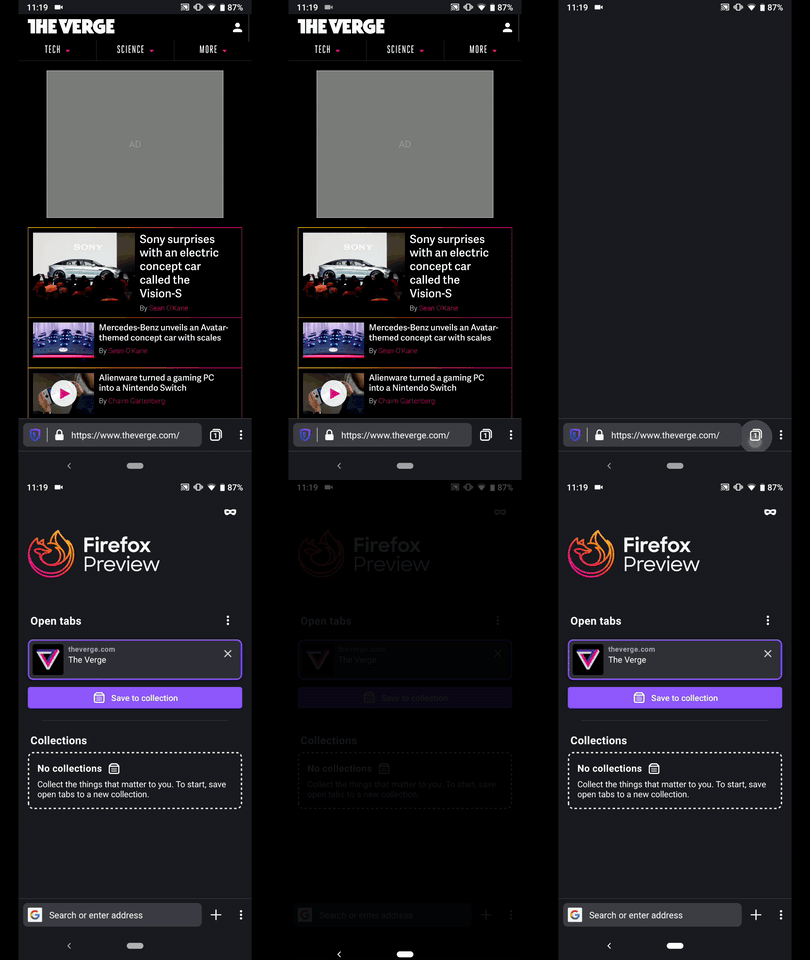
► Moving from browser -> Library
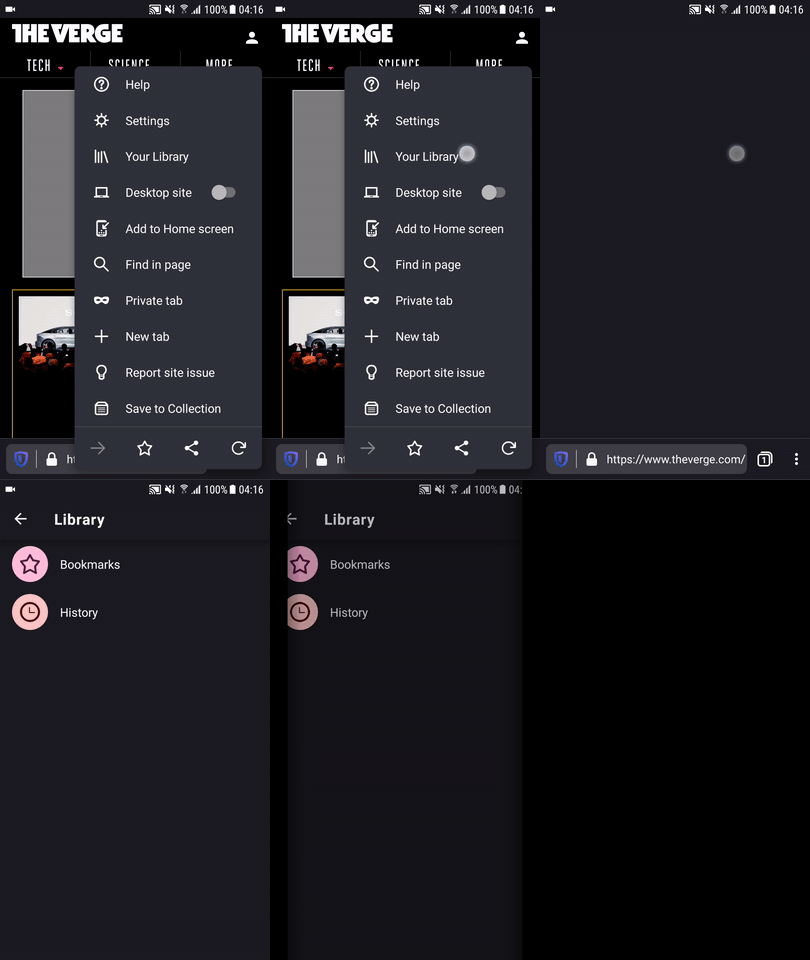
► Moving from browser -> Settings
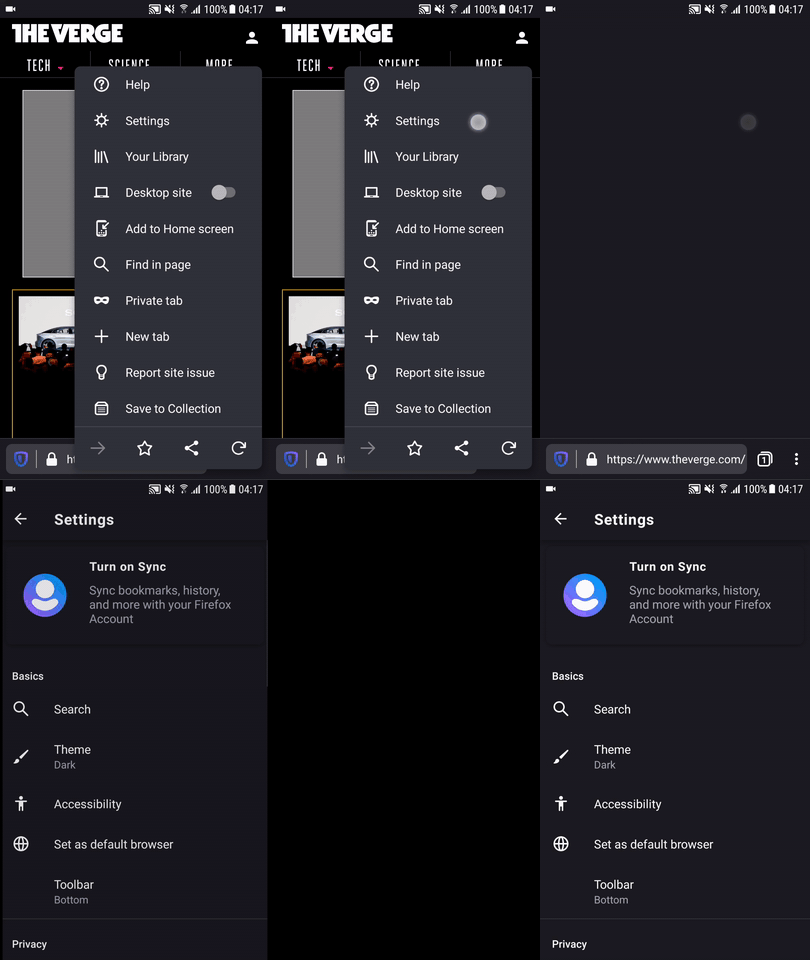
Light theme videos (Dropdown)
► Moving from browser -> Fenix Home
► Moving from browser -> Library
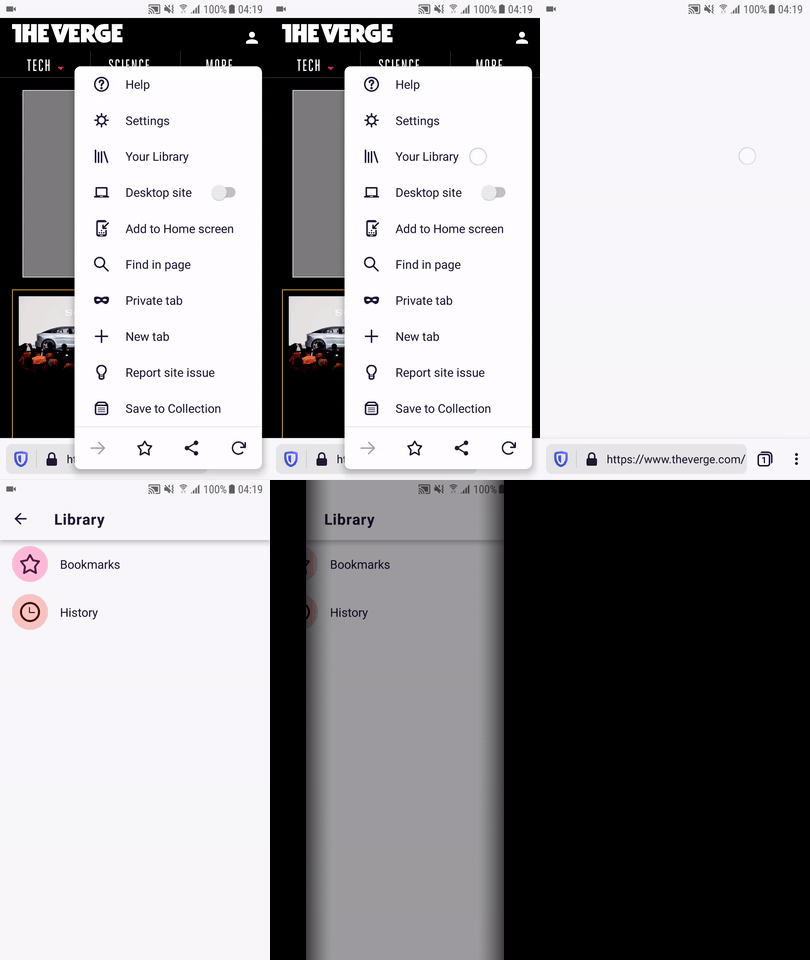
► Moving from browser -> Settings
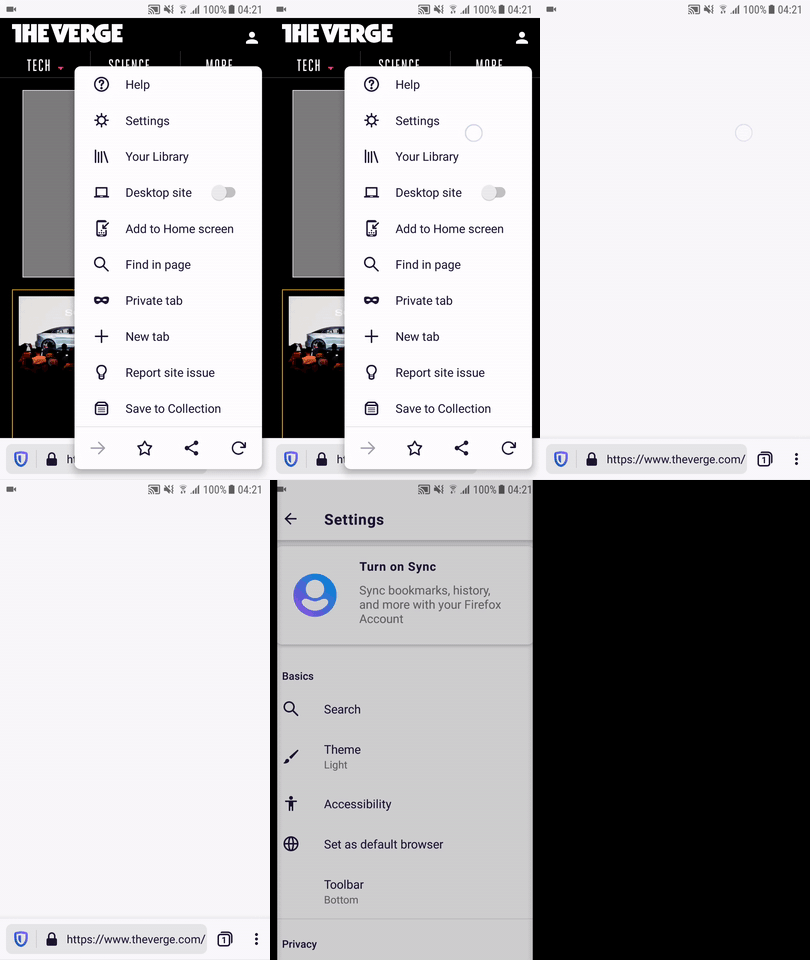
I'll remove the QA needed label until further notice.
 AndiAJ
on 7 Jan 2020
AndiAJ
on 7 Jan 2020
GV doesn't think this is a Gecko problem, but rather a problem in Fenix not destroying the SurfaceView in time. So the next steps here are to verify that we're handling the SurfaceView correctly.
I'm not convinced the black flash when navigating away is graphics' fault. We set everything inactive in GeckoView.Display.onSurfaceDestroyed(), which I presume happens when the SurfaceView is destroyed by navigating away from the browser fragment. No rendering can occur after this point. I'm not sure what we could do, when we don't have a surface to render in to. Isn't the problem that there is a delay between the SurfaceView being destroyed and the TabsFragment being created and shown? So the android UI displays black during this time.
liuche
on 13 Jan 2020
@vesta0 should we move this into the polish sprint? I think this popped back into the sprint because it was reopened but wasn't explicitly added and has just been a holdover, but I don't think it's as important as some of the other work that's going on. Can we swap this out for #255 ?
liuche
on 15 Jan 2020
For what it's worth, this sounds like a known issue with SurfaceViews. It seems like using a TextureView may fix this, but that's something the GV team would have to decide if it's worth changing as I'm assuming that would require a lot of work. Though, it sounds like in https://bugzilla.mozilla.org/show_bug.cgi?id=1594860 GV may be moving away from a SurfaceView which would also probably fix this.
but better still would be if the SurfaceView wasn't destroyed until the next fragment is ready?
Jamie's comment from the Bugzilla sounds like an interesting option. I'm going to timebox investigating whether or not we can hold onto the fragment until the transition happens. Again, this doesn't seem ideal and is a temporary solution as it's a bit hacky to hold that around.
sblatz
on 16 Jan 2020
Some notes:
- We cannot just delay a call to
onDestroyas an exception gets thrown:did not call through to super.onDestroy() - The navigation library we're using does not allow for us to hold on to that other fragment (it must be destroyed and restored when we navigate back.) This is by design
My only other thought here is to take a screenshot (not with the gecko function). I'm going to try that now.
sblatz
on 16 Jan 2020
I've spent a bit more time on this. It looks like GV does not allow a bitmap to be drawn from its view (which is probably why they have their own captureThumbnail)
I really don't think we have any other choice here than the interim solution that @ekager provided.
I would bounce this back to GV. I think either a switch from SurfaceView -> another view OR implementing captureThumbnail for users without WebRender will fix this, but we really need one of those as our hands are tied with the Navigation library.
sblatz
on 16 Jan 2020
Sounds like the captureThumbnail API has been updated so I can fix this!
sblatz
on 16 Jan 2020
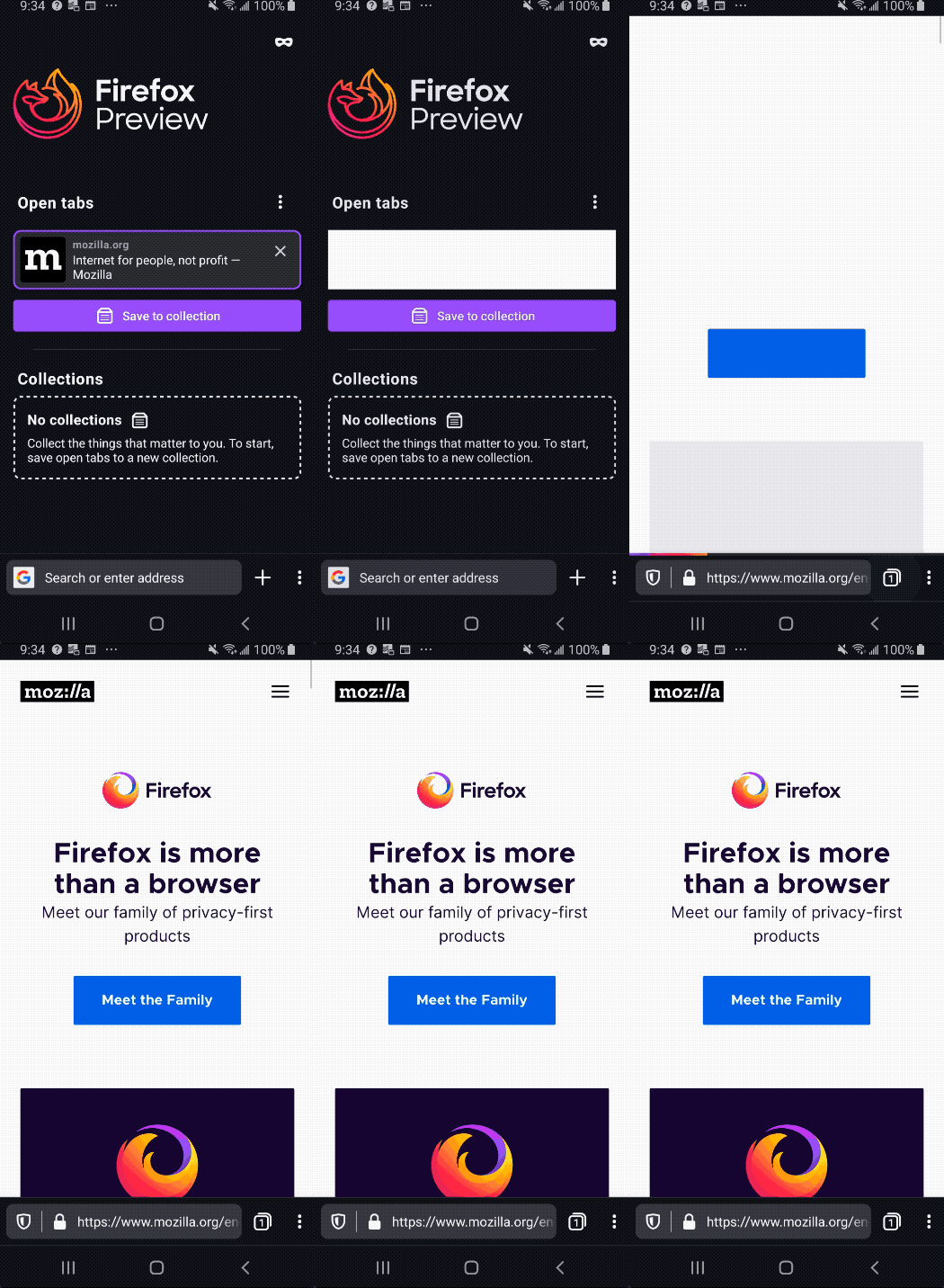
Looks like there is still a GV bug. If a user presses "home" while the tab is still loading (engineView is completely white) captureThumbnail will never get launched. This only happens if the user has webRender enabled. So this is still waiting on https://bugzilla.mozilla.org/show_bug.cgi?id=1588581
Demo
sblatz
on 21 Jan 2020
Hi, verified as fixed on the latest Nightly Build #20560606 from 02/25 using the following devices:
• Google Pixel 3a XL (Android 10)
• Google Pixel 3a (Android 9)
• Huawei Mate 20 Lite (Android 8.1.0)
• Samsung Galaxy S7 (Android 7)
• OnePlus A3 (Android 6.0.1)
• LG Nexus 4 (Android 5.1.1)
Dark theme time lapsed videos (Dropdown)
► Moving from browser -> Fenix Home

► Moving from browser -> Library

► Moving from browser -> Settings

Light theme time lapsed videos (Dropdown)
► Moving from browser -> Fenix Home

► Moving from browser -> Library

► Moving from browser -> Settings

AndiAJ
on 25 Feb 2020
Related issues
 andreicristianpetcu
·
3Comments
andreicristianpetcu
·
3Comments
 abodea
·
3Comments
abodea
·
3Comments
 robsmith11
·
3Comments
robsmith11
·
3Comments
 topotropic
·
3Comments
andreicristianpetcu
·
3Comments
topotropic
·
3Comments
andreicristianpetcu
·
3Comments