Fenix: Know when a site is available as a PWA
User Story
As a user, I want to be notified when a website I visit is available as a PWA, so I can install it as a short-cut on my homescreen.
Requirements
This is about notifying the user when a site has a web app manifest.
Acceptance Criteria
- [ ] When I navigate to a site that is available as a PWA, my browser lets me know that I can install the PWA.
- [ ] The way my browser notifies me is not intrusive to my browsing experience.
- [ ] Telemetry Ticket TBD
- [ ] This does NOT include the PWA-app splash screen in the mock below
Note to ENG from Vesta:
-Most ENG work related to basic implementation will be completed by Tiger in Q4. This should be the only remaining PWA ticket from the original META #204 and it is focused on the UI aspect of the user experience
-Please ignore the splash screen in the mocks for now as it is out of scope for Q1 :)
-Feature brief for reference: https://docs.google.com/document/d/1Dd0OnivaUMe6rvEP5yi6Gt7Hz785ZstDLytaxnXz7Dk/edit
 pocmo
pocmo
All 19 comments
You probably want to have two steps here:
- User taps on badge
- User sees site icon, title and start URL displayed, and taps on "Add to Home screen"
See Fennec for a reference implementation.
As for the condition under which a badge is shown, I think it's fine to just look at the presence of a valid web app manifest. At a later stage, we can look at other requirements, such as the presence of a SW, for instance.
 andreasbovens
on 30 Jan 2019
andreasbovens
on 30 Jan 2019
Duplicate: https://groups.google.com/forum/m/#!topic/fenix-nightly/y0s-eiLwA0o
 reinhart1010
on 17 May 2019
reinhart1010
on 17 May 2019
Atm we have the 'add to homescreen' option but the icon on the homescreen is not the website favicon, it's an ugly icon, the same for all websites
 suoko
on 13 Sep 2019
suoko
on 13 Sep 2019
Description updated with Abstract link showing First Use and Toolbar Notification flows
 apbitner
on 6 Nov 2019
apbitner
on 6 Nov 2019
This is a nice mockup, but what is the reason that the icon cannot be put in the toolbar like in Fennec? Is there less space in Fenix?
Also, "install" may be confusing as these are not really installed in the traditional Android sense - they will not appear in the list of installed apps. This could be mitigated by Fenix having a record of installed PWAs, e.g. "about:pwas" or "about webapps" where they can be managed. Firefox Accounts could also keep a record so that they can easily be reinstalled.
 madb1lly
on 7 Nov 2019
madb1lly
on 7 Nov 2019
@madb1lly we have a handful of features that are only available depending on the website you're on such as reader mode, open in native app, install PWA, etc. We don't want to put all of those icons in the address bar so we're working on a way to make these contextual features easily noticeable without cluttering up the address bar.
apbitner
on 7 Nov 2019
@NotWoods my understanding here is that once the notification dot is done, this bug will be done? If so I'm removing it from this board.
 liuche
on 22 Nov 2019
liuche
on 22 Nov 2019
Yes, although I need to integrate it with Fenix after mozilla-mobile/android-components#5122 is merged.
 NotWoods
on 22 Nov 2019
NotWoods
on 22 Nov 2019
Hi @apbitner, all those things you list (reader mode, open in native app, install PWA) fit in the address bar in Fennec so I'm struggling to understand the difficulty of doing this in Fenix. Or is just that the Fennec solution isn't considered to meet Fenix's UX guidance?
In any case, I still think "install" to homescreen could be considered misleading without including some way to record installed PWAs within Fenix itself (since Android will keep no backup of this).
madb1lly
on 25 Nov 2019
@madb1lly we still plan on taking a look at this - https://github.com/mozilla-mobile/fenix/issues/6350
apbitner
on 25 Nov 2019
Hi, I've just tested this issue on the latest Nightly Build #13540607from 12/20 using the following devices:
• Google Pixel 3a (Android 9)
• Huawei Mate 20 Lite (Android 8.1.0)
• Samsung Galaxy S7 (Android 7)
• OnePlus A3 (Android 6.0.1)
• LG Nexus 4 (Android 5.1.1)
After while testing and double checking against the Abstract I've notied a couple of things:
"Install" String instead of "Install on Home screen" (as per the spec)

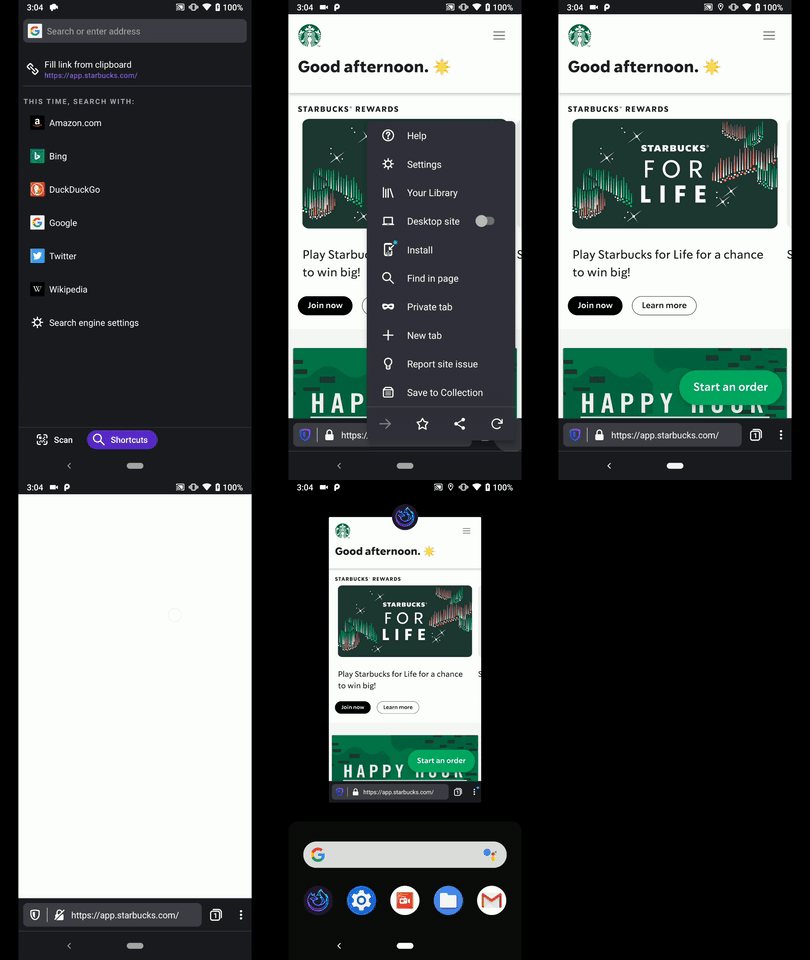
The user has to close the tab and re-open it again to get the 3dot button toolbar notification.
If you resume the page from the Open Tabs section it will not be displayed again.How many times can a user add the same PWA to the home screen?
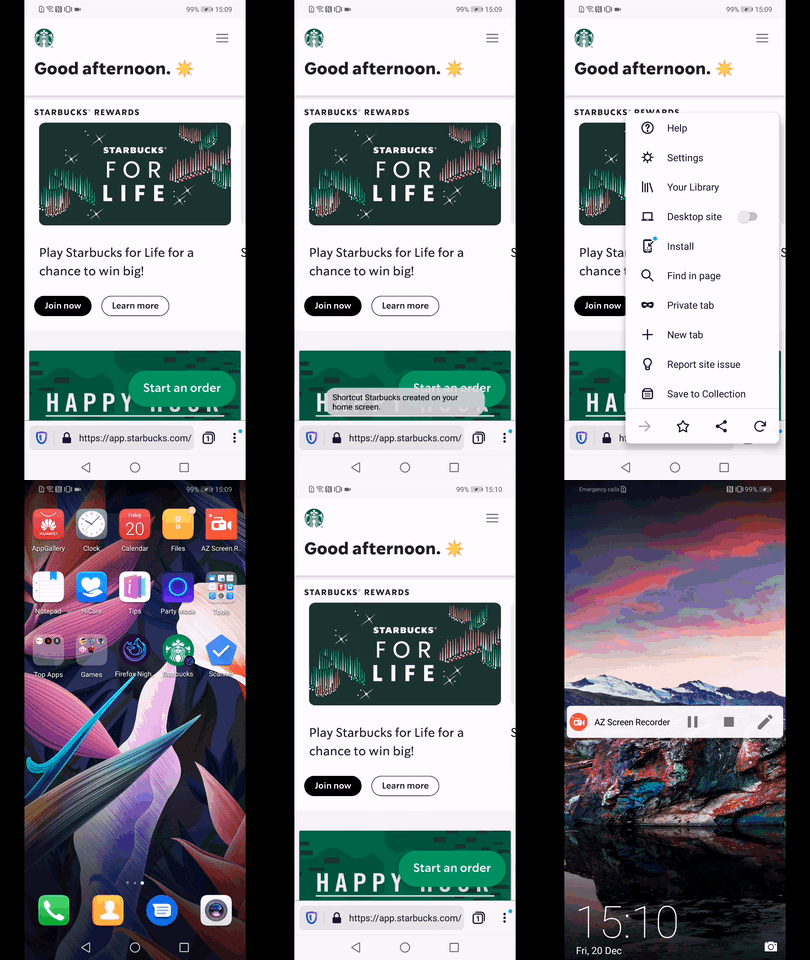
I've noticed that on the Pixel, OnePlus & LG Nexus I can add the same PWA as many times as I want.
On the Huawei, and Samsung I can only add it to the homescreen once.
► Video
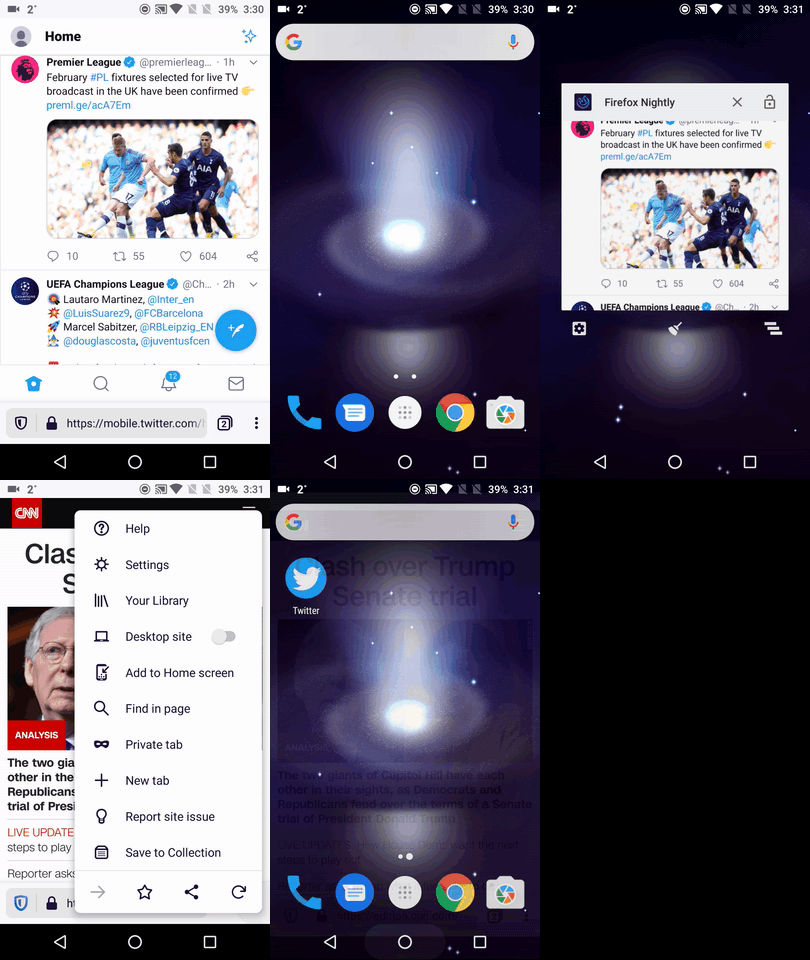
On the OnePlus and LG Nexus the Android Dialog box isn't displayed.
On the other hand when adding a Website Shortcut the dialog is properly displayed
► Video
► Full check on Google Pixel 3a
@NotWoods & @apbitner - Please review, and advise. ☺️
I'll remove the QA needed label until further notice.
 AndiAJ
on 20 Dec 2019
AndiAJ
on 20 Dec 2019
1 - Good catch. 'Install' is correct, the design just hadn't been updated, but I'll do so to avoid any confusion.
For 2 - 4, these sound like they could be bugs so I'll let @NotWoods weigh in.
apbitner
on 27 Dec 2019
2 is a bug, 3 we can't control.
With 4, we currently display the native shortcut dialog. On older devices, there is no dialog to display. We could add some variation of the bookmark shortcuts dialog for all devices, but then we would show two dialogs on newer devices.
NotWoods
on 27 Dec 2019
@NotWoods just wanted to mention here that this native shortcut dialog is provided by the launcher and not the system UI, so not every launcher actually implements such a dialog.
 TitanNano
on 21 Jan 2020
TitanNano
on 21 Jan 2020
I wasn't aware of that, thanks for the info 😄 I'll try to test on a few different launchers.
NotWoods
on 21 Jan 2020
Hey @NotWoods is this ready for QA yet?
 vesta0
on 13 Feb 2020
vesta0
on 13 Feb 2020
No, the dialog hasn't been merged yet
NotWoods
on 13 Feb 2020
Hi, I've re-checked this matter on the latest Nightly Build #20940609 from 4/3 using the following devices:
• Google Pixel 3a (Android 10)
• Huawei Mate 20 Lite (Android 9)
• OnePlus A3 (Android 6.0.1)
The PWA dialog is displayed and seems to be working only on the first PWA page.
Afterwards, no dialogs are displayed if you navigate to other PWA pages for the first time.
The most important aspect is that, whether you do or don't add a PWA , the "Install" button from the ⋮ Main menu seems to disappear making Fenix incapable of installing any PWA's.
► Used "Add to home screen" from the dialog and afterwards re-checked the ⋮ Main menus and dialogs
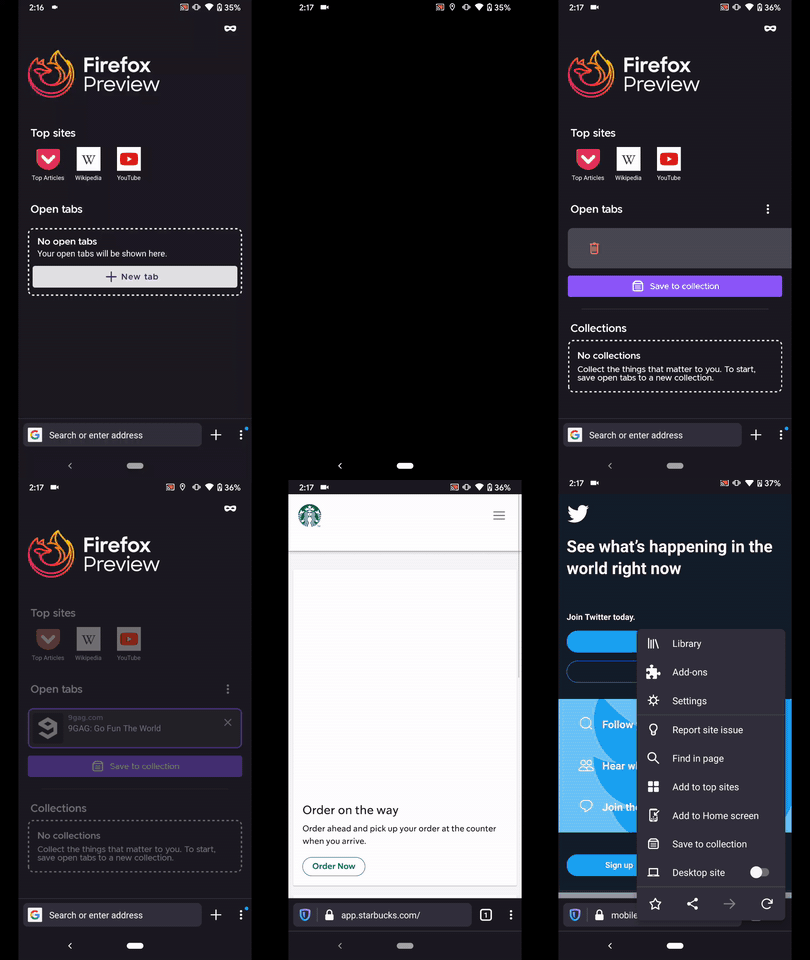
► Used "Install button" and afterwards re-checked the ⋮ Main menus and dialogs
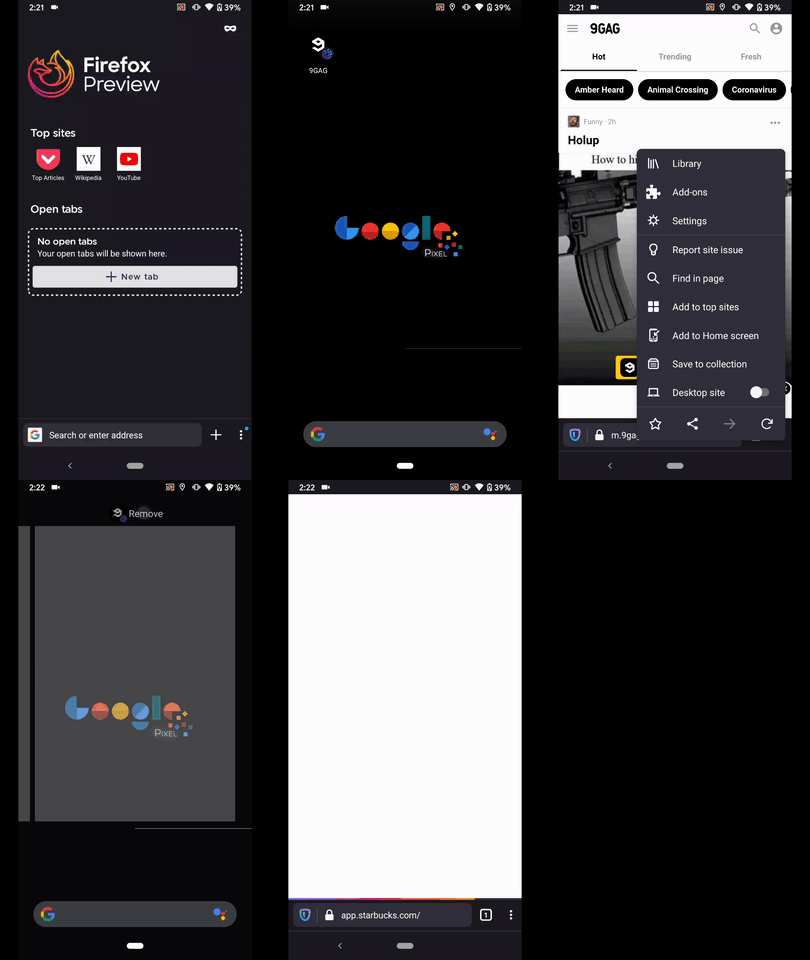
► Didn't install any PWA just checked the dialogs and ⋮ Main menu "Install" buttons
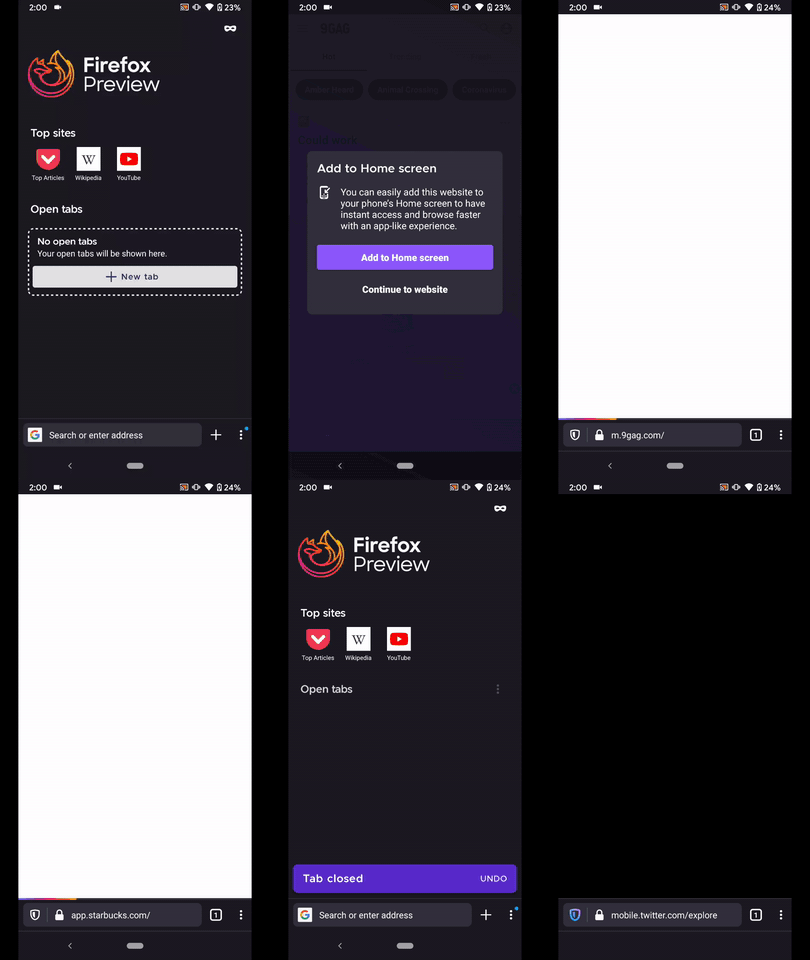
@NotWoods & @ekager - Please review.
I'll remove the QA needed.
AndiAJ
on 3 Apr 2020
The above issue has been fixed by the fix for #9692 ! I think we can close this. Thanks!
 ekager
on 13 Apr 2020
ekager
on 13 Apr 2020
Related issues
 robsmith11
·
3Comments
robsmith11
·
3Comments
 phileastv
·
3Comments
phileastv
·
3Comments
 abodea
·
3Comments
abodea
·
3Comments
 clitetailor
·
3Comments
clitetailor
·
3Comments
 andreicristianpetcu
·
3Comments
andreicristianpetcu
·
3Comments
Most helpful comment
@madb1lly we have a handful of features that are only available depending on the website you're on such as reader mode, open in native app, install PWA, etc. We don't want to put all of those icons in the address bar so we're working on a way to make these contextual features easily noticeable without cluttering up the address bar.